Best Printer for Crafting at Home
Expert Reviews, Comparisons & Buying Guide for Scrapbooking, Cardmaking, Vinyl & Art Printing
Introduction
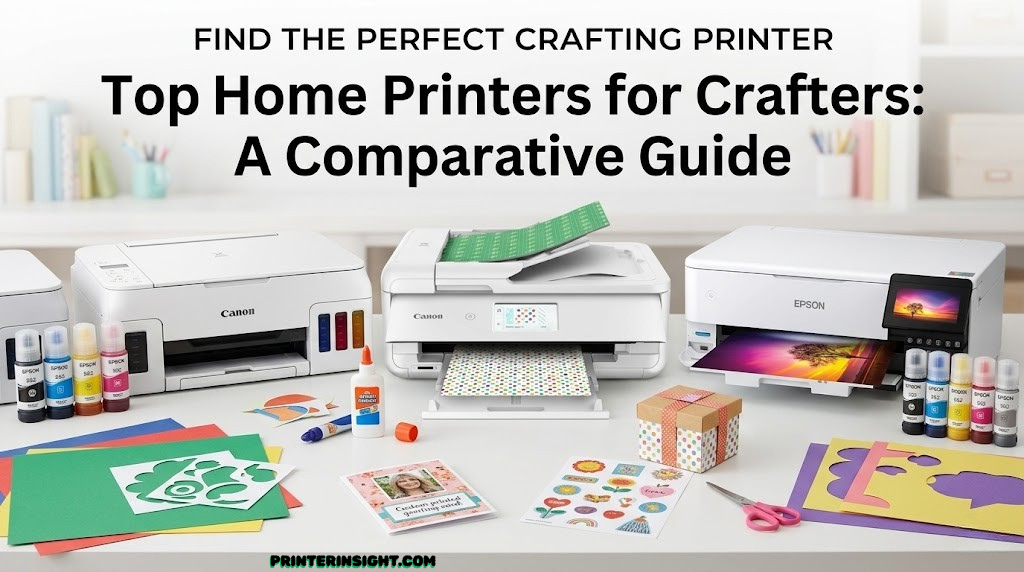
Finding the right printer for crafting isn’t just about printing documents—it’s about bringing your creative vision to life. Whether you’re a scrapbooking enthusiast, cardmaker, vinyl designer, or fine art creator, your printer needs to handle specialty media, deliver vibrant colors, and maintain consistent quality across different materials.
The challenge is that most standard home printers aren’t optimized for craft work. They struggle with thick cardstock, can’t accommodate large print areas, or deliver colors that fade quickly. After extensive testing and analysis, we’ve identified the five best printers specifically suited for crafting at home, each excelling in different creative applications.
This comprehensive guide breaks down everything you need to know: from maximum print sizes and color accuracy to ink costs and specialty media support. By the end, you’ll have a clear understanding of which printer matches your specific crafting needs.
What Matters Most in a Craft Printer
Before diving into specific models, let’s establish the key criteria that separate outstanding craft printers from ordinary ones. Understanding these factors will help you make an informed decision, whether you’re focused on card making, scrapbooking, or professional art prints.
Print Size Capability
Craft projects often require specific dimensions. Scrapbooking typically demands 12″ x 12″ capability, while art print enthusiasts need at least 13″ x 19″ for professional poster-sized work. Standard 8.5″ x 11″ printers severely limit your design possibilities. A printer with extended width accommodates various specialty papers and allows you to plan projects without constraint.
Color System & Accuracy
The number of ink colors matters significantly. Five-color systems provide solid results for general crafting, but six-color printers deliver superior color graduation and photographic quality. If you work with photos or require professional color accuracy, six-color systems with dedicated photo black are non-negotiable. These systems produce richer shadows and more nuanced tones that make a visible difference in final output quality.
Specialty Media Support
True craft printers handle more than standard copy paper. Look for machines that accept cardstock up to 280 gsm, photo paper, watercolor paper, vinyl, sticker sheets, and fabric-compatible media. Rigid media feeding systems ensure thick materials pass through without jamming. Many crafters use a variety of materials, so media flexibility is essential.
Ink System Economics
Craft printing consumes more ink than typical office work. Supertank (EcoTank or MegaTank) systems offer dramatically lower per-page costs than cartridge-based systems. With some supertank models costing just pennies per printed page, your long-term investment is significantly lower. If you print frequently, supertank systems pay for themselves within months.
Print Speed & Reliability
Faster print speeds mean more time creating and less time waiting. For high-volume crafters, 10+ pages per minute (ppm) saves considerable time. Additionally, look for printers with proven reliability records, solid warranty coverage, and accessible customer support. Crafting deadlines don’t accommodate mechanical failures.
Pro Tip: Consider Your Workflow
Think about how often you print, what sizes you need, and which materials you use most. A scrapbooker prioritizing 12″ x 12″ work needs different specs than someone producing 13″ x 19″ art prints. Match the printer to your actual workflow, not theoretical capabilities.
Top 5 Printers for Crafting at Home
Based on rigorous evaluation across color accuracy, media handling, print capacity, and real-world crafting applications, here are the five printers that deliver exceptional results for home crafters. Each excels in different scenarios, so you’ll find the perfect match for your specific needs.
1. Canon PIXMA TS9521C: Best for Scrapbooking & Cardmaking
The Canon PIXMA TS9521C stands out as the premier choice for scrapbooking and cardmaking enthusiasts. This five-color inkjet printer delivers the 12″ x 12″ print capability that scrapbookers demand, paired with exceptional color saturation and reliable media handling that cardmakers trust.
Key Specifications
- Print Width: 12 inches (perfect for 12″ x 12″ scrapbooking layouts)
- Color System: 5 independent color cartridges (CMYK + Photo Magenta)
- Print Speed: 15 ppm (black & color)
- Maximum Media Thickness: 300 gsm (handles premium cardstock beautifully)
- Special Features: Edge-to-edge printing, quiet mode, boundary-free design for creative layouts
Performance for Crafting
The TS9521C was engineered with crafters in mind. Its 5-color cartridge system, while not as advanced as 6-color alternatives, produces rich colors perfectly suited for cardstock printing. The Photo Magenta cartridge ensures pink and red tones remain vibrant—crucial for colored cardmaking projects.
What truly sets this model apart is its ability to print full-bleed at 12 inches. Scrapbookers can design 12″ x 12″ layouts without sacrificing border space. The printer handles cardstock up to 300 gsm with consistent reliability, whether you’re using specialty cardstock or textured paper. Paper feed is smooth and jams are rare, even with heavier materials.
Media Handling & Versatility
This printer welcomes a wide range of specialty papers. Cardstock printing is its forte, but it also handles:
- Fine art papers and watercolor paper
- Glossy photo paper and semi-gloss cardstock
- Matte and textured specialty cards
- Borderless printing for seamless designs

Canon PIXMA TS9521C
Best for 12″ x 12″ scrapbooking and cardmaking projects with 5-color vibrant output.
Check Current PriceStrengths
- Perfect 12″ x 12″ width for scrapbooking
- Vibrant 5-color system ideal for cardmaking
- Handles cardstock reliably
- Quiet operation mode
- Affordable cartridge costs
- Compact footprint for home studios
Limitations
- Only 5 colors (vs. 6 in premium models)
- Uses cartridge system (higher per-page costs)
- Lower photo quality than 6-color systems
- Print speed decent but not industry-leading
- No high-capacity tank option available
Ideal User Profile
This printer is perfect for dedicated scrapbookers and cardmakers who prioritize the 12″ x 12″ format above all else. If cardstock quality and reliability matter more than photo-grade output, this is your machine. Budget-conscious crafters appreciate the lower cartridge costs compared to professional 6-color systems.
2. Epson EcoTank ET-8550: Best for High-Volume Art Prints & Professional Work
The Epson EcoTank Photo ET-8550 represents the pinnacle of home art printing. With a six-color system, 13″ x 19″ maximum print width, and enormous ink tanks that dramatically reduce ongoing costs, this printer serves serious artists and print enthusiasts who demand both quality and economy.
Key Specifications
- Print Width: 13 inches x 19 inches (professional poster size)
- Color System: 6-color EcoTank (CMYK + Photo Black + Photo Cyan)
- Print Speed: 15 ppm (black), 10 ppm (color)
- Maximum Media Thickness: 0.35 mm (excellent for art papers)
- Ink Tank Capacity: 14,000 black pages per tank refill
- Special Features: True photo black system, wireless networking, USB direct printing
The EcoTank Advantage
The EcoTank system fundamentally changes the economics of craft printing. Instead of replacing small cartridges every few months, you refill massive tanks once or twice yearly. Initial tank included in the box eliminates startup costs, and subsequent refills cost just a few dollars for thousands of pages.
For serious crafters, this translates to approximately $0.01 per page—a fraction of traditional cartridge systems. If you print 50 pages monthly, you’ll save hundreds of dollars annually compared to cartridge-based printers.
Six-Color Quality Advantage
The ET-8550’s six-color system, specifically its dedicated Photo Black and Photo Cyan, produces superior black tones and smoother color gradations. This is particularly evident in photography, fine art reproductions, and color-critical design work. The extra colors eliminate banding and deliver near-photographic quality on appropriate media.
Professional Art Paper Support
This printer excels with fine art papers that many consumer models struggle with:
- Cold-pressed watercolor paper and matte art paper
- Heavy-weight fine art papers (up to 330 gsm)
- Glossy and semi-gloss photo papers
- Specialty papers like canvas, baryta, and hemp blends

Epson EcoTank Photo ET-8550
Best for professional art prints and high-volume printing with minimal ink costs.
Check Current PriceStrengths
- 13″ x 19″ format perfect for poster-sized prints
- 6-color system for superior color accuracy
- Massive ink tanks dramatically reduce per-page costs
- Excellent media handling for fine art papers
- Professional-grade output quality
- Wireless and USB connectivity
- Lower long-term cost of ownership
Limitations
- High upfront purchase cost
- Larger footprint requires dedicated desk space
- Not ideal for 12″ x 12″ scrapbooking
- Slightly slower color print speed
- Tank refills messy if you’re not careful
Who Should Choose This Printer
Artists creating reproducible work, photographers making fine art prints, and high-volume crafters benefit most from this investment. The ET-8550 justifies its premium price through exceptional quality and dramatically reduced ink expenses. If you print 100+ pages monthly, this printer pays for itself within 18 months.
3. Canon PIXMA MegaTank G620: Best for Stickers, Vinyl & Vibrant Planners
The Canon PIXMA MegaTank G620 brings the legendary MegaTank reliability with a slightly more compact footprint perfect for crafters focused on vibrant stickers, vinyl projects, and planner designs. This six-color powerhouse combines affordability with professional-grade color output.
Key Specifications
- Print Width: 8.5 inches x 14 inches (standard letter to legal width)
- Color System: 6-color MegaTank (CMYK + Photo Magenta + Photo Cyan)
- Print Speed: 9 ppm (black), 5.4 ppm (color)
- Maximum Media Thickness: 300 gsm
- Ink Tank Capacity: 12,000 black pages per tank set
- Special Features: Borderless printing, specialized sticker/vinyl mode, compact design
Purpose-Built for Decorative Crafts
While the G620 doesn’t match the 13″ x 19″ capacity of larger format printers, its specialized design for sticker and vinyl work makes it exceptional for these applications. The 8.5″ x 14″ format perfectly accommodates US Letter and A4 sticker sheets, vinyl rolls, and planner pages.
Canon’s ink formulation produces stunning saturation on vinyl and sticker materials. Colors remain vibrant even on low-tack vinyl, and the printer handles specialty adhesive-backed materials without jamming—a notable advantage over printers not designed for these applications.
Sticker & Vinyl Excellence
Crafters creating sticker designs, vinyl cut files, and decorative planner pages consistently report superior results on this model. The six-color system ensures pink, purple, and multi-color designs appear exactly as designed. For planners and journals, this printer delivers the saturation that makes layouts truly pop.
Media Versatility for Decorative Projects
- Glossy and semi-gloss sticker sheets
- Low-tack vinyl for cutting and application
- Cardstock and planner paper
- Watercolor and textured paper
- Matte presentation paper

Canon PIXMA MegaTank G620
Best for vibrant stickers, vinyl projects, and planner printing with 6-color quality.
Check Current PriceStrengths
- Exceptional color for stickers and vinyl
- 6-color system with specialized inks
- MegaTank economy—minimal ongoing costs
- Handles vinyl and sticker sheets reliably
- Compact, space-saving design
- Borderless printing available
- Great value for decorative crafting
Limitations
- Limited to 8.5″ x 14″ (not ideal for scrapbooking)
- Slower print speed than larger models
- Not suitable for large format art prints
- Specialized media handling (learning curve)
Perfect Niche Application
This printer excels specifically for crafters focused on stickers, vinyl projects, decorative planners, and small-format design work. If your primary output is small, colorful designs rather than large art prints or scrapbook layouts, the G620 delivers superior results at an excellent price point.
4. Epson Expression XP-15000: Best for Heavy Cardstock & Professional Art
The Epson Expression XP-15000 bridges the gap between specialty media handling and professional print quality. With its heavy-duty paper feed system and six-color capability, this cartridge-based printer makes sense for crafters who prioritize cardstock reliability and don’t need the ongoing tank refill convenience of supertank systems.
Key Specifications
- Print Width: 13 inches x 19 inches
- Color System: 6-color (CMYK + Photo Black + Photo Cyan)
- Print Speed: 15 ppm (black), 10 ppm (color)
- Maximum Media Thickness: 300 gsm (robust handling of heavy cardstock)
- Special Features: Reinforced paper path, precision paper feeding, borderless printing
Reinforced Paper Path for Reliability
The XP-15000’s engineering specifically addresses cardstock printing challenges. Its reinforced paper path handles heavy materials up to 300 gsm without hesitation. Crafters consistently report zero jamming, even when printing premium textured cardstock repeatedly. This reliability matters when you’re printing important projects with expensive specialty paper.
Six-Color Quality on Cardstock
Heavy cardstock can sometimes appear dull or muddy on consumer printers, but the XP-15000’s six-color system maintains vibrancy even on thick materials. The dedicated Photo Black and Photo Cyan ensure shadows remain rich and colors stay true—crucial for cardmakers and mixed-media artists.
Media That Works Best
This printer excels with:
- Premium cardstock and heavyweight card
- Cold-pressed watercolor paper
- Fine art papers and specialty textures
- Matte and semi-gloss photo papers
- Canvas and heavy-weight art papers

Epson Expression XP-15000
Best for printing on heavy cardstock and premium art papers with professional 6-color output.
Check Current PriceStrengths
- 13″ x 19″ format for large prints
- Reinforced paper path handles thick materials
- Exceptional cardstock reliability
- 6-color system for color accuracy
- Professional output quality
- Consistent, predictable performance
Limitations
- Cartridge system means higher per-page costs
- Premium cartridge pricing
- Requires careful cartridge installation
- Not as economical for high-volume printing
- Larger footprint needed
When This Printer Makes Sense
Choose the XP-15000 if you print premium cardstock regularly, prefer not dealing with tank refills, and value absolute reliability. If your budget allows and you print moderate volumes (under 100 pages monthly), this cartridge-based approach might feel simpler than managing supertank systems.
5. Epson EcoTank ET-2800: Best Budget Option for Beginners & Occasional Crafters
The Epson EcoTank ET-2800 proves that exceptional craft printing doesn’t require premium pricing. This entry-level supertank printer delivers solid performance, impressive ink economies, and media versatility perfect for hobbyists and beginners exploring craft printing without significant investment.
Key Specifications
- Print Width: 8.5 inches x 14 inches
- Color System: 4-color EcoTank (CMYK only)
- Print Speed: 10 ppm (black), 5 ppm (color)
- Maximum Media Thickness: 300 gsm
- Ink Tank Capacity: 6,500 black pages per tank
- Special Features: Wireless networking, compact design, quiet operation
Perfect Entry Point for Craft Printing
The ET-2800 prioritizes value and simplicity. With a 4-color system, it handles general craft printing beautifully while avoiding the premium pricing of 5- and 6-color alternatives. For beginners exploring sublimation, sticker printing, or casual planner design, this printer provides excellent returns on investment.
Supertank Economics at Entry-Level Price
The key advantage is EcoTank technology at a significantly lower purchase price than larger format models. You get the massive tank refills and pennies-per-page economics without the hefty investment. New refills cost just a few dollars, making this printer’s cost-per-page nearly unbeatable at this price tier.
Reasonable Media Support
- Cardstock and specialty card paper
- Sublimation paper for DIY projects
- Matte and glossy sticker sheets
- Fine art and watercolor paper
- Regular and premium photo paper

Epson EcoTank ET-2800
Best budget option for beginners with EcoTank savings and solid craft printing capability.
Check Current PriceStrengths
- Lowest purchase price among all options
- EcoTank savings dramatically reduce costs
- Compact and easy to use
- Wireless connectivity included
- Good basic color output
- Solid media handling for the price
- Perfect for hobbyist crafters
Limitations
- Limited to 8.5″ x 14″ format
- Only 4-color system (no photo colors)
- Slower print speeds than premium models
- Not ideal for photo-quality output
- Less media thickness capacity than professional models
Ideal User Profile
Budget-conscious beginners, hobbyist crafters printing 20-50 pages monthly, and anyone testing the waters in specialty craft printing find excellent value here. If you know you’ll focus on stickers, sublimation, and general planner work rather than large-format art, this printer delivers impressive performance for the price.
Complete Specification Comparison
Here’s how all five printers stack up side by side. Use this table to identify which specifications matter most for your specific crafting needs.
| Model | Max Print Width | Color System | Ink Type | Max Media Thickness | Price Range |
|---|---|---|---|---|---|
| Canon PIXMA TS9521C | 12″ x 12″ | 5-color | Cartridges | 300 gsm | $250–$350 |
| Epson ET-8550 | 13″ x 19″ | 6-color | EcoTank | 0.35mm | $600–$750 |
| Canon MegaTank G620 | 8.5″ x 14″ | 6-color | MegaTank | 300 gsm | $300–$450 |
| Epson XP-15000 | 13″ x 19″ | 6-color | Cartridges | 300 gsm | $550–$700 |
| Epson ET-2800 | 8.5″ x 14″ | 4-color | EcoTank | 300 gsm | $180–$280 |
Cost-Per-Page Comparison
Long-term printing costs vary dramatically between these models. EcoTank and MegaTank systems offer far lower ongoing expenses than cartridge-based alternatives. For high-volume crafters, this difference compounds significantly.
| Model | Estimated Cost Per Page | Monthly Refill Cost (50 pages) | Annual Cost (600 pages) |
|---|---|---|---|
| Canon PIXMA TS9521C | $0.08–$0.12 | $4–$6 | $48–$72 |
| Epson ET-8550 | $0.01–$0.02 | $0.50–$1.00 | $6–$12 |
| Canon MegaTank G620 | $0.015–$0.025 | $0.75–$1.25 | $9–$15 |
| Epson XP-15000 | $0.10–$0.15 | $5–$7.50 | $60–$90 |
| Epson ET-2800 | $0.01–$0.015 | $0.50–$0.75 | $6–$9 |
Key Insight: While supertank systems cost more upfront, they save 80–90% in long-term printing costs. If you print 100+ pages monthly, supertank models recoup their premium price within 12–18 months. For occasional crafters printing 20–30 pages monthly, cartridge systems might make more sense despite higher per-page costs.
Comprehensive Buying Guide: Choose Your Perfect Craft Printer
With five excellent options available, selecting the right printer depends entirely on your specific crafting focus. Let’s break down the decision-making process by craft type and printing volume.
Scrapbooking Focus
If 12″ x 12″ layouts are your primary work, the Canon PIXMA TS9521C is your answer. Its format exactly matches standard scrapbooking dimensions, and its five-color system delivers saturated colors perfect for cardstock. No other printer on this list matches the TS9521C’s capability in this specific application.
Learn more about choosing printers for various home printing needs to understand broader considerations beyond scrapbooking.
Fine Art & Large-Format Prints
Artists requiring 13″ x 19″ capacity face a choice between the Epson ET-8550 (supertank, economical) and Epson XP-15000 (cartridge-based, reinforced). Choose the ET-8550 if you print more than 50 pages monthly and value long-term cost savings. Select the XP-15000 if you prefer cartridge simplicity and print fewer than 50 pages monthly.
Stickers, Vinyl & Planner Printing
The Canon MegaTank G620 excels here. Its specialized design for vinyl and sticker materials, combined with six-color saturation, makes it the obvious choice. The 8.5″ x 14″ format perfectly accommodates sticker sheets and standard planner pages.
For budget vinyl printing, consider the best ink tank printer options which provide excellent supertank alternatives.
Heavy Cardstock & Specialty Media
If you frequently print premium, heavyweight cardstock, the Epson XP-15000’s reinforced paper path prevents jamming and ensures consistent output. While its cartridge system is less economical, the reliability and media handling justify the premium for cardstock specialists.
Budget-Conscious Hobbyists
The Epson ET-2800 offers unbeatable value. At the lowest price point with EcoTank economies, it’s perfect for testing craft printing without major investment. As your practice evolves, you can upgrade to a more specialized printer.
Volume Printing Considerations
Under 50 pages/month: Cartridge-based systems (Canon TS9521C or Epson XP-15000) make sense. Cartridge costs remain manageable at low volumes.
50–200 pages/month: Supertank systems begin paying off. The ET-8550 or G620 make financial sense once you exceed this threshold.
Over 200 pages/month: Supertank systems are essential. The per-page savings become dramatic, and the initial investment pays off in months.
Pro Tip: Test Before Committing
Many office supply stores offer in-store printer testing. Bring your favorite specialty paper and test print quality before purchasing. This eliminates surprise disappointments when color or media handling doesn’t match expectations.
Connectivity & Integration
All five printers offer wireless connectivity, allowing printing from phones and tablets. The Canon and Epson models support major printing services like Apple AirPrint and Google Print, making them compatible with most home workflows. Verify wireless compatibility with your devices before purchasing.
Warranty & Support
Canon and Epson both provide solid manufacturer support, typically 1-2 year warranties covering defects. Extended warranty options are available for all models. Before purchasing, verify local repair options—availability varies by region. Check reviews specific to your location to understand local service quality.
Space & Footprint Considerations
Larger format printers (13″ x 19″ models) require more desk space. Measure your workspace before committing. The Canon TS9521C and compact Epson ET-2800 work well in small craft studios, while the 13″ x 19″ models need dedicated shelf space. Consider your current workspace realistically.
Frequently Asked Questions
Craft printers frequently prompt specific questions. Here are the most common concerns and detailed answers to guide your decision.
Absolutely. All five printers handle standard copy paper beautifully. However, their specialty is optimized specialty media handling. Cardstock, vinyl, sticker sheets, and art papers showcase their capabilities. These printers are equally good with regular paper but designed to excel beyond standard office printing. For best results, use acid-free paper that won’t degrade over time, especially for important craft projects.
Frequency depends entirely on volume. With approximately 6,500–14,000 pages per tank (depending on model and color), most crafters refill 1–2 times yearly. High-volume printers might refill monthly. The beauty of supertank systems is their simplicity—when the tank reaches low level, you buy an inexpensive refill kit and continue printing. This beats cartridge replacement cycles where small cartridges run out quickly and frustratingly often.
The 5-color Canon TS9521C produces gorgeous output for general crafting. The difference becomes apparent primarily in photographic work and subtle color gradations. For cardmaking and scrapbooking with bold designs, the 5-color system is entirely adequate and delivers vibrant results. Six-color systems add dedicated photo colors that excel with photography but aren’t essential for cardstock-based crafts.
Modern printers are engineered to handle cardstock reliably. Jams are rare when using printer-appropriate weights (up to 300 gsm for these models). Most jams occur from using incompatible weights or feeding cardstock incorrectly. Load cardstock into the rear tray designed for specialty media, ensure paper is perfectly aligned, and use manufacturer-recommended settings. Proper technique eliminates virtually all cardstock jams.
Yes, but with important distinctions. The Canon G620 is specifically designed and optimized for vinyl printing with superior results. The other models handle vinyl acceptably but aren’t specifically engineered for it. If vinyl is your primary focus, the G620 justifies itself through superior color saturation and reliability on vinyl media. For occasional vinyl projects, other models work fine with standard vinyl sheets.
Regular use is the best maintenance. Printers used frequently maintain consistent output because ink stays circulated. For occasional users, print at least one color test page monthly to keep nozzles clear. Check out comprehensive home printer maintenance tips for detailed guidance. Most importantly, store paper and specialty media in cool, dry conditions and avoid exposing ink tanks to extreme temperatures.
Glossy paper has a shiny surface reflecting light, perfect for vibrant color and photograph reproduction. Matte paper has a flat finish that reduces glare and feels premium, ideal for professional artwork. Semi-gloss is a middle ground with slight sheen and good color saturation. For cardmaking, matte and semi-gloss feel more professional. For stickers and planner prints, glossy provides punchy colors. Experiment with all three to find your preference.
Not directly without modification. These standard inkjet printers aren’t designed for direct fabric printing. However, you can print fabric transfer paper and iron transfers onto garments. Alternatively, sublimation printing (using special paper and the ET-2800) allows direct printing onto polyester fabrics with permanent results. For serious fabric printing, consider specialized photo printers with textile capabilities or dedicated sublimation systems.
Check three specifications: weight (gsm or pounds), coating type (matte, glossy, etc.), and brightness. All five printers handle papers up to 300 gsm. Papers labeled “inkjet-friendly” or “suitable for inkjet” are ideal. Manufacturer documentation always specifies compatible weights and coatings. When in doubt, start with small quantities to test compatibility before committing to large specialty paper orders.
First, run a color calibration print through your printer settings. Second, verify you’re using correct printer settings for your paper type—glossy, matte, or cardstock options dramatically affect output. Third, ensure sufficient lighting when assessing colors, as indoor lighting affects perception. For critical color work, use color management profiles specific to your paper. Monitor calibration also helps ensure on-screen colors match prints. Most color discrepancies resolve through these steps.
Refurbished models from authorized dealers often offer excellent value if they include full warranties. Older models, even one generation back, work reliably for craft printing. The core technology hasn’t changed dramatically year to year. However, prioritize recent models for future drivers and support availability. Ensure any refurbished printer includes original tanks and documentation before purchasing.
Final Recommendations & Conclusion
Selecting the best printer for home crafting ultimately depends on your specific focus, printing volume, and budget. Each of these five printers excels in its niche, from the Canon PIXMA TS9521C’s perfect 12″ x 12″ scrapbooking format to the Epson ET-8550’s professional art printing capabilities.
Quick Decision Framework
Choose the Canon PIXMA TS9521C if scrapbooking dominates your craft focus and 12″ x 12″ layouts are non-negotiable.
Choose the Epson EcoTank ET-8550 if you create art prints, print high volumes monthly, and want the lowest possible long-term costs.
Choose the Canon MegaTank G620 if stickers, vinyl, and decorative planners are your primary work with excellent color saturation.
Choose the Epson XP-15000 if you print premium heavy cardstock regularly and prefer the simplicity of cartridge-based systems.
Choose the Epson ET-2800 if budget is your primary concern and you’re exploring craft printing without major investment.
Key Takeaways
- Format Matters: Print size capability directly determines what projects you can create. Don’t compromise on format if you know your needs.
- Color System Counts: Six-color systems deliver superior photographic quality, while 5-color systems excel with bold craft designs.
- Economics Compound: Supertank systems seem expensive initially but save dramatically over time with consistent use.
- Reliability Matters: Printers engineered for specialty media handle cardstock and thick papers without frustrating jams.
- Your Workflow Defines Choice: Match the printer to your actual usage patterns, not theoretical capabilities.
Craft printing opens creative possibilities that standard office printers can’t deliver. With the right printer, you’ll produce professional-quality scrapbook layouts, stunning art prints, vibrant stickers, and beautiful cardmaking projects. The investment in a printer specifically engineered for crafting pays off through superior results, reliability, and the creative satisfaction of holding finished projects that exceed your expectations.
Ready to Choose Your Perfect Craft Printer?
Use the comparison tables, detailed reviews, and decision framework above to identify which printer matches your specific needs. Don’t hesitate to visit office supply stores and test print quality before finalizing your purchase. Your future craft projects will be significantly better with the right printer supporting your creativity.
Explore Current Prices on Amazon