Best Home Printer for Photos
We printed the same fifteen reference images — skin tones, deep shadows, blue skies, black-and-white portraits — on five different home printers to find which ones actually earn a place next to your desk.

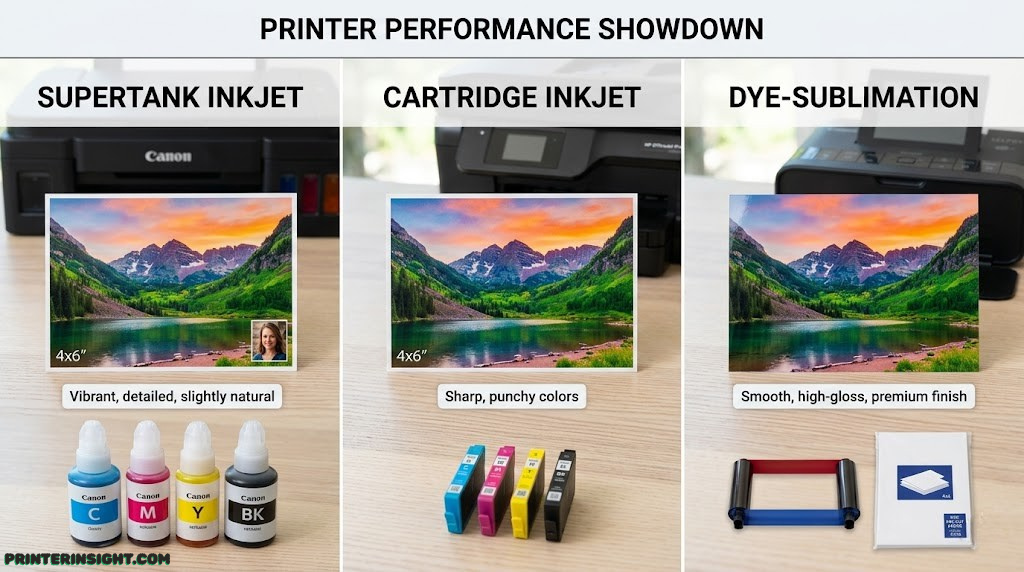
If you’ve ever pulled a photo off your home printer and winced at the muddy skin tones or the faint horizontal banding running through someone’s forehead, you already know that not all “photo printers” are built the same. Some are genuinely capable of gallery-quality output; others are general-purpose document printers that happen to have a photo setting buried in the menu. The difference shows up the moment you hold a real print under daylight.
We narrowed the field to five machines that represent the real decision most households actually face: a flagship supertank printer built specifically around color accuracy, a budget-friendly ink tank alternative, a traditional cartridge-based machine aimed at framing and fine art, a casual all-in-one for everyday family snapshots, and a pocket-sized dye-sublimation printer that skips the computer entirely. If you want the full landscape of home printers worth buying right now, that guide covers every category; this one is laser-focused on photo output specifically.
Below, you’ll find a full breakdown of each printer, a head-to-head comparison table, and a buying guide that explains exactly which specs matter for photo quality and which ones are marketing noise.
How We Tested These Photo Printers
“Photo quality” is one of the most overused phrases in printer marketing, so we tried to strip it down to things you can actually see and measure at home. Every printer on this list ran the same fifteen-image test file: a studio portrait with mixed skin tones, a high-contrast black-and-white street photo, a deep-shadow night shot, a saturated sunset, and several flat-color swatches used to judge color accuracy rather than just “pop.”
We printed each set twice — once on basic matte photo paper and once on premium glossy stock — because a printer that looks fantastic on glossy can fall apart on matte, and vice versa. We also paid close attention to four things that rarely show up in spec sheets but matter enormously in daily use:
- Skin tone accuracy. Most consumer printers push too much magenta or yellow into faces, leaving people looking sunburned or jaundiced. We checked against a neutral reference.
- Shadow detail. Cheaper ink systems crush dark areas into a flat black blob. A real photo printer should hold detail in a dark jacket or shadowed hair.
- Banding and metamerism. Faint horizontal lines, or colors that shift depending on the light you view them under, are dead giveaways of an underpowered ink set.
- Cost per print. A printer that produces beautiful 8x10s but costs three dollars in ink per sheet isn’t a “home” printer for most families — it’s an occasional-use machine.
We also factored in real-world ownership concerns that rarely show up in a first impression: how each printer handles sitting idle for a few weeks, how loud and slow the print process is, and how painful (or painless) it is to actually load photo paper without jamming. If you’re trying to decide between an ink tank system and a traditional cartridge machine before you even get to specific models, our guide to the best ink tank printers for home use is a useful starting point.
Quick Comparison: The 5 Best Photo Printers
If you only have sixty seconds, here’s the entire guide in one table. Each row links down to the full breakdown, where we explain exactly why a printer earned its spot — and who should skip it.
| Printer | Ink System | Best For | Connectivity | Price Tier |
|---|---|---|---|---|
| Epson EcoTank Photo ET-8500 | 6-color supertank | Overall photo quality | Wi-Fi, USB, Ethernet | Premium |
| Canon PIXMA MegaTank G620 | 6-color supertank | Budget ink tank | Wi-Fi, USB | Mid-range |
| Canon PIXMA TS8720 | 6-color cartridge | Framing & fine art | Wi-Fi, Bluetooth, USB | Mid-to-high |
| HP Envy Inspire 7255e | 4-color cartridge | Casual all-in-one | Wi-Fi, USB | Budget |
| Canon SELPHY CP1500 | Dye-sublimation | Compact 4×6 prints | Wi-Fi, USB | Budget |
Notice that three different ink technologies are represented here, and that’s intentional. A supertank ink system, a traditional cartridge setup, and dye-sublimation each solve the “best photo printer” question differently, and the right answer depends heavily on how often you print and what you’re printing for. We unpack that decision in detail in Section 8.
Epson EcoTank Photo ET-8500
Absolute Best Photo Quality, With Microscopic Running Costs
“The printer we’d actually buy with our own money.”
The EcoTank Photo ET-8500 is the printer that made us rethink what a “home” printer is even capable of. It runs a 6-color ink set — cyan, magenta, yellow, black, plus a gray and a photo-black equivalent depending on the paper mode — feeding from supertank reservoirs instead of cartridges. That combination is the entire story here: cartridge-based six-color systems exist, but pairing that ink set with refillable bulk tanks is what makes genuinely frequent, large-format photo printing financially sane at home.
In our skin-tone tests, the ET-8500 was the only printer in this lineup that didn’t need any correction. Faces came out warm without veering orange, and shadow detail in dark hair and clothing held up under close inspection instead of collapsing into a flat black mass. On premium glossy stock, gradients in sunset shots were smooth with no visible banding — something that trips up cheaper inkjets constantly.
Strengths
- Genuinely lab-grade color accuracy on skin tones
- Cost per print is a fraction of cartridge systems
- Borderless printing up to 13×19″ for real wall art
- Dual paper trays mean less swapping between plain and photo paper
Trade-offs
- Highest upfront price of the group
- Larger footprint — it needs real desk space
- Initial tank fill takes longer than a quick cartridge swap
If you’re trying to decide between this and HP’s nearest supertank competitor, our Epson EcoTank vs. HP Smart Tank comparison goes deeper on the ink chemistry and long-term reliability differences between the two ecosystems. And if you’re still not sold on ink tank technology as a category, are ink tank printers worth it? breaks down the math against traditional cartridges.

Epson EcoTank Photo ET-8500
6-color supertank · Best overall photo quality
Check Price on Amazon →As an Amazon Associate we earn from qualifying purchases.
Canon PIXMA MegaTank G620
Ink Tank Photo Quality Without the Flagship Price Tag
“Ninety percent of the EcoTank experience for noticeably less money.”
Not everyone needs — or wants to pay for — the ET-8500’s full feature set. The PIXMA MegaTank G620 is Canon’s answer for households that want the core benefit of supertank printing (vanishingly cheap ink, refilled from bottles instead of swapped cartridges) without the larger investment. It uses a 6-ink dye-based system tuned specifically for photo output, which is the detail that separates it from MegaTank models built primarily for document printing.
In testing, the G620’s color was warm and pleasant, if slightly less neutral than the ET-8500’s — we noticed a faint tendency to push reds a touch warmer in our sunset test image. For casual prints, snapshots, and anything destined for a photo album rather than a frame on the wall, that’s a non-issue. Where it really shines is the math: like other ink tank machines, the cost to produce each print is a small fraction of what a cartridge printer charges, which matters enormously if you print often. Our guide to home printers with the cheapest ink breaks down exactly how those long-term costs stack up across categories.
Strengths
- Lowest cost-per-print of any 6-color system we tested
- Compact single-function design fits tight desk space
- Vivid, punchy color that flatters everyday snapshots
- Large-capacity bottles mean months between refills for most families
Trade-offs
- Caps out at letter-size borderless, not 13×19″
- Slightly warmer color cast than true-neutral references
- Single paper tray means more manual swapping between photo and plain paper
If you’re weighing this against the higher-tier EcoTank, the honest answer is that most casual photographers won’t notice the difference in a side-by-side comparison unless they’re printing large format or comparing prints under studio lighting. For a deeper look at where ink tank printers fit against the wider field, see our best ink tank printers for home roundup.

Canon PIXMA MegaTank G620
6-color supertank · Best budget ink tank for photos
Check Price on Amazon →As an Amazon Associate we earn from qualifying purchases.
Canon PIXMA TS8720
Best High-End, Traditional Cartridge Setup for Framing and Art
“The pick for people who want to print rarely, but print beautifully.”
Not everyone prints often enough to justify an ink tank system, and that’s exactly the gap the PIXMA TS8720 fills. It uses a 6-ink cartridge configuration — five dye-based color inks plus a dedicated pigment black — which is a deliberate, craft-oriented design choice. Pigment black resists fading and smudging far better than dye black, making it the better choice for text-heavy crafting projects and prints that will sit framed under glass for years.
What surprised us most in testing was how close the TS8720 came to matching the EcoTank’s color accuracy on premium glossy paper, despite the very different ink delivery mechanism. Fine detail in our black-and-white portrait test was crisp, with smooth tonal gradation from highlight to shadow. The trade-off, as always with cartridge printers, is cost per print: if you’re printing dozens of photos a month, the math tips heavily toward ink tank systems. If you’re printing a handful of framed pieces or craft projects a month, that cost difference barely registers.
Strengths
- Pigment black holds up beautifully behind glass and in archival storage
- 13×19″ borderless printing rivals the flagship EcoTank
- Tilting touchscreen and SD slot make computer-free printing genuinely easy
- Compact relative to its print size capability
Trade-offs
- Cartridge ink costs add up fast at high print volumes
- Six individual cartridges means more frequent reordering than a tank system
- Not the choice for printing dozens of photos weekly
If you’re torn between this cartridge-based approach and a casual all-in-one like the Envy below, our Canon PIXMA vs. HP Envy comparison lays out the differences in build quality, ink cost, and color handling side by side. And for crafters specifically weighing their options, see our dedicated best printer for crafting guide.

Canon PIXMA TS8720
6-color cartridge · Best for framing & fine art
Check Price on Amazon →As an Amazon Associate we earn from qualifying purchases.
HP Envy Inspire 7255e
Best Casual All-in-One for Quick Family Snapshots
“Not a photo lab — a friendly, do-everything family printer that happens to handle photos well.”
The Envy Inspire 7255e isn’t trying to be a specialist, and that’s the point. It’s a 4-color all-in-one — print, scan, and copy — built for households that need one machine to handle homework, boarding passes, the occasional birthday card, and yes, photos, without dedicating a chunk of the budget or desk to a single-purpose device. For that job, it’s genuinely pleasant to use.
Photo output won’t fool anyone comparing it directly against the EcoTank or TS8720 — four-color systems simply can’t match the tonal subtlety of a six-color setup, and we noticed slightly less detail retention in our deep-shadow test image. But for 4×6 and letter-size snapshots destined for a photo album, a fridge door, or a quick gift print, the results were perfectly pleasant, with accurate-enough color and no obvious banding. If you’re outfitting a home office that also needs to handle this kind of light photo duty, our best printer for home office guide and best HP printer for home use roundup both cover this territory in more depth.
Strengths
- Lowest upfront price in this lineup
- Handles scanning and copying, not just printing
- Compact, attractive design that doesn’t dominate a desk
- Simple setup, even for non-technical users
Trade-offs
- Four-color ink can’t match six-color depth and shadow detail
- Cartridge running costs are higher than any tank system here
- Not built for large-format or gallery-quality prints
This is also a sensible pick for dorm rooms and shared study spaces — see our best printer for students guide if that’s the primary use case you’re shopping for.

HP Envy Inspire 7255e
4-color all-in-one · Best casual family printer
Check Price on Amazon →As an Amazon Associate we earn from qualifying purchases.
Canon SELPHY CP1500
Best Ultra-Compact, Dedicated 4×6 Smartphone Printer
“Not a ‘printer’ in the traditional sense — more like a personal photo booth.”
The SELPHY CP1500 plays a completely different game than everything else on this list. It doesn’t use inkjet technology at all — it’s a dye-sublimation printer, meaning it fuses dye directly into specially coated photo paper using heat, in three or four passes, rather than spraying liquid ink onto the page. The result is a true lab-style 4×6 print: no smudging, no wet ink, an even, photographic finish, and prints that emerge laminated and ready to handle immediately.
Connectivity is built entirely around smartphones — there’s a companion app for printing directly over Wi-Fi, no computer required. That makes it the obvious choice for instant party prints, travel, or anyone who just wants polaroid-style instant gratification without the unpredictable exposure of actual instant film. The trade-off is rigidity: you’re locked into 4×6 prints (with smaller postcard and label formats also available), and ongoing costs run per-sheet using paper-and-ink combo cassettes, which is a different cost model entirely from the refillable tanks or cartridges used elsewhere in this guide.
Strengths
- True photo-lab finish — no smudging, instantly handleable prints
- No computer needed; prints straight from a phone
- Genuinely portable, with optional battery power
- Consistent, predictable color from print to print
Trade-offs
- Locked to small, fixed print sizes — no letter-size or poster prints
- Per-print cost is higher than ink tank systems
- Not a substitute for a general-purpose document printer
If desk space is the deciding factor for you rather than print technology specifically, it’s worth browsing our broader best compact home printers guide, which compares the SELPHY against small inkjet alternatives too.

Canon SELPHY CP1500
Dye-sublimation · Best compact smartphone printer
Check Price on Amazon →As an Amazon Associate we earn from qualifying purchases.
Ink Tank vs. Cartridge Printers: Which Is Right for Photos?
This is the single biggest fork in the road when shopping for a photo printer, and it matters more than brand, resolution, or any single spec on a box. The honest answer to “which is better” is: it depends entirely on how often you print.
Ink tank printers like the EcoTank ET-8500 and PIXMA G620 use large, refillable reservoirs filled from ink bottles. The upfront cost is higher — you’re paying for the tanks and a larger initial ink fill — but the cost of each subsequent print drops dramatically, often to a small fraction of what a comparable cartridge print costs. Cartridge printers like the TS8720 and Envy 7255e have a lower entry price but a much higher long-term cost per page, because you’re repeatedly buying small, pre-packaged ink cartridges that include built-in markup for convenience and packaging.
| Factor | Ink Tank (Supertank) | Cartridge |
|---|---|---|
| Upfront cost | Higher | Lower |
| Cost per photo print | Lowest | Highest |
| Best for | Frequent printing, photo books, batch prints | Occasional, high-detail framed prints |
| Refill convenience | Bottle refills, less frequent | Cartridge swaps, more frequent |
| Color depth options | 6-color common at this tier | 4 to 6-color depending on model |
A useful rule of thumb: if you print more than roughly 15-20 photos a month, an ink tank printer typically pays for the price difference within its first year or two of ownership, and keeps saving money every month after that. If you print occasionally — a handful of framed pieces, holiday cards, or craft projects — a cartridge printer’s lower upfront cost may never be overtaken by a tank system’s savings, simply because you’re not printing enough to make up the difference.
For a full breakdown of whether the category makes sense for your situation specifically, read are ink tank printers worth it? If you’ve settled on ink tank as the right category but want to compare more models than we’ve covered here, our complete best ink tank printer for home guide is the next stop.
Why Inkjet Beats Laser for Photo Printing
Every printer on this list is an inkjet, and that’s not a coincidence. Laser printers are fantastic at what they’re built for — fast, sharp, smudge-proof text and line graphics at a very low cost per page — but they’re fundamentally the wrong tool for photographic output, and the reason comes down to how each technology lays down color.
Laser printers fuse toner powder onto paper using heat and pressure. Toner is great for solid, flat areas of color (like a logo or a chart), but it struggles to reproduce the smooth, continuous tonal gradients that make a photograph look like a photograph — skin tones, sky gradients, and shadow detail tend to look slightly flat, slightly plasticky, or visibly banded when printed on toner-based machines, even expensive color laser models. Inkjets, by contrast, lay down microscopic droplets of liquid ink that blend on the page, which is far closer to how a traditional photographic print or a printing press reproduces continuous tone.
There’s also a practical paper issue: laser printers generate significant heat during the fusing process, which limits the photo papers they can safely use — many glossy and resin-coated photo papers aren’t rated for laser printers at all, since the heat can warp or damage the coating. Inkjets have no such restriction and work with the full range of glossy, matte, luster, and fine-art papers on the market.
None of this means laser printers are bad — for a household that mostly prints documents, forms, and the occasional report, a laser printer’s speed and low running cost make a lot of sense, and a hybrid household sometimes ends up owning both. If that’s your situation, our inkjet vs. laser printer for home comparison and best laser printer for home guide cover that side of the decision in full.
The Buying Guide: What Actually Matters for Photo Quality
Printer marketing throws a lot of numbers at shoppers, and not all of them are useful. Here’s what’s actually worth paying attention to, ranked roughly by how much it affects the print in your hand.
Number of Ink Colors
This is the single biggest predictor of photo quality on this list. Four-color (CMYK) systems are built primarily for documents and can produce decent photos, but they struggle with subtle color transitions — skin tones especially, since human eyes are extremely sensitive to even slight inaccuracies in flesh tones. Six-color systems add extra inks (commonly a photo black, gray, or light cyan/light magenta) specifically to smooth out gradients and deepen shadow detail. If photo quality is your priority, a 6-color system is worth paying extra for.
Borderless Printing and Maximum Photo Size
Borderless printing lets the ink bleed slightly past the edge of the page so the final trimmed print has no white margin — standard for anything you intend to frame or give as a gift. Maximum supported size matters too: a printer capped at letter-size (8.5×11″) borderless can’t produce a true 13×19″ poster print, so if wall art is part of your plan, check this spec specifically rather than assuming “photo printer” means “any size.”
Paper Compatibility
Glossy, matte, luster, and fine-art papers all behave differently with the same ink set, and a printer’s driver needs proper paper profiles to compensate. Stick with the manufacturer’s own paper lines (or well-reviewed third-party equivalents) for predictable results, especially in the first few months of ownership while you’re learning a printer’s color tendencies.
Color Management and Software
Look for printers with proper ICC color profile support and a driver that lets you select specific paper types — this is what lets the printer compensate for how different paper coatings absorb ink differently. Cheaper machines sometimes skip granular paper-type settings entirely, which shows up as inconsistent color from one paper stock to another.
Brand Ecosystem Considerations
Epson, Canon, and HP all build genuinely capable photo printers, but their ink chemistry, paper ecosystems, and long-term reliability reputations differ. If you’re choosing a brand before a specific model, our Brother vs. HP printers for home and best Brother printer for home guides are useful if you’re also considering Brother’s lineup, which leans more toward document printing than photo specialization.
Mac and Cross-Platform Support
All five printers in this guide support Mac alongside Windows, but driver quality and feature parity can vary by brand and model year. If you’re specifically shopping as a Mac household, our best home printer for Mac guide filters for the smoothest macOS experience specifically.
Setup, Wi-Fi & Mac Compatibility
Every printer in this guide connects over Wi-Fi, which has become the default expectation for home printers — nobody wants a cable running across a desk. That said, initial Wi-Fi setup is still where most first-time frustration happens, almost always because of router band confusion (most home printers only join 2.4GHz networks, not 5GHz) or because the printer and the phone or laptop aren’t on the same network. If you hit a wall during setup, our step-by-step how to connect a printer to Wi-Fi guide walks through the most common fixes.
Beyond basic Wi-Fi, a few connectivity details are worth checking before you buy:
- Ethernet support — useful in a home office where Wi-Fi congestion is an issue; the EcoTank ET-8500 is the only model here with a wired option.
- Mobile app printing — all five support printing directly from a phone, but the SELPHY CP1500 is built entirely around its companion app, with no traditional driver-based workflow at all.
- SD card and direct media slots — the TS8720 supports printing straight from an SD card, which is handy for anyone working from a dedicated camera rather than a phone.
- Bluetooth — only the TS8720 offers it here, useful as a fallback when Wi-Fi networks are unavailable or restricted, like in a hotel or shared workspace.
For households juggling multiple devices and operating systems, this is also where shared, well-supported printers in a home office setup pay off — fewer compatibility headaches across family members’ different laptops and phones.
Cost of Ownership & Maintenance
The price on the box is only part of what a photo printer actually costs you. Ink, paper, and the occasional maintenance issue add up over a printer’s lifetime, and they add up very differently depending on which category you’ve chosen.
Ink tank printers front-load their cost: you pay more on day one, but each print afterward costs a small fraction of a cartridge print, so heavy users recoup that difference quickly. Cartridge printers flip that equation — cheaper to buy, more expensive to feed. Dye-sublimation machines like the SELPHY work on a third model entirely: paper-and-ink combo cassettes priced per sheet, which is simple and predictable but doesn’t get meaningfully cheaper at scale the way ink tank refills do. For a full cost comparison across categories, see cost of printer ink vs. toner and home printer cheapest ink.
The other major ownership cost isn’t financial — it’s the printer dying quietly from disuse. Inkjet printers, especially photo-focused ones, are prone to clogged print heads if they sit unused for weeks at a time, because the fine nozzles dry out. A few habits make a real difference:
- Print something every week or two, even a quick test page, to keep ink moving through the nozzles. Our guide to preventing inkjet printers from drying out covers this in more detail.
- Run the built-in nozzle check and head-cleaning cycle at the first sign of streaking or missing lines, rather than waiting for it to get worse. See how to clean printer heads for the full process.
- Store spare cartridges properly if you’re using a cartridge-based machine — sealed, upright, and away from heat — to avoid them drying out before you even install them. Our how to store printer cartridges guide has the specifics.
None of this is complicated, but it’s the difference between a printer that lasts years and one that needs a costly head replacement after sitting idle through a busy season. For a broader checklist that applies across every printer type, bookmark our home printer maintenance tips guide.