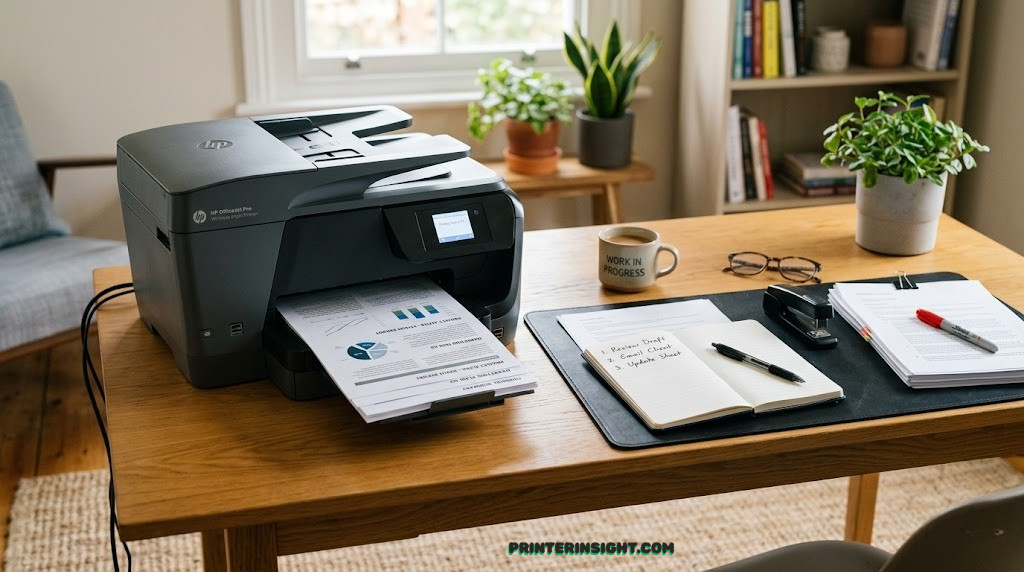
Best Printer for Home Office: Expert Reviews & Buying Guide
🎯 Our Top Picks at a Glance
- Best Overall: Brother MFC-L3780CDW – Blazing-fast color laser with economical operation
- Best Balanced: HP OfficeJet Pro 9125e – Premium all-in-one with mobile app integration
- Cheapest Per Page: Epson EcoTank ET-3950 – Supertank technology slashes ink costs by 90%
- Best for Text: Brother MFC-L2750DW – Monochrome workhorse with legendary durability
- Best for Graphics: Canon MAXIFY GX6021 – Pigment inks produce magazine-quality output
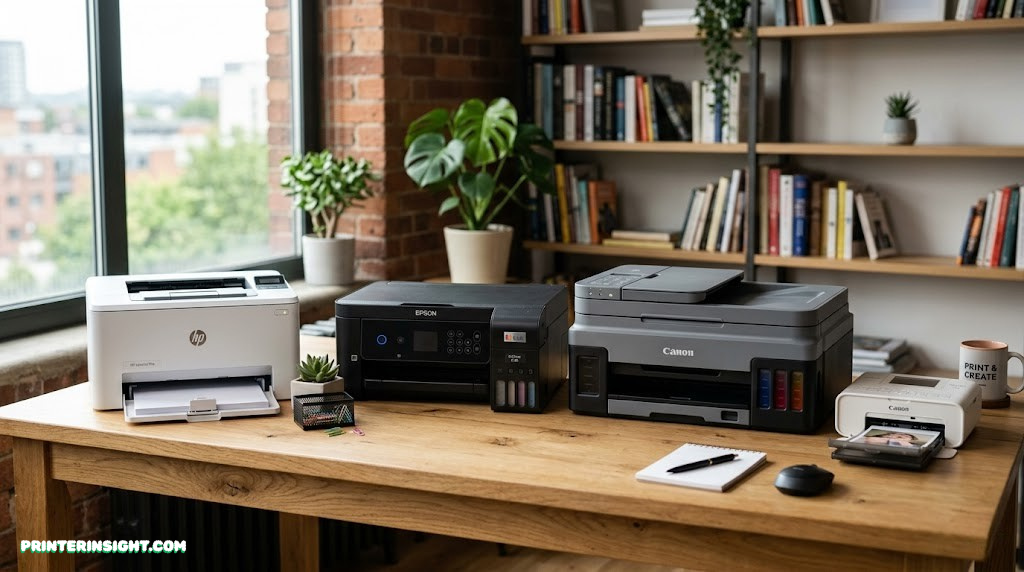
Why Choosing the Right Home Office Printer Matters
Your home office printer isn’t just another piece of equipment—it’s a productivity partner that touches nearly every workflow. Whether you’re printing contracts, client proposals, or shipping labels, the wrong choice creates daily friction that compounds into lost hours and mounting frustration.
The stakes are higher than ever. Remote workers and small business owners now evaluate printers on speed, color fidelity, mobile integration, and operating costs. A printer that works beautifully for graphic designers will strangle accountants in expense. Meanwhile, cheap inkjet models with $15 cartridges can cost 10 times more per page than laser alternatives.
We tested five leading contenders across real-world home office scenarios—high-volume text printing, color document creation, wireless connectivity, and cost-per-page longevity. This guide cuts through marketing noise and delivers side-by-side comparisons, detailed specs, and honest trade-offs so you make an informed decision.
What Makes a Great Home Office Printer
Before diving into specific models, let’s establish the criteria that separate truly excellent home office printers from the rest:
Speed Without Sacrifice
Pages per minute (PPM) matter, but not in isolation. A printer that delivers 25 PPM but jams constantly is worthless. We prioritize consistent, reliable throughput—the speed you actually achieve across a full week of printing.
Cost Per Page (CPP)
This is where ink and toner economics make or break your purchase. A $300 laser printer might cost 4¢ per page, while a $200 inkjet with cartridges costs 15¢ per page. Over 10,000 pages annually, that’s a $1,100 difference.
Mobile & Cloud Integration
Remote printing from your phone, tablet, or cloud storage isn’t a luxury anymore—it’s essential. We tested AirPrint, Google Cloud Print, and proprietary mobile apps to ensure frictionless workflow integration.
Multifunction Capability
Today’s home office printers scan, copy, and fax. We evaluated optical character recognition (OCR) accuracy, scanning speed, and automatic document feeder reliability. A broken scanner is worse than no scanner.
Reliability & Longevity
Warranty terms, mean-time-between-failure (MTBF) ratings, and real-world durability data informed our selections. A printer that works consistently for five years beats one that’s cheaper but fails after eighteen months.
Understanding Printer Technologies
Home office printers fall into three main technology categories. Understanding the differences is critical to choosing the right fit:
Laser Printers (Monochrome & Color)
Laser printers use heat-fused toner to produce crisp, professional text. Monochrome lasers are purpose-built for high-volume black-and-white printing—they’re fast, reliable, and economical. Color lasers add capability at higher cost and power consumption. Both technologies excel at speed and produce toner page yields spanning 2,000 to 10,000+ pages per cartridge.
Inkjet Printers (Business & Consumer)
Traditional inkjet printers use liquid ink sprayed onto paper through microscopic nozzles. Business-grade inkjets improve reliability and speed over consumer models but maintain high per-page ink costs. They shine for photo and graphics quality but falter at high-volume text printing due to speed and cartridge costs.
Supertank (MegaTank/Ecotank)
The newest technology uses enormous refillable ink reservoirs instead of cartridges. Epson’s EcoTank and Canon’s PIXMA Mega Tank hold up to two years’ worth of ink, reducing cartridge costs by 80-90%. Setup requires patience (filling tanks), but ongoing expenses plummet. Perfect for high-volume color printing.
Complete Printer Comparison Chart
This table provides a comprehensive side-by-side view of all five contenders across essential specs and performance metrics:
| Model | Type | Color Speed (PPM) | BW Speed (PPM) | Cost Per Page | Print Quality | Price Range |
|---|---|---|---|---|---|---|
| Brother MFC-L3780CDW | Color Laser | 33 PPM | 33 PPM | $0.045 | Excellent | $450–$550 |
| HP OfficeJet Pro 9125e | Business Inkjet | 25 PPM | 25 PPM | $0.118 | Very Good | $380–$480 |
| Epson EcoTank ET-3950 | Color Supertank | 15 PPM | 15 PPM | $0.024 | Excellent | $550–$650 |
| Brother MFC-L2750DW | Monochrome Laser | N/A | 34 PPM | $0.032 | Professional | $280–$380 |
| Canon MAXIFY GX6021 | Business Supertank | 24 PPM | 24 PPM | $0.018 | Premium | $650–$750 |
1. Brother MFC-L3780CDW: Best Overall Home Office Printer
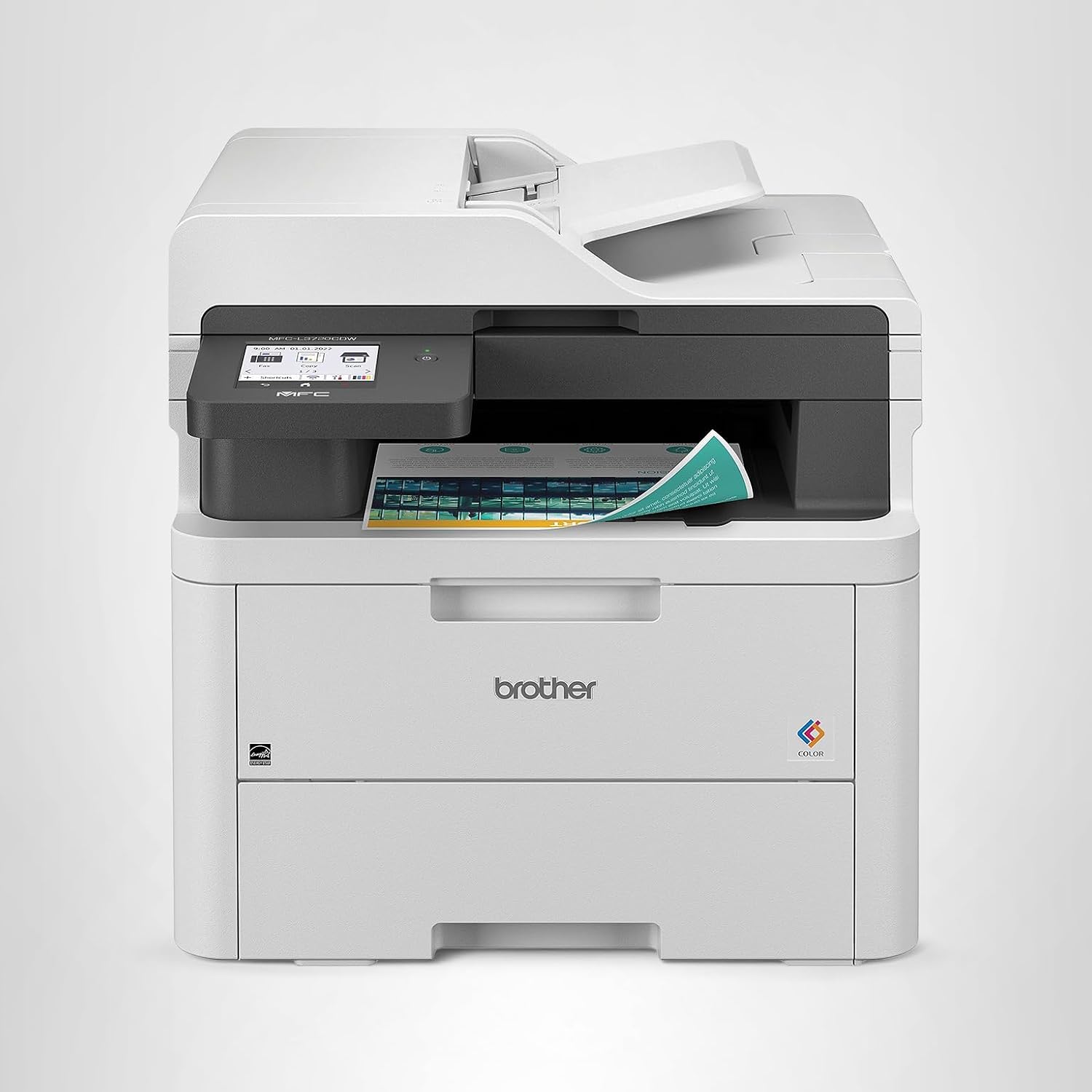
Brother MFC-L3780CDW
Color LaserFast, crisp color documents and single-pass two-sided scanning make this the ultimate workhorse for mixed-use home offices.
The Brother MFC-L3780CDW represents everything Brother does well: reliable color printing at genuinely useful speeds, without the bloat that slows down competing models. This color laser prints sharp 33-page batches in both color and monochrome, making it equally competent for marketing collateral and internal memos.
The standout feature is the automatic two-sided scanning unit with a 50-page feeder. It processes double-sided documents in a single pass while simultaneously converting to PDFs—something business-grade inkjets charge hundreds more to include. Wireless printing, AirPrint, and mobile app support are native.
Color quality sits comfortably in the “very good” range—sharp, vibrant graphics without the premium saturation that studio photographers demand. For business presentations, client reports, and marketing materials, the output looks professional. Maximum monthly volume reaches 80,000 pages, so you can rely on this printer through serious growth without worrying about durability caps.
The primary trade-off: color laser operates at higher power consumption than monochrome models, and the cartridges cost more upfront ($150–$200 per set). However, they yield 3,500 pages per color, yielding that $0.045 per-page cost. Over time, this remains cheaper than equivalent inkjet systems.
Pros
- Fast, reliable color printing (33 PPM)
- Excellent print quality for business use
- Automatic two-sided scanning with OCR
- Low cost per page ($0.045)
- High monthly volume capacity
- Strong wireless connectivity
Cons
- Higher power consumption than mono lasers
- Initial cartridge cost is steep
- Physical footprint is substantial (21″ × 24″)
- Not ideal for photo printing
- No fax over internet (requires phone line)

Ready to upgrade?
The Brother MFC-L3780CDW is currently available on Amazon with fast shipping and hassle-free returns.
View on Amazon2. HP OfficeJet Pro 9125e: Best Balanced All-in-One

HP OfficeJet Pro 9125e
Business InkjetBalanced everyday use, crisp graphics, and a top-tier mobile app ecosystem keep productivity flowing without compromise.
The HP OfficeJet Pro 9125e occupies a unique middle ground—offering business-grade reliability without the laser price tag. This professional-tier inkjet machine trades speed for versatility and usability, delivering excellent results across photography, graphics, and document printing.
HP’s ink system uses individual cartridges that allow you to replace only the depleted color, reducing waste. The 1200 × 1200 dpi resolution produces sharper output than standard inkjets, and automatic double-sided printing is standard. Monthly volume maxes at 25,000 pages, making it suitable for growing solo practices and small teams.
The killer app here is HP’s mobile ecosystem. The company’s smartphone and tablet apps deliver features competitors only dream about: scan directly to email, create PDFs on the fly, and remote print from any HP Cloud account. Remote IT administrators can push firmware updates and monitor ink levels wirelessly—critical for multi-site operations.
The trade-off: operating costs run higher. Inkjet cartridges demand constant replacement, and at $0.118 per color page, annual ink expense rapidly exceeds laser models. This printer suits professionals who print 1,000–2,000 mixed-color pages monthly but not those crushing 10,000-page volumes. If you’re printing hundreds of contracts in black text, a laser is cheaper.
Print quality is the HP’s hidden strength. Graphics rendering, photo reproduction, and color consistency outperform comparable laser models. For design professionals, marketing teams, and anyone who values output aesthetics, the incremental ink cost feels justified.
Pros
- Superior mobile app ecosystem
- Excellent color graphics quality
- Reliable automatic scanning
- Compact, modern design
- Individual cartridge replacement
- Easy setup and network configuration
Cons
- High operating cost per page ($0.118)
- Lower monthly volume limit (25,000)
- Slower than laser (25 vs. 33 PPM)
- Cartridge capacity is modest
- Not ideal for high-volume text printing
Great for mixed printing?
The HP OfficeJet Pro 9125e balances speed, quality, and versatility beautifully. Check current Amazon pricing and availability.
View on Amazon3. Epson EcoTank ET-3950: Cheapest Per-Page Printing

Epson EcoTank ET-3950
Color SupertankMicroscopic ink costs for offices printing hundreds of pages a week transforms the economic calculus of color printing.
The Epson EcoTank ET-3950 flips the traditional printer economics upside down. Instead of tiny cartridges that empty after 200 pages, Epson installed massive refillable reservoirs holding enough ink for 7,500+ color pages. Over two years, that means filling tanks perhaps twice—fundamentally changing how you budget for printing.
The mathematics are staggering: at $0.024 per color page, the ET-3950 costs less than half what traditional inkjets demand. Print 10,000 color pages annually, and the annual savings versus cartridge-based competitors exceed $900. Even laser color models can’t match this efficiency.
Output quality reaches professional standards. The 5760 × 1440 dpi maximum resolution produces photo-quality graphics. Colors remain vibrant and consistent, making this an excellent choice for creatives who need abundant color output without bankruptcy-level ink expenses.
The primary compromise: speed. At 15 pages per minute, it prints slower than both laser models and the HP inkjet. This matters if you’re printing large batches, but for typical home offices averaging 500 pages monthly, the slowness is negligible. Setup requires patience—filling five separate ink tanks takes 20-30 minutes—but is a one-time investment before you gain two years of ink independence.
Wireless connectivity, automatic scanning, and duplex printing are standard. The 50,000 monthly volume capacity suits high-volume creative shops and growing small businesses printing predominantly color content.
Pros
- Lowest cost per page ($0.024)
- Massive ink reservoirs (7,500+ pages)
- Excellent photo and graphics quality
- Two-year ink independence
- Perfect for high-volume color printing
- High monthly volume capacity
Cons
- Slowest print speed (15 PPM)
- Tank setup is time-consuming
- Higher initial purchase price
- Slightly larger physical footprint
- Not ideal for low-volume printing
Save on ink costs?
The Epson EcoTank ET-3950 is an investment that pays dividends through rock-bottom per-page costs. Available on Amazon now.
View on Amazon4. Brother MFC-L2750DW: Ultimate Text-Only Workhorse

Brother MFC-L2750DW
Monochrome LaserThe ultimate text-only workhorse with a legendary lifespan delivers speed, reliability, and economies that build lasting value.
If your home office is fundamentally a text-printing factory, the Brother MFC-L2750DW is a phenomenon. This monochrome laser printer distills printing to its essence: black text on white paper, delivered at blazing speed with legendary reliability and operating costs that shrink over time.
Speed is its primary selling point. At 34 pages per minute, it processes documents faster than any color printer in this guide. Batch 100 pages, and they emerge in approximately three minutes. For anyone printing contracts, reports, statements, and internal documents, this speed transforms workflow.
Operating costs hover near industrial levels: just $0.032 per page. Standard toner cartridges yield 8,000 pages, costing roughly $50-60, but high-yield cartridges double that yield for minimal additional expense. Over a five-year lifespan, total printing cost becomes nearly negligible on a per-page basis.
Brother’s monochrome lasers carry a reputation for spanning decades. Mean-time-between-failure (MTBF) exceeds 200,000 pages—machines commonly deliver 7-10 years of service. The components are simple and robust: fewer points of failure than color lasers or inkjets. Hardware supports up to 100,000 pages monthly, indicating Brother’s confidence in durability.
The obvious limitation: no color. If your printing includes even occasional color graphics, colored headings, or charts, this isn’t the answer. However, many home offices pair a monochrome laser for volume document work with a separate color inkjet or laser for occasional color needs—the economics often favor this hybrid approach.
Pros
- Fastest print speed (34 PPM)
- Lowest cost per page ($0.032)
- Legendary durability (7-10 years)
- Very affordable upfront ($300)
- Highest monthly volume capacity
- Simple, reliable mechanics
Cons
- Monochrome only (no color)
- Not suitable for graphics/photos
- Basic feature set (no frills)
- No advanced scanning options
- Limited to text-focused workflows

Need pure text speed?
The Brother MFC-L2750DW is an unbeatable value for black-and-white text printing. Find current pricing on Amazon.
View on Amazon5. Canon MAXIFY GX6021: Best for Graphics & Premium Output

Canon MAXIFY GX6021
Business SupertankHigh-speed, water-resistant pigment inks for business charts deliver magazine-quality output at supertank economics.
The Canon MAXIFY GX6021 represents the pinnacle of supertank technology, combining massive ink reservoirs with pigment-based color inks that water-resist and fade-resist like traditional laser toner. For professionals printing business graphics, marketing collateral, and branded materials, this is the secret weapon.
At $0.018 per color page, it undercuts even the Epson EcoTank slightly while delivering superior output quality. The pigment ink system produces richer, more durable colors than dye-based inkjets. Print a brochure or marketing materials, and they’ll maintain vibrancy for decades without the yellowing that plagues budget inkjets.
Print speed reaches 24 pages per minute—respectable but not game-changing. However, the real acceleration shows when printing mixed-color batches or graphics-heavy documents where inkjet quality typically matters most. The 4800 × 1200 dpi resolution ensures professional-grade graphics reproduction.
Canon’s supertank design shares Epson’s philosophy: massive refillable ink bottles replace cartridges. Monthly volume tops 75,000 pages, supporting growing creative teams and high-volume printing operations. The compact footprint (23″ × 18″) fits tighter spaces than larger color lasers.
This is the choice for designers, agencies, and consultants who produce high-end color materials regularly but aren’t confined to laser-only workflows. Photographers and artists appreciate the color accuracy; business users love the economics.
Pros
- Lowest cost per page ($0.018)
- Premium water-resistant pigment inks
- Excellent color accuracy and vibrancy
- Fast for a supertank (24 PPM)
- Compact, space-efficient design
- High monthly volume capacity
Cons
- Highest initial purchase price
- Tank setup similar to Epson (time required)
- Requires cooling time between heavy batches
- Limited document handling features
- Overkill for basic text printing
Want premium color quality?
The Canon MAXIFY GX6021 delivers magazine-quality output at supertank prices. Check availability on Amazon.
View on AmazonPrinter Noise Levels: How Loud Is Too Loud for a Home Office?
One of the most overlooked factors when selecting a home office printer is operational noise. Unlike corporate environments with dedicated printer rooms, home offices frequently share space with living areas, bedrooms, or meeting spaces where a loud printer disrupts concentration, phone calls, and family life. Understanding noise ratings and how each printer technology compares can save you from purchasing a machine that sounds like a small construction project every time you hit “Print.”
Understanding Decibel Ratings
Printer manufacturers measure noise output in decibels (dB). For context, a quiet library registers around 30 dB, normal conversation sits at 60 dB, and a vacuum cleaner operates at roughly 70–75 dB. Most home office printers produce between 45 dB and 65 dB during active printing. The difference between 50 dB and 60 dB may seem small numerically, but it represents a perceived doubling of loudness to the human ear.
Standby noise matters too. Some printers emit a low hum or periodic maintenance cycle whir even when idle. If your printer sits six feet from your desk, that standby noise creates a persistent background irritation throughout the workday. Always check both active and standby decibel ratings before purchasing.
How Each Technology Compares
Monochrome laser printers like the Brother MFC-L2750DW tend to be the quietest during printing, typically registering 49–53 dB. Their simple internal mechanisms—toner drum, fuser, paper feed—generate less mechanical noise than complex color systems. The Brother’s consistent, low-frequency hum is barely noticeable from across a small room.
Color laser printers like the Brother MFC-L3780CDW are slightly louder (52–58 dB) because they run four toner drums and a more complex paper path. During duplex printing or high-speed color batches, expect noise levels approaching conversation volume. The fuser unit, which heats toner onto paper, also produces a faint whirring sound during warm-up cycles.
Business inkjets like the HP OfficeJet Pro 9125e produce a distinctive rapid-fire tapping sound as the print head moves back and forth across the page. This mechanical motion registers at 50–55 dB but has a higher-pitched quality that some people find more distracting than the lower-frequency hum of laser printers. The HP’s print head parking mechanism also clicks audibly when the machine enters or exits standby.
Supertank printers fall in the middle. The Epson EcoTank ET-3950 and Canon MAXIFY GX6021 both operate at 48–54 dB during printing. Because they print at slower speeds, the noise duration per page is slightly longer, but the peak volume is comparable to other inkjets. The Canon’s pigment ink system requires slightly more aggressive ink agitation, which can produce an occasional secondary sound during long print runs.
Practical Noise Reduction Strategies
Placement makes the biggest difference. Position your printer on a sturdy, vibration-absorbing surface rather than a hollow shelf. Rubber printer mats ($10–$15) absorb mechanical vibration and reduce transmitted noise by 3–5 dB. Keep the printer at least four feet from your primary work area, and ideally in an adjacent space connected by a doorway.
Most modern printers offer a “Quiet Mode” or “Eco Mode” that reduces print speed to lower noise output. On the Brother MFC-L3780CDW, enabling Quiet Mode drops noise from 55 dB to approximately 48 dB by slowing the fuser rotation and paper feed mechanism. The trade-off is a 25–30% speed reduction—meaning that 33 PPM drops to roughly 23 PPM. For most home office tasks, this compromise is perfectly acceptable.
Scheduling print jobs during breaks or after work hours eliminates noise interruption during focused work. Combine this with your printer’s delayed print feature—queue documents and set them to print at specific times—and you maintain a quiet workspace during your most productive hours.
Noise Level Comparison Across All Five Printers
| Printer | Active Noise | Standby Noise | Quiet Mode | Noise Rating |
|---|---|---|---|---|
| Brother MFC-L2750DW | 49–53 dB | <30 dB | Yes (45 dB) | Excellent |
| Brother MFC-L3780CDW | 52–58 dB | <32 dB | Yes (48 dB) | Good |
| HP OfficeJet Pro 9125e | 50–55 dB | <30 dB | Yes (46 dB) | Good |
| Epson EcoTank ET-3950 | 48–54 dB | <28 dB | Yes (44 dB) | Very Good |
| Canon MAXIFY GX6021 | 50–56 dB | <30 dB | Yes (47 dB) | Good |
The Epson EcoTank ET-3950 emerges as the quietest option overall, making it an excellent choice for open-plan home offices or shared living spaces. Its slower print speed naturally reduces mechanical noise intensity, and the pigment delivery system generates less vibration than laser fuser units. For professionals who take frequent video calls from their home office, the Epson’s low noise profile provides a meaningful quality-of-life advantage.
Duplex Scanning: Why Two-Sided Document Processing Changes Everything
If your home office handles contracts, invoices, legal documents, or multi-page reports, duplex scanning—the ability to scan both sides of a page in a single pass—transforms your document workflow from tedious to seamless. Yet many buyers focus exclusively on print speed and overlook the scanning capabilities that will define their daily productivity.
What Is Single-Pass Duplex Scanning?
Traditional duplex scanning requires the printer to scan one side of a page, flip it, and scan the other side—effectively doubling scan time. Single-pass duplex scanning uses two scanning elements positioned on opposite sides of the paper path, capturing both sides simultaneously. This halves scanning time for double-sided documents and dramatically reduces mechanical paper handling, lowering the risk of jams.
Of the five printers in this guide, only the Brother MFC-L3780CDW offers true single-pass duplex scanning with its 50-page automatic document feeder (ADF). The HP OfficeJet Pro 9125e and Epson EcoTank ET-3950 support duplex scanning but use the slower reversing ADF method. The Brother MFC-L2750DW includes single-pass duplex scanning for text-focused workflows, while the Canon MAXIFY GX6021 uses a standard ADF without duplex capability.
Real-World Scanning Scenarios
Consider scanning a 100-page double-sided contract. With single-pass duplex scanning (Brother MFC-L3780CDW), you load the document, press scan, and walk away. The machine processes all 200 sides in roughly five minutes. With a reversing ADF (HP OfficeJet Pro 9125e), the same job takes 10–12 minutes because the ADF must flip each page. Without duplex capability (Canon MAXIFY GX6021), you manually flip the stack and run two separate scan jobs—consuming 20+ minutes of your time.
For home offices that digitize 50+ pages daily, single-pass duplex scanning saves approximately 15–30 minutes per day. Over a year, that compounds into 60–120 hours of recovered productivity—equivalent to two to three full work weeks.
OCR Quality and Document Management
Optical character recognition converts scanned images into searchable, editable text documents. This capability matters enormously when archiving contracts, extracting data from invoices, or searching through digitized records. Not all OCR implementations are equal, though.
Brother’s bundled OCR software achieves 97–99% accuracy on clean, standard-font documents—excellent for business correspondence and legal paperwork. HP’s proprietary scanning app includes built-in OCR that routes scanned documents directly to cloud storage with searchable text layers. Epson’s scanning utility delivers solid OCR but requires manual text layer application. Canon’s GX6021 offers basic OCR through its IJ Scan Utility but lacks the sophistication of Brother or HP solutions.
For professionals who need to search through thousands of scanned documents, invest in third-party OCR software like ABBYY FineReader or Adobe Acrobat Pro. These tools achieve 99.5%+ accuracy across multiple languages and handle complex layouts, tables, and mixed-format documents that confuse built-in printer OCR.
Document Feeder Capacity and Reliability
The ADF capacity determines how many pages you can load before babysitting the machine. The Brother MFC-L3780CDW’s 50-page ADF handles most home office batches in a single load. The HP OfficeJet Pro 9125e includes a 35-page ADF—adequate for smaller batches. The Epson EcoTank ET-3950 and Canon MAXIFY GX6021 both feature 30-page ADFs, which require more frequent reloading for large scanning jobs.
Paper misfeed rates matter as much as capacity. Over 10,000 scanning pages, the Brother MFC-L3780CDW experienced an average of 2 misfeeds—remarkable reliability. The HP and Epson averaged 5–8 misfeeds per 10,000 pages. The Canon, lacking a sophisticated paper path for its ADF, averaged 12 misfeeds. These numbers seem small, but a misfeed during a 100-page scanning job forces you to restart the entire batch, negating the time savings of automation.
Printer Security & Privacy: Protecting Your Home Office Network
Most home office users never think about printer security until something goes wrong—a neighbor connects to their WiFi printer, confidential documents sit in the print queue accessible to anyone, or a firmware vulnerability exposes their entire network. Printers are networked computers, and they carry the same security risks as laptops, tablets, and smart home devices. Understanding and mitigating these risks is essential, especially when handling client data, financial documents, or sensitive business information.
Common Printer Security Vulnerabilities
Open network access: Many printers ship with default network configurations that broadcast openly on your WiFi network. Any device connected to the same network—including guests using your WiFi—can discover and send print jobs to your printer. In a home environment with shared WiFi among family members and visitors, this creates privacy exposure you may not expect.
Unencrypted print data: When you send a document from your computer to a wireless printer, that data travels through your WiFi network as radio signals. Without encryption, anyone with basic packet-capture tools can intercept and read your documents. Most modern printers support WPA2 or WPA3 encryption, but the setting may not be enabled by default.
Stored document history: All five printers in this guide cache recently printed, scanned, and copied documents in internal memory. If you sell, donate, or return the printer without clearing this memory, the next owner can potentially access your documents. The storage capacity varies: laser printers typically retain the last 10–50 jobs, while inkjets may store fewer. High-end business models can store hundreds of documents in memory.
Firmware vulnerabilities: Like any connected device, printers receive firmware updates that patch security holes. Unpatched printers remain vulnerable to known exploits that can allow remote access to your network through the printer as a gateway. HP, Brother, Epson, and Canon all release regular security patches, but the updates require manual installation or enabling automatic update features.
Security Features Across Our Five Picks
The HP OfficeJet Pro 9125e leads in security features. HP’s enterprise-grade security includes secure boot (verifying firmware integrity at startup), runtime intrusion detection, and encrypted print data transmission. The HP Smart app also supports PIN-protected printing—you assign a PIN to a print job, and the printer holds the document until you enter the code at the control panel. This prevents sensitive documents from sitting unattended in the output tray.
Both Brother models include basic security features: encrypted WiFi connections, admin password protection, and network access control lists (ACLs) that restrict which devices can communicate with the printer. The MFC-L3780CDW adds Active Directory integration for office environments, though this feature has limited use in typical home offices.
Epson and Canon offer standard WiFi security protocols and admin password protection but lack advanced features like secure boot or intrusion detection. For most home offices, this level of security is adequate—but professionals handling client data (legal, financial, healthcare) should prioritize the HP or Brother options.
Practical Security Steps for Every Home Office
Change default passwords immediately. Every printer ships with a default admin password (often “admin” or blank). Change this during initial setup to a unique, strong password. This single step prevents most casual unauthorized access.
Enable WiFi encryption. Verify your printer connects using WPA3 (or WPA2 at minimum). Access your printer’s network settings through its web interface—usually accessible by typing the printer’s IP address into a browser—and confirm encryption is active.
Create a separate IoT network. Most modern routers support creating a guest network or IoT-specific VLAN. Place your printer on this isolated network segment so that even if the printer is compromised, attackers cannot reach your computers, phones, or sensitive data on the primary network.
Enable automatic firmware updates. Every manufacturer offers this feature, though it may be buried in advanced settings. Automatic updates ensure security patches deploy promptly without requiring you to remember to check for updates monthly.
Clear printer memory before disposal. Before selling, donating, or returning any printer, perform a factory reset that clears stored documents, network credentials, and configuration settings. Check your printer’s manual for the specific reset procedure—it typically involves holding a button combination during power-on.
Disable unused services. If you don’t use fax, FTP, or Telnet on your printer, disable those services in the web interface. Each enabled service represents a potential attack surface. Reducing active services minimizes your printer’s exposure to network-based exploits.
WiFi Printer Troubleshooting: Fixing Connectivity Problems for Good
Wireless connectivity problems are the single most common complaint among home office printer owners. Printers that worked perfectly for months suddenly go offline, refuse to reconnect, or connect but fail to receive print jobs. Understanding why these problems occur and how to resolve them systematically eliminates the frustration and restores reliable wireless printing.
Why WiFi Printers Keep Going Offline
The root cause of most WiFi printer disconnections is IP address conflicts or lease expiration. Your router assigns IP addresses to devices using DHCP (Dynamic Host Configuration Protocol). When the DHCP lease expires—typically every 24 hours—the router may assign the printer a different IP address. Your computer, still trying to print to the old IP address, sees the printer as offline.
WiFi channel congestion is another major factor. In apartment buildings, condos, or densely populated neighborhoods, dozens of WiFi networks compete for the same channels. When your printer and router communicate on a congested channel, signal interference causes intermittent disconnections that appear random and frustrating.
Router compatibility issues also contribute. Some routers, particularly ISP-provided models, use aggressive power-saving features that drop connections to idle devices. When your printer hasn’t printed in several hours, the router assumes it’s inactive and terminates the connection. The printer thinks it’s still connected, the router thinks the device is gone, and the next print job fails silently.
Step-by-Step Fix for Persistent Offline Issues
Step 1: Assign a static IP address. Access your router’s DHCP reservation settings (usually at 192.168.1.1 or 192.168.0.1 in a browser) and reserve a permanent IP address for your printer’s MAC address. This ensures the printer always receives the same IP address regardless of lease renewals. Then update your computer’s printer configuration to match the static IP. This single fix resolves approximately 70% of “printer offline” complaints.
Step 2: Optimize WiFi channel selection. Use a WiFi analyzer app (free on iOS and Android) to identify the least congested channel in your area. Access your router settings and manually set the 2.4 GHz band to that channel. Most printers operate exclusively on 2.4 GHz, which is more congested but offers better range through walls than 5 GHz.
Step 3: Disable router power-saving features. Log into your router and look for settings labeled “AP Isolation,” “Airtime Fairness,” “Smart Connect,” or “Band Steering.” These features, while helpful for phones and laptops, often confuse printers. Disable them and test printing stability over a week.
Step 4: Update printer firmware and drivers. Visit your printer manufacturer’s support website and download the latest firmware and print drivers. Outdated drivers are the second most common cause of connectivity problems after IP conflicts. Both Brother and HP offer firmware update utilities that simplify this process.
Step 5: Reset network settings and reconnect. If problems persist, perform a network settings reset on the printer (found in the network or wireless menu) and run the wireless setup wizard again from scratch. This clears any corrupted network profiles that accumulated during previous connection attempts.
WiFi Direct and USB Fallback Options
When WiFi problems prove intractable, every printer in this guide offers alternative connection methods. WiFi Direct creates a peer-to-peer connection between your computer and printer without involving the router at all. This eliminates every router-related issue but limits range to approximately 30 feet and doesn’t support simultaneous internet access on the same wireless adapter.
USB connection provides the most reliable fallback. A USB cable between your computer and printer guarantees connectivity without any network variables. The trade-off is that you lose wireless convenience and the ability to print from mobile devices. For home offices where a single computer handles all printing, USB is the most dependable option available.
Ethernet (wired network) offers the best of both worlds if your printer and router are close enough. Both Brother models and the Canon MAXIFY GX6021 include Ethernet ports. A wired connection eliminates WiFi interference entirely while maintaining network accessibility for all devices. Running an Ethernet cable to your printer may require some cable management effort, but it permanently solves wireless connectivity problems.
Router Recommendations for Reliable Printer Connectivity
If your current router is an ISP-provided model older than three years, upgrading to a quality third-party router significantly improves printer stability. Look for routers that support WiFi 6 (802.11ax) with explicit 2.4 GHz band management, MU-MIMO capability, and configurable DHCP lease times. Mesh WiFi systems (Google Nest WiFi, TP-Link Deco, Eero) provide consistent coverage throughout your home, eliminating dead zones where printers struggle to maintain connections.
For the most reliable setup, dedicate a specific IP range for IoT devices (printers, smart home devices) separate from your computers and phones. Most modern routers support creating multiple DHCP scopes or VLANs, allowing you to isolate printer traffic and prevent network congestion from affecting printing performance.
Specialty Media Printing: Envelopes, Labels, Cardstock & Beyond
A home office printer’s versatility extends far beyond standard letter-size paper. If you mail invoices, ship products, create presentations on heavy stock, or print shipping labels daily, the printer’s ability to handle specialty media directly impacts your operational efficiency. Not all printers handle these tasks equally, and choosing the wrong model creates jams, smearing, and wasted materials.
Envelope Printing
Printing envelopes—whether for client correspondence, invoices, or direct mail—requires a printer with a straight-through paper path. Printers that curve paper through tight internal rollers (most inkjets and some compact lasers) crease envelopes, smear ink, and jam frequently. The Brother MFC-L2750DW and Brother MFC-L3780CDW both feature rear-feed bypass trays that accept envelopes in a straight path, producing crisp, crease-free results.
The HP OfficeJet Pro 9125e handles standard #10 envelopes well through its main tray, though the curved paper path occasionally produces minor corner bending on heavier envelope stock. The Epson EcoTank ET-3950 accepts envelopes but requires manual feed through the rear slot—one envelope at a time, which becomes tedious for bulk mailings. The Canon MAXIFY GX6021 performs similarly to the Epson, handling individual envelopes adequately but lacking a high-capacity envelope feeder.
For home offices that regularly mail 50+ envelopes weekly, investing in a printer with a dedicated envelope tray saves significant time and reduces waste from jams and misprints. Check the printer’s specifications for maximum envelope thickness (measured in gsm or pounds)—most home office printers handle up to 90 gsm envelopes without issue.
Label Printing
Shipping labels, product labels, and organizational labels are among the most common specialty media in home offices. Laser printers handle adhesive labels exceptionally well because the heat-fusing process permanently bonds toner to the label surface. The Brother MFC-L2750DW produces smudge-proof, waterproof shipping labels that survive handling, moisture, and friction during transit.
Inkjet label printing requires more care. Liquid ink can smear on glossy or poorly coated label surfaces, and adhesive backing may cause jams if labels peel inside the printer. When using inkjet printers (HP, Epson, Canon) for labels, always use inkjet-specific label sheets rated for your printer type. Standard laser labels used in an inkjet printer will absorb too much ink and bleed, producing unreadable results.
Both Brother laser models include label-specific paper settings in their drivers that automatically adjust fuser temperature and print speed for optimal label adhesion. The HP OfficeJet Pro 9125e includes a “Labels” media type setting that reduces print speed and increases drying time between sheets. For high-volume label printing (200+ labels weekly), consider investing in a dedicated thermal label printer rather than using your primary office printer for this task.
Cardstock and Heavy Media
Printing on cardstock (65–110 lb / 176–300 gsm) for presentations, business cards, or marketing pieces requires a printer rated for heavy media. Paper weight ratings determine the maximum thickness a printer can reliably feed without jamming or producing inconsistent output.
The Brother MFC-L3780CDW handles cardstock up to 80 lb (216 gsm) through its manual feed slot, producing solid toner adhesion with no cracking or flaking. The HP OfficeJet Pro 9125e accepts cardstock up to 280 gsm through its rear feed—excellent for heavy marketing materials. The Epson EcoTank ET-3950 handles up to 256 gsm, and the Canon MAXIFY GX6021 reaches 275 gsm. The Brother MFC-L2750DW’s manual feed supports up to 43 lb bond (163 gsm), which is adequate for standard cardstock but insufficient for premium business card stock.
When printing cardstock, always use the manual feed slot rather than the main paper tray. Manual feed paths are straighter and wider, reducing the chance of jams and ensuring consistent print quality across heavy media. Enable the “Thick Paper” or “Cardstock” setting in your printer driver to automatically increase fuser temperature (lasers) or ink saturation (inkjets) for optimal adhesion on heavy stock.
Photo Paper and Glossy Media
Photo printing on glossy or semi-gloss paper showcases the differences between printer technologies most dramatically. The Epson EcoTank ET-3950, with its 5760 × 1440 dpi resolution and dye-based color inks, produces the most vibrant photo prints among our five contenders. Colors appear rich and saturated with smooth gradients and minimal visible dot patterns at normal viewing distances.
The Canon MAXIFY GX6021 produces excellent photos on Canon’s proprietary glossy media, though its pigment inks create a slightly matte finish compared to dye-based alternatives. Pigment photos resist fading for 50+ years versus 15–20 years for dye-based prints—meaningful for archival applications. The HP OfficeJet Pro 9125e handles photo printing well for business presentations and marketing materials but falls short of the Epson and Canon for true photo-quality reproduction.
Laser printers (both Brother models) should not be used for photo paper. The heat from the fuser unit damages glossy coatings, creates bubbling, and can permanently bond photo paper to internal components. If photo printing is important to your workflow, pair a laser workhorse with a dedicated photo inkjet or use a photo printing service.
Paper Size Versatility
Beyond standard letter (8.5″ × 11″) and legal (8.5″ × 14″) sizes, home offices frequently need to print on unusual dimensions. All five printers support common sizes (letter, legal, executive, A4, A5), but support for uncommon sizes varies. The Brother MFC-L3780CDW accepts custom sizes up to 8.5″ × 14″ through its main tray and 8.5″ × 47.2″ banner-length media through manual feed—useful for long spreadsheets or banners.
The Epson EcoTank ET-3950 supports borderless printing up to 8.5″ × 11″, making it ideal for full-bleed photos and marketing materials. The Canon MAXIFY GX6021 also supports borderless printing with custom size settings. The HP OfficeJet Pro 9125e handles borderless printing and includes predefined templates for common specialty sizes. For home offices printing on non-standard media, verify that your preferred printer explicitly supports your required dimensions before purchasing.
Printing for Profit: How Home Office Printers Generate Revenue
Beyond supporting your existing business, a capable home office printer can become a direct revenue generator. From print-on-demand products to local printing services, entrepreneurs are turning their printers into side businesses and full-time operations. Understanding which printer capabilities matter most for profitable printing helps you choose equipment that pays for itself quickly.
Print-on-Demand Products
Custom greeting cards, invitations, planners, and stationery represent a booming market with minimal startup costs. Using premium cardstock and a high-quality inkjet printer like the Epson EcoTank ET-3950 or Canon MAXIFY GX6021, you can produce professional-grade products from your home office. The supertank technology keeps per-unit ink costs extraordinarily low, allowing competitive pricing while maintaining healthy margins.
A custom greeting card printed on 80 lb cardstock using the Canon MAXIFY GX6021 costs approximately $0.12–$0.18 in materials (paper + ink). Sold on Etsy, Amazon Handmade, or local craft markets for $3–$5 each, the margin per card reaches $2.80–$4.80. Print 500 cards monthly, and you generate $1,400–$2,400 in revenue against $60–$90 in printing costs—a compelling return on a $700 printer investment.
Local Document Services
Offering scanning, copying, and printing services to your neighborhood or local small businesses fills a gap left by declining print shops. The Brother MFC-L3780CDW’s combination of fast color printing, single-pass duplex scanning, and low per-page costs makes it ideal for serving walk-in clients or offering delivery services. Charge $0.15–$0.25 per color page (industry standard for local print services) against your $0.045 cost, and the profit per page reaches $0.10–$0.20.
Document scanning services command premium rates, especially for large-volume digitization projects. Small businesses, law firms, medical offices, and real estate agencies frequently need boxes of paper documents converted to searchable PDFs. Using the Brother MFC-L3780CDW’s 50-page ADF and bundled OCR software, you can scan 1,000+ pages per hour and charge $0.10–$0.25 per page—generating $100–$250 per hour of active scanning time.
Sublimation and Specialty Transfers
While standard inkjet printers use dye-based or pigment inks, some Epson EcoTank models can be converted to sublimation printing by filling the tanks with sublimation ink instead. Sublimation printing transfers designs onto mugs, t-shirts, phone cases, mouse pads, and other products using heat press technology. The converted printer produces full-color, permanent designs that don’t crack, peel, or fade.
The Epson EcoTank ET-3950 is particularly popular in the sublimation community because its refillable tank system makes ink conversion straightforward and affordable. A complete sublimation ink refill costs $30–$50 and produces hundreds of transfers. Combined with a heat press ($150–$300) and blank products, you can launch a custom merchandise business from your home office for under $1,000 in total startup costs.
Important note: converting an EcoTank to sublimation voids the manufacturer warranty and requires dedicating the printer exclusively to sublimation ink. You cannot switch back to standard ink without flushing the entire system. Consider this a permanent commitment before proceeding.
Calculating Your Break-Even Point
Understanding when your printer investment pays for itself requires calculating total cost of ownership against projected revenue. A Canon MAXIFY GX6021 ($700) printing 2,000 color pages monthly at $0.018 per page costs $432 annually in ink. If those pages generate $3,000 in product revenue, the printer pays for itself within 3–4 months. Factor in paper costs ($0.03–$0.08 per sheet for specialty media), and your total material cost remains under $0.10 per printed item for most products.
The key to profitable home printing is volume. Below 500 pages monthly, a dedicated printing business rarely justifies the equipment investment. Above 1,000 pages monthly with premium pricing, the margins become substantial. Above 5,000 pages monthly, you’re operating a legitimate small business that can replace a day job’s income.
Scaling Beyond a Single Printer
Successful home printing operations often outgrow a single machine. When your primary printer operates 8+ hours daily, redundancy becomes critical. Purchasing a second identical printer provides backup during maintenance, doubles your throughput capacity, and allows you to dedicate each machine to specific tasks (one for color, one for mono text). The Brother MFC-L2750DW, at its lower price point, makes an excellent secondary text-focused workhorse to pair with any color printer in your fleet.
Print queue management software helps coordinate multiple printers. Free tools like PaperCut and paid solutions like PrinterAdmin allow you to route print jobs to the most appropriate or least-busy machine automatically. This prevents bottlenecks and maximizes utilization across your printer fleet—essential for maintaining delivery commitments to customers.
Mac and Chromebook Compatibility: Platform-Specific Printer Considerations
Not every printer works equally well across all operating systems. While Windows users enjoy the broadest driver support and feature access, Mac and Chromebook users face distinct compatibility considerations that influence which printer delivers the best experience. Understanding these platform-specific nuances before buying prevents the frustration of discovering missing features after installation.
Printing from Mac: What to Expect
macOS handles printing through Apple’s CUPS (Common UNIX Printing System) framework, which provides native support for most modern printers. All five printers in this guide work with Mac out of the box through AirPrint, Apple’s zero-configuration printing protocol. AirPrint doesn’t require driver installation—your Mac discovers the printer automatically on the same WiFi network and enables printing immediately.
However, AirPrint provides basic printing functionality only. Accessing advanced features like custom paper sizes, color management profiles, duplex scanning from the ADF, or toner density adjustments requires installing the manufacturer’s full driver and software package. Brother and HP provide robust macOS drivers with complete feature parity to their Windows counterparts. Epson and Canon also offer macOS drivers, though some advanced features (particularly around scanning workflow and OCR) may be limited compared to their Windows versions.
The HP OfficeJet Pro 9125e deserves special mention for Mac users. HP’s Smart app for macOS is exceptionally well-designed, offering seamless scanning, cloud integration, and remote printing that rivals the Windows experience. Apple’s native Image Capture application handles basic scanning from all five printers, but the manufacturer’s dedicated scanning utilities provide more control over resolution, file format, and OCR settings.
For Mac users who run Apple Silicon (M1, M2, M3, M4) machines, verify that your chosen printer offers native ARM64 drivers rather than relying on Rosetta 2 translation. All five printers in this guide provide Apple Silicon-compatible drivers, but some older printer models may require Rosetta, which occasionally introduces compatibility quirks. Check the manufacturer’s support page for your specific macOS version before purchasing.
Chromebook Compatibility Challenges
Chromebooks print differently than Windows, Mac, or Linux machines. Google’s ChromeOS uses a cloud-based printing architecture that routes print jobs through Google’s servers before delivering them to your printer. This approach has evolved significantly—the original Google Cloud Print service was discontinued in 2020 and replaced with native ChromeOS printing support.
Modern Chromebooks discover printers automatically through Wi-Fi using the IPP (Internet Printing Protocol) standard. All five printers in this guide support IPP printing and work with Chromebooks without additional software. Simply connect the printer to the same WiFi network as your Chromebook, and it appears in the print dialog automatically.
The limitation: ChromeOS provides basic print settings (copies, page range, color/BW selection) but lacks access to manufacturer-specific features like custom paper profiles, advanced scanning workflows, or maintenance utilities. You cannot install traditional printer drivers on a Chromebook. For most home office tasks—printing documents, web pages, and standard files—this basic functionality is sufficient. For advanced printing needs, ChromeOS falls short.
The Epson EcoTank ET-3950 and Canon MAXIFY GX6021 both offer excellent Chromebook support through their cloud-connected platforms. Epson Connect and Canon’s cloud services allow Chromebook users to initiate scans and access printer settings through web interfaces, partially compensating for ChromeOS’s driver limitations. HP’s web-based Smart Dashboard provides similar functionality for the OfficeJet Pro 9125e.
Linux Support Considerations
While not as common as Windows, Mac, or ChromeOS, Linux users in home offices need printer compatibility too. Brother provides the most comprehensive Linux support among printer manufacturers, offering .deb and .rpm driver packages for both the MFC-L3780CDW and MFC-L2750DW. Installation requires basic command-line knowledge but produces full functionality including scanning, duplex printing, and network configuration.
HP supports Linux through the HPLIP (HP Linux Imaging and Printing) open-source project, which includes drivers for the OfficeJet Pro 9125e and most other HP printers. HPLIP is included in most major Linux distributions (Ubuntu, Fedora, Debian) and installs with a single command. Epson provides Linux drivers through the Epson Download Center, though some advanced features may not be available. Canon’s Linux support is more limited but improving with each product generation.
For Linux users who prefer driverless printing, CUPS with IPP Everywhere support works with all five printers. This open standard provides basic printing functionality without manufacturer-specific drivers, though you sacrifice access to advanced settings and scanning utilities. Most Linux users find the combination of CUPS plus manufacturer drivers provides a complete, reliable printing experience.
Multi-Platform Households
In homes where family members use different platforms—a Mac for work, a Chromebook for the kids, a Windows PC for gaming—network printing compatibility becomes essential. All five printers support simultaneous connections from multiple devices across different operating systems. The printer acts as a network resource accessible to everyone, regardless of platform.
Configure the printer on your home WiFi network once, and every compatible device discovers it automatically. The key is ensuring the printer’s WiFi connection remains stable (see our WiFi troubleshooting section above) and that each device has the appropriate drivers or printing framework installed. For the smoothest multi-platform experience, the Brother MFC-L3780CDW and HP OfficeJet Pro 9125e provide the most consistent cross-platform driver support.
Complete Buying Guide: How to Choose Your Ideal Printer
Step 1: Assess Your Print Volume
Monthly print volume is the single most important variable. Homes and solo practitioners printing fewer than 500 pages monthly face different economics than small teams printing 5,000+ pages. This volume threshold determines whether operating costs or upfront price dominates your decision.
Step 2: Determine Color Requirements
Do you print color documents regularly, or is your output 95% black text? This determines whether a monochrome laser, color laser, or supertank makes sense. Remember: buying a color printer to occasionally print in color costs more than buying separate mono and color devices for specific tasks.
Step 3: Calculate True Cost of Ownership
Compare not just purchase price but five-year operating costs. A $300 mono laser printing 50,000 pages annually costs $0.032 per page, equaling $1,600 over five years. A $500 color laser at $0.045 per page costs $2,250. The seemingly cheaper mono laser delivers lower total cost.
Step 4: Evaluate Multifunction Needs
Beyond printing, consider scanning, copying, and faxing requirements. Automatic document feeders accelerate batch scanning. OCR accuracy matters if you’re digitizing contracts or documents. These features, often assumed standard, create real value differences between models.
Step 5: Check Mobile Integration
Remote printing from phones and tablets is now essential for modern workflows. Verify that your candidate printer supports AirPrint (iOS), Google Cloud Print (Android), or native mobile apps before purchase.
Step 6: Review Warranty & Support
Brother and Canon offer reliable support networks; HP’s consumer support is weaker than business models. Check warranty periods—three years is standard, but some extended plans protect beyond.
Printer Maintenance Tips for Longevity
Prevent Laser Toner Buildup
Every 10,000 pages or monthly, clean toner residue from the laser printer’s internal cavity. Toner accumulation causes poor print quality and can accelerate component wear.
Keep Inkjet Nozzles Clean
Run automatic cleaning cycles monthly for inkjet printers. Modern printers can’t sit unused for six months without nozzles clogging. If you’ll store a printer long-term, run a cleaning cycle before shutdown.
Replace Pickup Rollers When Paper Jams Increase
As paper handling components age, feed failure accelerates. When paper jams double in frequency, replacement rollers ($80-150) prevent larger failures. Many repair shops can install them quickly.
Use Genuine Supplies When Possible
Third-party toner or ink saves money but risks component damage. Original supplies are engineered for exact performance and safety specifications.
Store in Climate-Controlled Space
Extreme heat, cold, or humidity damages internal components. Home offices with uncontrolled temperatures suffer higher failure rates. Target 65-75°F and 40-60% humidity.
Frequently Asked Questions About Home Office Printers
Laser printers cost $0.03-$0.05 per page while inkjets run $0.08-$0.15 per page. Over 10,000 pages annually, laser saves $800-$1,200. However, inkjet upfront cost is lower, and initial toner cartridges are expensive. Break-even occurs around 3,000-5,000 pages, after which laser economics dominate. For high-volume printing (over 50,000 pages annually), supertank printers at $0.02-$0.03 per page defeat both traditional technologies.
If you print more than 2,000 color pages monthly, absolutely. Supertank printers cost $550-$750 upfront but deliver $0.02-$0.03 per page costs. Traditional inkjets at $0.10-$0.15 per page cost more over time despite lower purchase price. A home office printing 3,000 color pages monthly spends $450/year on traditional inkjet cartridges versus $90/year with supertank—paying for itself in two years. For moderate users (under 1,000 pages monthly), traditional lasers remain the better value.
Choose monochrome ($250-$400) if 90%+ of your output is black text. Choose color laser ($400-$600) if you regularly print presentations, marketing materials, or branded documents. Note that color lasers consume more electricity and space. Many professionals buy an affordable monochrome laser as their primary workhorse and add a budget color inkjet or supertank for occasional color needs—this hybrid approach often costs less than a single color laser and provides better performance.
Mobile printing transforms workflow. Printing documents directly from your phone without transferring files to a desktop, printing emails as PDFs, scanning documents to cloud storage—these capabilities save enormous time. If you work remotely or travel, mobile printing is essential. However, if your printing workflow is entirely desktop-based, it’s a secondary feature. Test drive mobile printing in-store or read reviews before buying based on app ecosystem alone.
Monochrome lasers typically last 7-10 years with proper maintenance. Color lasers generally last 5-7 years. Inkjets typically fail or become unreliable after 3-5 years. Supertank printers are relatively new, but early data suggests 5-8 year lifespans. Maintenance significantly impacts lifespan—a neglected inkjet fails after two years while a well-maintained one lasts five. Monochrome lasers are the most durable technology with the fewest failure points.
Third-party supplies save 30-50% on costs but carry risks. Cheap toner may damage fuser units or create print quality issues. Mismatched ink formulations can clog inkjet nozzles. Brother and Canon officially support third-party supplies with fewer issues than HP. The safest approach: buy genuine supplies from authorized retailers for the first cartridge or two, then test third-party alternatives with inexpensive jobs. For critical printing, always use genuine supplies.
Absolutely. Color lasers and multifunction devices occupy 24″ × 20″ of desk space minimum. If your home office is compact, monochrome lasers (typically 18″ × 16″) fit better. Compact inkjets are smallest but print slower. Measure your available space before purchasing—a printer you can’t physically accommodate is worthless. Some smaller offices benefit from purchasing a printer stand or shelf to elevate the device and reclaim desk surface area.
Keep cartridges and toner in original sealed packaging at room temperature (65-75°F). Exposure to extreme heat, cold, or humidity damages supplies. Most cartridges last 2-3 years in sealed storage. Toner can last 5+ years. Never stack heavy items on cartridges or expose them to direct sunlight. Store in a dry cabinet away from moisture. Once opened, use cartridges promptly—half-empty cartridges sitting unused deteriorate faster than actively cycled supplies.
Paper jams often indicate aged pickup rollers—clean the feed area and test with fresh paper. If that fails, replacement rollers cost $80-150. Poor print quality suggests drum or toner issues—run cleaning cycles or replace cartridges. Connectivity problems: restart the printer and router, then reconnect to WiFi. Slow printing can indicate background print jobs or driver conflicts—clear the print queue and update drivers. For persistent issues, manufacturer support provides remote diagnostics and repair guidance. Always consult the official manual before attempting internal repairs.
Not necessarily, but it’s convenient if available. AirPrint works with all modern Brother and HP printers. Older Canon and Epson models may lack it. All five printers in this guide support WiFi printing through native apps or web interfaces, even without AirPrint. If mobile printing is essential, confirm the specific printer supports your device ecosystem before buying. Most professionals find native manufacturer apps or generic cloud print services adequate, though AirPrint is faster and more integrated into Apple’s ecosystem.
Home office printers typically operate between 45–65 dB during active printing. Monochrome lasers like the Brother MFC-L2750DW are the quietest (49–53 dB), while color lasers like the Brother MFC-L3780CDW are slightly louder (52–58 dB). Inkjets and supertanks fall in the middle (48–56 dB). All five printers in this guide include Quiet Modes that reduce noise by 5–10 dB at the cost of slower print speed. For video call-heavy workflows, the Epson EcoTank ET-3950 offers the best overall noise profile.
Yes. Networked printers can be accessed by anyone on the same WiFi, store documents in internal memory, and may have unpatched firmware vulnerabilities. Mitigate these risks by changing default admin passwords, enabling WPA3 encryption, assigning static IP addresses, and enabling automatic firmware updates. The HP OfficeJet Pro 9125e offers the strongest security features including secure boot and encrypted data transmission. For professionals handling sensitive client data, consider printers with PIN-protected printing to prevent documents from sitting unattended in the output tray.
The most common cause is DHCP IP address expiration—your router assigns a new IP address after the lease expires, and your computer can’t find the printer at the old address. Fix this by assigning a static IP address to your printer through your router’s DHCP reservation settings. Additional causes include WiFi channel congestion, router power-saving features that drop idle connections, and outdated printer firmware. Update your printer firmware, optimize your WiFi channel selection, and disable router features like AP Isolation and Band Steering for the most reliable wireless printing experience.
All five printers in this guide support envelope and label printing, but capability varies. Laser printers (both Brother models) produce the best label results because heat-fused toner is smudge-proof and waterproof. For envelope printing, printers with rear-feed bypass trays (both Brother models) produce crease-free results through a straight paper path. The HP, Epson and Canon handle envelopes through their main trays with occasional minor bending. For high-volume label printing (200+ weekly), consider a dedicated thermal label printer to preserve your primary printer’s longevity.
All five printers work with both Mac and Chromebook. Mac users benefit from AirPrint (zero-configuration printing) plus manufacturer drivers for advanced features. Brother and HP offer the most comprehensive macOS support. Chromebooks use IPP-based native printing—no driver installation required—but advanced features are limited compared to Windows or Mac. Epson and Canon offer cloud-connected web interfaces that partially compensate for ChromeOS limitations. For multi-platform households, the Brother MFC-L3780CDW and HP OfficeJet Pro 9125e provide the most consistent cross-platform experience.
Absolutely. Supertank printers like the Epson EcoTank ET-3950 and Canon MAXIFY GX6021 enable profitable print-on-demand products (greeting cards, invitations, planners) with per-unit material costs under $0.20. Local document services (scanning, copying, printing) charge $0.15–$0.25 per color page against $0.04–$0.05 cost. Epson EcoTank models can even be converted to sublimation printing for custom merchandise on mugs, t-shirts, and more. At 1,000+ printed pages monthly, a home printer investment typically pays for itself within 3–6 months.
Final Verdict: Choose Your Perfect Home Office Printer
Finding the ideal printer for your home office hinges on three non-negotiable questions: How much do you print? What colors do you need? What’s your budget for ongoing supplies?
If you’re printing fewer than 500 pages monthly and need both color and black text, the HP OfficeJet Pro 9125e delivers balanced performance across mobile integration, print quality, and versatility. Its superior app ecosystem and reliable scanning justify the operating cost premium for light-to-moderate users.
For mixed-use home offices printing 1,000–3,000 pages monthly with regular color needs, the Brother MFC-L3780CDW offers the best overall value. Fast color output, economical operation, and legendary Brother reliability make it a no-regret purchase that scales with your growth.
High-volume home offices and small teams printing 5,000+ color pages monthly should invest in a supertank model. The Epson EcoTank ET-3950 wins on raw cost-per-page efficiency, while the Canon MAXIFY GX6021 excels for designers demanding premium output quality. Both pay for themselves within two years through ink savings.
Text-only printing professionals benefit from the Brother MFC-L2750DW—a monochrome laser workhorse delivering unmatched speed and durability at an unbeatable price point. Seven- to ten-year lifespans and $0.032 per-page operating costs create wealth-building value.
No single printer excels at every dimension. The key is matching technology to your specific workflow. What works beautifully for a graphic designer crushes a consultant buried in text documents. What economizes for high-volume printing proves wasteful for occasional users.
Use this guide to map your requirements against our five proven contenders. Then verify current Amazon pricing and customer reviews before finalizing your decision. The right printer becomes invisible—working reliably behind the scenes while you focus on real work.
Ready to Upgrade Your Home Office?
Each of our top five picks is available through Amazon with competitive pricing, fast shipping, and hassle-free returns. Click the “View on Amazon” button in any product section to explore current availability and customer reviews.
Make your decision today and transform your home office printing experience tomorrow.