Brother vs HP Printers for Home: Which Brand Should You Actually Buy?
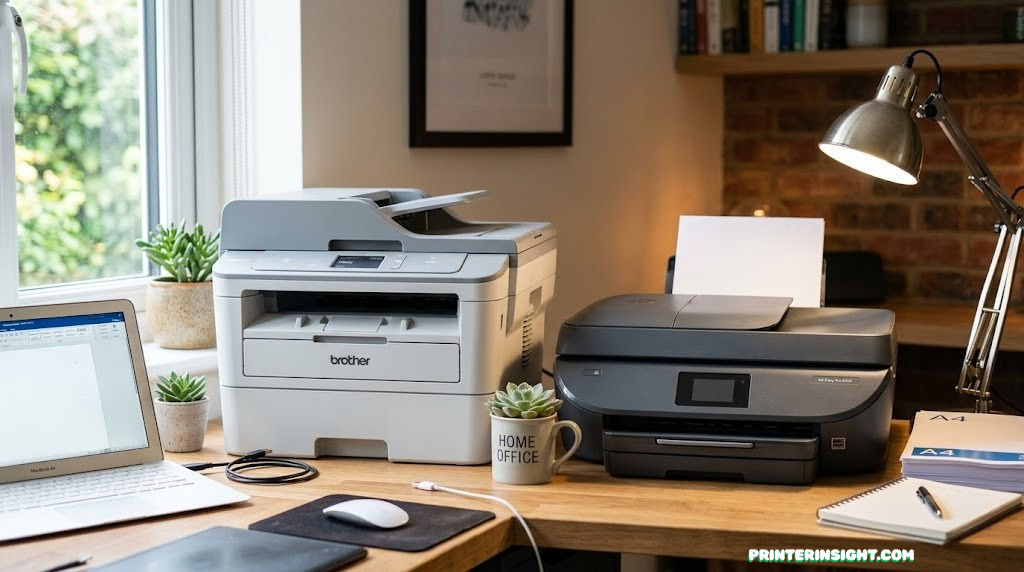
Both brands dominate the home printer market — but they’re built on very different philosophies. Brother bets on reliability and low running costs. HP bets on features, integration, and color quality. Here’s the full honest comparison so you can decide which philosophy matches how you actually print.
Brand Overviews: What Brother and HP Each Stand For
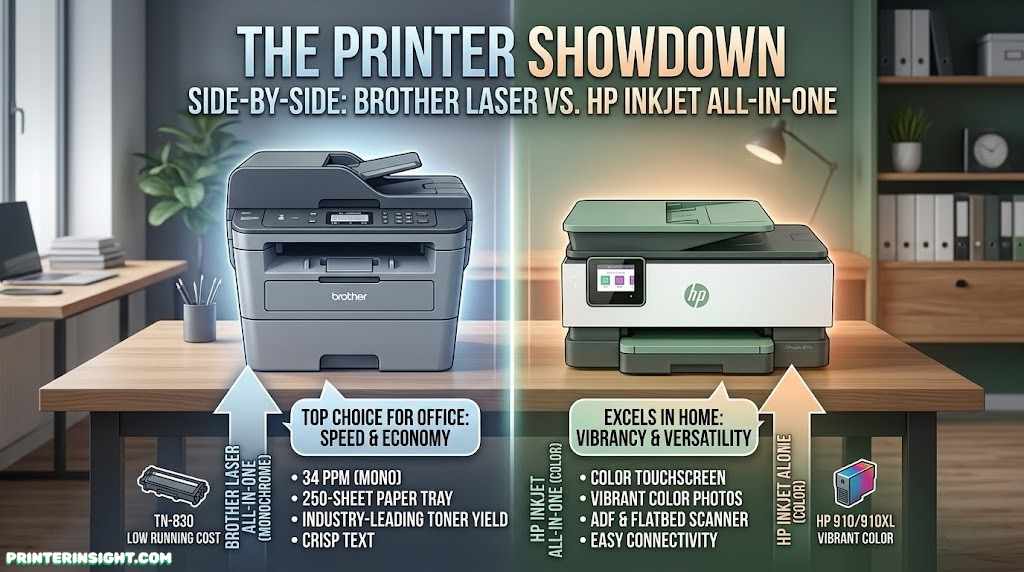
Before comparing specs and prices, it helps to understand the philosophies baked into each brand — because those philosophies explain almost every difference you’ll encounter.
Brother: The Reliability-First Brand
Brother Industries is a Japanese electronics company that has been making printing equipment since the mid-twentieth century. In the home printer space, Brother has carved out a clear identity: serious hardware built to last, laser-first thinking even in its inkjet lines, and a consistent emphasis on low total cost of ownership. Brother printers tend to feel utilitarian — not flashy, not packed with touch screens and AI features, but built to print reliably for years without drama.
Brother’s strongest product category is mono laser printers and multifunction laser all-in-ones. The HL and MFC series are staples in small offices and busy home environments everywhere. When reliability surveys come out, Brother consistently appears at or near the top. The brand also has a solid color laser lineup, and its inkjet range — the DCP and MFC inkjet series — is decent for color document printing, though photo quality lags its main competitors.
The Brother promise in one line: Pay a bit more upfront for a better-built printer, and pay significantly less over time in consumables and repairs. Brother is the brand for people who want their printer to be the last printer they think about.
HP: The Feature-Rich, Ecosystem Brand
Hewlett-Packard invented the modern inkjet printer in the 1980s and has never ceded its position as the world’s largest printer seller. HP’s approach to home printers emphasizes breadth: wide feature sets, polished software integration, strong mobile printing support, a large range of models at every price point, and — controversially — a significant focus on recurring consumable revenue through ink subscription programs.
HP printers are typically more feature-rich at a given price point than Brother equivalents, and their color output — especially for photos — is genuinely excellent. The HP Smart app is among the best printer software experiences available on mobile. HP’s ENVY, DeskJet, and OfficeJet lines cover home use thoroughly, with models at every budget tier. The trade-off: HP inkjet cartridges are expensive to buy one-off, HP’s firmware policies around third-party ink have drawn criticism, and some HP inkjet models struggle with reliability over extended periods compared to laser alternatives.
The HP promise in one line: More features, better photo output, and deeper smartphone integration — with the cost trade-off that running the printer requires either HP’s subscription ecosystem or accepting higher per-page ink costs.
Upfront Cost & Running Costs: Where the Real Money Goes
When most people choose between Brother and HP, they look at the shelf price and stop there. That’s where the analysis should start — but absolutely not where it should end. The running cost difference between these brands, particularly when comparing laser to standard inkjet, can dwarf the purchase price difference over a two-to-three year ownership window.
Purchase Price Range
| Printer Type | Brother Price Range | HP Price Range | Notes |
|---|---|---|---|
| Basic mono inkjet | $80–$120 | $50–$100 | HP often cheaper entry-level |
| Color inkjet AIO | $100–$180 | $80–$200 | Comparable; HP has more models |
| Mono laser AIO | $120–$280 | $130–$250 | Brother typically better specs/price |
| Color laser AIO | $250–$450 | $280–$500 | Both competitive; Brother more options |
| Compact mono laser | $100–$160 | $120–$200 | Brother HL-L2350DW is a standout value |
The Running Cost Reality
Here’s where the decision gets serious. HP’s standard ink cartridges are among the most expensive on a per-page basis in the consumer market. A set of standard HP black and tri-color cartridges might cost $40–$60 and yield 300–450 pages combined. That’s a cost per page of roughly 9–15 cents for mixed printing — significantly higher than almost any alternative.
HP XL cartridges help, dropping the cost per page to 5–8 cents. HP’s Instant Ink subscription drops it further to roughly 2–5 cents per page for subscribers. But these savings come with dependency on HP’s subscription ecosystem and conditions around page rollover and printer connectivity requirements.
Brother laser toner, by contrast, offers 1–3 cents per page at standard yields, and Brother’s high-yield toner options (often labeled “TN-XXL”) bring this down further. For a home user printing primarily text documents — which is the majority of home printing for most households — Brother’s cost structure is simply more favorable over time.
| Scenario | Brother CPP | HP CPP | 3-Year Ink/Toner Cost (3K pages/yr) |
|---|---|---|---|
| Mono laser (text) | ~$0.02 | ~$0.025 | Brother: ~$180 / HP: ~$225 |
| Standard inkjet | ~$0.05 | ~$0.10 | Brother: ~$450 / HP: ~$900 |
| XL/High-yield inkjet | ~$0.03 | ~$0.06 | Brother: ~$270 / HP: ~$540 |
| HP Instant Ink (sub) | N/A | ~$0.02–0.05 | HP: ~$180–450 (subscription) |
The message from this data is clear: Brother’s standard toner system is highly cost-efficient for document printing. HP can match it only through its Instant Ink subscription — and that requires ongoing monthly payments, printer internet connectivity, and HP’s ecosystem. For users who want the lowest cost without subscription strings attached, Brother laser wins decisively. For a deeper look at total consumable costs, our guide comparing the cost of printer ink vs. toner has the full analysis.
It’s also worth noting that HP has faced significant consumer backlash for firmware updates that blocked third-party compatible cartridges. Brother is considerably more tolerant of compatible toner alternatives, which opens up even lower-cost third-party toner options for budget-conscious users. And if cheapest-ink-possible is the top priority across all brands, our dedicated guide to home printers with the cheapest ink covers the full landscape.
📘 Brother
Lower cost per page on toner; no subscription required; tolerant of third-party consumables. Best long-term value for document printing.
🔵 HP
Higher standard cartridge costs, but HP Instant Ink can close the gap significantly for moderate users. Better suited to subscription-comfortable buyers.

Brother HL-L2350DW — Best Value Mono Laser
Auto-duplex, wireless, and one of the lowest cost-per-page options in the home laser market. A top pick for document-heavy households.
Check Price on Amazon →Print Quality: Documents, Color & Photos
Print quality is where HP makes its strongest case — specifically for color printing and photographs. For black-and-white text, the brands are competitive. But the moment color enters the picture, HP’s inkjet technology pulls ahead.
Text and Document Quality
For everyday black-and-white printing — letters, contracts, forms, reports — both brands produce excellent results. Brother’s laser printers deliver particularly crisp, sharp text with excellent line definition. The toner-based output has a precision that inkjet can’t quite replicate at the finest detail levels, and text on a Brother laser print looks almost typeset rather than printed. HP’s mono laser output is comparable when directly compared, but Brother’s laser range at the budget tier is more extensive.
HP’s inkjet text output is very good for a print-from-home context. Modern HP OfficeJet and DeskJet models produce clean, readable documents with minimal smearing on standard paper. Where HP inkjet output can fall behind is on fine-detail precision — tiny type, hairline rules, and dense data tables show more ink spread than laser alternatives.
Color Document Quality
HP has a genuine edge here. HP’s color inkjet technology — particularly in the ENVY and OfficeJet Pro ranges — produces vibrant, accurate color output that makes charts, presentation slides, and color-illustrated documents look genuinely polished. Color gradients are smooth, skin tones in embedded photos are accurate, and the overall impression is noticeably higher quality than Brother’s inkjet color output at comparable price points.
Brother’s color laser output is good for documents — solid color reproduction, consistent registration, and sharp text even on color pages — but it lacks the vibrancy and depth of HP’s inkjet color in most direct comparisons. Color laser is also more expensive to run per color page than color inkjet at comparable quality levels.
Photo Quality
HP wins this category clearly. HP ENVY series printers, in particular, are engineered for photo output as much as documents. With HP’s photo paper and the appropriate inkjet formulation, ENVY prints produce genuinely impressive 4×6, 5×7, and even 8×10 photographs — suitable for framing, albums, and school projects where image quality matters.
Brother’s photo output from its inkjet range is adequate — passable for low-stakes snapshot printing — but not in the same league as HP’s dedicated photo-capable models. For anyone who prints photos regularly, this is a clear point in HP’s favor. Our guide to the best printers for photos at home explores this in depth, and HP models appear prominently there for good reason.
Brother dominates text and long-term consistency; HP wins clearly on color and photo output
📘 Brother Wins
Best-in-class black-and-white text sharpness, especially from laser models. Consistent output over long periods with minimal quality degradation.
🔵 HP Wins
Superior color document vibrancy and clearly better photo printing. If you print images, HP ENVY-class output is hard to beat at the home printer price tier.

HP ENVY 6455e — Best for Home Color & Photos
Wi-Fi, HP Smart app, 6 months Instant Ink included. Exceptional color and photo output for home creative printing.
Check Price on Amazon →Reliability & Durability: Which Brand Lasts?
Reliability is Brother’s strongest single differentiator, and it’s the reason many IT professionals and small business owners default to the brand even when HP might offer more features at a comparable price. The consistency of this reputation across user reviews, professional surveys, and repair data makes it one of the most reliably documented differences between the two brands.
What the Data Shows
Consumer reliability surveys consistently rank Brother at or near the top among home and small-office printer brands. Brother laser printers in particular are cited for years of trouble-free operation — many users report the same Brother mono laser printer serving a home for five to eight years with no major servicing. The mechanics are simpler (laser printing has fewer wet components than inkjet), the consumables are straightforward to replace, and Brother’s quality control on core components is consistently high.
HP inkjet printers face a specific reliability challenge that’s architectural: print heads that sit in contact with water-based ink are inherently vulnerable to clogging when the printer isn’t used regularly. HP print heads — particularly in the DeskJet and ENVY lines — are susceptible to clogging during periods of disuse. This isn’t unique to HP (all inkjets share this risk), but HP’s print head designs in some models have been criticized more than competitors for sensitivity to irregular use. Regular printing, good prevention habits to stop inkjet printers from drying out, and running head cleaning cycles mitigate this — but it requires active user maintenance that laser printer owners don’t need to think about.
Warranty and Support
Brother offers one-year limited warranty on most home printers, with options to extend. HP matches this on most models. Where Brother differentiates is in its reputation for warranty service quality — user reports of straightforward warranty resolution are more common with Brother than HP, where subscription-related disputes sometimes complicate support interactions.
Long-Term Print Head Life
Brother laser drums are typically rated for 12,000–30,000 pages depending on the model and drum unit type. The drum is replaceable separately from the toner, which extends the effective life of the printer significantly and keeps repair costs modular. HP laser models have comparable drum lives, but HP’s primary home range is inkjet, where print heads are not typically user-replaceable on standard consumer models.
Brother laser printers maintain consistent reliability over time; HP inkjets experience more maintenance events, particularly around print head issues
Bottom line on reliability: If you want to set up a printer and not worry about it for three to five years, Brother’s laser range is the clear choice. HP inkjets require more active maintenance but are manageable for users who print regularly and follow good upkeep routines.
Features & Connectivity: Smart Printing in the Home
HP has invested heavily in making its printers feel like connected, intelligent home devices. If features, apps, and seamless integration with your smartphone and home network matter to you, HP has the edge — though Brother is not without its own capable connectivity suite.
HP Smart App vs. Brother iPrint&Scan
HP Smart is one of the best mobile printing apps in the consumer market. It provides a consistent, polished interface for printing from your phone, scanning documents directly to cloud services, checking ink levels, ordering supplies, and troubleshooting — all from a clean, well-designed interface. Setup on new devices is quick, and the app handles AirPrint and Mopria alongside HP’s own protocol seamlessly.
Brother’s iPrint&Scan app is functional and covers the core bases — printing, scanning, status monitoring — but the interface is less polished than HP Smart and the feature set is narrower. For users who primarily interact with their printer from a desktop or laptop, this matters less. For mobile-first users — particularly those on iPhone and iPad — HP’s app experience is noticeably superior. If you’re on a Mac or iOS, our guide to the best home printers for Mac users notes the HP Smart app advantage in that ecosystem specifically.
Wireless and Network Features
Both brands cover the standard bases well: 802.11n/ac Wi-Fi, WPS setup, AirPrint, Google Cloud Print alternatives, and USB connectivity. HP adds NFC tapping support on some models and a smoother Wi-Fi setup experience through the HP Smart app. Brother tends to offer Ethernet ports more consistently across its range, which is valuable for home offices that prefer wired connections for reliability.
For troubleshooting your wireless connection, both brands have solid online guides — and our universal guide on how to connect a printer to Wi-Fi covers both HP and Brother setups.
All-in-One Features: Print, Scan, Copy, Fax
| Feature | Brother | HP | Edge |
|---|---|---|---|
| ADF scanning | Available mid-range+ | Available mid-range+ | Tie |
| Duplex (2-sided) print | Auto-duplex budget models | Auto-duplex mid-range+ | Brother |
| Fax | More models with fax | Fax on higher-end AIO | Brother |
| Mobile app quality | Functional (iPrint&Scan) | Excellent (HP Smart) | HP |
| Touchscreen control panel | Mid-high range | More models with touchscreen | HP |
| Ink/toner subscription | N/A | HP Instant Ink | Depends on preference |
| Ethernet port | More consistent across range | Limited to some models | Brother |
| Voice assistant support | Limited | Alexa/Google on some models | HP |
HP’s feature advantage is real in the consumer-facing, mobile-integration space. Brother compensates with solid practical features — duplex on budget models, Ethernet ports, and extensive fax availability — that matter more in home-office and business contexts. The wireless printer landscape for both brands is covered in our guide to the best wireless printers for home, which highlights models from both brands worth considering.
Ink Systems vs. Toner: The Core Trade-Off
The Brother vs. HP comparison often simplifies to laser versus inkjet — and the consumable system at the heart of each approach has profound practical implications.
📘 Brother Toner (Laser)
- No drying-out risk — can sit unused for months
- Very low cost per page on text
- High-yield options available
- Toner and drum sold separately (more modular)
- Compatible third-party toner widely available
- Consistent quality regardless of print frequency
- No ink nozzle maintenance required
🔵 HP Ink (Inkjet)
- Better color quality and photo output
- Works on a wider range of paper types
- Instant Ink subscription reduces per-page cost
- XL/XXL cartridges improve standard economics
- Cheaper printer hardware at entry level
- Compatible with photo paper, glossy, textured
- Ink tank option (HP Smart Tank) available
Brother’s Inkjet Range — Often Overlooked
It’s worth noting that Brother does make inkjet printers — and they occupy a specific niche worth understanding. Brother’s INKvestment Tank (MFC-J series) printers use large ink tanks similar to Epson EcoTank and HP Smart Tank, offering low per-page costs with refillable or high-yield cartridges. These are competitive for color printing and offer a middle ground for users who want Brother’s reliability but need better color output.
If you’re comparing across ink tank systems specifically — the HP Smart Tank vs Epson vs Brother INKvestment — the full comparison of Epson EcoTank vs HP Smart Tank gives context, and our full look at whether ink tank printers are worth it covers the economics in detail.
HP’s Ink Subscription — Worth It?
HP’s Instant Ink subscription is genuinely useful for moderate users who don’t mind a monthly bill. For $3–$10/month depending on the tier, you receive enough ink pages per month to cover typical household printing. Unused pages roll over up to two months, and HP ships replacement cartridges automatically before you run dry.
The downsides are real: the printer must remain connected to HP’s servers, HP monitors your usage through the printer’s internet connection, and canceling the subscription voids the “free” cartridges shipped under it. For users comfortable with these conditions, it’s a reasonable value proposition — but it’s a subscription with conditions, not simply cheap ink.
Print Speed: How Fast Is Each Brand?
For home users printing a few pages at a time, print speed differences between brands are rarely decisive. But for home offices that regularly print multi-page documents, and for anyone who’s watched a slow printer crawl through a 20-page report before an important meeting, speed matters.
Brother consistently outpaces HP in print speed across equivalent printer categories — the gap is most significant in mono laser
Brother’s mono laser printers frequently hit 32–36 pages per minute in real-world testing, making them among the fastest options in the home printer category. For a household where printing a 30-page document is a regular occurrence, the difference between a 34ppm Brother and a 22ppm HP laser translates directly to waiting time.
HP’s inkjet range tops out around 10–12ppm for color on most home models — adequate for small jobs but noticeably slower for larger runs. HP’s laser range is faster, but Brother still edges ahead at comparable price points.

Brother MFC-L2750DW — Best All-in-One Laser for Home
Print, scan, copy, fax with ADF. Fast duplex printing, wireless, and a very low cost per page. The home office standard.
Check Price on Amazon →Best for Each Use Case: The Honest Matchup
Rather than a single winner, the most useful conclusion from this comparison is a use-case matrix. Here’s where each brand belongs based on what you actually do with your printer.
📘 Choose Brother For…
High-volume document printing, faxing, reliable laser performance, low-maintenance home offices, and users who print sporadically but need consistent quality when they do.
🔵 Choose HP For…
Photo printing, vibrant color documents, mobile-first printing from phone/tablet, users in the HP Smart/Instant Ink ecosystem, and homes where a polished app experience matters.
📘 Home Office Professionals
Brother’s MFC laser line is the go-to for home offices printing contracts, invoices, and multi-page documents daily. Fast, reliable, and cost-effective. See our best printers for home offices guide.
🔵 Family Photo Printers
If your household prints school photos, birthday cards, and creative projects, HP ENVY delivers noticeably better image quality than anything Brother offers at the home price tier. Check our best photo printers for home.
📘 Students
Brother’s compact laser models are ideal for students: fast, cheap-per-page, reliable, and no ink anxiety before exam season. The best printers for students often feature Brother as a top pick.
🔵 Crafters & Creative Users
HP’s color accuracy and paper versatility make it the better choice for iron-on transfers, sticker printing, and design-heavy creative projects. See best printers for crafting.
📘 Compact Space Users
Brother’s HL compact laser series offers very small footprints with full laser reliability. If desk space is at a premium, the best compact home printers guide covers both brands but Brother features prominently.
🔵 Mac & iPhone Users
HP Smart app integrates most seamlessly with Apple’s ecosystem. AirPrint support is universal, but HP’s additional iPhone features and iCloud integration give it an edge — covered in detail in our best home printers for Mac guide.
Top Models Worth Considering From Each Brand
Rather than listing every model, here are the standouts at each price tier — the ones that best represent each brand’s strengths. For deeper dives, see our dedicated guides: best Brother printers for home use and best HP printers for home use.
| Model | Brand | Type | Price | Best For | Standout Feature |
|---|---|---|---|---|---|
| HL-L2350DW | Brother | Mono Laser | ~$120 | Students, light home use | Compact, ultra-fast, auto-duplex |
| MFC-L2750DW | Brother | Mono Laser AIO | ~$230 | Home office, heavy docs | ADF, fax, touchscreen, fast |
| MFC-J4335DW | Brother | Color Inkjet AIO | ~$170 | Family color & docs | INKvestment high-yield cartridges |
| HL-L3270CDW | Brother | Color Laser | ~$300 | Color doc heavy users | Fast color laser at this price |
| DeskJet 4155e | HP | Color Inkjet AIO | ~$90 | Budget family home | 6 months Instant Ink, HP Smart |
| ENVY 6455e | HP | Color Inkjet AIO | ~$130 | Photos & color | Best photo quality under $200 |
| OfficeJet Pro 9015e | HP | Color Inkjet AIO | ~$250 | Home office power users | Fast, ADF, premium color output |
| Smart Tank 7001 | HP | Ink Tank AIO | ~$280 | Low-cost color printing | Refillable tanks, low CPP |
Also worth noting: if you’re comparing Canon against HP specifically, our detailed Canon PIXMA vs HP ENVY comparison covers that head-to-head in depth. And if you’re starting from scratch and want the broadest view, the best home printers worth buying right now covers all brands across every category.

HP OfficeJet Pro 9015e — Best Home Office HP Printer
ADF, 22ppm, auto-duplex, brilliant color, HP Smart app, and 6 months Instant Ink. The HP model that most competes with Brother’s reliability story.
Check Price on Amazon →Complete Head-to-Head Comparison Table
| Category | Brother | HP | Winner |
|---|---|---|---|
| Entry-level price | $80–$120 | $50–$90 | HP |
| Running cost (standard) | ~$0.02/page (laser) | ~$0.08–0.10/page | Brother |
| Running cost (optimized) | ~$0.015 (HY toner) | ~$0.02–0.05 (Instant Ink) | Comparable |
| Text print quality | Excellent (laser) | Very good | Brother |
| Color document quality | Good–Very Good | Excellent | HP |
| Photo print quality | Adequate | Excellent | HP |
| Print speed (laser) | 32–36 ppm | 22–28 ppm | Brother |
| Reliability / longevity | Excellent | Good | Brother |
| Mobile app experience | Good | Excellent (HP Smart) | HP |
| Fax availability | Wide range of models | Higher-tier AIO only | Brother |
| Duplex printing | Auto-duplex on budget | Auto-duplex mid-range+ | Brother |
| Ink subscription option | No | Yes (HP Instant Ink) | Preference-based |
| Third-party consumables | Compatible-friendly | Firmware may block | Brother |
| Compact models | Excellent range | Good range | Brother |
| Mac / iOS integration | AirPrint + iPrint&Scan | AirPrint + HP Smart app | HP |
| Ink tank option | Brother INKvestment | HP Smart Tank | Comparable |
The Overall Verdict: Brother vs HP — Who Wins?
Brother wins more individual categories — but HP’s wins are concentrated in exactly the areas many home users care most about
By raw category count, Brother wins this comparison. But the more useful takeaway is understanding which categories each brand wins — because if HP’s five wins happen to align with your primary use cases, HP is your answer regardless of overall score.
Choose Brother If:
- You print primarily text documents — letters, reports, homework, forms
- You want the lowest cost per page without a subscription
- You need a printer that works reliably even after sitting unused for weeks
- Your home doubles as a part-time office with regular high-volume printing
- You want auto-duplex and fax without paying a premium
- You prefer a printer that requires minimal maintenance over years of ownership
- Third-party consumables without firmware conflicts matter to you
Choose HP If:
- You regularly print photos, artwork, or color-heavy projects
- Your household is mobile-first and values the HP Smart app experience
- You’re already subscribed to HP Instant Ink and find the economics favorable
- Mac or iPhone integration quality is a meaningful factor in your choice
- Vibrant, accurate color output in documents matters for your work or school projects
- You’re comparing the Canon PIXMA vs HP ENVY — check the full comparison before deciding
Editor’s summary: Brother is the better printer for most practical home use cases when reliability, running cost, and document quality are the primary criteria. HP is the better printer specifically for photo and color output, and for households deeply invested in the HP Smart mobile ecosystem. Neither brand makes a bad home printer — the gap between them is narrower than the debate often suggests, and both have models worth owning at every price tier.
For further reading, the inkjet vs. laser comparison for home gives important context on the underlying technology difference that drives most of the Brother/HP split. And for the maintenance habits that keep both brands running well, our home printer maintenance guide and guide on cleaning printer heads are essential reading regardless of which brand you choose.

Ready to Buy? See All Top-Rated Home Printers on Amazon
Browse current best-sellers from Brother and HP in one place — filter by type, price, and feature to find your match.
Shop Brother & HP Printers on Amazon →Frequently Asked Questions
-
Is Brother or HP better for home printing?
It depends on your primary use. Brother excels at high-volume black-and-white document printing with lower long-term costs and superior reliability. HP is better for mixed color printing, photos, and users who want deeper app integration and a wider range of all-in-one features.
-
Which is cheaper to run — Brother or HP?
Brother is generally cheaper to run. Brother laser printers have a lower cost per page for text documents at roughly 2 cents per page. HP’s standard ink cartridges are more expensive per page; HP’s Instant Ink subscription can close the gap for moderate users, but it requires a monthly fee and printer connectivity.
-
Are Brother printers more reliable than HP?
In general user surveys and long-term ownership reports, Brother printers — particularly laser models — score higher on reliability and longevity. HP inkjet printers require more active maintenance, especially around print head care and firmware management.
-
Does HP have better wireless printing features than Brother?
HP has a slight edge in wireless and smart home integration, with the HP Smart app offering a more polished mobile experience than Brother’s iPrint&Scan. However, Brother covers all the core wireless protocols reliably across its range, including AirPrint and Wi-Fi Direct.
-
Which brand is better for working from home?
For home offices focused on document printing, faxing, and reliable performance at moderate volume, Brother laser models are consistently the better choice. HP is competitive for home offices that print a lot of color content or photos alongside documents.
-
Is Brother or HP better for printing photos?
HP is significantly better for photo printing. HP’s inkjet technology, particularly in the ENVY and OfficeJet Pro series, produces superior color accuracy and tonal range for photographs compared to Brother’s inkjet line at comparable price points.
-
Do Brother or HP printers last longer?
Brother printers, especially their laser models, are widely regarded as having longer service lives with fewer maintenance issues. Brother rates many laser models for 30,000+ page drum yields. HP printers are solid but inkjet models require more active upkeep to maintain consistent performance over years.
-
Which brand has cheaper ink or toner?
Brother toner cartridges are generally more affordable and offer better page yields than HP ink cartridges at equivalent prices. HP’s standard cartridges have a high cost per page; XL and XXL cartridges improve this, and Instant Ink subscription can reduce it further.
-
Can I use third-party ink or toner in Brother and HP printers?
Both brands officially discourage third-party consumables. HP has issued firmware updates that block some compatible cartridges, which has been controversial. Brother is considerably more tolerant of compatible toner cartridges, making it the friendlier option for aftermarket consumable users.
-
What is the best Brother printer for home use?
The Brother HL-L2350DW (compact mono laser for light use) and MFC-L2750DW (full-featured all-in-one laser for home offices) are consistently top-rated. The MFC-J4335DW is the best value color inkjet for families who need occasional color printing.
-
What is the best HP printer for home use?
The HP DeskJet 4155e is the best budget pick. The HP ENVY 6455e is the top choice for photo and color printing. The HP OfficeJet Pro 9015e is HP’s best home office all-in-one with speed, ADF, and premium output quality.
-
Does Brother or HP have better customer support?
Both offer comparable online support resources and phone support. Brother is often praised for clearer setup documentation and more straightforward warranty processes. HP’s support is extensive but has received mixed reviews particularly around Instant Ink and firmware-related issues.
Stop Overthinking It — Here’s Your Next Step
Heavy document printer who values reliability and low costs? Go Brother laser. Color and photo household that wants a polished app experience? Go HP inkjet. Either way, you’re choosing from two of the world’s most proven printer brands — and you’ll be in good hands.
Compare Brother & HP Printers on Amazon →This article contains Amazon affiliate links. When you purchase through links on this site, we may earn a commission at no additional cost to you. We recommend only products we believe offer genuine value.