Inkjet vs Laser Printer for Home
Complete Comparison Guide | Cost Analysis, Print Quality, Speed, Maintenance & Decision Framework
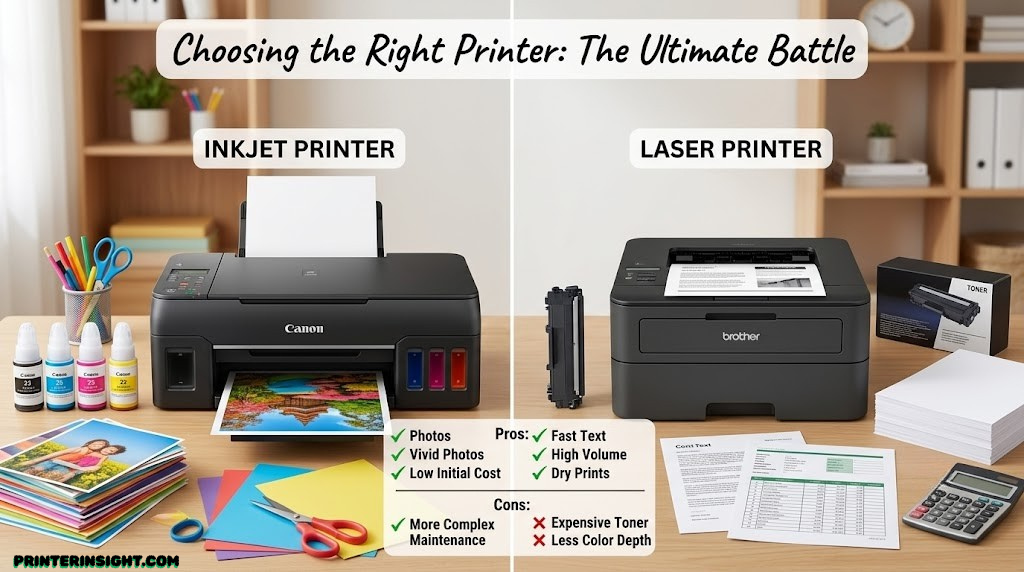
Introduction: Making the Right Choice
The choice between inkjet and laser printers is one of the most common technology decisions home users face. Yet many people make this choice without fully understanding the implications—both financial and practical—of each technology. You might save hundreds of dollars by selecting the right type for your actual needs, or spend far more than necessary on a printer that doesn’t match your workflow.
This comprehensive comparison examines every meaningful difference between inkjet and laser printing technologies. We’ll analyze initial costs, ongoing expenses, print quality, speed, maintenance requirements, and environmental factors. More importantly, we’ll help you understand which technology truly suits your specific situation based on your actual printing needs, not manufacturer marketing.
By the end of this guide, you’ll understand not just the differences between these technologies, but the genuine financial and practical implications of choosing one over the other. You’ll be equipped to make a decision you won’t regret.
Understanding the Core Differences
Inkjet and laser printers represent fundamentally different approaches to transferring an image onto paper. These technological differences cascade into every other distinction you’ll observe—cost, speed, quality, maintenance, and lifespan. Understanding the underlying technology helps clarify why each approach has distinct advantages and disadvantages.
How Inkjet Printers Work
Inkjet printers spray tiny droplets of liquid ink directly onto paper through microscopic nozzles. The printhead moves back and forth across the page, depositing ink in precise patterns. These droplets are so small—measured in picoliters—that they create smooth color gradations and detailed images.
The process begins with your print job being broken into millions of tiny dots. The printer’s nozzles fire thousands of times per second, each one squirting ink droplets onto the paper with incredible precision. For color printing, four colors (cyan, magenta, yellow, and black) are overlaid in varying densities to create the full color spectrum.
This approach has advantages: exceptional color reproduction, capability to print on diverse media types (photo paper, cardstock, watercolor paper), and relatively quiet operation. However, the wet ink and precision nozzles create ongoing challenges with maintenance and cost.
How Laser Printers Work
Laser printers use heat and a rotating drum coated with a photosensitive material. Here’s the process: a laser beam charges specific areas of the drum according to your image. Negatively charged toner particles cling to the charged areas. The drum then rolls across paper, transferring toner. Finally, extreme heat (around 350°F) fuses the toner permanently into the paper fibers.
This approach is fundamentally different from spraying liquid. The toner is a fine powder of plastic and pigment that becomes part of the paper through the fusing process. This explains why laser-printed documents are highly resistant to smudging, water damage, and fading.
The mechanical process is more complex than inkjet but delivers different advantages: exceptional durability, high-speed output, and dramatically lower per-page costs. The tradeoff is limited media flexibility and no direct color capability in basic monochrome models.
Technology Implications
These fundamental differences determine everything else: Why inkjet prints fade while laser prints endure. Why inkjet nozzles clog but laser toner doesn’t dry out. Why laser printers are fast but limited in paper types. Why inkjet handles specialty media but costs more to operate. The technology shapes all other characteristics.
Initial Purchase Cost: The First Difference
When you first compare printer prices, inkjet printers typically appear far cheaper. A basic home inkjet might cost $80–$150, while comparable laser printers start at $200–$400. This initial price difference attracts many buyers—but it’s the beginning of a much longer financial story.
Entry-Level Pricing
Manufacturers deliberately price consumer inkjet printers low. They’re pursuing a “razor-and-blades” model: give away the printer cheaply, make money on ink. This strategy works because most consumers focus on the initial purchase price and fail to consider ongoing costs.
Budget monochrome laser printers start around $250–$350, noticeably higher than cheap inkjets. Budget color inkjets cost under $150. At this stage in decision-making, inkjet seems obviously superior economically.
Mid-Range Equipment
The pricing gap narrows in mid-range equipment. Quality inkjets and basic all-in-ones range from $150–$400. Mid-range laser printers (monochrome) occupy a similar $300–$600 range. Color laser printers enter the $500–$1,000 arena.
At this level, buyers must start considering volume and ongoing costs. The initial price advantage of inkjet becomes less decisive when factoring in what you’ll actually spend to operate the printer.
Premium & Professional Equipment
Professional-grade printers blur the distinction. Premium inkjets (photo printers and supertank systems) can exceed $500–$800. Professional laser systems cost $1,500–$5,000+. At these levels, initial cost becomes less dominant—you’re optimizing for specific capabilities rather than entry-level affordability.
Key Takeaway: Initial cost heavily favors inkjet, but this advantage diminishes significantly once you factor in total cost of ownership. Don’t let low initial price drive your decision—look at the full financial picture over the printer’s lifespan.
The Real Cost: Ongoing Operating Expenses
Initial printer price matters far less than what you’ll spend actually using it. This is where the financial dynamics shift dramatically. Understanding ink and toner costs, cartridge yield, and per-page expenses reveals why many people regret their printer choices.
Inkjet Printing Costs
Traditional inkjet cartridges represent notoriously poor value. A set of four cartridges might cost $40–$80 depending on the printer model and cartridge type. Each cartridge produces approximately 300–500 pages in black, 200–400 pages in color. This translates to $0.08–$0.25 per page—expensive for heavy printing.
High-yield cartridges cost more upfront ($50–$100 per cartridge) but deliver double or triple the page yield, improving per-page costs to $0.05–$0.15. Still expensive compared to laser alternatives.
Supertank inkjet systems (EcoTank, MegaTank, Smart Tank) fundamentally change inkjet economics. Massive refillable tanks cost just $10–$25 to refill and deliver 5,000–14,000 pages per refill. This reduces per-page costs to approximately $0.01–$0.03—comparable to laser printing—but requires higher upfront investment ($300–$600 for the printer).
Laser Printing Costs
Laser toner cartridges contain dry powder instead of liquid ink, resulting in dramatically different economics. A toner cartridge typically costs $50–$120 and produces 1,500–3,500 pages (monochrome), giving per-page costs of $0.03–$0.08. More efficient than standard inkjet, less expensive than high-yield.
Color laser toner cartridges cost more: full sets range $200–$400 with variable page yields across color separations. Per-page costs for color laser approximate $0.04–$0.15 depending on color density. The per-page cost advantage over traditional cartridge inkjet remains significant.
Real-World Monthly Cost Examples
Light User (20 pages/month, mostly black text):
- Budget Inkjet: ~$3–$5/month in consumables
- Budget Laser: ~$2–$3/month in consumables
- Winner: Laser (but difference is minimal)
Moderate User (100 pages/month, mostly documents):
- Traditional Cartridge Inkjet: ~$15–$20/month
- Supertank Inkjet: ~$2–$3/month
- Monochrome Laser: ~$4–$6/month
- Winner: Supertank or Laser (supertank slightly ahead)
Heavy User (300+ pages/month, mixed documents & color):
- Traditional Cartridge Inkjet: ~$60–$90/month
- Supertank Inkjet: ~$5–$8/month
- Color Laser: ~$15–$25/month
- Winner: Supertank inkjet, followed by color laser
Annual Cost Impact
A moderate home user (1,200 pages annually) might spend $180–$240 per year on traditional inkjet cartridges, compared to $50–$80 on laser toner. Over the printer’s 5-year lifespan, this represents $600–$800 in additional cartridge costs with inkjet. The initial $100 savings on the printer purchase disappears immediately.
Consumables Beyond Cartridges
Laser printers have virtually no maintenance costs. You rarely replace anything besides toner. Inkjet printers require more care: replacement print heads (sometimes $50–$100), cleaning solutions, and maintenance kits add ongoing expenses that don’t exist with laser.
Read more about specific cost analysis: complete comparison of ink vs toner costs with detailed spreadsheets for your exact printing volume.
Print Quality: Where Each Technology Excels
Print quality isn’t a simple “better” or “worse” comparison. Different technologies produce different quality characteristics, each superior for specific outputs. Understanding these differences helps match technology to your actual needs.
Inkjet Quality Advantages
Inkjet printers excel at color photograph reproduction and any output requiring smooth gradations. The liquid ink and million-dot-per-second precision create transitions between colors that appear virtually continuous. Photographs, artistic images, and color-heavy designs look superior on inkjet.
Inkjet also handles media diversity better. You can print on watercolor paper, fine art paper, specialty cardstock, and canvas—media that laser toner won’t adhere to properly. For creative professionals and artists, this flexibility is essential.
Laser Quality Advantages
Laser-printed text is sharper and crisper than inkjet. The fused toner creates perfectly defined character edges without any feathering. For documents where text clarity matters—legal contracts, detailed reports, small-point-size tables—laser produces superior readability.
Laser printing is also more archival. Toner fused into paper fibers resists fading for decades. Inkjet prints, depending on ink type and paper, can fade noticeably within 5–10 years. If you’re creating documents meant to last, laser is more durable.
Laser output is also more water-resistant. Laser toner won’t smudge if exposed to moisture. Inkjet prints run and blur when wet. For practical durability in actual use, laser has distinct advantages.
Inkjet Quality Profile
- ✓ Exceptional color gradation
- ✓ Photo reproduction
- ✓ Artistic outputs
- ✓ Diverse media support
- ✗ Text not as sharp
- ✗ Prone to fading
- ✗ Smudges when wet
Laser Quality Profile
- ✓ Razor-sharp text
- ✓ Archival durability
- ✓ Water-resistant
- ✓ Professional appearance
- ✗ Color less nuanced
- ✗ Limited media types
- ✗ Not ideal for photos
Matching Quality to Your Needs
If you’re primarily printing documents, reports, and forms, laser’s superior text clarity and durability matter significantly. If you regularly print photos, artwork, or specialty designs, inkjet’s color capability and media flexibility are essential. Most home users print a mixture of both, which complicates the decision.
For mixed use, consider what percentage of your printing is documents versus color/photos. If more than 70% is documents, laser probably makes sense. If color/photos exceed 40%, inkjet’s advantages become more valuable.
Speed, Volume Capacity & Printing Throughput
How fast do you need your printer? How many pages will you actually print monthly? These practical questions significantly influence which technology serves your workflow best.
Print Speed Comparison
Laser printers dramatically outpace inkjet. Budget monochrome lasers print 25–35 pages per minute (ppm). Mid-range lasers achieve 40+ ppm. Color lasers typically maintain similar speeds across black and color output.
Inkjet printers move significantly slower. Budget inkjets manage 5–10 ppm. Mid-range all-in-ones achieve 10–15 ppm. Even premium inkjets rarely exceed 15 ppm. For a 10-page document, laser finishes in seconds while inkjet requires 30–60 seconds.
First-Page-Out Time
Laser printers need warm-up time before printing. From power-on, expect 30–60 seconds before the first page emerges. Inkjets warm up faster—10–20 seconds for first output. However, if your printer is already powered, laser’s first page emerges within 5 seconds while inkjet needs 2–3 seconds.
For casual printing, this difference doesn’t matter. For professionals printing frequently throughout the day, laser’s responsiveness becomes valuable.
Monthly Volume Capacity
Consumer inkjet printers are designed for light use: 300–500 pages monthly. Exceeding this causes overheating and mechanical stress. Professional inkjets handle higher volumes but still cap around 1,000–2,000 pages monthly before degradation.
Laser printers tolerate much higher volumes. Consumer-grade lasers manage 1,500–2,500 pages monthly easily. Professional lasers handle 5,000+ pages monthly without stress. If you print heavily, laser’s volume capacity matters significantly.
Impact on Real Workflows
If you print sporadically (under 200 pages/month), speed differences are irrelevant. If you print 500+ pages monthly, laser’s speed and volume tolerance become practically valuable. If you need immediate output for presentations or client deliverables, laser’s responsiveness matters.
Related Decision Guides
Learn more about selecting the best laser printer for home use to understand speed capabilities across specific models, or explore whether ink tank printers justify their investment for your actual printing volume.
Maintenance, Reliability & Upkeep
Different technologies require different maintenance approaches. Understanding these differences prevents frustrations and unexpected repair costs.
Inkjet Maintenance Demands
Inkjet printers are sensitive machines. The most common problem is nozzle clogging: ink dries in the print head, blocking jets. This requires running cleaning cycles that consume precious ink. Frequent print jobs (2–3 weekly) maintain flow. Light use causes buildup.
Solutions exist: storage caps prevent drying, warm storage environments help, print head replacement addresses permanent clogs. But these represent ongoing attention and occasional costs that laser users never face.
Ink tank systems reduce some clogging risk because tanks always stay full, but don’t eliminate it entirely. Storage still matters for seasonal users.
Laser Maintenance Reality
Laser printers are mechanically robust. The only regular maintenance is toner cartridge replacement—no print heads to clog, no ink to dry out. Optional tasks include removing excess toner and cleaning the drum surface, but these are infrequent (annual or less).
Laser printers typically run trouble-free for 5–10 years with just toner replacements. The mechanical simplicity (versus inkjet’s precision nozzles) means fewer failure points and longer service life.
Reliability & Lifespan
Consumer inkjets average 3–5 years of useful life before mechanical failures, clogs, or age-related deterioration. Many fail sooner, especially light users whose machines dry out between uses.
Laser printers consistently deliver 5–8 years of reliable operation with minimal maintenance. The simpler mechanics and robust design mean longer lifespan. Higher-duty lasers handle 10+ years easily.
Repair Costs When Things Break
Inkjet repairs are expensive relative to printer cost. Replacing a print head or main circuit board might cost $100–$300 on a printer that originally cost $150. Most users replace the entire printer rather than repair.
Laser repairs, while uncommon, are similarly expensive. However, since lasers last longer before failing, the probability of repair becomes lower. Toner cartridge replacement is the only routine “repair” for most users.
Inkjet Advantages
- No complex drums or fusers
- Simpler technology generally
- Shorter warm-up time
Inkjet Disadvantages
- Nozzle clogging issues
- Frequent cleaning cycles
- Ink dries out with disuse
- Lower overall reliability
- Shorter lifespan (3–5 years)
For detailed maintenance guidance, consult comprehensive home printer maintenance tips to prevent common issues before they occur.
Physical Footprint, Noise & Design Considerations
Where will your printer live? How much noise matters in your environment? These practical considerations sometimes determine which technology fits your space.
Size Comparison
Compact inkjets occupy surprisingly little desk space: 17″W × 6″H × 8″D is common for small models. The low profile fits on shelves where larger devices won’t.
Budget laser printers are bulkier: 16″W × 8″H × 8″D is typical. More substantial but not dramatically larger. Color laser printers are noticeably bigger, often 24″W × 12″H × 14″D, requiring serious desk real estate.
For apartments, small desks, or shared spaces, compact inkjets have distinct advantage. If you have dedicated office space, size differences become negligible.
Noise Levels
Inkjet printers are quieter, producing 40–50 decibels during operation—audible but not disruptive. The quiet spray operation is unobtrusive in shared spaces.
Laser printers are noticeably louder, typically 70–75 decibels during operation. The mechanical movement, paper feed, and fusing element create more sound. In quiet offices or shared homes, this becomes noticeable.
For anyone sensitive to noise or printing in quiet environments, inkjet’s silent operation is genuinely valuable.
Design and Aesthetics
Modern inkjets tend toward sleek design: white, silver, or black finish often blends into contemporary spaces. Some compact models emphasize design elegance, fitting modern home offices better.
Laser printers look utilitarian—more “office equipment” than furniture. They’re less visually appealing in designed spaces, though increasingly manufacturers are addressing this with neutral colors.
If your printer is visible in your workspace, aesthetic appeal might influence your decision.
Which Technology Suits Your Situation?
The best printer is the one matching your actual needs. Let’s explore scenarios where each technology clearly excels.
Choose Inkjet If You:
- Print photos or artwork regularly
- Work with specialty media (watercolor, canvas, textured paper)
- Need color output frequently
- Print fewer than 200 pages monthly
- Value quiet operation in shared spaces
- Want low initial printer cost
- Work in design, art, or creative fields
- Prioritize media flexibility
Choose Laser If You:
- Print primarily text and documents
- Print 200+ pages monthly
- Need crisp, professional text quality
- Require document durability and archival quality
- Want lowest long-term operating costs
- Prefer minimal maintenance
- Work from a home office requiring reliability
- Print presentations, contracts, reports
Hybrid Scenarios
What if your needs are mixed? Some suggestions:
- Photos + Documents: A supertank inkjet handles both with reasonable economics and color capability, or maintain both printers (laser for documents, inkjet for photos)
- High-Volume Mixed: Color laser for the bulk of documents and occasional color, plus a compact inkjet for specialty printing
- Casual Home Use: Supertank inkjet offers best total value when factoring in flexibility and cost
- Professional Workflows: Laser for speed and reliability, with external photo printing service for color work
Explore specific printer recommendations: best home printers across all categories, best ink tank printers for economy, or best printers for home office work.
Complete Inkjet vs Laser Comparison Table
This table summarizes the key differences across all important dimensions. Use it to weight factors most important to your decision.
| Factor | Inkjet | Laser |
|---|---|---|
| Initial Cost | $80–$400 (budget to mid-range) | $250–$700+ (higher upfront) |
| Cost Per Page (Black) | $0.03–$0.25 (varies wildly) | $0.03–$0.08 (consistent) |
| Cost Per Page (Color) | $0.05–$0.35 | $0.04–$0.15 |
| Cartridge Cost | $40–$100 (frequent replacement) | $50–$120 (less frequent) |
| Print Speed | 5–15 ppm (slow) | 25–40 ppm (fast) |
| Text Quality | Good (slightly soft edges) | Excellent (crisp, sharp) |
| Color Quality | Excellent (photo-grade) | Good (less nuanced gradation) |
| Media Flexibility | High (diverse paper types) | Limited (standard media) |
| Durability/Archival | Fair (fades in 5–10 years) | Excellent (decades lifespan) |
| Water Resistance | Poor (smudges when wet) | Excellent (water-resistant) |
| Maintenance | High (clogging, cleaning cycles) | Minimal (cartridge replacement) |
| Reliability | Fair (3–5 year lifespan) | Very Good (5–10 year lifespan) |
| Noise Level | Quiet (40–50 dB) | Louder (70–75 dB) |
| Physical Size | Compact, low profile | Larger, bulkier |
| Best For | Photos, color, specialty media | Documents, durability, volume |
Frequently Asked Questions
Common questions about inkjet and laser printing technology and decision-making.
Yes, color laser printers exist and deliver good color output for documents and presentations. However, they’re significantly more expensive ($500+), produce less photographic color nuance than inkjet, and aren’t ideal for photo printing. Color laser makes sense for professional offices needing colored documents at high volume, not for typical home use.
Yes, traditional toner is cheaper per-page than traditional cartridge ink. However, supertank inkjet systems (EcoTank, MegaTank) achieve comparable or lower per-page costs than laser. The key variable is volume—high volume printing (200+ pages monthly) benefits from laser or supertank economics. Light printing (under 100 pages monthly) sees minimal difference.
Yes, third-party cartridges and toner are available for both technologies at 30–60% cost savings. Quality varies—some work perfectly while others produce poor output or damage printers. Research reviews before purchasing aftermarket consumables. For most users, the savings justify the small risk, but quality concerns exist.
Laser printers handle standard office paper, cardstock, and heavier weights well. However, they can’t print on watercolor paper, specialty art papers, or very glossy media that inkjets manage. The heat and toner application method limits media flexibility compared to inkjet’s versatility with diverse substrates.
Laser printers are generally more environmentally efficient: they last longer (reducing e-waste), consume less material per-page, and produce less hazardous waste. Inkjet’s greater liquid waste and shorter lifespan have higher environmental impact. However, light users who keep an inkjet years are less wasteful than heavy users printing unnecessarily. Overall consumption matters more than technology choice.
Yes, modern printers from both technologies support WiFi and network connectivity. Wireless capability depends on the specific model, not the technology. Budget models sometimes lack wireless, while mid-range and premium models from both inkjet and laser include WiFi. Check specifications—wireless is increasingly standard across both technologies.
All-in-one printers (print/scan/copy) offer convenience and space savings. They work well for light to moderate use. However, if one function fails, the entire device becomes non-functional. Separate devices offer reliability redundancy but require more space. For home use, all-in-ones make sense unless you need 100% reliability or professional scanning quality.
Consumer inkjets average 3–5 years before mechanical failure or age-related deterioration. Quality inkjets might reach 6–8 years. Laser printers consistently deliver 5–8 years, with many lasting 10+ years. Professional-grade models extend these ranges. Usage patterns and maintenance affect lifespan significantly—frequent use (when proper maintenance occurs) extends life, while sporadic use with poor maintenance shortens it.
Refilling is possible but complex. Ink cartridge refilling requires tools and careful handling, with risk of spills and contamination. Toner refilling is less common in home settings. Most users find purchasing supertank inkjet systems or affordable new cartridges/toner simpler than refilling. Professional refill services exist but add cost that reduces savings advantage.
This varies dramatically by volume. A light user (500 pages/year) spending $150 on a budget inkjet and $100 in cartridges annually totals approximately $650 over five years. A laser user spending $350 on printer and $40 annually in toner totals approximately $550. For heavy users (3,000 pages/year), laser’s advantage grows to $1,000+ savings. Your specific volume determines which technology is truly economical.
Making Your Decision: Final Framework
After understanding the core differences between these technologies, your decision should hinge on a few critical questions about your actual usage patterns.
Decision Questions
- How many pages monthly will you actually print? (Light: under 100; Moderate: 100–500; Heavy: 500+)
- What percentage of printing is documents versus photos/color? (Documents: choose laser; Mixed/Color: choose inkjet or supertank)
- Do you need specialty media capability? (Yes: inkjet only; No: laser is viable)
- How important are long-term durability and archival quality? (Critical: laser; Nice-to-have: inkjet acceptable)
- What’s your budget? (Under $200: inkjet; Under $400: consider supertank; Over $300: laser becomes viable)
- How much noise tolerance do you have? (Quiet essential: inkjet; Noise acceptable: laser is fine)
Decision Frameworks by Scenario
Light Home User (under 100 pages/month): Budget inkjet or compact laser. Total cost over 5 years is similar; choose based on whether you need color (inkjet) or just documents (laser). Supertank isn’t necessary at this volume.
Moderate Home User (100–300 pages/month): Supertank inkjet or budget laser. Supertank offers better color and media flexibility; laser offers better durability and lower per-page costs. Both make economic sense. Choose based on whether color capability matters.
Heavy Home User (300+ pages/month): Laser or supertank inkjet. Laser has slight per-page advantage for black documents. Supertank wins if color is frequent. Professional workflows: laser for reliability and speed.
Creative/Photo-Focused User: Inkjet exclusively. Photos, artwork, and specialty media print require inkjet’s flexibility. Choose supertank for volume economics.
Home Office Professional: Laser for document processing, with external photo printing service, or color laser if color output is frequent. Speed, durability, and professional appearance favor laser.
Ready to Choose Your Printer?
Use the decision framework above combined with your specific volume and quality needs. Don’t let low initial inkjet prices distract from true total cost of ownership. Calculate your actual printing volume, match it to the technology best suited to that volume, and make a decision based on long-term economics and practical suitability, not marketing claims.
For specific printer recommendations: