The Best Laser Printer for Home Use, Ranked by Real-World Performance
Somewhere in your house is a printer that’s already failed you once. Maybe the cartridge dried out after three quiet weeks. Maybe the print head clogged the one weekend you needed a signed form on paper. Laser printers mostly sidestep that whole category of problem, because toner is a dry powder rather than liquid ink — it doesn’t evaporate, skin over, or clog a nozzle no matter how long the machine sits idle between school projects and tax season.
We compared five of the most consistently recommended home laser printers on the market today: three monochrome workhorses, one color all-in-one, and one model built almost entirely around saving desk space. The ranking below weighs cost per page, day-to-day reliability, how painless wireless setup actually is, and whether the toner tends to run out at the worst possible moment. If you’re still deciding between laser and another format entirely, our wider guide to the best home printers worth buying breaks every category down side by side.
None of these five are exotic picks chasing a spec-sheet headline. They’re the models that keep showing up as the sensible, durable answer once you strip away marketing language and look at what a printer actually needs to do in a house: wake up fast, print a clean page the first time, and not turn into a project every time the toner runs low. We leaned toward machines with a real track record rather than whatever happened to be newest on a shelf, because a printer earning a permanent spot on your desk is closer to a five-to-ten-year relationship than a one-time purchase decision, and the printer that wins a quick spec comparison isn’t always the one that’s still working flawlessly three years in.
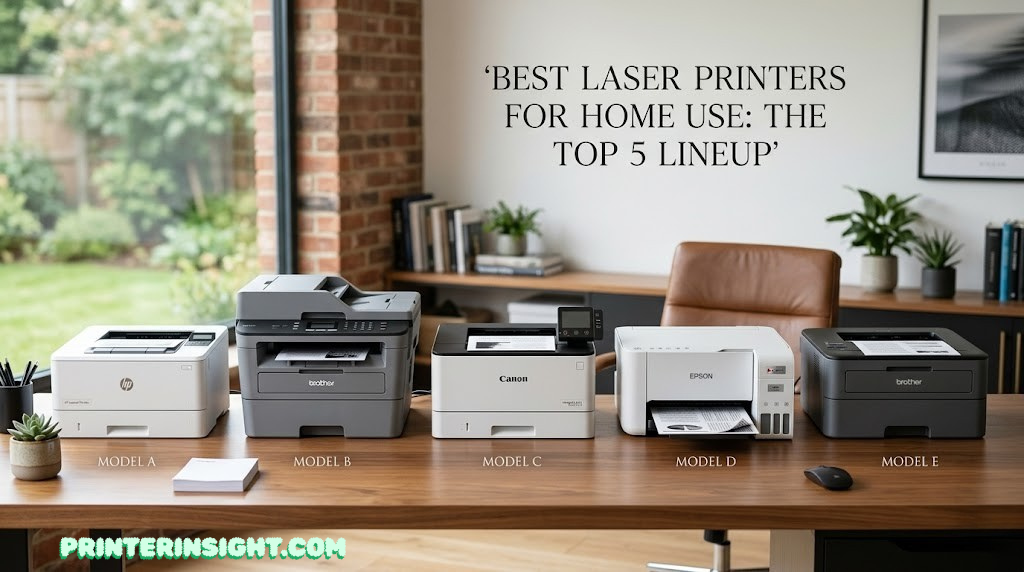
5 Best Laser Printers for Home Use, at a Glance
Each of these earned its spot for a different reason — there isn’t one universally “best” laser printer, only the best one for how your household actually prints. Use the table to find your category, then jump to the full breakdown below.
| Rank | Printer | Type | Best for | |
|---|---|---|---|---|
| #1 | Brother DCP-L2640DW | Monochrome all-in-one | Best overall value, speed, and reliable scanning | Read review → |
| #2 | Brother HL-L2460DW | Monochrome single-function | Best low-cost, “just print” reliability | Read review → |
| #3 | Canon imageCLASS MF272dw | Monochrome all-in-one | Best non-Brother alternative with excellent print quality | Read review → |
| #4 | Brother MFC-L3780CDW | Color laser all-in-one | Best for heavy-duty home offices needing color charts/graphics | Read review → |
| #5 | HP LaserJet MFP M140w | Monochrome all-in-one | Best ultra-compact option for very tight spaces | Read review → |
A pattern is worth calling out here: three of the five picks are monochrome, and that’s deliberate rather than a gap in the lineup. Color laser and ultra-compact designs both involve real tradeoffs — cost per page in one case, print volume in the other — so they only take the top spot for households whose printing habits specifically call for them. For everyone else, a fast, reliable monochrome workhorse genuinely is the better buy, not just the cheaper one.
Fig. 1 — Rated print speed across all five picks
How We Evaluated These Printers
This isn’t a roundup built around whichever printer has the flashiest spec sheet. We weighted each model against the things that actually determine whether a home printer earns its spot on the desk for the next five years, drawing on manufacturer documentation, verified owner feedback patterns, and how each unit is positioned within its own product line. Headline numbers like rated print speed are easy to compare and easy to overweight, so we treated them as one input among several rather than the deciding factor on their own.
- Cost per page. Toner and drum yield matter more over time than the sticker price of the printer itself.
- Setup friction. Whether wireless pairing, driver installation, and mobile app onboarding are genuinely simple for a non-technical household member.
- Function fit. Whether scanning and copying are worth the added bulk, or whether a single-function printer better matches how the unit will actually be used.
- Duty cycle headroom. Rated monthly volume relative to realistic home printing loads, so the printer isn’t straining under normal use.
- Footprint. Desk and shelf space is finite, and a printer that dominates a small home office isn’t a win even if it’s fast.
We didn’t include ink-tank inkjets or supertank printers in this particular list because they solve a different problem — cheap color and photo printing — rather than the dry-storage reliability and crisp text that make laser the right call for most home offices. If color photo output is actually your priority, our best printer for photos at home guide is the better starting point.
We also paid attention to where each manufacturer’s product line sits relative to the model in question. A printer positioned as an entry-level “home” unit is engineered around a lighter monthly duty cycle than a “small business” model wearing a nearly identical case, even when the rated print speed looks the same on paper. That distinction rarely shows up in a retailer’s bullet points, but it matters for how the printer ages under real use, so we cross-referenced each pick against its manufacturer’s stated recommended monthly volume rather than taking the marketing tier name at face value.
Brand ecosystem played a smaller role in the ranking than you might expect, but it’s still worth a mention. Brother, Canon, and HP each run their own toner cartridge lines, and once you own a printer, you’re generally locked into that brand’s cartridges or compatible third-party equivalents for as long as you keep it. None of the three is meaningfully cheaper to run than the others at the models we evaluated here, so we didn’t let brand loyalty or aversion override the actual hardware comparison — but if you already own another printer from one of these brands, sticking with the same ecosystem can simplify which spare toner you keep on hand.
Brother DCP-L2640DW
Monochrome all-in-one · print, scan, copy
If you only read one section of this guide, make it this one. The DCP-L2640DW is the printer we’d point most households toward by default, because it doesn’t ask you to compromise on speed, scanning, or reliability to hit a reasonable price point. It prints at up to 36 pages per minute, handles automatic two-sided printing out of the box, and pairs that with a 50-sheet automatic document feeder that makes scanning a stack of school forms or tax documents a one-pass job instead of a flatbed chore.
What separates it from cheaper single-function laser printers is the all-in-one part actually being good, not an afterthought bolted onto a print engine. The scanner keeps pace with the document feeder instead of becoming the bottleneck, and the 250-sheet paper tray plus manual feed slot means you’re not reloading paper every other day. If your household is weighing Brother’s lineup specifically, our best Brother printer for home guide compares this model against the rest of the family in more depth.
| Function | Print, scan, copy |
| Print speed | Up to 36 ppm, monochrome |
| Duplex printing | Automatic, built in |
| Document feeder | 50-sheet automatic document feeder |
| Paper handling | 250-sheet tray + manual feed slot |
| Connectivity | Dual-band Wi-Fi (2.4/5GHz), Ethernet, USB, Wi-Fi Direct |
| Mobile printing | Brother Mobile Connect, AirPrint, Mopria |
| Toner system | Brother TN830 / TN830XL cartridge, DR830 drum unit |
| Price tier | $$ — mid-range |
What we like
- Print and scan speeds that actually match each other
- 50-sheet ADF saves real time on multi-page jobs
- Dual-band Wi-Fi avoids the 5GHz dead-zone problem
- Cloud scan-to integrations (Google Drive, OneDrive)
What to know
- Starter toner in the box is good for roughly 700 pages
- No fax function, if that still matters for your household
- Monochrome only — no color output
In daily use, this is the printer that disappears into the background of a busy household: it wakes up fast, doesn’t fuss over wireless reconnects, and the toner gauge gives enough warning that you’re rarely caught off guard mid-print. For most home offices, it’s the one to buy first and stop shopping.
Picture the household this is built for: someone working from home a couple of days a week, a kid who needs a permission slip or a project rubric printed every other week, and the occasional stack of mail or receipts that needs scanning into a PDF before it gets tossed. The DCP-L2640DW handles all three without ever feeling like the bottleneck, and because the document feeder and scanner are genuinely well matched in speed, batching ten or fifteen pages through it doesn’t turn into a multi-minute wait staring at a flatbed lid.
Set next to the other picks on this list, it’s the printer that asks the fewest compromises of you. It’s faster than the Canon pick, more capable than the HP pick, and cheaper than the color Brother model, which is exactly why it sits at the top — not because any single spec is the best in the category, but because nothing about it forces a tradeoff most households would actually notice day to day.

Brother HL-L2460DW
Monochrome single-function · print only
Not every household needs a scanner bolted to the printer. If you’ve got a phone that scans documents fine, or you simply never scan anything at home, the HL-L2460DW gets you the same fast, reliable print engine as our top pick without paying for hardware you won’t touch. It shares the same 36 ppm rated speed, automatic duplex printing, and 250-sheet paper tray as the DCP-L2640DW, just in a single-function body.
That trimmed-down design also means a smaller footprint and one less mechanical system — the scanner lid, the flatbed glass, the ADF rollers — that could eventually need attention. For a printer that’s going to live in a closet, on a narrow shelf, or in a kid’s room for homework printing, that simplicity is a genuine feature, not a missing one. If you’re weighing this against HP’s lineup instead of staying inside the Brother ecosystem, our Brother vs. HP printers for home comparison lays out the tradeoffs.
| Function | Print only |
| Print speed | Up to 36 ppm, monochrome |
| Duplex printing | Automatic, built in |
| Paper handling | 250-sheet tray + manual feed slot |
| Connectivity | Dual-band Wi-Fi (2.4/5GHz), Ethernet, USB |
| Mobile printing | Brother Mobile Connect, AirPrint, Mopria |
| Toner system | Brother TN830 / TN830XL cartridge, DR830 drum unit |
| Price tier | $ — budget-friendly |
What we like
- Same print engine and speed as our top pick, lower price
- Smaller footprint with no scanner bed to account for
- Shares the same TN830 toner line as several other Brother models
What to know
- No scan or copy function at all
- Monochrome only
- Worth confirming you won’t miss scanning before committing
This is the printer for the person who’s tired of paying for features they never use. It does one job, does it at the same speed as a printer costing more, and gets out of the way.
It’s also a smart pick for a second printer in the house — tucked into a home office while the household’s main all-in-one stays in a shared space, or set up in a teenager’s room so homework printing doesn’t require walking downstairs. Because it shares the same toner line as the DCP-L2640DW above, a household running both models only has to stock one type of replacement cartridge, which is a small but genuinely convenient detail once you’re a year or two into ownership.

Canon imageCLASS MF272dw
Monochrome all-in-one · print, scan, copy
Brother dominates the budget home-laser category for good reason, but it isn’t the only option, and some households would rather avoid one brand’s toner ecosystem entirely. Canon’s imageCLASS MF272dw line is the strongest alternative we found: a genuinely sharp monochrome engine rated around 30 ppm, an automatic document feeder for scanning and copying, and the kind of crisp small-font text rendering Canon’s laser engines are known for, which matters if you print a lot of dense documents or fine-print contracts.
Connectivity covers the basics well — Wi-Fi, Ethernet, and USB, plus mobile printing through Canon PRINT Business, AirPrint, and Mopria, so it slots into a mixed household of phones and laptops without friction. Toner runs on Canon’s 071/071H cartridge line, which is widely available and reasonably priced as compatible alternatives go. If you’re also weighing Canon against HP elsewhere in the house, particularly for color or photo printing, our Canon PIXMA vs. HP Envy comparison covers that separate inkjet decision.
| Function | Print, scan, copy |
| Print speed | Up to 30 ppm, monochrome |
| Document feeder | Automatic document feeder included |
| Connectivity | Wi-Fi, Ethernet, USB |
| Mobile printing | Canon PRINT Business, AirPrint, Mopria |
| Toner system | Canon 071 / 071H cartridge |
| Price tier | $$ — mid-range |
What we like
- Noticeably crisp text rendering, even at small font sizes
- Solid alternative if you’d rather not buy into Brother’s ecosystem
- Wide compatible toner availability keeps running costs reasonable
What to know
- Slightly slower rated speed than the Brother picks above
- No Ethernet on some bundle variants — check the listing
For anyone who’s had a bad experience with a specific brand’s subscription toner program, or simply wants a second opinion from a different manufacturer, this is the one to put on the shortlist.
Canon’s laser engines have a reputation for handling fine detail well, which shows up in practice when you’re printing anything with small body text, dense tables, or fine line work, like a spreadsheet exported from a budgeting app or a legal document with footnotes. It’s not a dramatic difference from the Brother picks above in everyday use, but if you’ve ever squinted at a slightly fuzzy 8-point font from another printer, it’s the kind of small quality gap you notice once and then stop thinking about.
The honest tradeoff against our top two picks is rated speed: this Canon model runs a few pages per minute slower than the Brother units, which is unlikely to matter for single-document home printing but becomes noticeable if you regularly print larger batches back to back. For most households, that gap is a rounding error against the benefit of having a second, fully independent ecosystem to fall back on.

Brother MFC-L3780CDW
Color laser all-in-one · print, scan, copy, fax
This is the printer for the household that’s outgrown a basic monochrome machine: real estate flyers, kids’ science fair posters, color-coded spreadsheets, or a small business that occasionally needs presentation-quality handouts. The MFC-L3780CDW prints up to 31 ppm in both color and black, backed by a 3.5-inch touchscreen, NFC badge authentication for shared spaces, and single-pass duplex scanning that handles double-sided originals in one feed instead of two.
Paper handling is generous for the category — a 250-sheet tray with the option to add a second 250-sheet drawer for 500-sheet total capacity, plus a 50-sheet automatic document feeder. Connectivity steps up too, with Gigabit Ethernet alongside dual-band Wi-Fi and Wi-Fi Direct, which matters if this machine is going to anchor a small home office with multiple devices printing to it throughout the day. It’s also ENERGY STAR compliant and EPEAT Silver rated, for households that weigh that in a purchase. If this is going to be the single printer running your whole home office, our dedicated best printer for home office guide is worth a look for context on where it ranks against non-laser options too.
| Function | Print, scan, copy, fax |
| Print speed | Up to 31 ppm, color and monochrome |
| Display | 3.5″ touchscreen with NFC badge authentication |
| Document feeder | 50-sheet ADF, single-pass duplex scan |
| Paper handling | 250-sheet tray, expandable to 500 sheets |
| Connectivity | Dual-band Wi-Fi, Gigabit Ethernet, Wi-Fi Direct, USB |
| Toner system | Brother TN229 Standard / XL / XXL, 4-color (CMYK) |
| Certifications | ENERGY STAR, EPEAT Silver |
| Price tier | $$$ — premium |
What we like
- Genuinely useful color output for charts, flyers, and handouts
- Touchscreen and NFC make it friendly for a shared household device
- Gigabit Ethernet and expandable paper capacity suit a busier office
What to know
- Color toner runs through four cartridges, not one
- Larger and heavier than the monochrome picks on this list
- Overkill if you rarely print in color
Be honest with yourself about how often color actually leaves the printer before buying this one — it’s the best pick on this list for the right household, and meaningfully overpriced for the wrong one.
Where it really earns its premium price tag is in mixed-use households running an actual small business or side hustle out of the home: think invoices with a colored logo, product mockups, or client-facing documents where black-and-white would look unfinished. The touchscreen also matters more than it sounds like it should once multiple people in the house are using the same printer, since walking up to a clear, tappable menu beats hunting through a tiny LCD with arrow buttons every time you need to switch paper trays or check toner levels.
Compared with simply buying our top pick and printing color jobs elsewhere when they come up, the math only favors this printer if color leaves your house often enough that the convenience outweighs the added toner cost. For a household printing one or two color pages a month, the Brother DCP-L2640DW plus an occasional print-shop run is almost certainly the cheaper path. For one printing color weekly, the MFC-L3780CDW pays for that convenience fairly quickly.

HP LaserJet MFP M140w
Monochrome all-in-one · print, scan, copy
Not every home has room for a full-size laser all-in-one, and that’s exactly the gap the M140w is built to fill. HP markets it as one of the smallest multifunction laser printers in its class, and that compact body doesn’t come at the cost of basic functionality: it still prints, scans, and copies, just at a lighter-duty pace suited to occasional home use rather than a high-volume household.
Rated at up to 20 ppm with a 150-sheet input tray, it’s clearly positioned for lower monthly volume than the Brother and Canon picks above, and that’s the right tradeoff for a lot of apartments, dorm rooms, and tight home offices. The HP Smart app handles setup and includes an AI-assisted print-formatting feature that trims wasted space when printing web pages, a small but genuinely useful touch for anyone who prints recipes or articles from a browser. Auto-on/off technology also helps it sip power between jobs. For a closer look at how it stacks up against HP’s broader catalog, see our best HP printer for home use guide, and if footprint is your single biggest constraint, our best compact home printers roundup digs deeper into that specific category.
| Function | Print, scan, copy |
| Print speed | Up to 20 ppm, monochrome |
| Paper handling | 150-sheet input tray, 100-sheet output bin |
| Connectivity | Wi-Fi (802.11n), USB 2.0, Bluetooth |
| Mobile printing | HP Smart app, with AI-assisted page formatting |
| Toner system | HP 141A cartridge |
| Certifications | ENERGY STAR, EPEAT Silver, Blue Angel |
| Price tier | $ — budget-friendly |
What we like
- One of the smallest multifunction laser printers available
- AI page-formatting trims wasted paper on web prints
- Auto-on/off helps keep standby power use low
What to know
- Lower duty cycle than the other picks — built for light use
- HP’s dynamic security can flag non-HP toner after firmware updates
- No automatic document feeder
Buy this one for the desk that genuinely doesn’t have room for anything bigger, not as a budget shortcut for a household that prints heavily — the smaller engine is happiest under light, occasional use.
It’s worth picturing the actual footprint difference here: this is the printer that fits on a narrow floating shelf, the corner of a kitchen counter, or a closet shelf where a full-size all-in-one simply wouldn’t go. That makes it a strong fit for a studio apartment, a college dorm, or a guest room doubling as an occasional home office, where the printer needs to be there when you need it and invisible the rest of the time.
The lower duty cycle isn’t a flaw so much as the direct tradeoff for that smaller footprint — a more compact engine and a smaller paper tray simply aren’t built to swallow the same monthly page count as the larger Brother and Canon units on this list. For genuinely light, occasional printing, that’s a non-issue. For a household that prints daily in volume, it’s the one spec on this entire list worth taking seriously before buying.

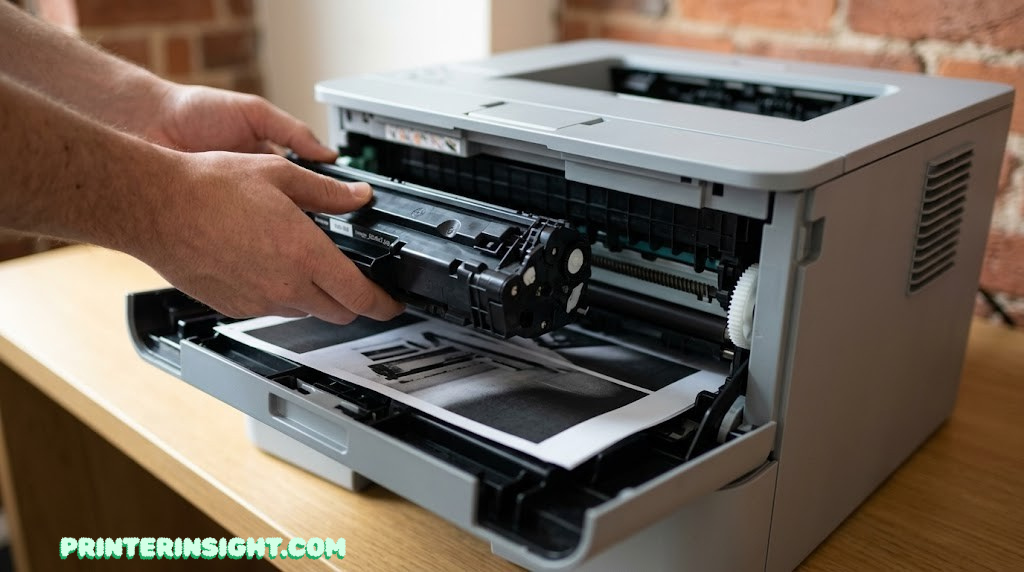
Laser vs. Inkjet: Which Is Actually Right for Your Home?
Laser and inkjet printers solve overlapping but genuinely different problems, and the format that’s “best” depends entirely on what leaves your printer most often. Here’s the mechanical reason they behave so differently in daily use.
Fig. 2 — The laser drum applies dry toner, then the fuser bonds it to the page with heat and pressure — no liquid ink involved
Because toner is dry powder fused to the page with heat rather than wet ink absorbed into paper fibers, a laser printer can sit unused for months and print exactly as well on day one as it did the day before. That’s the core reason laser wins for intermittent home and home-office use. Inkjets, by contrast, rely on liquid ink staying fluid inside microscopic nozzles, and that ink can dry and clog if the printer goes too long between jobs — a problem detailed in our guide to preventing inkjet cartridges from drying out, which is essentially the exact failure mode laser sidesteps.
Where inkjet still wins is color and photo quality. Laser toner is excellent for crisp text and reasonably good for simple color graphics, but it can’t match the smooth gradients and color depth a quality inkjet produces on photo paper. If color or photo output is a bigger priority than text-heavy reliability, it’s worth reading our broader inkjet vs. laser printer for home comparison before committing either way, along with whether an ink-tank printer might actually suit your printing mix better than either traditional format. Ink-tank models like those compared in our EcoTank vs. Smart Tank breakdown solve the cost-per-page problem differently than laser does, and our piece on whether ink-tank printers are worth it covers that tradeoff directly.
There’s also a simple way to think about which format fits a specific household: count how many days typically pass between print jobs. If it’s closer to “a few times a week,” either format will stay healthy with normal use, and the decision comes down to whether color photo quality or text-document cost per page matters more. If it’s closer to “every couple of weeks, sometimes longer,” laser’s dry-storage advantage becomes the deciding factor, because that’s exactly the usage pattern that causes inkjet nozzles to dry out and laser printers simply shrug off.
When a laser printer isn’t the right call. If photo printing is genuinely the main job — family photos, art prints, scrapbooking — an inkjet built around photo paper will beat any laser printer on this list, color model included. The same goes for a household that prints constantly in color and would benefit more from an ink-tank system’s much lower per-page color cost than from laser’s text-document advantage. Laser earns its place specifically around reliable, intermittent, mostly-text printing; it isn’t a universal upgrade over every inkjet for every household.
Monochrome vs. Color Laser: Do You Actually Need Color?
Four of the five printers in this guide are monochrome, and that’s not an accident of availability — it reflects how most homes actually print. Tax forms, school assignments, recipes, shipping labels, and boarding passes are almost universally black text on white paper, and a monochrome laser printer handles every one of those jobs at a lower upfront cost and a lower cost per page than a color machine.
Color laser earns its place when color isn’t occasional, it’s routine: a small business mailing colored flyers, a household building presentation decks, or kids regularly printing diagrams and posters for school projects. The catch worth understanding before you buy is that color laser toner replaces four cartridges instead of one, so every color page costs meaningfully more than a monochrome page, even when the printer itself wasn’t much more expensive.
If your color needs are really about photos rather than documents, neither monochrome nor color laser is the right tool — see our best printer for photos at home guide instead. And if color printing in your house leans more toward craft projects, vinyl transfers, or printable templates than office documents, our best printer for crafting roundup covers printers built around that specific use case.
A useful gut check: open your printer’s job history, if it has one, or just think back over the last month of printing. If you can count the color pages on one hand while the black-and-white stack would fill a folder, monochrome is the financially obvious choice, and you can always send the rare color job to a print shop or a friend’s printer for less than the cost of owning a second machine.
It’s also worth separating “color capable” from “color essential.” A color laser printer can still print black-and-white documents at the same speed and quality as a monochrome model, so buying the MFC-L3780CDW doesn’t mean sacrificing anything on the text side — it simply means paying more upfront and accepting a higher per-page cost on the color jobs in exchange for never having to think twice about whether a document needs color. For some households, that flexibility is worth the premium on its own; for others, it’s a cost they’re paying for a capability they’ll rarely use.
What to Look For in a Home Laser Printer
Beyond the five models above, here’s the checklist worth running through before buying any home laser printer, since the category has more variation than the spec sheets always make obvious. None of these factors are deal-breakers in isolation, but two or three of them stacked against you can turn an otherwise solid printer into a daily annoyance.
- Duplex printing. Automatic two-sided printing saves real paper over years of use and should be standard on anything you’re considering today.
- Document feeder size. A 50-sheet ADF turns multi-page scanning from a chore into a one-pass job; a flatbed-only scanner is fine for the occasional single page.
- Wireless band support. Dual-band Wi-Fi (2.4GHz and 5GHz) avoids the most common setup headache, which is a printer that only supports the older 2.4GHz band trying to join a router broadcasting a 5GHz-only or merged network name. Our guide to connecting a printer to Wi-Fi walks through the process if you hit snags, including the fix for that exact mismatch.
- Mac and mobile compatibility. Confirm AirPrint support if your household runs Apple devices; see our best home printer for Mac picks for models built around that ecosystem specifically.
- Toner and drum cost. A cheap printer with expensive replacement toner can cost more over three years than a pricier printer with cheap consumables. Our home printer cheapest ink guide breaks down running costs across formats.
- Footprint vs. paper capacity. Larger paper trays mean fewer refills, but they take up more desk space — weigh that against where the printer will actually live.
- Who’s using it. A student printing the occasional essay has very different needs than a household running a full home office. Our best printer for students guide and our best printer for home office guide split those use cases apart.
If wireless reliability specifically is your top priority over every other factor on this list, our dedicated best wireless printer for home roundup is worth cross-referencing before you commit.
It’s also worth running this checklist against your actual living situation rather than an idealized one. A printer that needs to live on a shared hallway shelf has different footprint and noise tolerances than one tucked into a private office with the door closed, and a household where three people print throughout the day puts more weight on paper tray capacity and duty cycle than a single remote worker who prints a handful of pages a week. Matching the printer to the real pattern of use, rather than the most feature-rich option you can afford, is what actually determines whether you’re happy with it a year from now.
Duty cycle in particular gets overlooked because it’s framed as a maximum rather than a recommendation. A printer’s rated duty cycle is the absolute ceiling it can survive in a given month before the manufacturer’s warranty starts raising eyebrows, not a comfortable operating range. The more useful number, when manufacturers publish it, is the recommended monthly volume, which sits well below the maximum and reflects the workload the printer is actually engineered to handle day after day without excess wear. Buying a printer rated near your expected volume as a recommended figure, rather than treating the maximum duty cycle as your target, leaves real headroom for busier months.
The Real Cost of Owning a Laser Printer
The price tag on the box is only part of the math. The number that actually determines whether a printer was a good buy is cost per page, and that’s where laser tends to separate itself from inkjet over the long run, especially for text-heavy households.
Fig. 3 — Typical relative cost per page by format (illustrative; actual cost varies by cartridge yield and retailer)
Monochrome laser printing is consistently the cheapest way to put text on paper at home, once you factor in toner and the much-longer-lived drum unit. Color laser costs more per page than monochrome laser because every page draws from four cartridges, but it’s still generally more economical than color inkjet for high-volume color document printing, even though inkjet wins for photo quality specifically. For the full breakdown of how toner pricing compares to ink cartridge pricing, our cost of printer ink vs. toner guide goes deeper into the math model behind these figures.
One more factor worth budgeting for: the drum unit. It’s a separate, longer-life component from the toner cartridge in most laser printers, typically rated for tens of thousands of pages, but it does eventually need replacing on a heavily used machine, and that replacement cost should factor into your total ownership math for any printer you’re seriously considering.
Run the numbers over a realistic ownership window rather than just the purchase price, and the picture gets clearer. A monochrome laser printer bought for a modest upfront cost, paired with one or two replacement toner cartridges over several years of light home use, often works out cheaper in total than a budget inkjet that looks like the better deal on day one but needs ink replaced every few months whether you printed much or not. The printer that’s “free” up front isn’t necessarily the printer that costs the least by the time it’s recycled.
To make that concrete: imagine a household printing a modest few hundred pages a month, mostly text. Over three years, that’s a handful of toner cartridge replacements for a monochrome laser printer, each one lasting many months. The same volume on an entry-level inkjet, especially one without high-yield cartridge options, could mean replacing ink considerably more often, since standard inkjet cartridges are typically rated for far fewer pages per cartridge than a laser toner cartridge. The exact numbers shift by model and by how aggressively a household shops for cartridge deals, but the direction of that gap is consistent enough across the category that it’s safe to plan around.
Keeping a Home Laser Printer Running for Years
Laser printers are mechanically simpler to maintain than inkjets in the ways that matter most, but a little care still goes a long way toward getting the five-to-ten-year lifespan these machines are capable of. None of the following requires technical skill or special tools — it’s mostly about avoiding a handful of avoidable mistakes.
- Keep it dust-covered when idle. Dust is the enemy of the internal optics and the drum surface more than it is of an inkjet’s nozzles.
- Let the fuser cool before reaching inside. It runs genuinely hot during operation; always follow the manufacturer’s jam-clearing instructions.
- Store spare toner properly. Keep unopened cartridges upright, away from direct heat and humidity, and avoid shaking a “low toner” cartridge more than the manufacturer recommends. Our how to store printer cartridges guide covers the do’s and don’ts in more detail.
- Don’t ignore a “replace drum soon” warning. Print quality degrades gradually before it fails outright, so catching it early avoids a streaky surprise during something time-sensitive.
- Keep firmware reasonably current. Manufacturer updates occasionally improve wireless stability and app compatibility, though it’s worth reading release notes on models with chip-based cartridge locks, since updates have occasionally tightened restrictions on non-genuine toner.
For a complete walkthrough of upkeep across both formats — including the steps that are specific to inkjet, like cleaning printer heads, which matters if you also run an inkjet elsewhere in the house — our general home printer maintenance tips guide is the best single reference to bookmark.
The single highest-leverage habit, if you only adopt one, is simply not ignoring the printer’s own warnings. Modern laser printers are fairly good at surfacing low-toner and drum-life alerts well before a failure actually happens, and acting on those early notices — ordering the replacement cartridge now instead of after the printer stops working — is what separates a five-minute swap from a stressful scramble the night before something’s due.
Frequently Asked Questions
A few questions come up often enough across home laser printer shopping that they’re worth answering directly, separate from the model-by-model breakdown above.
Is a laser printer actually better than an inkjet for home use?
For text-heavy, intermittent home printing, most people find laser more reliable. Toner is a dry powder rather than liquid ink, so a laser printer that sits untouched for a month will print the same crisp page on day one as it did when new. Inkjets generally win for photo-quality color output, but they need more frequent use to stay healthy, since the ink itself can dry inside the nozzles during long idle stretches. If your printing is sporadic — a few documents here and there rather than a steady weekly habit — that single difference tends to outweigh almost everything else on a spec sheet.
How much does it actually cost to run a laser printer per page?
Monochrome laser printing typically lands in the low single-digit cents per page once toner and drum replacement are factored in, noticeably cheaper than most inkjet cartridges for text documents. Color laser pages cost more, since each one draws from four toner cartridges instead of one. High-yield toner cartridges generally offer a better per-page price than standard-yield versions, so it’s usually worth paying more upfront for the larger cartridge if your printer supports one, rather than buying the smaller size repeatedly.
Do I need a color laser printer at home, or is monochrome enough?
Most households print far more text than graphics, so a monochrome laser printer covers the bulk of home printing at a lower upfront and per-page cost. Color laser earns its keep if you regularly print colored charts, flyers, or presentation handouts, but it isn’t the right tool for photo printing.
How long does toner actually last in a home printer?
Starter toner cartridges that ship in the box are usually rated for a few hundred pages, while replacement cartridges, especially high-yield versions, often last 1,200 to 3,000-plus pages depending on the model. Light home use can stretch a single cartridge across many months. A simple way to estimate your own usage: check how many pages a typical month involves, then divide the cartridge’s rated yield by that number to get a rough sense of how often you’ll actually be reordering toner.
Can laser printers print photos?
Color laser printers can print photos, but the result looks more like a glossy office handout than a true photographic print. For frame-worthy prints, an inkjet or dedicated photo printer will produce noticeably better color depth and detail.
Are home laser printers loud?
Laser printers make a distinct mechanical hum and a brief warm-up sound as the fuser heats, which is more noticeable than a silent inkjet but not disruptive in most home settings. Compact single-function models tend to be quieter than larger all-in-ones with a scanner bed.
What’s the difference between the toner cartridge and the drum unit?
The toner cartridge holds the powder that forms the print; the drum unit transfers that powder onto the page and typically lasts through several toner cartridges before needing replacement. Budget models often combine both into one unit, while higher-volume printers sell them separately. If your printer separates the two, replacing only the toner when it runs low — rather than the whole assembly — is usually the cheaper and more sustainable option, so it’s worth knowing which type your printer uses before you’re standing in front of a wall of cartridge boxes.
Is wireless setup reliable on home laser printers?
Most current models support dual-band Wi-Fi alongside a companion app, which generally makes setup straightforward on a home network. Issues typically trace back to being on a 5GHz-only network the printer doesn’t support, or the printer and phone being on different bands during setup — our printer Wi-Fi setup guide walks through fixing that.
What’s the difference between an all-in-one and a single-function laser printer?
An all-in-one adds a flatbed or sheet-fed scanner so it can also scan and copy, while a single-function model only prints. Single-function printers are usually smaller, cheaper, and have one less component that could eventually need servicing.
How many years does a home laser printer typically last?
With light to moderate home use, a well-maintained laser printer commonly lasts five to ten years, since the engine isn’t exposed to the drying-out failure mode that ends many inkjets early. The duplex mechanism and the ADF, if present, tend to be the first parts to show wear. Keeping the printer somewhere reasonably dust-free and avoiding forcing jammed paper out roughly are the two simplest habits that meaningfully extend that lifespan in practice.
Can I use third-party or compatible toner cartridges?
Many laser printers accept compatible cartridges, though some manufacturers use chip-based locks that can block non-genuine toner or trigger warnings after a firmware update. It’s worth checking a specific model’s policy before relying on third-party toner long term.
What size laser printer fits a small desk or tight space?
Single-function monochrome printers and compact all-in-ones without a large document feeder generally have the smallest footprint, since they skip the bulk of a sheet feeder and extra paper handling. Our best compact home printers guide rounds up the smallest options specifically.
Final Verdict: Which Laser Printer Should You Actually Buy?
If you only take one thing from this guide, take this: the Brother DCP-L2640DW is the right default choice for most homes, balancing speed, scanning, and toner economics better than anything else here. Choose the Brother HL-L2460DW if you genuinely never scan anything and want to save a little money for an identical print engine. The Canon imageCLASS MF272dw is the move if you’d rather not commit to Brother’s ecosystem specifically. Step up to the Brother MFC-L3780CDW only if color leaves your printer regularly, not occasionally. And reach for the HP LaserJet MFP M140w when desk space, not print volume, is your binding constraint.
Whichever one fits your household, you’re trading the unpredictability of dried-out ink for a format that’s ready the moment you need it — which, for most home printing, is the entire point.
If none of these five feel like quite the right fit once you’ve read through the specifics, that’s a useful signal too. A household that prints constantly in color might be better served by an ink-tank system instead of a color laser, and someone who prints rarely enough that even a starter toner cartridge feels excessive might not need a dedicated printer at all. The goal of this guide isn’t to talk you into buying a laser printer — it’s to make sure that if you do, you walk away with one that actually matches how you live and print, rather than one that simply had the best headline spec.
Print a test page as soon as it’s set up, run the duplex and scan functions once before you actually need them under deadline pressure, and register the warranty while the receipt is still easy to find. None of that takes more than a few minutes, and it’s the difference between discovering a setup issue on a quiet afternoon versus discovering it the night before something’s due.
Check Our Top Pick on Amazon