Epson EcoTank vs HP Smart Tank: Which Refillable Ink Printer Wins?
Both promise an end to expensive cartridges. Here’s how they actually compare on ink cost, print quality, reliability, and day-to-day usability — so you can pick the one that fits your printing habits.
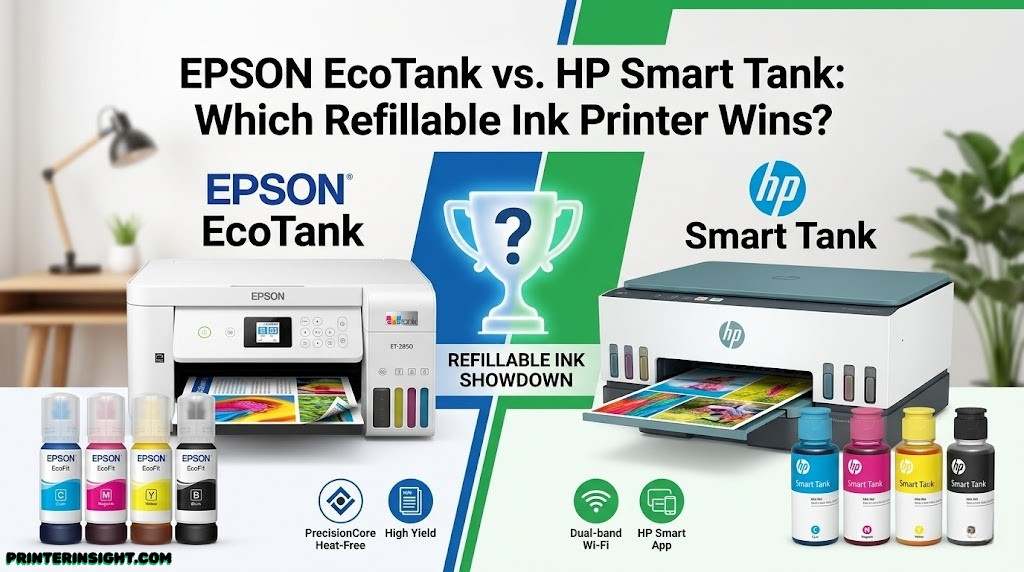
The visible ink tanks are the whole pitch: see exactly what you have left, refill from a bottle, skip the cartridge aisle entirely.
Cartridge prices have pushed a lot of households toward refillable ink tank printers, and Epson EcoTank and HP Smart Tank are the two names that dominate that conversation. Both replace tiny, expensive cartridges with large refillable tanks and bottled ink, but the way they get there — and how well each executes it — differs more than the marketing suggests.
Quick Overview: What These Printers Actually Are
Epson pioneered the consumer ink tank category years before HP entered with Smart Tank, and that head start shows in how mature Epson’s tank engineering feels across its lineup. HP’s Smart Tank line is newer but has closed much of the early gap, particularly in software polish and entry-level pricing.
Both brands sell across a wide range of tiers, from basic single-function printers to multifunction units with scanning, copying, automatic document feeders, and duplex printing. If you’re still deciding whether an ink tank printer makes sense for you at all versus a standard cartridge model, our guide on whether ink tank printers are worth it is a good starting point before diving into this comparison.
It’s also worth situating both of these within the broader market. If you haven’t settled on ink tank technology specifically, our inkjet vs. laser printer for home use comparison covers the bigger fork in the road, and our best ink tank printer for home roundup includes models from both brands side by side with several others.

See current EcoTank pricing. Compare specs and bundle options before you commit to a model.
Check Price on AmazonInk Cost Per Page Compared
This is the number that actually matters for most buyers, since it’s the entire reason tank printers exist. Both brands publish estimated page yields per bottle, and in practice, the real-world cost per page on both lines lands dramatically below traditional cartridge printers — often by 80 to 90 percent for typical mixed printing.
Epson’s ink bottles tend to be priced a touch lower per milliliter in many markets, and its older head start in bottle design means there’s more historical data on long-term yield consistency. HP’s Smart Tank bottles are competitively priced as well, and several Smart Tank models ship with enough included ink to cover one to three years of typical home use, which changes the early cost-of-ownership math in HP’s favor for some buyers.
| Cost Factor | Epson EcoTank | HP Smart Tank |
|---|---|---|
| Typical cost per black page | Very low | Very low |
| Typical cost per color page | Very low | Low to very low |
| Included ink at purchase | Varies by model | Often generous on mid-tier models |
| Bottle refill convenience | Keyed, drip-free design | Keyed, drip-free design |
If saving on ink is your main motivation, it’s worth comparing this against ongoing supply costs more broadly — our piece on cost of printer ink vs. toner puts these tank numbers in context against laser alternatives too.

Compare Smart Tank bundles. Many listings include extra ink that changes the real cost per page.
Check Price on AmazonUpfront Price and Total Cost of Ownership
Tank printers cost more upfront than basic cartridge printers, and that’s true of both EcoTank and Smart Tank. The payback period depends entirely on how much you print. A household printing a handful of pages a month will take much longer to recoup the higher purchase price than someone running a home office that prints daily.
Where Each Brand Tends to Sit on Price
Entry-level models in both lines occupy similar price brackets, with HP often slightly more aggressive on price for its most basic single-function Smart Tank units. Mid-tier and higher models with document feeders, faster duplex printing, and larger paper trays narrow that gap, with both brands charging a premium for those added features.
If budget is the primary constraint and you’re comparing tank printers against cheaper cartridge options entirely, our home printer with the cheapest ink guide widens the comparison beyond just these two brands.
Epson EcoTank Price Position
- Mature lineup with options at nearly every price point
- Strong resale and long-term value reputation
- Premium models add six-color photo printing
HP Smart Tank Price Position
- Often more aggressive entry-level pricing
- Bundled ink on some models improves early value
- Fewer high-end photo-focused tank models currently
Print Quality: Text, Color, and Photos
For everyday text documents, both brands produce crisp, reliably dark black text that holds up well against laser output at typical home-office font sizes. Differences become more visible once you move into color graphics and especially photo printing.
Text and Document Printing
Both lines perform well here, and most users would struggle to tell EcoTank and Smart Tank text output apart in a blind comparison at standard settings. This category is essentially a tie for typical home and office documents.
Color Graphics and Photos
Epson has a longer track record in photo-focused inkjet technology, and several EcoTank models use four, five, or six-color ink systems that produce noticeably smoother gradients and more accurate skin tones in photo prints. HP’s Smart Tank lineup handles everyday color graphics, presentations, and casual photos well, but currently leans more toward general-purpose use than dedicated photo print quality at the high end.
If photo output quality is your top priority regardless of brand, our dedicated best printer for photos at home guide narrows the field specifically around that need.

Looking for stronger photo output? EcoTank’s higher-tier color models are worth a closer look.
Check Price on AmazonPrint Speed Compared
Speed differences between the two brands are generally modest at comparable price tiers. Entry-level models in both lines print noticeably slower than their higher-tier siblings, which is typical across the inkjet category and not unique to tank printers.
Single-Sided vs. Duplex Printing
Automatic duplex (two-sided) printing is available on mid-tier and higher models from both brands, while entry-level units in either lineup often require manual flipping. If duplex speed matters for your workload, check the specific model’s rated pages-per-minute for duplex mode separately from single-sided mode, since the gap between the two can be significant.
| Print Category | Epson EcoTank | HP Smart Tank |
|---|---|---|
| Entry-level single-sided speed | Moderate | Moderate |
| Mid-tier single-sided speed | Good | Good |
| Automatic duplex availability | Mid-tier and up | Mid-tier and up |
| First-page-out time | Typical for category | Typical for category |
Refilling Process: Mess, Ease, and Design
Early ink tank printers earned a reputation for messy refills, but both Epson and HP have addressed this with keyed bottle designs that only fit their matching tank, paired with valve systems designed to minimize spills and stop automatically once a tank is full.
Epson’s Bottle System
EcoTank bottles use a self-sealing, keyed nozzle that snaps into the corresponding tank opening, and most current models stop ink flow automatically at the fill line. The tanks themselves are typically positioned for easy front or side access without needing to remove the whole unit from its shelf.
HP’s Bottle System
Smart Tank uses a similar keyed approach, with color-coded, spill-resistant bottles designed for one-handed refilling. HP’s tank windows are generally easy to read at a glance, which helps you catch low ink before it becomes an issue mid-print.
Mobile Apps and Software Experience
Software is where buyer experience can diverge sharply from the spec sheet. Epson’s Smart Panel app and HP’s Smart app both handle setup, ink level monitoring, scanning, and print job management from a phone, but the polish and learning curve differ slightly.
Epson Smart Panel
Epson’s app has improved significantly in recent versions and now covers most day-to-day needs cleanly, including remote ink level checks and direct mobile printing without needing a computer connected.
HP Smart App
HP’s app is widely regarded as one of the more refined printer companion apps on the market, with a clean setup wizard and broad feature parity across HP’s printer lineup, not just Smart Tank specifically. Many first-time tank printer buyers find HP’s onboarding flow slightly more intuitive.
If wireless setup itself is a sticking point regardless of brand, our walkthrough on how to connect a printer to WiFi covers the general troubleshooting steps that apply across both ecosystems.
Want the smoothest app setup? HP’s Smart Tank lineup pairs well with the HP Smart app experience.
Check Price on AmazonConnectivity and Wireless Setup
Both lineups support WiFi, WiFi Direct, USB, and standard mobile printing protocols including AirPrint and Mopria, so day-to-day connectivity is largely a non-issue on either side once setup is complete. Higher-tier models from both brands also support Ethernet for office network environments.
If you’re outfitting a small office rather than a single home desk, our best printer for home office guide covers connectivity and multi-user considerations beyond what a single comparison can capture.
Long-Term Reliability and Print Head Care
Both brands generally hold up well over a typical printer’s working life, and most reported issues on either side trace back to long idle periods rather than inherent design flaws. Print heads on inkjet printers, tank-based or not, can dry out or clog if left unused for weeks, so periodic use matters more than brand choice for avoiding head problems.
Our guide on preventing inkjet printers from drying out applies equally to both EcoTank and Smart Tank owners, and if you’re already dealing with clogged nozzles, how to clean printer heads walks through the recovery process step by step.
General upkeep habits also extend the working life of either printer. Our broader home printer maintenance tips guide and our notes on how to store printer cartridges (relevant if you keep any spare cartridges or bottles on hand) are worth a look regardless of which brand you choose.
Reliability Strengths
- Both brands: mature tank-sealing technology
- Both brands: automatic head-cleaning cycles built in
- Epson: very long track record across many model generations
- HP: strong customer support infrastructure
Watch Out For
- Either brand can clog if left idle for extended periods
- Cleaning cycles consume some ink on both lines
- Entry-level models on both sides have fewer self-maintenance features
Paper Handling and Scanning Features
Paper tray capacity and scanning capability vary widely within each brand’s own lineup, more than they vary between brands at a given price tier. Entry-level models from both Epson and HP tend to have smaller paper trays and basic flatbed-only scanning, while higher-tier multifunction models add automatic document feeders for faster multi-page scanning and copying.
If scanning and copying multi-page documents is a regular need, prioritize models explicitly listed with an automatic document feeder rather than assuming all-in-one branding guarantees it. Our best compact home printers guide is useful if desk space is also a constraint, since tank printers are sometimes physically larger than equivalent cartridge models.
Which One Fits Your Use Case
Rather than declaring an outright winner, it’s more useful to match each brand’s strengths to specific situations.
Choose Epson EcoTank If:
- Photo and color-critical printing matters to you
- You want the widest range of model tiers to choose from
- You value an extensive long-term track record in tank printing
Choose HP Smart Tank If:
- You want the most polished mobile app setup experience
- You’re shopping at the more budget-conscious end of tank printers
- Your printing is mostly documents and everyday graphics, not photo-focused work
Students and home-office users with more general needs may find either acceptable; our best printer for students and best wireless printer for home guides cover both brands alongside other options worth considering. Mac users specifically should also check our best home printer for Mac guide, since driver polish can vary by platform.
If you’re weighing these against other brands entirely rather than narrowing to just these two, our Brother vs. HP printers for home and Canon PIXMA vs. HP Envy comparisons widen the field, and our best HP printer for home use and best Brother printer for home guides go deeper on those specific brands.
Leaning toward Epson? Browse current EcoTank models and bundles before deciding.
Check Price on AmazonFull Spec Comparison Table
Here’s the full side-by-side breakdown across every category covered in this guide.
| Category | Epson EcoTank | HP Smart Tank |
|---|---|---|
| Ink cost per page | Very low | Very low |
| Upfront price (entry-level) | Moderate | Often slightly lower |
| Photo print quality | Strong, especially higher-tier models | Good, general-purpose focus |
| Text document quality | Excellent | Excellent |
| Mobile app polish | Solid, improved recently | Highly refined |
| Refill mess/ease | Keyed, drip-free | Keyed, drip-free |
| Model variety | Very wide range of tiers | Growing, slightly narrower |
| Long-term track record | Extensive | Shorter but solid |
Frequently Asked Questions
Which is cheaper to run long-term, Epson EcoTank or HP Smart Tank?
Both lines are dramatically cheaper per page than standard cartridge printers, and in most comparisons the two brands land close to each other on cost per page. Epson’s bottles are generally priced slightly lower per milliliter in many regions, while HP’s bundled ink-included models can offset that gap depending on which specific printer and bottle size you compare.
Do EcoTank and Smart Tank printers really last for years without buying ink?
For an average household printing a moderate number of pages per month, both lines can realistically go a year or more on the included or first set of ink bottles. Heavy users printing photos or dense color documents daily will refill sooner than someone printing mostly text occasionally.
Which brand has better print quality for photos?
Epson has historically held a reputation edge for photo and color-critical printing due to its dye and pigment ink chemistry, particularly on models built around six-color systems. HP’s Smart Tank lineup is solid for everyday photos and graphics but is generally positioned more toward document and mixed home-office use than dedicated photo printing.
Are EcoTank and Smart Tank printers slower than regular inkjets?
Print speeds on both lines are comparable to mid-range cartridge-based inkjets, though entry-level tank models in either lineup tend to print a bit slower than premium cartridge printers built specifically for speed. Higher-tier models in both lines close that gap considerably.
Can I use third-party ink in EcoTank or Smart Tank printers?
Both Epson and HP sell official refill bottles formulated for their specific print heads, and using unofficial third-party ink can affect print quality and may not be covered under warranty terms. It’s worth checking the manufacturer’s current warranty language for your specific model before using anything outside the official ink line.
Which printer is easier to set up for someone who isn’t tech-savvy?
Both brands have invested heavily in guided mobile app setup, so initial wireless configuration is fairly approachable on either side. Many buyers find HP’s Smart app slightly more streamlined for first-time wireless setup, while Epson’s Smart Panel app has closed much of that gap in recent versions.
Do these printers support scanning and copying, or just printing?
Most models in both the EcoTank and Smart Tank lineups are all-in-one units that include scanning and copying, with higher-tier models adding automatic document feeders for multi-page scanning. Entry-level single-function models exist in both lines too, so it’s worth confirming a specific model includes the features you need before buying.
How messy is refilling ink compared to swapping a cartridge?
Both brands have redesigned their bottle systems around keyed, drip-free nozzles that only fit the matching tank color, which has made refilling far cleaner than older third-party refill kits. Some careful handling is still wise, but the days of needles and syringes for tank printers are largely behind both lineups.
Which printer has better long-term reliability?
Both lineups generally report strong reliability ratings over the lifespan typical of home and small-office printers, and either brand can develop issues like clogged print heads if left unused for long stretches. Routine use and occasional cleaning cycles matter more for long-term reliability than the brand choice itself.
Is an ink tank printer worth it if I only print occasionally?
If your printing is occasional and light, the upfront cost premium of a tank printer may take longer to pay back compared to a standard cartridge printer, since the savings come from high-volume use. Infrequent printers sometimes do better with a basic cartridge model, though tank printers still tend to resist cartridge dry-out better over idle periods.
Do these printers work well with both Mac and Windows?
Yes, both Epson and HP maintain current drivers and mobile apps for Mac, Windows, iOS, and Android, and both support standard wireless printing protocols like AirPrint and Mopria. Compatibility issues are rare on modern operating systems for either brand.
Which one is better for a small home office that prints a lot of documents?
For document-heavy home offices, both lines offer higher-tier models with automatic document feeders, faster duplex printing, and larger paper trays suited to that workload. The better fit often comes down to specific model features and existing ecosystem familiarity rather than a fundamental brand advantage for this use case.
Final Verdict
There’s no universal winner here, and that’s actually good news — it means you can pick based on what you’ll actually use rather than chasing a single “best” label. If photo quality and a long, proven track record matter most, Epson EcoTank is the safer lean. If you want the smoothest app-guided setup and a slightly friendlier entry price, HP Smart Tank earns serious consideration.
Whichever you choose, the bigger win is moving away from cartridge printing altogether. Either brand will save you real money over the life of the printer compared to a standard inkjet.
Still narrowing things down? Our best home printers worth buying right now hub rounds up top picks across every category on this site, including both of these lineups and more.
Compare Both on Amazon