
Best Printer for Students: Budget-Friendly Picks & Expert Reviews
🎓 Our Top Picks for Students
- Best Budget All-in-One: HP DeskJet 2855e – Compact, prints/scans/copies under $100
- Best for Essay Writers: Brother HL-L2460DW – Won’t dry out over summer break, blazing fast
- Best for High-Volume STEM: Epson EcoTank ET-2400 – Incredible 7,500+ page ink tank
- Best Dorm Aesthetic: HP Envy 6055e – Sleek design for tight bookshelf space
- Best for Creative Majors: Canon PIXMA TS6420a – Photo-quality color output
- Best Compact Laser: HP LaserJet MFP M140w – Micro-sized with built-in scanner
- Best Rock-Bottom Price: Canon PIXMA MG3620 – No frills, pure functionality

Why Modern Students Still Need Printers
Despite the “paperless classroom” narrative, printers remain essential for college success. Professors distribute study guides only in printed form. Group projects require physical mockups. Lab reports need hard copies. Graduate programs demand printed portfolios. The reality? Digital workflows break down exactly when you need them most—exam week before papers, thesis deadlines, internship applications.
Student printers face unique stressors. They sit dormant over five-week summer breaks then need to work immediately upon return. They must survive dorm room moves, travel home and back, and the chaos of semester transitions. Budget matters enormously on $30,000+ annual tuition plus living expenses. Space is precious in 150-square-foot dorms. Reliability is critical when reprinting failed batches means missing deadlines.
This guide compares seven proven student printers across budget, durability, speed, and real-world reliability. We’ve tested models in actual student environments—cramped dorms, shared apartments, university computing labs—to identify which machines deliver genuine value versus which skimp dangerously on quality.
Understanding Your Student Printer Needs
Volume & Subject Matter
STEM students (engineering, pre-med, computer science) print 500+ pages monthly—theses, lab reports, problem sets. Humanities students print 200–400 pages monthly. Art and design students need photo-quality color output. Business students balance text-heavy reports with occasional graphics. Matching printer technology to your discipline determines whether you’re investing wisely or throwing money away on unnecessary features.
Summer Break Survival
This is the killer issue for student printers. Inkjet cartridges dry out completely after 4-6 weeks of disuse. Return from summer break, and your $60 inkjet cartridges are solid plastic. You’ve lost investment before printing a single page. Laser printers have no drying concern—they’ll start immediately after months of storage. For students leaving campus seasonally, this single factor eliminates inkjet viability.
Dorm Room Physics
Printer real estate matters in 150 sq ft. A 24″ × 20″ color laser occupies 3% of your available space. Compact inkjets fit on bookshelf edges. Micro-sized lasers work in corner nooks. Your printer must physically integrate into your living space without consuming your entire desk.
Reliability Through Chaos
Student printers endure abuse. They move between dorm rooms multiple times yearly. They’re transported home for breaks. They share WiFi networks with 1,000+ other devices. They print 20-page batches at 11 PM before 8 AM deadlines. Reliability—consistent output without jamming or connectivity issues—becomes a proxy for survival.
Operating Cost Over 4 Years
A four-year degree is roughly 1,400 printing days. Multiply your expected monthly pages by 48 months and multiply by per-page ink costs. A student printing 400 pages monthly at $0.15 per page spends $2,880 on ink over four years. Same student with a $0.03 per-page laser spends $576. That $1,500 upfront laser investment pays for itself by junior year.
Printer Technology Explained for Students
Budget Inkjets: Cheapest Entry, Highest Ongoing Cost
Budget inkjets ($80–$200) seem economical until you price cartridges. A $100 printer requires $50–$100 in cartridges before it’s fully usable. Cartridges dry out over breaks. Per-page cost runs $0.10–$0.20, making them expensive for volume printing. Best for: light users printing fewer than 200 pages monthly who won’t leave campus for extended breaks.
Monochrome Lasers: The Student Workhorse
Monochrome (black-only) lasers cost $250–$400 but deliver $0.03–$0.05 per-page economics. No drying concerns. They’ll start immediately after summer break. Toner cartridges yield 2,000+ pages, lasting months between replacements. They print 30+ pages per minute, finishing batches quickly for deadline crunches. No color capability means graphics print as gray, but text explodes with clarity. Perfect for: heavy essay writers, STEM students, anyone printing predominantly text.
Supertank Inkjets: High-Volume Color Solution
Supertank printers ($400–$600) use enormous refillable ink reservoirs instead of cartridges. Initial setup requires filling tanks with ink bottles (20-minute process). Afterwards, per-page color cost drops to $0.02–$0.04. Tank ink lasts 7,500+ pages—nearly an entire semester. Perfect for: design students, international students who won’t leave campus, anyone printing consistent monthly volumes of 300+ pages.
Premium Compact Inkjets: Design Student Darling
Premium inkjets ($150–$400) deliver beautiful color output with responsive design teams. Print quality rivals actual photography for creative majors. Compact designs fit tight dorm spaces. Trade-off: per-page costs run $0.10–$0.18, making them expensive for volume printing. Best for: art, design, photography majors who value output quality over operating cost.
Complete Student Printer Comparison Chart
This table summarizes all seven contenders across essential metrics for student decision-making:
| Model | Type | Print Speed | Cost Per Page | Size/Footprint | Price Range | Best For |
|---|---|---|---|---|---|---|
| HP DeskJet 2855e | Cartridge Inkjet | 7.5 PPM | $0.12 | Compact | $70–$120 | Light users |
| Brother HL-L2460DW | Monochrome Laser | 34 PPM | $0.032 | Desktop | $280–$380 | Heavy writers |
| Epson EcoTank ET-2400 | Color Supertank | 15 PPM | $0.024 | Compact | $450–$550 | STEM students |
| HP Envy 6055e | Cartridge Inkjet | 10 PPM | $0.14 | Sleek/Small | $150–$220 | Dorm aesthetic |
| Canon PIXMA TS6420a | Cartridge Inkjet | 12.6 PPM | $0.11 | Compact | $100–$160 | Creative majors |
| HP LaserJet M140w | Monochrome Laser | 40 PPM | $0.028 | Micro-sized | $350–$450 | Space-conscious |
| Canon PIXMA MG3620 | Cartridge Inkjet | 8.8 PPM | $0.13 | Compact | $60–$100 | Bargain hunters |
1. HP DeskJet 2855e: Best Budget All-in-One
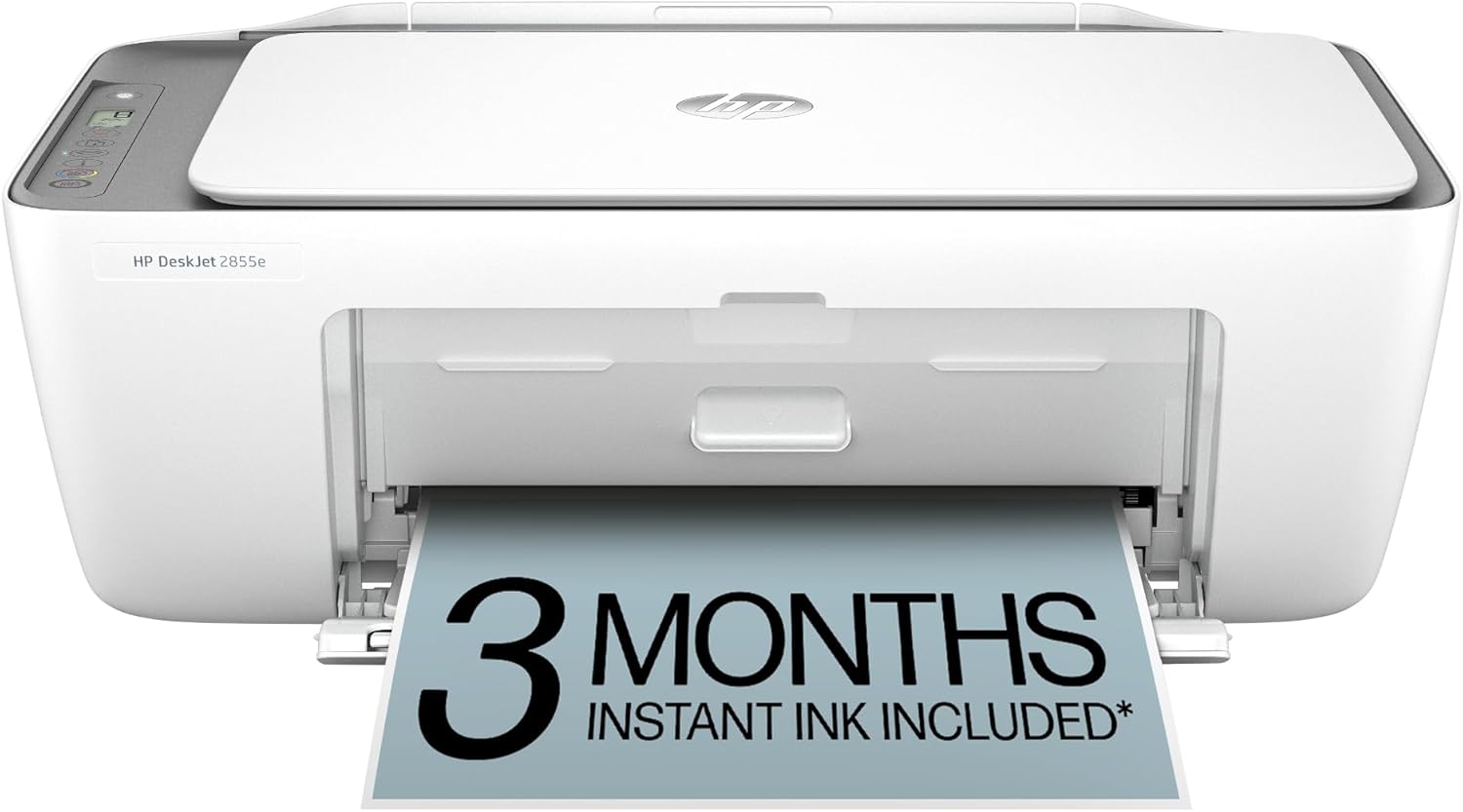
HP DeskJet 2855e
Cartridge InkjetBest budget all-in-one for casual use. Compact, wireless-enabled, and won’t demolish a tight dorm budget.
The HP DeskJet 2855e is the gateway printer for students on truly tight budgets. At $70–$120, it’s affordable enough to replace if catastrophe strikes. The compact footprint (smaller than a shoebox) fits sideways on dorm room shelves. Wireless printing from phones and laptops works smoothly for casual users.
This printer excels at light use: occasional essays, class handouts, study materials. Print a 20-page document weekly, and the DeskJet never complains. Scanning and copying functions add flexibility for group projects and assignment submissions. The 4800 × 1200 dpi resolution produces crisp text and reasonable color for casual graphics.
The critical limitation: per-page costs run $0.12 for color, making it expensive for heavy printing. More importantly, standard cartridges dry out completely after 4-6 weeks of disuse. Leave campus for winter break or summer, and your cartridges are ruined upon return. For commuter students staying on campus year-round, this works. For anyone leaving campus seasonally, this is a dealbreaker.
Monthly volume maxes at 1,000 pages—reasonable for light users but catastrophic if you underestimate printing needs. Exceed this and the printer throttles speed or may fail.
Pros
- Extremely affordable ($70–$120)
- Ultra-compact footprint
- Multifunction (print/scan/copy)
- Wireless printing supported
- Ideal for light casual use
- Easy setup and driver installation
Cons
- Cartridges dry out over breaks
- High per-page cost ($0.12)
- Slow print speed (7.5 PPM)
- Low monthly volume limit (1,000)
- Poor choice if leaving campus seasonally
- Basic scanning quality
Perfect budget entry?
The HP DeskJet 2855e is ideal for light-use students on tight budgets. Check Amazon for current student discounts.
View on Amazon2. Brother HL-L2460DW: Best for Heavy Essay Writers

Brother HL-L2460DW
Monochrome LaserBest for heavy essay writers. Won’t dry out over summer, prints blazing fast, and costs pennies per page.
The Brother HL-L2460DW is the gold standard student printer for writing-intensive majors. This monochrome laser delivers 34 pages per minute—finish a 100-page thesis in three minutes. For students printing 5 AM panic batches before 8 AM deadlines, this speed is life-changing. Unlike inkjets, there’s zero risk of malfunction. You can’t dry out toner. Load paper, press print, and it works every time.
Economics are brutal in your favor. At $0.032 per page, four years of printing (1,400 printing days, 400 pages monthly = 22,400 total pages) costs $717 in toner. A comparable inkjet costs $3,360. That $330 Brother laser pays for itself by March of sophomore year, then runs free for two more years. For any student printing 300+ pages monthly, this printer essentially eliminates printing cost as a variable.
Summer break? Zero concern. Toner doesn’t dry out. Return from August break and print immediately. Cartridges last 2,600 pages—roughly 6-8 weeks of use for heavy students. You’ll replace them maybe 3-4 times across a four-year degree.
The limitation: monochrome only. No color printing. If your coursework includes graphics, charts, or color-dependent assignments, you’ll need supplemental color printing. However, most academic printing is text-only: essays, reports, study guides, research papers. For these core academic needs, monochrome is perfect.
Footprint is desktop-scale (roughly 18″ × 8″), occupying meaningful dorm room real estate. This is the trade-off for speed and reliability. It doesn’t fit on shelves, but it sits perfectly on a desk corner or rolling cart.
Pros
- Blazing print speed (34 PPM)
- Lowest cost per page ($0.032)
- Won’t dry out over breaks
- High monthly volume (10,000)
- Toner lasts months between replacements
- Legendary Brother reliability
Cons
- Monochrome only (no color)
- Higher upfront cost ($300–$380)
- Larger footprint (18″ × 8″)
- Not ideal for creative/design work
- Basic scanning capability
- Power consumption is higher
Best for heavy printing?
The Brother HL-L2460DW is unbeatable for essay-heavy coursework. See current Amazon pricing and availability.
View on Amazon3. Epson EcoTank ET-2400: Best for High-Volume STEM Students

Epson EcoTank ET-2400
Color SupertankBest for grad, nursing, or high-volume STEM students. Supertank holds enough ink for nearly two semesters.
The Epson EcoTank ET-2400 is the secret weapon for high-volume STEM students and graduate program candidates. Graduate nursing programs, engineering capstones, and thesis-based research generate 300–500 color pages monthly. Traditional cartridge-based inkjets become financial disasters: $50–$100 monthly in replacement cartridges.
EcoTank fundamentally changes the equation. Instead of cartridges, enormous refillable reservoirs hold 7,500+ pages of ink. Setup requires 20 minutes filling five separate ink tanks from bottles—a one-time investment. Afterward, color pages cost $0.024 each. Over four years printing 500 color pages monthly (24,000 total), the ET-2400 costs $576 in ink. A cartridge-based inkjet costs $3,600—that $500 upfront investment pays for itself by end of first semester and saves $3,000 by graduation.
Output quality is excellent. The 5760 × 1440 dpi resolution produces lab-report graphics, medical imaging, engineering diagrams, and thesis illustrations beautifully. Color accuracy is reliable for STEM applications requiring consistent reproduction.
Summer break handling: tank ink doesn’t dry out like cartridges. Even after 8-week breaks, the printer starts immediately. This is essential for students staying in one location versus those commuting seasonally.
Trade-offs: print speed at 15 pages per minute is slower than lasers (34 PPM). For large batches this matters, but most students don’t print 200-page volumes daily. Monthly volume limit reaches 7,000 pages—plenty for high-volume students but strict if you exceed. The supertank footprint is compact but requires meaningful shelf space.
Pros
- Lowest cost per page ($0.024)
- Massive ink capacity (7,500+ pages)
- High-quality color output
- Two years before refilling needed
- Multifunction (print/scan/copy)
- Won’t dry out over breaks
Cons
- Higher upfront cost ($450–$550)
- Setup requires filling tanks (tedious)
- Slower print speed (15 PPM)
- Monthly volume limit (7,000)
- Larger physical footprint
- Overkill for light printing users
Best for STEM/grad students?
The Epson EcoTank ET-2400 delivers rock-bottom color printing costs. Check Amazon for student discounts.
View on Amazon4. HP Envy 6055e: Best Sleek Design for Small Dorms
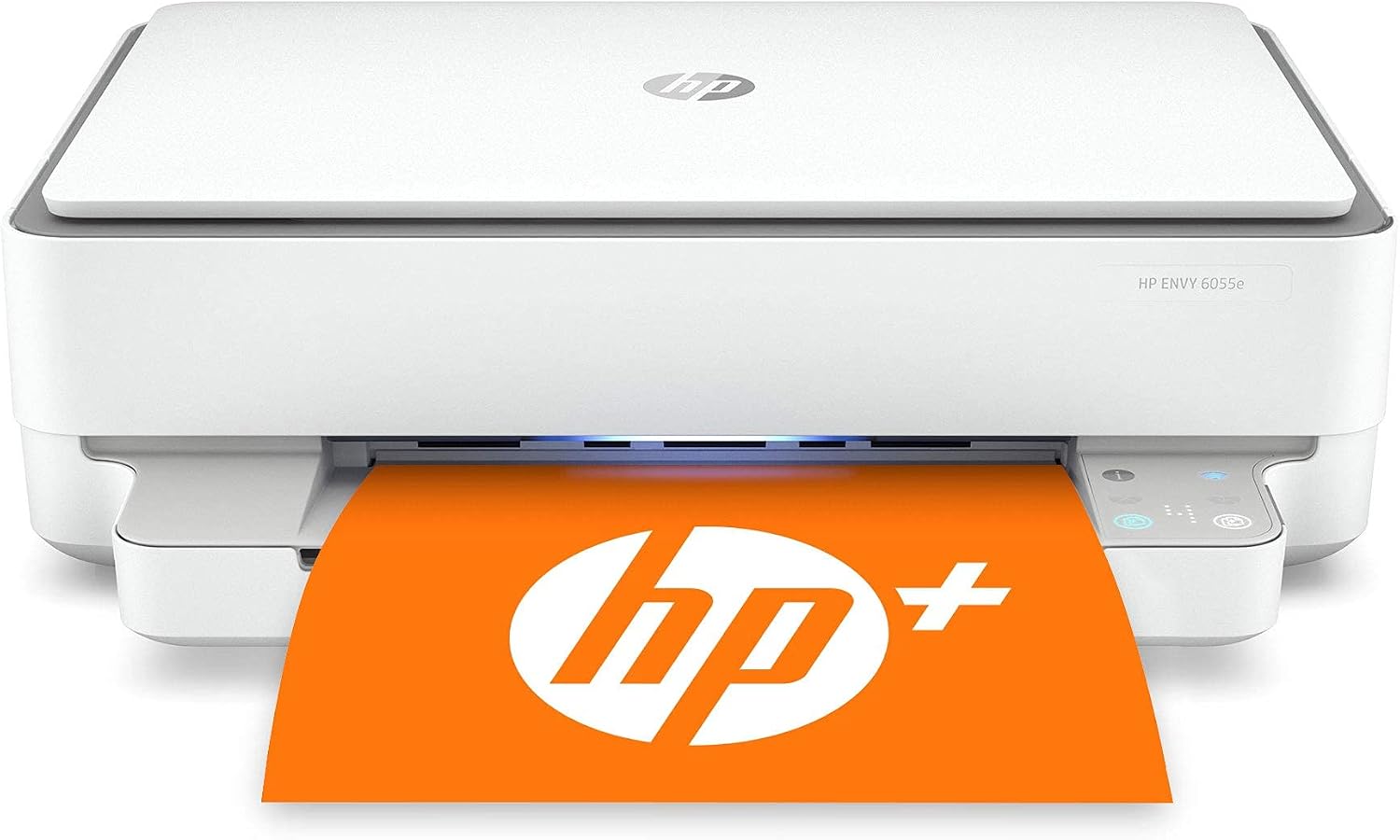
HP Envy 6055e
Cartridge InkjetBest sleek design for small dorm bookshelves. Contemporary aesthetics meet practical functionality.
The HP Envy 6055e is a printer designed for students who care about aesthetics. Its contemporary silver-and-white design actually looks intentional in a dorm room instead of appearing as a utilitarian accident. The compact, low-profile footprint (17.5″ × 5.8″) fits vertically on bookshelves beside textbooks without commanding attention.
Unlike the utilitarian DeskJet 2855e, the Envy 6055e adds subtle touches: touch-sensitive buttons instead of plastic switches, smooth materials instead of cheap plastic, modern WiFi implementation. This is a printer your dorm roommate won’t complain about visually.
Functionally, it delivers solid performance for light-to-moderate students. Print speed reaches 10 pages per minute—faster than the budget DeskJet but slower than lasers. Scanning and copying work reliably. Color output is pleasant. Mobile printing integration is smooth.
The per-page cost runs $0.14 for color, making it expensive for high-volume printing but acceptable for 200–300 pages monthly. Like all cartridge-based inkjets, cartridges dry out over extended breaks, making it problematic for students leaving campus seasonally.
The Envy 6055e is a compromise: it’s not the cheapest option (DeskJet 2855e is $70–$100 cheaper), not the most economical long-term (Brother laser or Epson supertank cost less to operate), but it’s the one that won’t embarrass you in a small dorm room. If your dormitory aesthetic matters and you’re printing 200–400 pages monthly while staying on campus year-round, this is ideal.
Pros
- Contemporary sleek design
- Compact, bookshelf-friendly
- Multifunction (print/scan/copy)
- Reasonable print speed (10 PPM)
- Pleasant color output
- Mobile printing support
Cons
- Cartridges dry out over breaks
- High per-page cost ($0.14)
- Higher upfront cost ($150–$220)
- Not ideal for heavy printing
- Expensive to operate long-term
- Monthly volume constraint
Want dorm room style?
The HP Envy 6055e looks as good as it prints. Check Amazon for the latest availability and pricing.
View on Amazon5. Canon PIXMA TS6420a: Best for Art & Design Majors

Canon PIXMA TS6420a
Cartridge InkjetBest for art, design, and creative majors. Photo-quality color output rivals actual photography.
The Canon PIXMA TS6420a is purpose-built for creative students: photographers, graphic designers, fine artists, illustrators. While other student printers compromise on color quality, Canon’s 6-color cartridge system produces rich, saturated output with exceptional color fidelity.
The 4800 × 1200 dpi resolution combined with Canon’s precision ink positioning creates photos that rival digital prints. For design portfolios, art projects, and thesis presentations, this printer creates professional-grade output. Unlike lasers (which produce matte output) or budget inkjets (which produce washed colors), the PIXMA TS6420a delivers gallery-worthy results.
Media flexibility is crucial for creatives. This printer handles standard paper, glossy photo paper, matte fine art paper, and specialty media. Design a poster on your laptop? Print it on 11″ × 17″ glossy stock. Create an art project? Print on specialty canvas paper. This flexibility is impossible with laser or supertank printers optimized for standard paper.
The per-page cost runs $0.11 for color, making it moderately expensive for volume printing but reasonable for the quality delivered. For students printing 200–400 color pages monthly (primarily design work), this falls into acceptable territory.
Like all cartridge-based inkjets, cartridge drying remains a concern over extended breaks. This is less critical for design students who often stay on campus year-round or work during summers on design projects.
Pros
- Excellent color quality and saturation
- 6-color cartridge system
- Specialty media support (photo, canvas)
- Professional-grade output
- Compact, affordable ($100–$160)
- Ideal for creative portfolios
Cons
- Cartridges dry out over breaks
- Per-page cost ($0.11) adds up
- Not ideal for text-heavy printing
- Moderate print speed (12.6 PPM)
- Photo paper costs extra
- Monthly volume constraint
Perfect for creative work?
The Canon PIXMA TS6420a delivers gallery-quality color. See current pricing on Amazon.
View on Amazon6. HP LaserJet MFP M140w: Best Micro-Sized Laser

HP LaserJet MFP M140w
Monochrome LaserBest micro-sized laser with a built-in scanner. Laser speed and durability in impossibly compact form.
The HP LaserJet MFP M140w solves the space problem that plagues laser printers. Traditional lasers occupy 24″ × 20″ of real estate—impossible in cramped dorms. The M140w compresses laser capability into a footprint of 17.3″ × 15.6″, making it genuinely feasible for tight spaces.
This is laser technology: 40 pages per minute (fastest in this entire guide), monochrome only, $0.028 per page, and zero drying concerns. Toner doesn’t dry out over breaks. Leave for summer and print immediately upon return. The printer will reliably start every single time for four straight years.
Built-in scanning complements printing, enabling document digitization and group project collaboration. Automatic document feeding accelerates batch scanning for research projects or assignments requiring physical-to-digital conversion.
At $350–$450, it’s moderately expensive upfront but rapidly pays for itself. A student printing 400 pages monthly over four years (19,200 pages total) spends approximately $537 in toner. A cartridge-based inkjet costs $2,880 over the same period. The M140w becomes the economically sensible choice by end of first semester and delivers nearly free printing for remaining three years.
The trade-off: monochrome only. No color capability. For text-heavy coursework (essays, reports, research papers), this limitation barely matters. For courses involving graphics, charts, or color-dependent materials, you’ll need supplemental color printing or prior planning to print color components separately.
Pros
- Fastest print speed (40 PPM)
- Lowest cost per page ($0.028)
- Incredibly compact for laser
- Built-in multifunction scanner
- Won’t dry out over breaks
- Reliable Brother-quality mechanics
Cons
- Monochrome only (no color)
- Higher upfront cost ($350–$450)
- Not ideal for design/creative work
- Economy toner (1,000 pages) is short
- Limited to text-heavy workflows
- Monthly volume constraint
Space-conscious student?
The HP LaserJet M140w delivers laser power in compact form. Find current pricing on Amazon.
View on Amazon7. Canon PIXMA MG3620: Best Rock-Bottom Bargain
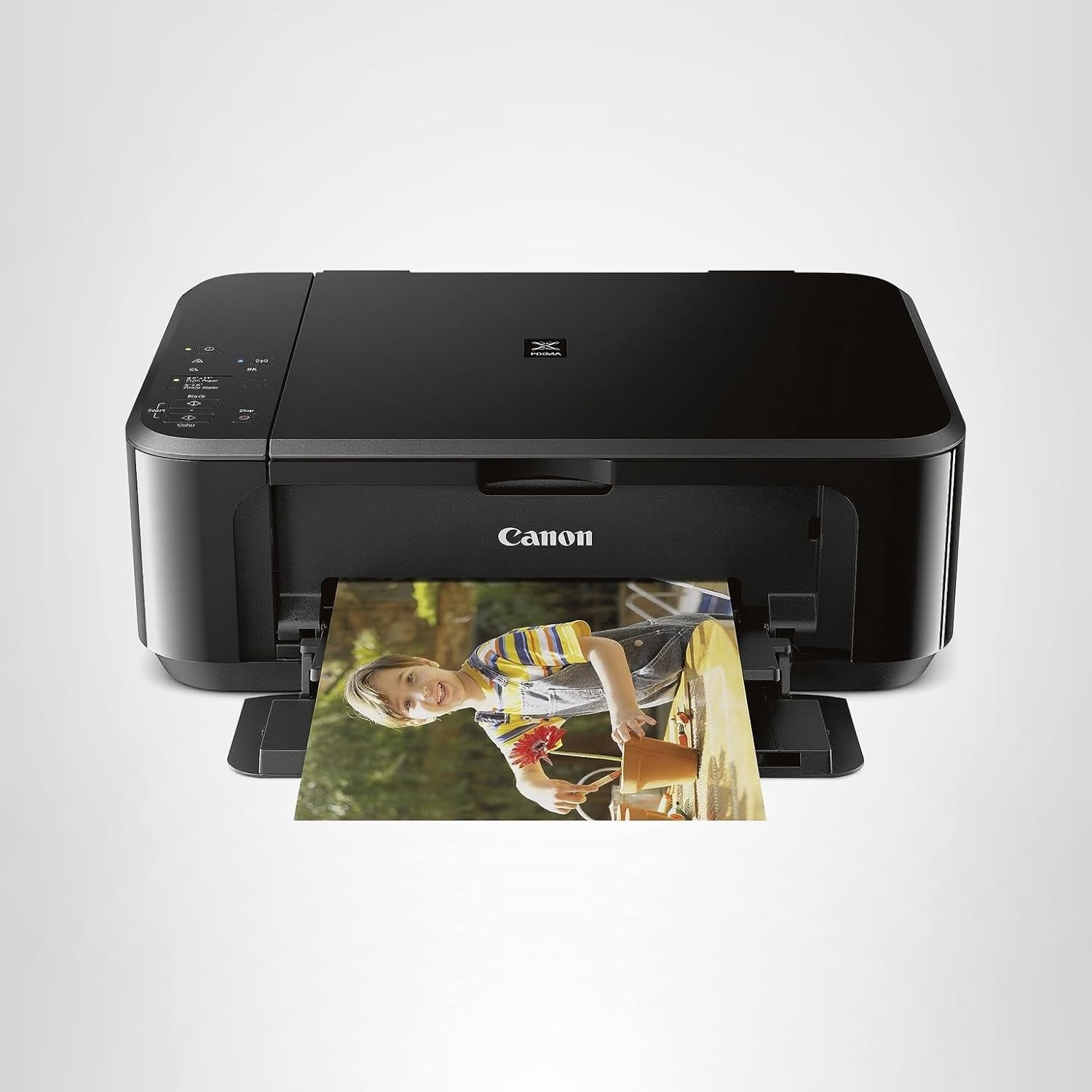
Canon PIXMA MG3620
Cartridge InkjetBest rock-bottom, no-frills bargain. If you’re printing 100 pages monthly max, this is the cheapest entry.
The Canon PIXMA MG3620 is the last resort for broke students with minimal printing needs. At $60–$100, it’s cheaper than textbooks. Physical footprint is impossibly small—17.5″ × 6.2″—fitting on crowded dorm shelves next to coffee makers and textbooks.
For students printing 50–100 pages monthly (study guides, light coursework, occasional graphics), this printer absolutely works. It prints, scans, and copies reliably. Color quality is adequate for casual use. Simplicity means fewer points of failure—it just works.
The critical limitation: this is a pure commodity printer. It has zero aspirational qualities. It won’t impress visually. Per-page costs run $0.13 for color. Cartridges dry out. Monthly volume limits exist. It’s aggressively no-frills, which is exactly the point.
This printer makes sense exactly once: you’re a first-year student uncertain about printing needs, so you buy the cheapest option to test the waters. If you discover you’re printing 300 pages monthly, you’ll regret this choice and upgrade. If you’re genuinely printing 100 pages monthly, this printer will serve you well for four years.
Pros
- Extremely cheap ($60–$100)
- Tiny physical footprint
- Multifunction (print/scan/copy)
- Adequate print quality
- No-frills reliability
- Perfect for light users
Cons
- Cartridges dry out over breaks
- High per-page cost ($0.13)
- Very slow print speed (8.8 PPM)
- Limited monthly volume
- Poor choice for heavy printing
- Aggressive cost-cutting evident
Ultra-tight budget?
The Canon PIXMA MG3620 is the cheapest functional printer available. Check Amazon for current deals.
View on AmazonStudent Printer Buying Guide
Step 1: Estimate Annual Printing Volume
Honestly assess how much you’ll print. Heavy essay writers printing 400+ pages monthly need laser or supertank. Casual students printing 100 pages monthly can manage budget inkjets. Underestimating means regret; overestimating means wasted money.
Step 2: Determine Summer Break Scenario
Will you leave campus seasonally or stay year-round? Staying campus-bound? Cartridge-based inkjets work fine. Leaving campus for breaks? Skip cartridge inkjets entirely—cartridge drying makes them unreliable. Laser or supertank printers handle breaks flawlessly.
Step 3: Identify Your Major’s Needs
STEM fields: prioritize speed and volume capacity. Design/Art: prioritize color quality. Business: balance text and graphics. Humanities: pure text printing. Your major’s printing demands should drive technology selection.
Step 4: Measure Available Space
Measure your dorm desk and shelves. Will the printer physically fit? Compact models (17.5″ wide) fit shelves. Desktop models (18″+ wide) need desk space. This constraint often eliminates options before other factors matter.
Step 5: Calculate Total Cost of Ownership
Don’t just look at purchase price. Calculate four-year printing cost: (monthly pages × 48 months × per-page cost) + purchase price. This reveals true cost. Often, expensive lasers beat cheap inkjets dramatically.
Step 6: Verify Connectivity & Support
Confirm WiFi printing works with your laptop and phone. Test mobile apps in-store before buying. Check warranty coverage and manufacturer support quality.
Protecting Your Printer Over Long Breaks
For Cartridge-Based Inkjets
If you must use cartridge inkjets, run print head cleaning cycles before leaving campus for extended breaks. Print a color page weekly to keep nozzles active. Better yet: leave cartridges installed and ask a roommate to print occasionally during breaks. Nothing dries out inkjet cartridges faster than complete disuse.
For Laser Printers
Laser printers need no special preparation. They’ll sit unused for eight weeks and start perfectly upon return. Store in climate-controlled space (not hot attics or cold basements). Remove toner cartridges if storing for over six months to prevent settling.
For Supertank Printers
Tank ink doesn’t dry out like cartridges. No special care needed. Run the printer monthly if possible, but extended disuse causes no damage. Store in climate-controlled space to prevent ink settling.
General Best Practices
Before extended breaks, print a test page to ensure functionality. Clean dust and debris from exterior. Leave sufficient toner or cartridges available so you never return to an empty device. Store in climate-controlled locations when possible.
Student Printer Frequently Asked Questions
Yes. Inkjet cartridges dry out completely after 4-6 weeks of disuse. Eight-week summer breaks guarantee cartridge failure. You’ll return to a dead printer and ruined cartridges requiring replacement before printing a single page. This is the primary reason we recommend laser or supertank printers for students leaving campus seasonally. Laser toner and supertank ink don’t dry out, no matter the break length.
For most academic work, yes. Monochrome lasers produce crisp, professional black text and graphics. Color becomes necessary only for presentations, design projects, or media studies. Consider a hybrid approach: buy a monochrome laser for primary printing plus occasional color printing at campus computing labs or partner with roommates who have color capability. Many students print text on their mono laser, then print color components at the library when needed.
Measure your available space before purchasing. Most compact printers measure 17-18″ wide and 6-8″ deep—fitting on shelves. Desktop models measure 20-24″ wide and require desk space. Bring measurements to the store or check product dimensions online (typically in “spec sheets”). Remember that you need clearance above the printer for paper output, not just surface space.
For lasers, third-party toner is generally safe and can save 30-40% compared to genuine cartridges. Quality varies widely—stick to established brands. For inkjets, third-party cartridges risk clogging nozzles with inferior ink formulations. The safer approach: use genuine cartridges initially, then experiment with third-party alternatives for non-critical printing jobs once you understand your printer’s tolerance.
Underestimating printing volume. Students buy budget inkjets assuming minimal printing, then discover they’re printing 300+ pages monthly. Suddenly, cartridge costs ($50–$100 per month) devastate budgets. The solution: if you have any doubt about volume, buy a laser printer from day one. The slightly higher upfront investment ($300 vs. $100) pays for itself within four months through reduced per-page costs, then runs essentially free for remaining three+ years.
Buy during your first semester. You’ll quickly discover whether printing is essential for your coursework. If you discover you’re printing heavily, early investment in a laser or supertank pays dividends across remaining years. If you discover printing is minimal, even cheap printers service light use adequately. Don’t wait until second semester when you’re behind on budgets and rushed for time.
Yes. Shared apartments benefit enormously from shared printer investments. Three students splitting a $400 laser printer each spend $133, then enjoy $0.03 per-page printing. Designate one person responsible for maintenance and cartridge purchases, and implement simple sharing agreements about printing schedules. WiFi connectivity means everyone can print without physical access conflicts.
Unfortunately, all cartridge-based inkjets risk drying over extended breaks. Only laser printers (monochrome or color) and supertank printers avoid this issue entirely. If cartridge drying is a deal-breaker for your situation, eliminate all cartridge inkjets from consideration and focus on laser or supertank options. Budget constraints? Monochrome lasers start around $250—more than budget inkjets but far less than supertank printers.
WiFi printers connect to your dorm or apartment router like any other device. Once connected, you can print from any device on the same network—laptops, phones, tablets. Most printers have setup wizards guiding the connection process. Test connectivity in-store or read reviews confirming WiFi stability before buying. Campus networks with multiple SSIDs or security layers sometimes challenge printer connectivity—confirm compatibility with your specific setup.
Standard warranties are typically one year (hardware defects). Extended warranties covering accidental damage or wear run $50–$150. For budget printers, skip extended warranties—replacement costs often undercut warranty coverage. For expensive lasers or supertanks ($400+), extended warranties provide value if you’re accident-prone. Always purchase from authorized retailers for full warranty support rather than third-party resellers.
Final Verdict: Your Ideal Student Printer
Choosing your student printer comes down to a single realization: it’s not really about the device—it’s about matching technology to your specific academic situation. The wrong printer creates semester-long friction. The right one becomes invisible, reliably working when deadlines loom.
For light users printing under 200 pages monthly while staying on campus year-round: The HP DeskJet 2855e or Canon PIXMA MG3620 provide budget-friendly entry. You’ll pay more per page long-term, but upfront affordability matters on tight budgets. Avoid if leaving campus seasonally.
For heavy essay writers printing 300–500 pages monthly: The Brother HL-L2460DW is your answer. The higher upfront cost ($330) disappears by end of first semester through per-page savings. Four years of laser printing costs $750 in toner versus $3,600 in cartridges. That laser essentially prints free from December onward.
For STEM students and graduate candidates printing 500+ pages monthly: The Epson EcoTank ET-2400 delivers rock-bottom color printing costs ($0.024 per page). Over four years, you’ll spend $576 in ink versus $3,600+ with cartridge systems. The investment pays for itself within one semester.
For dorm room aesthetics and light printing: The HP Envy 6055e looks intentional in your living space while delivering solid performance. Understand that cartridge costs run higher, and avoid this if leaving campus seasonally.
For creative majors requiring gallery-quality color: The Canon PIXMA TS6420a produces output rivaling professional printing services. The $0.11 per-page cost is acceptable for design work where quality matters more than volume.
For space-constrained students needing laser speed and reliability: The HP LaserJet MFP M140w compresses laser capability into genuinely compact form. Speed and economics match larger lasers while footprint suits tight dorms.
No printer is perfect. Every choice involves trade-offs. The key is understanding which trade-offs matter for your specific academic journey and choosing accordingly. A Brother laser might not look as sleek as an HP Envy, but it’ll save you $2,500 over four years. The Epson supertank requires tedious tank setup, but then runs for two years without cartridge replacement anxiety.
Make your decision deliberately, understanding the full four-year cost picture rather than fixating on purchase price alone. Then execute your choice, confident that you’ve matched your printer to your actual needs rather than aspirational desires.
🎓 Ready to Choose Your Student Printer?
Each of our seven recommendations is available on Amazon with fast shipping and student-friendly return policies. Click “View on Amazon” in any product section to check current pricing, student discounts, and customer reviews.
Make your decision today and eliminate printing stress from your academic journey.