In-depth HP Printer Review
Best HP Printer for Home Use: 7 Models Ranked
HP makes more home printers than any other brand — which makes choosing the right one surprisingly difficult. We tested seven models from the budget DeskJet lineup to Smart Tank, ENVY, OfficeJet Pro, and LaserJet to find exactly which HP belongs in your home.


HP has been making home printers for decades — and they’ve used that time to build one of the most confusing product lineups in the consumer tech space. DeskJet, ENVY, OfficeJet, Smart Tank, LaserJet. Each name carries meaning, but that meaning is rarely spelled out clearly where it would actually help: the moment you’re staring at three options on a shelf or scrolling through a dozen models online wondering which one is right for you.
This guide cuts through the naming confusion. We’ve selected seven HP printers that represent the full range of home use cases — from the budget DeskJet that costs barely anything upfront, to the Smart Tank that slashes ink costs for heavy users, to the color LaserJet that handles high-volume professional output at home. For each model, we’ve built a scorecard covering the metrics that actually matter: print quality, ink cost, speed, ease of use, and real-world value.
Whether you’re buying your first home printer, upgrading from an aging model, or comparing HP with Epson and Canon alternatives, this guide gives you everything you need to make the right call. And if you want to start by seeing how HP fits into the wider landscape, our best home printers hub is the place to begin.
Why Consider HP for Your Home Printer?
HP isn’t always the cheapest option, and it isn’t always the most ink-efficient. But it has a set of genuine advantages that make it the right choice for a large portion of home users — advantages worth understanding before you commit.
The HP Smart App Ecosystem
HP’s biggest competitive advantage is software, not hardware. The HP Smart app is consistently rated as the best printer companion app across all major brands. It handles wireless setup in under five minutes, enables scan-to-email and scan-to-cloud, offers intelligent print settings, tracks ink levels with precision, and integrates with HP Instant Ink for automatic ink delivery. No other printer brand offers an app this polished or feature-complete. If you’re the kind of person who wants to print a document from your phone in three taps, HP delivers that experience better than the competition.
Product Line Depth
HP makes printers for every home use scenario — from the no-frills DeskJet for a student who prints 20 pages a month, to the Smart Tank for a household that burns through ink, to the LaserJet for a home worker who needs to print hundreds of pages quickly without worrying about cartridges. Most other brands cover two or three segments; HP covers all of them. Our Brother vs HP printers for home guide explores how this breadth compares with Brother’s offering.
Instant Ink Subscription Value
HP Instant Ink is a subscription program that ships you ink before you run out, based on how many pages you print each month. For light to moderate users, it can reduce cartridge printing costs significantly — sometimes to below 2 cents per page. It’s not the cheapest way to print (ink tank printers beat it on running costs), but it removes the inconvenience of emergency ink runs and is available exclusively through HP. If you want to understand the full cost trade-offs, our cost of printer ink vs toner analysis has the detailed numbers.
Best HP Printers for Home Use — Quick Picks
Here’s where each HP model lands by use case before we dive into detailed reviews.
Full Comparison: All 7 HP Home Printers
Every spec that matters, side by side. Use this table alongside the individual reviews below to make your final decision.
| Model | Type | Functions | Speed | Duplex | Ink Cost | Best For |
|---|---|---|---|---|---|---|
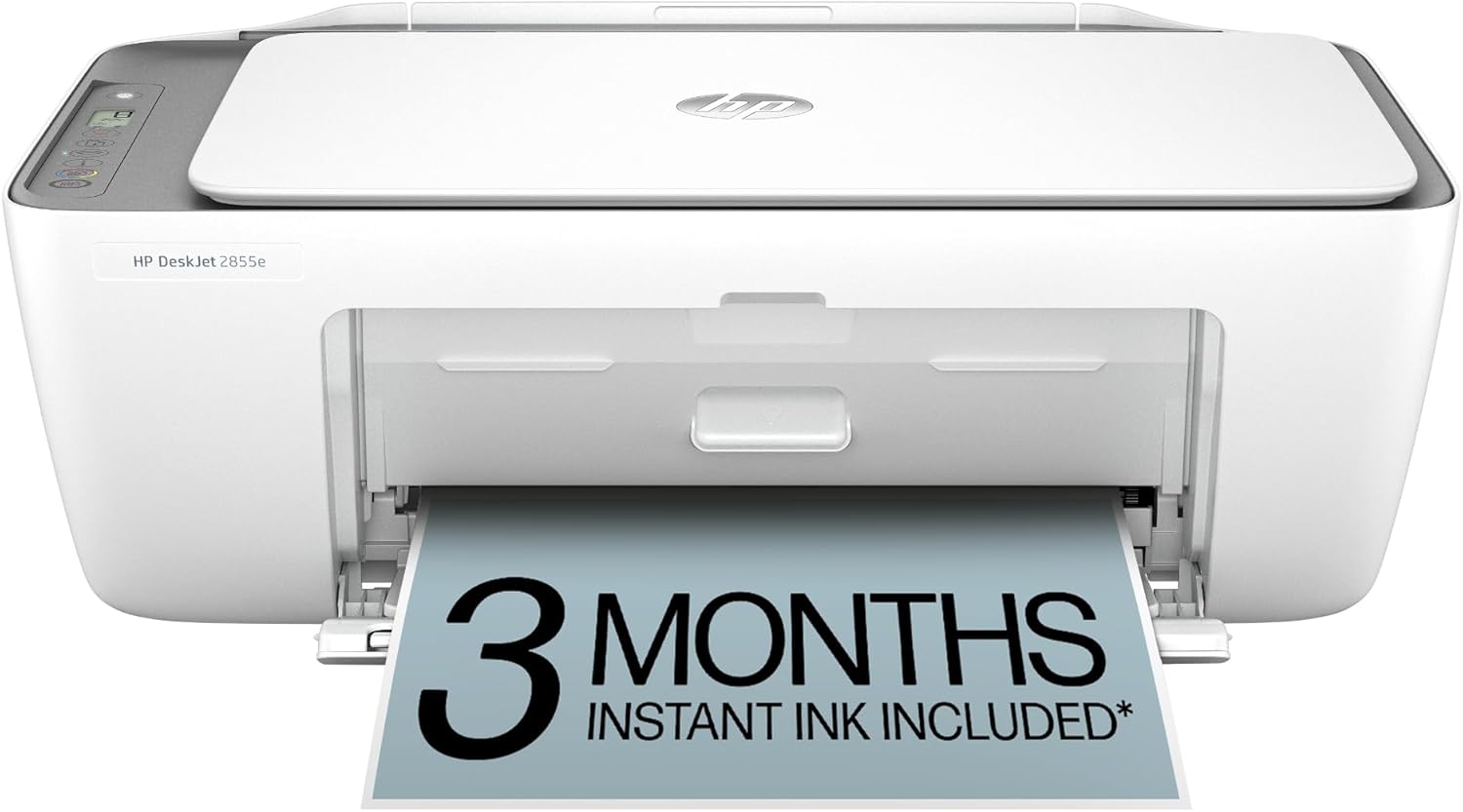
| HP DeskJet 2855e | Inkjet | Print, Scan, Copy | ~8 ppm | Manual | Medium | Budget / Light use |
| HP ENVY 6055e | Inkjet | Print, Scan, Copy | ~10 ppm | Manual | Medium | Families |
| HP ENVY Inspire 7955e Photos | Inkjet | Print, Scan, Copy | ~15 ppm | Auto | Medium | Photos & family |
| HP OfficeJet Pro 9015e Top Pick | Inkjet | Print, Scan, Copy, Fax | ~22 ppm | Auto | Low (XL) | Home office |
| HP Smart Tank 7301 | Ink Tank | Print, Scan, Copy | ~15 ppm | Auto | Lowest (~0.3¢) | Low running cost |
| HP LaserJet M209dw | Mono Laser | 30 ppm | Auto | Very Low | Fast documents | |
| HP Color LaserJet M283fdw | Color Laser | Print, Scan, Copy, Fax | 22 ppm | Auto | Medium (Toner) | Color documents |
HP DeskJet 2855e — Best Budget HP Printer for Home
The HP DeskJet 2855e earns its place as HP’s best budget home printer through a combination of low sticker price, genuinely simple setup, and solid software support. It connects to your home Wi-Fi via the HP Smart app in minutes, supports Apple AirPrint and Google Home Print, and handles everyday document printing without drama. For school homework, occasional forms, recipe printouts, and boarding passes, it’s more than adequate.
Where the DeskJet shows its budget nature is in running costs and paper capacity. Without an HP Instant Ink subscription, ink costs are higher than they should be for how little ink you get per cartridge. The HP Smart subscription can bring this down to a manageable level for light users, but heavy printers will quickly find the DeskJet economically painful. The 60-sheet paper tray also means more frequent refills for anyone printing more than a few pages at a time.
For light users who also want to scan and copy, the 2855e covers those bases with a flatbed scanner that works well with the HP Smart app’s document digitization features. It won’t replace a dedicated scanner for archival work, but for scanning receipts, letters, and school documents, the output is clean and legible. Mac users will find it works seamlessly with macOS — see our best home printer for Mac guide for comparison.
- Lowest upfront cost in HP lineup
- Ultra-simple HP Smart app setup
- AirPrint & Chromebook compatible
- Compact — fits anywhere
- HP Instant Ink compatible
- High per-page cost without Instant Ink
- 60-sheet tray only
- No auto duplex printing
- Slow color speed (~5.5 ppm)
- Not suitable for heavy printing
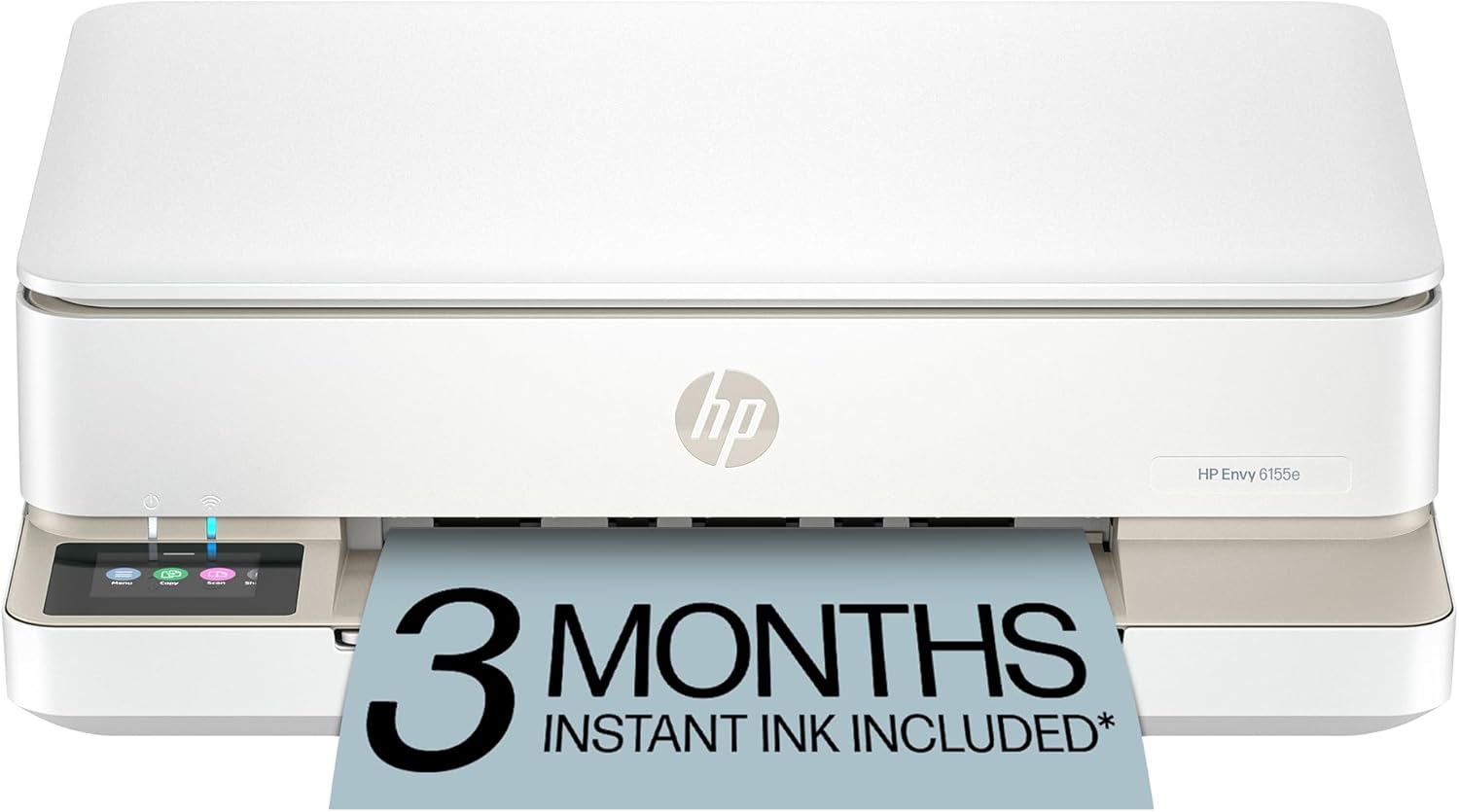
HP ENVY 6055e — Best HP Printer for Family Use
The HP ENVY 6055e steps up from the DeskJet in all the ways that matter to a typical family household. It handles 100 sheets in its front-loading paper tray (vs 60 in the DeskJet), prints borderless 4×6 photos with noticeably better color accuracy, and produces slightly sharper text output. It remains compact enough to sit on a kitchen counter or home office shelf without dominating the space.
HP positions the ENVY line specifically at families who print a mix of school documents and occasional photos — and this positioning is accurate. The ENVY 6055e handles both tasks competently without requiring the investment of a dedicated photo printer. Color reproduction on glossy photo paper is genuinely impressive for a printer at this price, with smooth skin tones and accurate saturation levels. For dedicated photo printing at home, check our best printer for photos at home guide for higher-end options.
The HP+ activation (requiring an HP account and genuine HP cartridges) unlocks the warranty extension and six months of Instant Ink credit. For families who print regularly, this subscription can turn the ENVY from a medium-cost printer into a very reasonable running cost proposition. Students in the household will appreciate the mobile printing capability — this model features in our best printer for students guide for exactly that reason.
- Larger 100-sheet paper tray
- Better photo quality than DeskJet
- Borderless 4×6 photo printing
- Compact family-friendly design
- HP+ and Instant Ink compatible
- No auto duplex printing
- No fax function
- Higher cartridge cost without subscription
- Not ideal for heavy volume
HP ENVY Inspire 7955e — Best HP Printer for Photos at Home
The HP ENVY Inspire 7955e is where HP’s ENVY line genuinely earns its “Inspire” tag. It offers automatic duplex printing (both sides, automatically), a 35-page ADF for scanning multi-page documents without manual intervention, and the best color photo output of any HP ENVY model. The print quality for 4×6 and 5×7 photo printing is noticeably superior to both the DeskJet and the standard ENVY 6055e — colors are richer, gradients smoother, and skin tones more natural.
The 225-sheet main paper tray is generous for a home inkjet, reducing how often you need to reload for longer print jobs. The color touchscreen display (2.7 inches) makes local control easy for copy jobs and scan settings without needing the app. It also includes HP+ smart features when activated — including the six-month Instant Ink credit and an extended warranty.
For families that regularly print crafts, school projects, or home decor, the Inspire 7955e is the right HP model. It also features prominently in our best printer for crafting roundup. If you’re deciding between this and Canon’s comparable offering, our Canon PIXMA vs HP ENVY comparison covers every key difference.
- Best HP ENVY photo quality
- Automatic duplex printing
- 35-page ADF for scanning
- 225-sheet paper tray
- Color touchscreen display
- Handles 5×7 borderless photos
- Higher per-page ink cost than laser or tank
- HP+ requires HP account & genuine ink
- No fax function
- Larger footprint than basic models
HP OfficeJet Pro 9015e — Best All-Round HP Home Printer
If you’re going to buy one HP printer for your home, the HP OfficeJet Pro 9015e is the model we recommend to almost everyone who asks. It represents the best convergence of speed, features, print quality, and running cost in HP’s inkjet lineup for home use. It prints at up to 22 pages per minute in black — twice the speed of the DeskJet 2855e — includes automatic duplex printing, a 35-page ADF for scanning multi-page documents, a generous 250-sheet paper tray, and full 4-in-1 functionality including fax.
The key economic advantage of the OfficeJet Pro line over the ENVY lineup is XL cartridge support. The 9015e is designed for HP’s high-yield XL and XXL cartridges, which spread the fixed per-cartridge cost across significantly more pages — bringing the effective per-page cost down to competitive levels even without an Instant Ink subscription. For home office users who print 100–300 pages per month, this difference compounds meaningfully over a year.
Print quality is exceptional for an inkjet all-in-one. Text is sharp and well-defined at even small font sizes, making it suitable for professional-looking invoices, reports, and presentations. Color accuracy is good enough for branded materials and charts, though dedicated photo printers still have an edge for photography. The 9015e is our top recommendation in the best printer for home office guide, and it competes directly with Epson and Brother in our broader best home printers roundup.
- 22 ppm — fast for a home inkjet
- Full 4-in-1 including fax
- Auto duplex + 35-page ADF
- 250-sheet paper tray
- XL cartridge support (lower cost/page)
- Excellent HP Smart app integration
- Color touchscreen display
- Higher upfront cost than DeskJet/ENVY
- HP+ requires HP account
- Larger footprint
- Not as cheap per page as ink tank options
HP Smart Tank 7301 — Best HP Printer for Low Running Costs
The HP Smart Tank 7301 is HP’s most comprehensive ink tank all-in-one — and it occupies a genuinely compelling position in the market by combining HP’s best-in-class Smart app ecosystem with EcoTank-matching per-page ink costs of approximately 0.3 cents per page. If you love HP’s software but resent HP’s cartridge costs, the Smart Tank 7301 resolves that tension cleanly.
The Smart Tank system uses large, refillable HP GT ink bottles rather than sealed cartridges, delivering approximately 8,000 pages in black and 6,000 pages in color from the included ink supply. Like Epson’s EcoTank bottles, HP’s GT-series ink bottles are simple, spill-resistant containers that clip directly into color-coded tank ports. The process is clean, quick, and produces no cartridge waste. Replacement bottles are competitively priced and available through major retailers.
Unlike the simpler EcoTank ET-2800, the Smart Tank 7301 includes automatic duplex printing, a 35-page ADF, and full HP Smart app integration with scan-to-cloud, intelligent print settings, and remote printing capability. For the HP household that prints heavily and wants to minimize running costs, this is the right model. For a full comparison between HP’s Smart Tank and Epson’s competing EcoTank ecosystem, our Epson EcoTank vs HP Smart Tank guide covers every dimension. Our broader best ink tank printer for home guide also includes this model.
- ~0.3¢/page — lowest HP running cost
- 8,000 pages BK / 6,000 color included
- Auto duplex + 35-page ADF
- Best HP Smart app experience
- No ink subscription needed
- Spill-resistant tank refill design
- Higher upfront cost than cartridge models
- No fax function
- GT bottles slightly pricier than Epson 522
- Not as compact as DeskJet/ENVY
HP LaserJet M209dw — Best HP Laser Printer for Home

The HP LaserJet M209dw brings laser printing into a compact, affordable home printer package. It prints at 30 pages per minute in black — crisp, smear-proof, and waterproof laser output that inkjets fundamentally cannot match for text quality. If your household produces a high volume of black text documents — reports, contracts, study notes, school assignments, legal paperwork — the LaserJet pays for itself in both time saved and frustration avoided.
Laser printers don’t suffer from the clogged printhead problems that plague inkjets left idle. Leave the M209dw unused for a month, pick it up again, and it prints exactly as well as the day you bought it. This characteristic makes it particularly valuable for households where printing is occasional but important — you never want to discover a blocked head when you need to print something urgently. This advantage is discussed in full in our inkjet vs laser printer for home guide.
The M209dw includes automatic duplex printing and Wi-Fi connectivity via the HP Smart app. Toner cartridges deliver approximately 1,000 pages at standard yield, with high-yield alternatives available that bring per-page costs down to competitive levels. The tradeoff with this model (as with all laser printers) is that it prints in black only — for color printing, you’ll need either a separate color printer or the Color LaserJet M283fdw reviewed below. For comprehensive guidance on HP’s laser range, see our dedicated best laser printer for home guide.
- 30 ppm laser speed
- Razor-sharp, waterproof text
- No dried heads from idle periods
- Auto duplex printing
- Compact laser footprint
- Low per-page toner cost (high-yield)
- Monochrome only — no color printing
- Print only — no scan or copy
- Warm-up time on cold start
- Not suitable for photos
HP Color LaserJet MFP M283fdw — Best HP Color Laser for Home
The HP Color LaserJet MFP M283fdw brings professional-grade color laser printing into a realistic home printer price range. It prints at 22 pages per minute in both black and color — simultaneously fast and reliable — and produces the crisp, waterproof, smear-resistant output that only laser technology can deliver for color documents. Color accuracy is excellent for text-heavy documents, charts, tables, and presentations, though it won’t match the vivid photo quality of a dedicated photo inkjet.
The M283fdw is a full 4-in-1 machine with print, scan, copy, and fax functionality, a 35-page ADF, auto duplex, and Wi-Fi with HP Smart app support. The color touchscreen makes local operation intuitive. It’s the HP printer for home workers who regularly handle color-coded legal documents, branded client materials, annotated PDFs, or anything else where color accuracy and smear resistance both matter.
The running cost calculus for color laser is different from inkjet: individual color toner cartridges are more expensive than inkjet cartridges, but they yield significantly more pages — standard-yield color toner typically covers 2,000+ pages, while high-yield alternatives extend that further. Per-page color costs land roughly in the 5–10 cents range, which competes favorably with premium inkjet cartridges and beats standard inkjets convincingly for color documents (though not for color photos). Our ink vs toner cost guide breaks all of this down in detail.
- 22 ppm color + black laser
- Smear-proof, waterproof color output
- Full 4-in-1 including fax
- Auto duplex + 35-page ADF
- No idle-drying issues
- Professional-quality color text
- Higher upfront cost
- Color toner more expensive per cartridge
- Larger, heavier machine
- Not ideal for photo printing
- Muted colors vs inkjet for photos
The HP Smart App: Why HP’s Software Is Its Biggest Selling Point
No other printer brand offers a companion app that comes close to the HP Smart app in terms of polish, features, and reliability. If you’ve ever struggled through a clunky printer setup process, printed wirelessly from a phone only to have it fail, or manually navigated a printer’s tiny LCD screen to configure a scan — the HP Smart app is the reason many people stick with HP despite the cartridge costs.
Setup deserves special mention. The HP Smart app walks you through Wi-Fi configuration with clear, illustrated steps that work first time for the vast majority of users. Competing apps — Epson’s Smart Panel is close, but Canon’s and Brother’s lag noticeably — tend to be more complex or rely more heavily on following the physical setup guide. For a household where the printer might be set up by someone who isn’t technically confident, this difference matters.
For wireless printing specifically, HP’s app also supports printing remotely over the internet (not just the local network) — a feature that’s useful for remote workers who want to send documents to a printer at home while they’re working elsewhere. For more on connecting HP printers to your network, our how to connect your printer to Wi-Fi guide covers the HP-specific steps in detail.
HP Instant Ink vs Buying Cartridges vs HP Smart Tank: Which Saves Most?
HP gives you three distinct approaches to ink costs depending on which printer you own. Understanding the economics of each helps you make a smarter total-cost decision — not just on the printer purchase, but on the full lifetime running cost.
| Approach | How It Works | Effective Cost/Page | Annual Cost (150 pgs/mo) | Best For |
|---|---|---|---|---|
| Standard HP Cartridges | Buy when empty. Cartridge pricing. | 8–15¢ color | $175–$300+ | Very light printing |
| HP XL Cartridges | High-yield versions of standard carts | 4–8¢ color | $85–$170 | OfficeJet Pro users |
| HP Instant Ink | Monthly subscription, ink auto-ships | ~2–5¢ | $45–$100/yr | Regular DeskJet/ENVY users |
| HP Smart Tank Best | Refillable ink tanks, buy bottles | ~0.3¢ | ~$6–$8 | Heavy home printers |
For a full comparison of ink costs across all major printer brands — including how HP’s costs compare to Epson EcoTank, Canon MegaTank, and Brother — our home printer cheapest ink guide is the definitive resource. And our are ink tank printers worth it breakdown covers whether the upfront investment makes sense for your specific print volume.
HP’s Product Lines Explained: DeskJet vs ENVY vs OfficeJet vs Smart Tank vs LaserJet
HP’s product naming is confusing by any objective measure. The same word — “DeskJet” — has been applied to printers aimed at very different users over the years, and the distinctions between “ENVY” and “OfficeJet” aren’t obvious from the names. Here’s a clear decoder:
| HP Line | Who It’s For | Key Differentiators | Ink Type |
|---|---|---|---|
| DeskJet | Budget / light users | Lowest upfront cost, basic features | Standard cartridge |
| ENVY | Family / casual photos | Better photo quality, sleeker design | Standard cartridge |
| ENVY Inspire | Photo-focused families | Auto duplex, ADF, best ENVY quality | Standard cartridge |
| OfficeJet Pro | Home office / power users | Faster speeds, XL ink, 4-in-1, fax | XL cartridge |
| Smart Tank | High-volume / low running cost | Ink tank system, lowest per-page cost | Ink tank (bottles) |
| LaserJet | Document-heavy households | Fast, smear-proof black text, reliable | Toner cartridge |
| Color LaserJet | Color document power users | Fast color laser, professional output | Color toner (4-pack) |
The “e” suffix you’ll see on modern HP models (DeskJet 2855e, OfficeJet Pro 9015e) indicates the model is HP+ compatible — meaning it supports smart features via the HP Smart app and is eligible for the extended HP+ warranty and Instant Ink enrollment. Non-“e” versions of similar models exist but lack these software features. Unless you specifically want to avoid HP+ features (which requires an HP account and genuine HP ink), the “e” versions are generally preferable.
HP Printer Buying Guide: Which HP Home Printer Is Right for You?
Armed with the product reviews and line-by-line comparison above, here’s a structured decision framework to help you land on the right model.
Choose the HP DeskJet 2855e if:
- Your budget is tight and you want the cheapest HP printer available
- You print fewer than 30 pages per month on average
- Wireless setup simplicity is your top priority
- You don’t need speed, duplex printing, or an ADF
- Students in small apartments or dorm rooms needing minimal features
Choose the HP ENVY 6055e if:
- You have a household with kids who print a mix of documents and photos
- Occasional 4×6 photo printing is part of your use case
- You want a step up from the DeskJet without a large price jump
- Compact design and a slightly larger paper tray both matter
Choose the HP ENVY Inspire 7955e if:
- Photo quality is important — you want the best HP ENVY output available
- Automatic duplex printing is a must-have
- You scan multi-page documents regularly (35-page ADF)
- Crafting projects or school presentations drive your printing needs
Choose the HP OfficeJet Pro 9015e if:
- You work from home and need a genuinely capable office printer
- Speed matters — you print regularly and waiting is frustrating
- Fax capability is required for work or personal documents
- You print 100+ pages per month and XL cartridge economics make sense
- You want the best overall value in HP’s inkjet lineup
Choose the HP Smart Tank 7301 if:
- Minimizing running costs is your primary goal within HP’s ecosystem
- You print 100–300+ pages per month and want ~0.3¢/page costs
- You want HP’s app quality without HP’s cartridge costs
- The higher upfront investment is acceptable for long-term savings
Choose the HP LaserJet M209dw if:
- You print almost exclusively in black text — no color needed
- Speed is a high priority (30 ppm)
- Printer reliability over months of irregular use is important
- You want laser-sharp text quality that inkjets can’t match
Choose the HP Color LaserJet M283fdw if:
- You regularly print color documents — reports, presentations, branded materials
- You need 4-in-1 functionality including color scanning and fax
- Professional-quality color text output is a requirement
- You can invest more upfront for a machine that handles heavy color printing reliably
For maintenance best practices once you’ve bought your HP printer, bookmark our home printer maintenance tips guide. If you’re deciding between HP and Brother, our Brother vs HP printers for home comparison makes the trade-offs explicit. And for wireless printing setup after your purchase, our how to connect your printer to Wi-Fi guide is the practical next step.
FAQs: Best HP Printer for Home Use
The Best HP Printer for Your Home — Final Verdict
HP makes a printer for every home use scenario, and the right one depends on a clear hierarchy: what you print, how often you print it, and how much you’re willing to pay upfront versus over time. For most households, the HP OfficeJet Pro 9015e delivers the best all-round value — it’s fast, capable, and uses XL ink to keep running costs reasonable. Budget-first buyers are well-served by the DeskJet 2855e. Photo-focused families should look at the ENVY Inspire 7955e. And heavy printers who want to cut running costs to almost nothing within HP’s ecosystem should seriously consider the Smart Tank 7301.
Whatever HP model you choose, the HP Smart app gives you an experience that no competing brand quite matches — clean setup, smart ink management, and mobile printing that actually works.