◉ Comprehensive Buying Guide
Best Home Printers Worth Buying Right Now
From compact inkjets to ink-tank powerhouses and speedy lasers — we tested and ranked the top home printers for every budget and printing style.
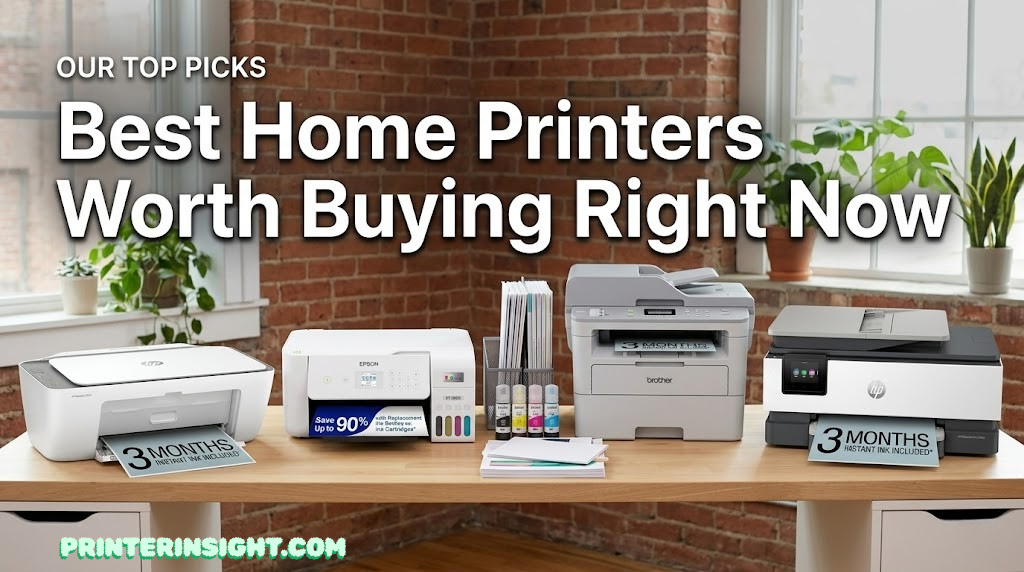
Whether you need to print homework, work documents, boarding passes, or the occasional photo, the right home printer can save you hundreds of dollars a year while eliminating the frustration of running out of ink at the worst possible moment. But with dozens of brands, dozens of models, and confusing marketing language everywhere, picking the right one is harder than it should be.
That’s exactly why we put together this guide. We’ve researched, tested, and compared ten of the most popular home printers available today — evaluating print quality, speed, ink economy, wireless features, and total cost of ownership. Whether you want the cheapest printer to buy right now, the most ink-efficient model for heavy printing, the sharpest output for photos, or the fastest option for a home office, you’ll find your answer here.
You’ll also want to check out our detailed guide to inkjet vs laser printers for home if you’re still deciding on the technology, and our rundown on home printers with the cheapest ink if running costs are your top priority.
Quick Picks: Best Home Printers at a Glance
Not everyone has time to read a 7,000-word deep-dive before buying a printer. If you need a fast answer, here are our top picks sorted by use case. Each pick is explained in full detail further down in this guide.
Full Comparison Table: All 10 Home Printers
This table gives you an immediate side-by-side view of every printer we reviewed, including technology type, key features, print speed, and who each model is best suited for. Use it as a quick reference while reading the individual reviews below.
| Printer | Type | Print Speed | Functions | Wireless | Best For | Verdict |
|---|---|---|---|---|---|---|
| HP DeskJet 2855e | Inkjet | ~8 ppm color | Print, Scan, Copy | ✓ Wi-Fi | Budget printing | Budget Pick |
| Epson EcoTank ET-2800 Top Pick | Ink Tank | ~10 ppm | Print, Scan, Copy | ✓ Wi-Fi | Low running cost | Best Value |
| Brother DCP-L2640DW | Mono Laser | 36 ppm | Print, Scan, Copy | ✓ Wi-Fi + Duplex | Fast documents | Best Laser |
| HP OfficeJet 8015e | Inkjet | ~18 ppm | Print, Scan, Copy, Fax | ✓ Wi-Fi | Home office | Great All-in-One |
| Canon PIXMA TR4722 | Inkjet | ~9 ppm | Print, Scan, Copy, Fax | ✓ Wi-Fi + Bluetooth | Versatile use | Solid Performer |
| Canon PIXMA G3270 | Ink Tank | ~11 ppm | Print, Scan, Copy | ✓ Wi-Fi | Heavy printing / crafts | Ink Tank Value |
| HP ENVY Inspire | Inkjet | ~15 ppm | Print, Scan, Copy | ✓ Wi-Fi | Family printing | Well-Rounded |
| Brother MFC-L3780CDW | Color Laser | 25 ppm | Print, Scan, Copy, Fax | ✓ Wi-Fi + Duplex | Color documents | Best Color Laser |
| Epson EcoTank ET-5800 New | Ink Tank | ~25 ppm | Print, Scan, Copy, Fax | ✓ Wi-Fi + Duplex | High-volume home office | Premium Pick |
| Canon PIXMA TS9521C | Inkjet | ~10 ppm | Print, Scan, Copy | ✓ Wi-Fi + Bluetooth | Photos & crafts | Best for Photos |
Looking for a deeper dive into laser options specifically? Our best laser printer for home guide covers every major model in detail, and our best ink tank printer for home article is the definitive resource on tank-based printing.
HP DeskJet 2855e — Best Budget Home Printer
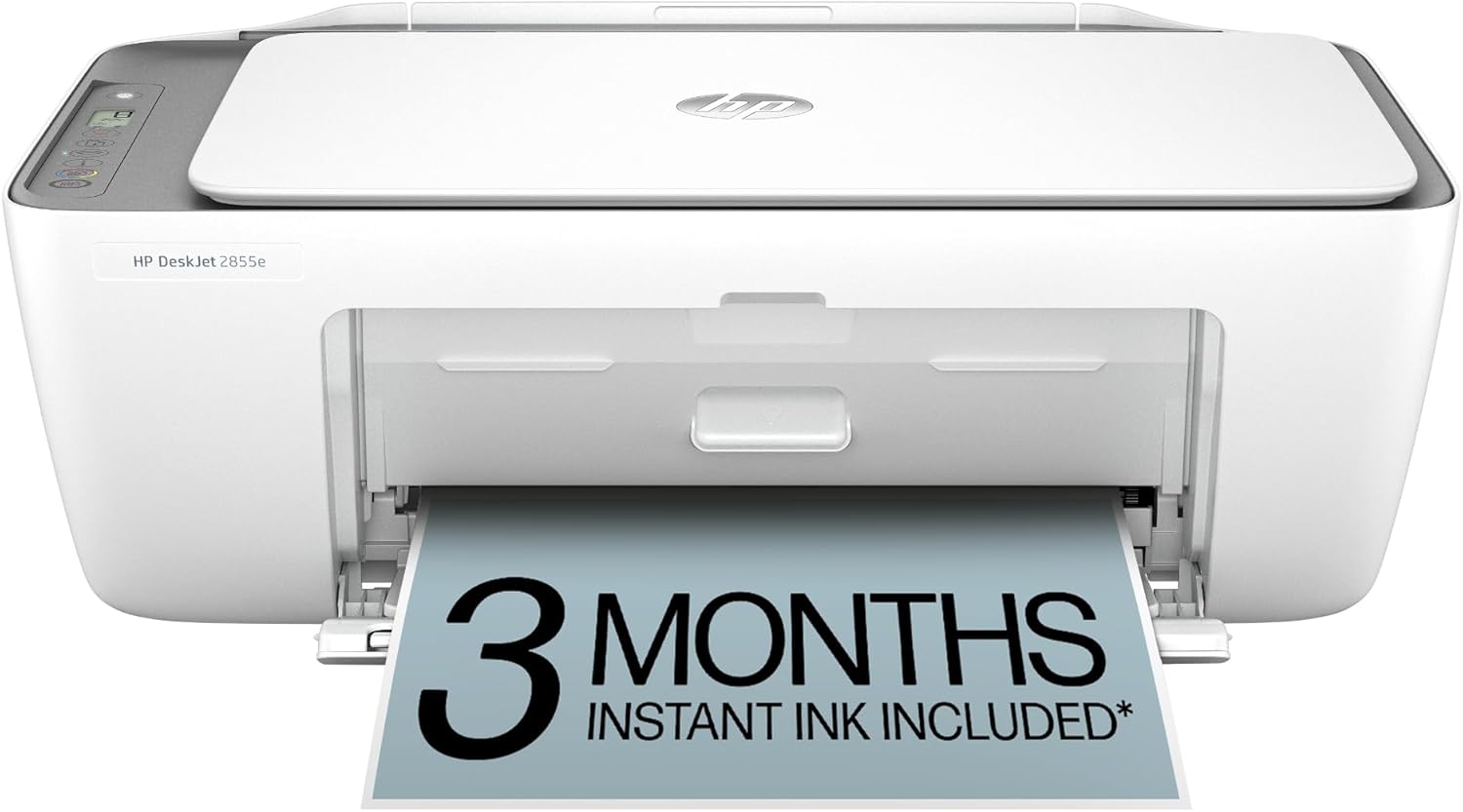
The HP DeskJet 2855e is the printer you buy when your primary concern is not spending much money. It’s a compact, lightweight all-in-one that prints, scans, and copies without any drama — and at its price point, that’s genuinely impressive. HP has refined the DeskJet line over many product generations, and the 2855e benefits from all of that accumulated experience.
Setup takes less than five minutes. You download the HP Smart app on your phone or desktop, connect the printer to your Wi-Fi network, and you’re ready to go. The app itself is one of the best in the category — you can print from your phone, scan documents directly to email, and even manage ink subscriptions from a single interface. Speaking of which, the DeskJet 2855e is compatible with HP Instant Ink, which can dramatically lower your per-page running costs if you print regularly but not excessively.
Print quality for everyday documents — school assignments, receipts, forms, and general text — is perfectly adequate. Colors are vibrant enough for occasional photo printing, though serious photographers will want to look elsewhere. The printer handles up to 8.5 x 11 inch paper, but lacks automatic duplex printing, meaning you’ll need to flip pages manually for double-sided output.
- Very affordable upfront price
- Simple, fast Wi-Fi setup via HP Smart app
- Compact footprint saves desk space
- Compatible with HP Instant Ink subscription
- Solid everyday document print quality
- No automatic duplex printing
- Higher per-page ink cost without subscription
- Small 60-sheet paper tray
- Slower color print speeds
- Not ideal for high-volume printing
Epson EcoTank ET-2800 — Best Overall Home Printer

The Epson EcoTank ET-2800 is the home printer we recommend to almost everyone who asks. It uses large, refillable ink tanks instead of cartridges, meaning you can print thousands of pages before spending another cent on ink. Each printer comes bundled with enough ink to print approximately 7,500 pages in black and 6,000 pages in color — a staggering amount of ink that would cost several times the printer’s price in traditional cartridges.
Print quality is genuinely impressive for an everyday ink-tank printer. Text comes out sharp and legible even at small font sizes, and colors are accurate and vivid for casual photo printing and graphics. It’s not a replacement for a dedicated photo printer, but for school projects, charts, infographics, and family snapshots, the output is better than you’d expect at this price tier.
The EcoTank is compatible with the Epson Smart Panel app, which makes wireless setup simple on both Android and iOS. You can also print from Chromebooks, and the printer supports Apple AirPrint for direct mobile printing without any additional software. One limitation is the relatively modest paper capacity — the single 100-sheet rear tray means you’ll be loading paper more often than with higher-end models.
For a detailed look at how EcoTank stacks up against HP’s tank offering, read our Epson EcoTank vs HP Smart Tank comparison. And if you want to see the full range of ink-tank options, our are ink tank printers worth it guide covers everything you need to know.
- Enormous ink supply included in-box
- Dramatically lower per-page costs
- Sharp, accurate print quality
- Easy wireless setup via Epson Smart Panel
- Apple AirPrint & Chromebook ready
- No more running out of cartridges unexpectedly
- Higher initial purchase price than cartridge models
- No automatic duplex printing
- No fax functionality
- Single rear paper tray (100-sheet capacity)
- Slightly slower color output
Brother DCP-L2640DW — Best Laser Printer for Home

If you print mostly black text — contracts, study notes, work documents, reports — the Brother DCP-L2640DW is in a class of its own at the home printer price point. Its laser printing mechanism produces sharp, smear-proof, waterproof text that inkjets simply cannot match. At 36 pages per minute, it’s also among the fastest home printers we’ve tested. Print a 20-page report and it’ll be done before your coffee finishes microwaving.
Beyond raw speed and quality, the DCP-L2640DW shines in reliability. Laser printers don’t suffer from clogged printheads or dried-up cartridges when left idle for weeks — a genuine advantage if you print sporadically. The starter toner cartridge is good for around 700 pages, and high-yield aftermarket replacements can bring the per-page cost down dramatically. Brother also offers a convenient toner replenishment program for automatic delivery.
Features include automatic two-sided (duplex) printing, a 250-sheet paper tray, and a flatbed scanner with a 35-page automatic document feeder — a premium feature for this price. Wi-Fi connectivity is straightforward, and the printer is compatible with the Brother iPrint&Scan app for mobile printing.
For a comprehensive look at how Brother compares to HP across the full product range, read our Brother vs HP printers for home comparison. And our dedicated best Brother printer for home guide covers every model in the lineup.
- Blazing 36 ppm print speed
- Automatic duplex printing
- 250-sheet paper tray
- 35-page ADF for scanning documents
- No dried ink or clogged head issues
- Low cost per page with high-yield toner
- Monochrome only — no color printing
- Larger and heavier than inkjet models
- Warm-up time on first page
- Not ideal for photos or graphic-heavy pages
HP OfficeJet 8015e — Best Home Office All-in-One

The HP OfficeJet 8015e is the natural choice if you work from home and need a printer that handles everything. It offers printing, scanning, copying, and faxing in a single unit, with a 35-sheet ADF for multi-page document scanning, automatic duplex printing, and a 225-sheet main paper tray. Print speeds reach up to 18 ppm in black, putting it well ahead of budget inkjets.
Color output is noticeably better than the basic DeskJet line — photos look richer, and color documents (presentations, charts, branded materials) have more accurate, professional-looking results. The HP Smart app integration is excellent, allowing you to scan documents directly to cloud storage, manage ink levels, and print remotely from anywhere. The printer also supports HP+ smart printing features when activated, which includes six months of Instant Ink as part of the purchase.
For remote workers who regularly handle contracts, NDAs, billing documents, or other fax-required paperwork, the built-in fax capability alone justifies the price premium over basic all-in-ones. Check out our full best printer for home office guide for more options at different budgets.
- Full 4-in-1 functionality (print, scan, copy, fax)
- Automatic duplex printing
- 35-page ADF for easy document scanning
- Fast 18 ppm black print speed
- Excellent HP Smart app integration
- HP+ features require online HP account
- Mid-range ink cost without subscription
- Slightly larger footprint
- Color photos not quite photo-lab quality
Canon PIXMA TR4722 — Best for Versatility

Canon’s PIXMA TR4722 stands out by offering Bluetooth connectivity in addition to Wi-Fi — a rarity at its price point that makes printing from a phone or tablet even more effortless, without needing to be on the same network. It also includes a fax function, a 20-page ADF, and produces noticeably better photo output than most printers in its class.
Canon’s FINE ink technology delivers high-resolution printing at up to 4800 x 1200 dpi, which is especially evident when printing photos or color-rich documents. The printer handles borderless printing up to 4 x 6 inches for snapshots, making it a solid secondary photo printer for casual use. For dedicated photo work at home, also explore our best printer for photos at home guide.
Mac users will be pleased to know the TR4722 offers excellent compatibility — read our best home printer for Mac guide to see how it compares with macOS-optimized alternatives. Students should check out our best printer for students guide for budget-focused picks.
- Wi-Fi + Bluetooth dual connectivity
- Better-than-average photo output
- Fax function included
- Compact and lightweight design
- Great Mac and iOS compatibility
- No automatic duplex printing
- 60-sheet paper tray is small
- Cartridge-based inks add up over time
Canon PIXMA G3270 — Best Canon Ink Tank Printer
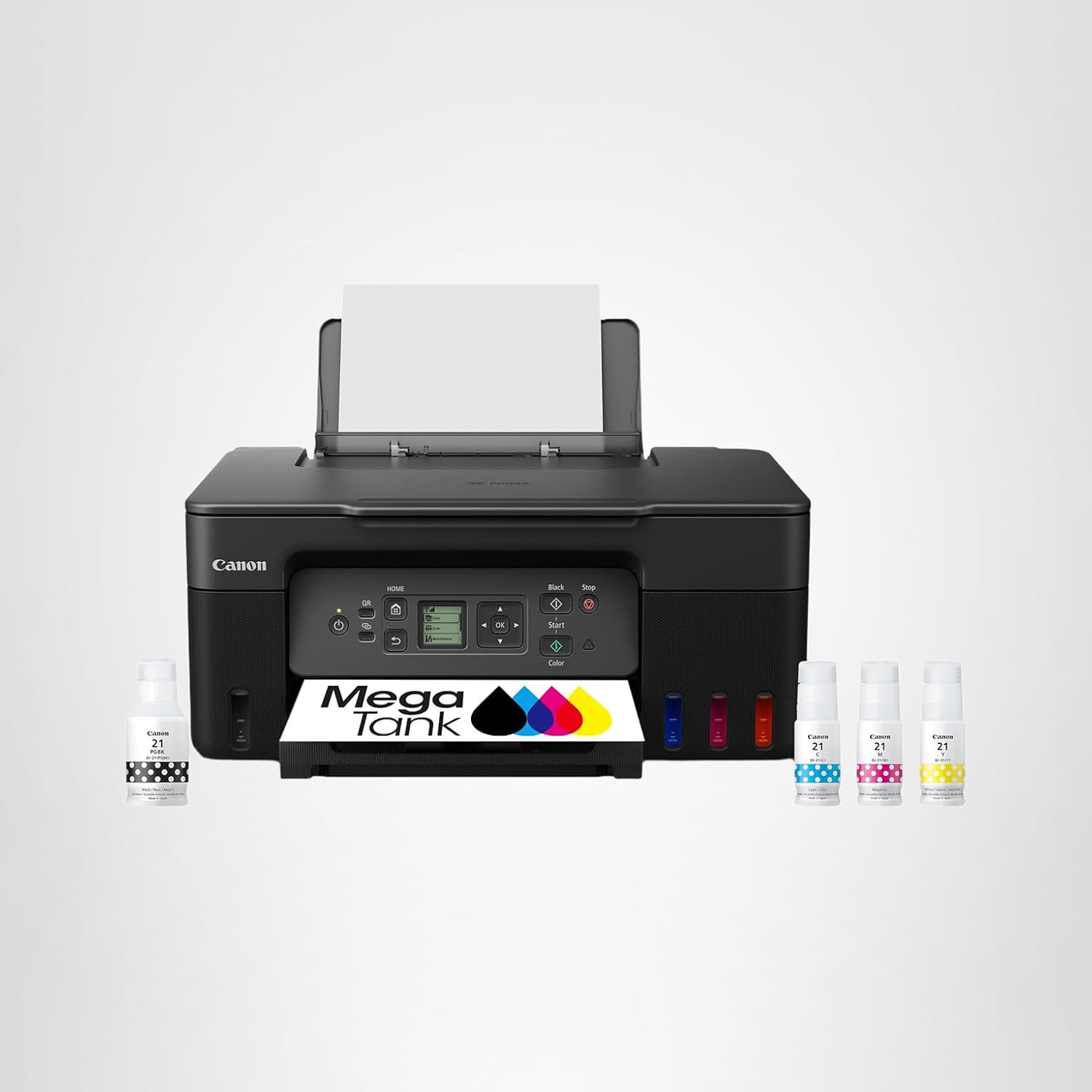
Canon’s MegaTank system puts it directly in competition with Epson’s EcoTank, and the G3270 is the most accessible entry point into that lineup. Like EcoTank, the MegaTank uses large refillable ink reservoirs that yield an impressive 6,000 pages in black and 7,700 pages in color from the included bottles. That reverses the typical inkjet pattern where color ink runs out faster — here, you actually get more color pages.
The G3270 is particularly popular among people who print a lot of craft templates, coloring pages, and custom designs — its reliable color accuracy and high page yield make it a low-stress choice for creative printing at home. It’s also a top pick for anyone who wants to print for crafting projects on a regular basis.
Compared to the Epson EcoTank ET-2800, the G3270 offers a slight advantage in color page yield, while the Epson edges ahead on text sharpness and app ecosystem polish. For a head-to-head breakdown, see our Canon PIXMA vs HP ENVY comparison.
- Higher color page yield than most EcoTank rivals
- Excellent for craft & creative printing
- Very low cost per page long-term
- Reliable wireless printing via Canon Print
- Great value proposition overall
- No automatic duplex printing
- Slightly slower than Epson equivalent
- App experience less polished than Epson or HP
HP ENVY Inspire — Best for Families
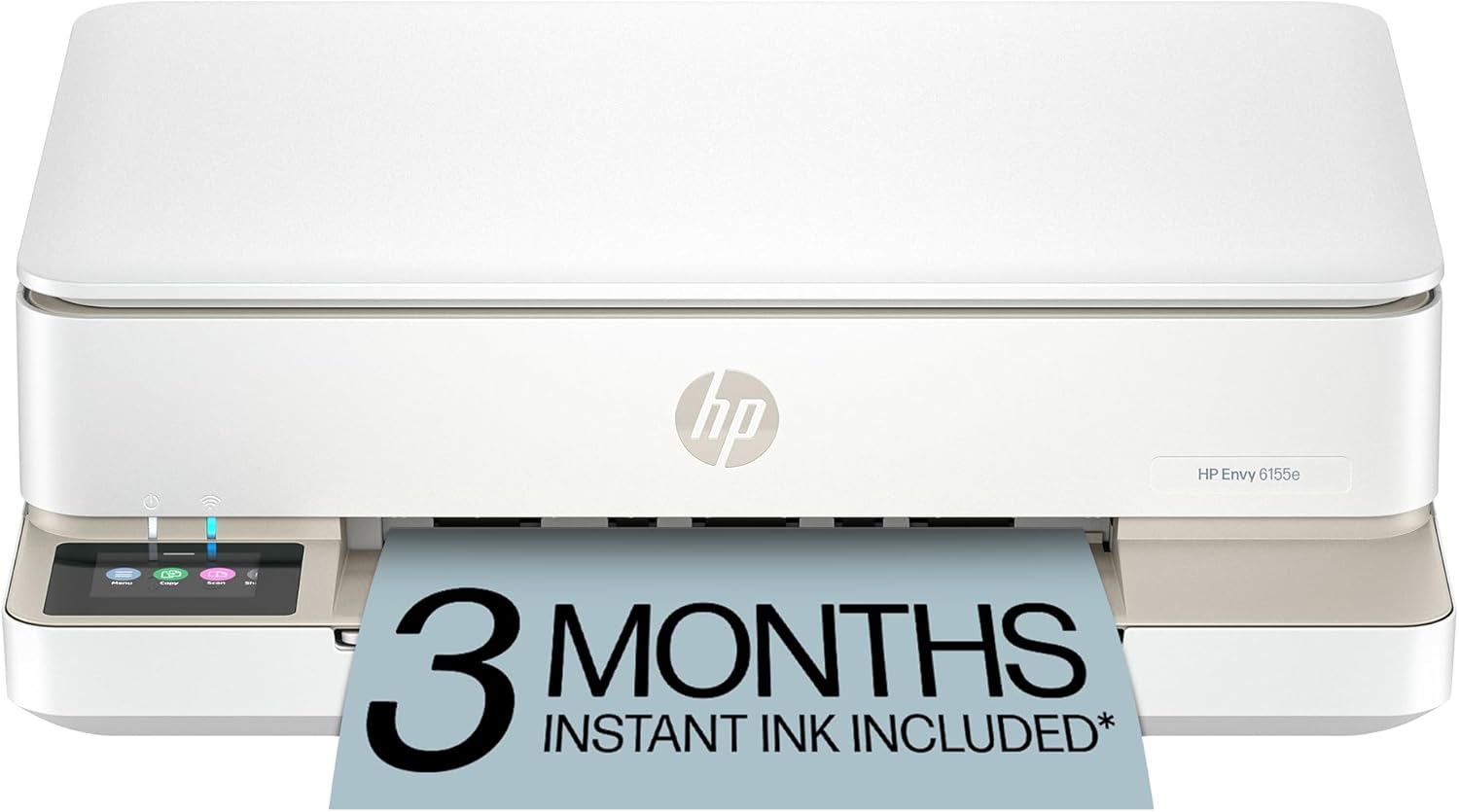
The HP ENVY Inspire is designed for households where multiple people with different needs are sharing one printer. Kids printing coloring pages, adults printing work presentations, and everyone printing photos for the fridge — the Inspire handles all of it without complaint. It comes with a 225-sheet paper tray, a 35-page ADF, and automatic duplex printing, which together make it more capable than it might seem at first glance.
Photo quality is notably strong for an inkjet all-in-one. HP uses a dual-cartridge system (black + tri-color) that produces smooth gradients and accurate skin tones, and the printer supports borderless 4 x 6 and 5 x 7 photo printing. It’s not a full replacement for a dedicated photo printer, but for family albums and school projects, the results are impressive.
For a broader look at HP’s home printing options, our best HP printer for home use guide covers every major HP model with detailed comparisons. If you’re also considering wireless-first options, our best wireless printer for home shortlist includes this model and its top competitors.
Brother MFC-L3780CDW — Best Color Laser for Home

The Brother MFC-L3780CDW brings color laser printing — traditionally the domain of office machines — into a realistic price range for home users. It prints at 25 ppm in both black and color, produces laser-sharp text and color graphics, includes automatic duplex, a 50-page ADF, and a color touchscreen for intuitive local control. It’s also compatible with Brother’s toner replenishment program for worry-free supply management.
Color laser produces more muted, less vivid colors than inkjet — but the tradeoff is exceptional durability, zero smearing, and dramatically sharper color text. If you regularly print colored presentations, marketing materials, or annotated PDF reports at home, color laser output simply looks more professional on the page.
The MFC-L3780CDW also handles legal-size paper and features a front-facing color touchscreen that makes navigation easy. The USB, Wi-Fi, Ethernet, and NFC connectivity options make it flexible enough to serve as a shared printer for an entire household or a multi-person home office.
- 25 ppm color and black laser printing
- Automatic duplex + 50-page ADF
- Color touchscreen display
- 4-in-1 (print, scan, copy, fax)
- Multiple connectivity options including NFC
- Sharp, smear-proof color text
- Higher upfront cost than inkjet models
- Larger, heavier machine
- Not ideal for vibrant photo printing
- Color toner cartridges more expensive
Epson EcoTank ET-5800 — Best Premium Ink Tank Printer

If the ET-2800 is the smart choice for moderate home printing, the Epson EcoTank ET-5800 is what you buy when your printing volume demands more. It adds automatic duplex printing, a 50-page ADF, a 500-sheet paper capacity, fax functionality, and speeds up to 25 ppm black — all while retaining the EcoTank’s signature low-cost ink tank system.
The ET-5800 also includes a 2.4-inch color touchscreen and supports both Ethernet and Wi-Fi connectivity, making it capable of serving as a networked printer for multiple devices simultaneously. The 5-ink PrecisionCore print head system produces photo-quality output that far exceeds what typical inkjet all-in-ones deliver, making this genuinely competitive with entry-level dedicated photo printers for 4×6 and 5×7 prints.
The included ink supply yields approximately 7,500 pages in black and 6,000 in color — just like the ET-2800 — but the ET-5800 adds a red/pink ink channel for more accurate skin tones and gradient output. For serious photographers printing at home, also compare this with our best photo printers for home guide.
Canon PIXMA TS9521C — Best Home Printer for Photos

The Canon PIXMA TS9521C is a genuinely unique printer: it supports borderless printing up to 12 x 12 inches, making it the only consumer printer in this roundup that can handle scrapbooking paper, 12×12 photo prints, and oversized art projects. Combined with a 6-ink LUCIA dye-based ink system, it produces stunning, exhibition-quality photo output that surpasses every other inkjet in this guide.
Bluetooth connectivity is included alongside Wi-Fi, and the printer’s compatibility with AirPrint, Google Cloud Print, and the Canon Print app ensures it works seamlessly with every modern device. The flatbed scanner delivers 1200 x 2400 dpi resolution, which is exceptional for digitizing old photos, artwork, and documents at home.
For families who love scrapbooking, it handles paper crafts and specialty media like card stock, photo paper, and custom-size sheets with impressive reliability. Pair it with our best printers for crafting guide to find the right accessories and media for your projects.
- Unique 12×12 borderless photo printing
- 6-ink LUCIA system for vivid, accurate colors
- Wi-Fi + Bluetooth dual connectivity
- 1200 dpi flatbed scanner
- Handles specialty paper and card stock
- Outstanding photo quality
- Higher per-page cost with 6-ink system
- No ADF (manual document feeding only)
- Larger footprint than basic all-in-ones
Complete Buying Guide: How to Choose the Right Home Printer
Choosing a home printer isn’t as simple as picking the cheapest option — but it’s also not as complicated as the spec sheets make it seem. The right printer for you depends on five key factors: what you print most, how often you print, whether you need color, how much desk space you have, and how much you’re willing to spend on ink over time.
1. What Do You Print Most?
This is the single most important question. If you mostly print text documents — homework, work papers, contracts, or invoices — a monochrome laser printer like the Brother DCP-L2640DW gives you the sharpest results, lowest per-page costs, and best long-term reliability. If you print a mix of documents and photos, an inkjet or ink tank all-in-one is more appropriate. If photos are your primary focus, look at dedicated photo printers like the Canon TS9521C.
2. How Often Do You Print?
Printing frequency determines whether you should invest in an ink tank printer or stick with traditional cartridges. Printing fewer than 30 pages per month? A standard cartridge inkjet works fine. Printing 50–200+ pages monthly? An ink tank printer like the Epson EcoTank ET-2800 will save you significantly more money over time, even accounting for the higher upfront cost. For a detailed breakdown, read our guide on the cost of printer ink vs toner.
3. Do You Need a Scanner and Copier?
Most home users benefit from a printer that also scans and copies — these all-in-one models are only marginally larger and more expensive than print-only models. If you also need to fax (for legal documents, medical offices, or business), make sure your chosen model includes fax capability before buying.
4. Wireless Setup and App Quality
Every printer on this list supports Wi-Fi wireless printing, but the quality of the companion app varies. HP Smart is generally considered the gold standard — it’s polished, feature-rich, and available on all platforms. Epson Smart Panel is close behind. Brother’s app is functional but less refined. Canon’s Print app works well but doesn’t match HP or Epson for features. For detailed wireless setup guidance, see our how to connect your printer to Wi-Fi guide.
5. Compact vs Full-Size
Space is a real concern in many homes. If desk or shelf space is limited, our best compact home printers guide focuses specifically on smaller footprint options. Laser printers tend to be larger and heavier than inkjets, so factor that into your decision if size is a priority.
Inkjet vs Laser vs Ink Tank: Which Is Right for You?
There are three distinct printing technologies available for home users today, each with meaningful advantages and disadvantages. Understanding the differences will help you make a better purchasing decision and avoid buyer’s remorse.
| Feature | Inkjet | Laser | Ink Tank |
|---|---|---|---|
| Upfront Cost | Low ($50–$150) | Medium ($150–$350) | Medium-High ($200–$450) |
| Per-Page Cost | High (5–15¢ color) | Low (1–3¢ black) | Very Low (< 1¢ color) |
| Photo Quality | Excellent | Poor | Very Good |
| Text Quality | Good | Excellent | Good |
| Print Speed | Moderate | Fast | Moderate |
| Ink Idle Drying | Risk of clogging | No issue | Slight risk |
| Best For | Light use, photos | High-volume text | Regular printing |
| Durability | Can smear when wet | Waterproof, durable | Good when dry |
For a full deep-dive into this topic with real-world use case examples, our inkjet vs laser printer for home guide is the most comprehensive resource we’ve written.
Understanding Printer Ink Costs: The Hidden Price of Printing
The printer you buy for $80 might end up costing you $300+ in ink over two years — or it might cost almost nothing. The difference comes down entirely to the printing technology and how often you use the machine. Ink cost is the most overlooked factor when buying a home printer, and getting it wrong is an expensive mistake.
Cartridge Printers: Convenient but Costly
Traditional inkjet printers use disposable cartridges that typically yield 200–500 pages each. At $15–30 per color cartridge and $10–20 per black cartridge, regular printing can cost 5–15 cents per color page. Over 12 months of moderate printing (100 pages/month), that’s $60–180 in ink costs alone — sometimes more than you paid for the printer.
Printer manufacturers also use DRM in their cartridges to prevent cheaper third-party alternatives — a practice that frustrates many users. If you’re concerned about this, read our guide on how to store printer cartridges to extend their life and reduce waste. Our guide to preventing your inkjet from drying out is also essential reading for infrequent printers.
Ink Tank Printers: Invest Once, Print for Less
Ink tank printers like the Epson EcoTank and Canon MegaTank use large, refillable reservoirs that dramatically reduce per-page costs. Color pages typically cost less than one cent each — ten to fifteen times cheaper than cartridge printers. The tradeoff is a higher upfront price, but for anyone printing more than 50 pages per month, the math usually favors the ink tank within 12–18 months.
Laser Printers: The High-Volume Document Solution
Toner cartridges in laser printers last significantly longer than ink cartridges — standard yield toner runs 1,500–3,000 pages, while high-yield versions reach 5,000–10,000 pages. The per-page cost for black laser printing is often under 2 cents, making laser the cheapest option for document-heavy households. Color laser toner costs more per page than black, but still competes favorably with inkjet for color documents (though not photos).
For the most detailed cost comparison we’ve produced, read our cost of printer ink vs toner breakdown and our home printers with the cheapest ink guide.
| Printer Type | Cost Per Black Page | Cost Per Color Page | Annual Cost (100 pages/mo) |
|---|---|---|---|
| Standard Inkjet | 3–6¢ | 8–15¢ | $130–$200+ |
| Ink Tank | <1¢ | <1¢ | $10–$25 |
| Mono Laser | 1–3¢ | N/A | $15–$40 |
| Color Laser | 2–4¢ | 5–10¢ | $70–$130 |
Home Printer Maintenance Tips to Extend Lifespan
Even the best home printer will underperform — or fail early — without basic maintenance. The good news is that most printer maintenance takes only a few minutes and can extend your machine’s useful life by years.
Print Regularly
The biggest enemy of inkjet printers is inactivity. When ink sits unused in printheads for weeks, it dries out and clogs the microscopic nozzles. Printing even a single test page every two to three weeks keeps the ink flowing. If you go on holiday or don’t print for extended periods, store your printer in a sealed plastic bag or cover it to minimize dust and humidity fluctuations. Our guide to preventing your inkjet from drying out covers this in full detail.
Clean Printheads Properly
If colors start looking faded, streaky, or banded, it’s usually a sign that one or more ink nozzles are partially blocked. Most printers have a built-in printhead cleaning utility accessible via the control panel or companion app. Run it once, then print a nozzle check pattern. Don’t run it repeatedly without printing in between — the cleaning process uses ink, so over-cleaning wastes supplies faster than printing does. Our how to clean printer heads guide walks through both automated and manual cleaning for every major brand.
Use Genuine or Compatible Ink
Genuine ink from your printer’s manufacturer is formulated to match the printer’s printhead chemistry and paper coatings. While third-party inks can be significantly cheaper, low-quality alternatives can damage printheads or produce colors that fade quickly. If you use compatible inks, choose reputable brands with good reviews rather than the cheapest generic option. For more on this topic, see our home printer maintenance tips guide.
Keep It Clean and Dust-Free
Dust inside a printer can jam paper, scratch scanned documents, and eventually work its way into the printhead mechanism. Use a dry microfiber cloth to wipe the exterior weekly, and use canned air to clear dust from paper trays and around the scanner glass. Never use wet cloths directly on scanner glass — use a dedicated glass cleaner and a lint-free cloth instead.
FAQs About Home Printers
Final Verdict: The Best Home Printer for You
There is no single “best home printer” — but there is a best printer for your specific situation. For most households, the Epson EcoTank ET-2800 represents the smartest long-term investment. For pure document speed, the Brother DCP-L2640DW is unbeatable. Budget-first buyers will appreciate the HP DeskJet 2855e’s simplicity and low sticker price. And for photo enthusiasts and crafters, the Canon PIXMA TS9521C is in a class of its own.
Whatever you choose, pair it with good habits: print regularly to avoid clogging, use quality paper, and keep an eye on ink levels. A well-maintained printer lasts years longer than a neglected one.
★ See Our #1 Pick on Amazon