Epson EcoTank Printer Review: Is It Really Worth the Money?
A hands-on, no-fluff look at what it’s actually like to own an Epson EcoTank printer day to day — the setup, the print quality, the ink savings, and the annoyances nobody talks about.
Overview: What Is the Epson EcoTank, Really?
If you’ve shopped for a home printer in the last few years, you’ve almost certainly run into the Epson EcoTank line. It’s built around one simple idea: instead of buying tiny ink cartridges every few weeks, you fill large refillable tanks with ink bottles that last for ages. On paper, that sounds like the obvious solution to the single most annoying thing about owning a home printer — the never-ending ink expense. But does it actually hold up once the printer is sitting on your desk and you’re printing school projects, tax documents, and the occasional photo?
That’s what this review sets out to answer. Rather than repeating spec sheets you can find anywhere, this is a practical breakdown of what the EcoTank experience is actually like: the setup process, the print quality on both text and photos, how the ink system holds up over months of regular use, and where it genuinely falls short. If you’re comparing this against other options, our guide to the best home printers worth buying right now is a good starting point for context before diving into this specific model.
The EcoTank concept isn’t new — Epson has been refining it for close to a decade — but the more recent models have gotten noticeably better at the things that used to trip people up: messy refills, slow print speeds, and clunky wireless setup. This review focuses on how those pain points hold up in reality, not just in the marketing copy.
Broadly, the EcoTank is aimed at households and small offices that print often enough that cartridge costs start to sting, but not so much that a commercial-grade machine makes sense. That’s a huge chunk of the market, which is part of why this printer line consistently sits near the top of best ink tank printers for home use lists.

Check Current Price on Amazon
See real-time pricing, available bundles, and customer ratings before you decide.
View on AmazonDesign & Build Quality
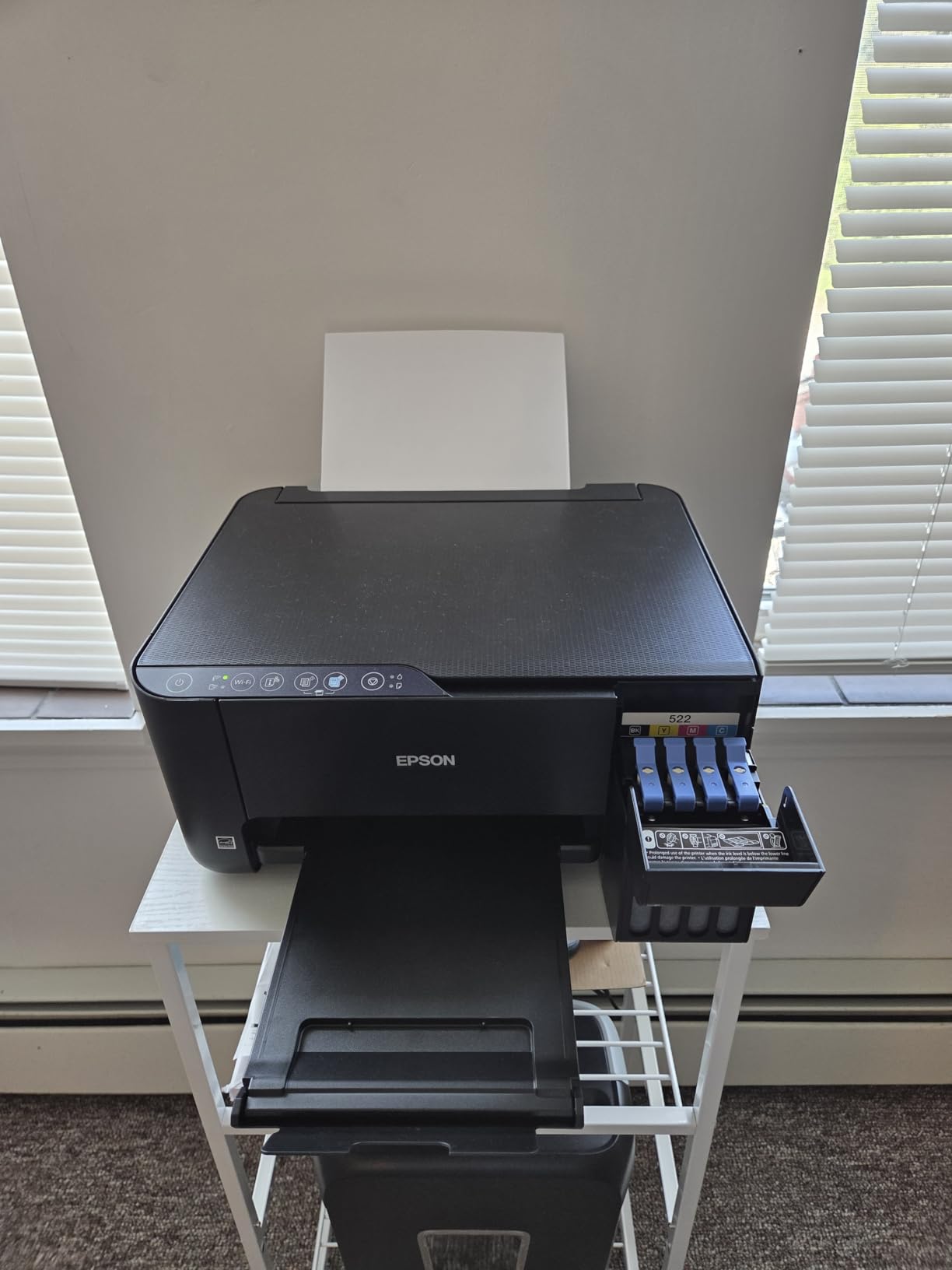
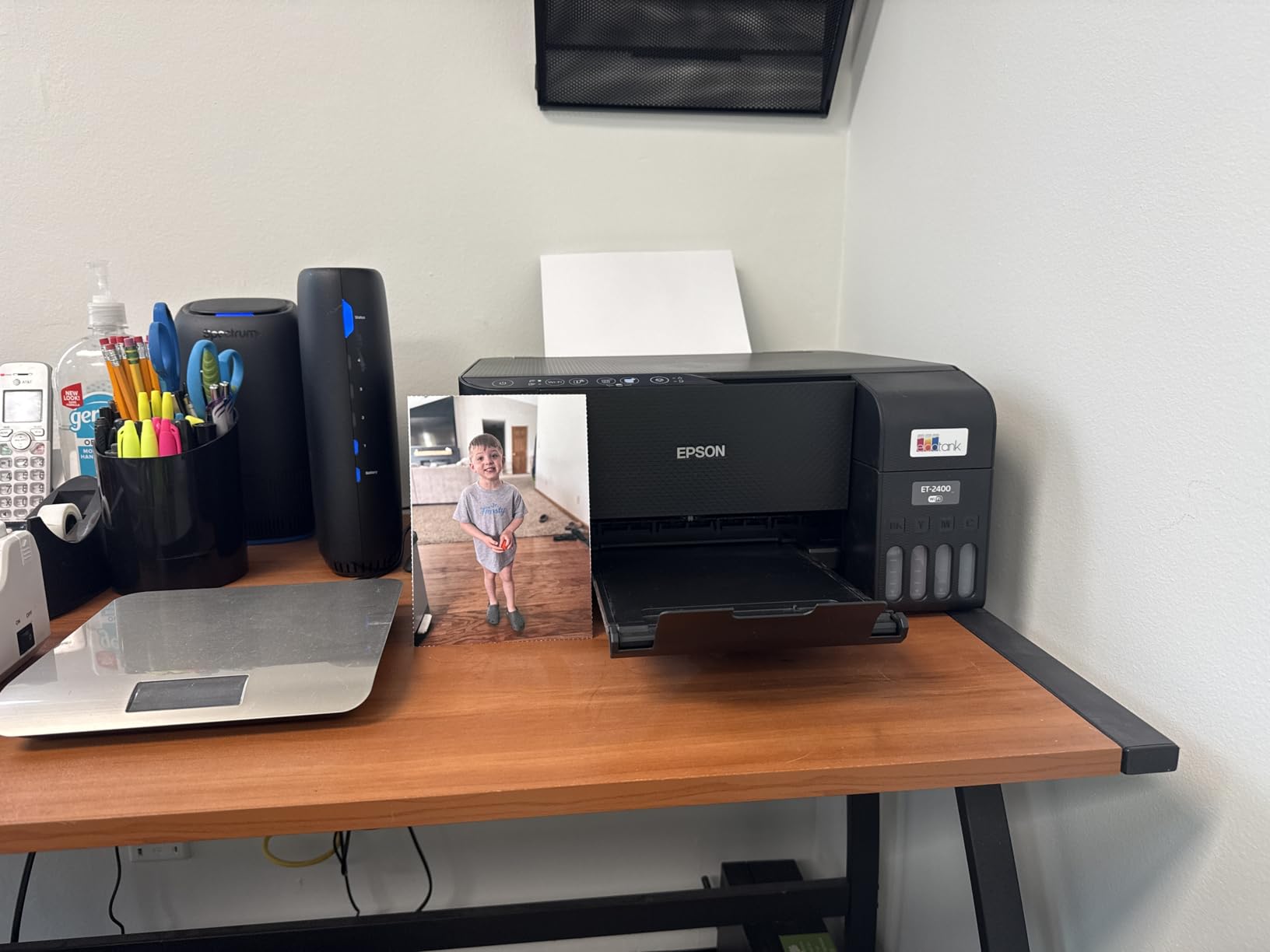
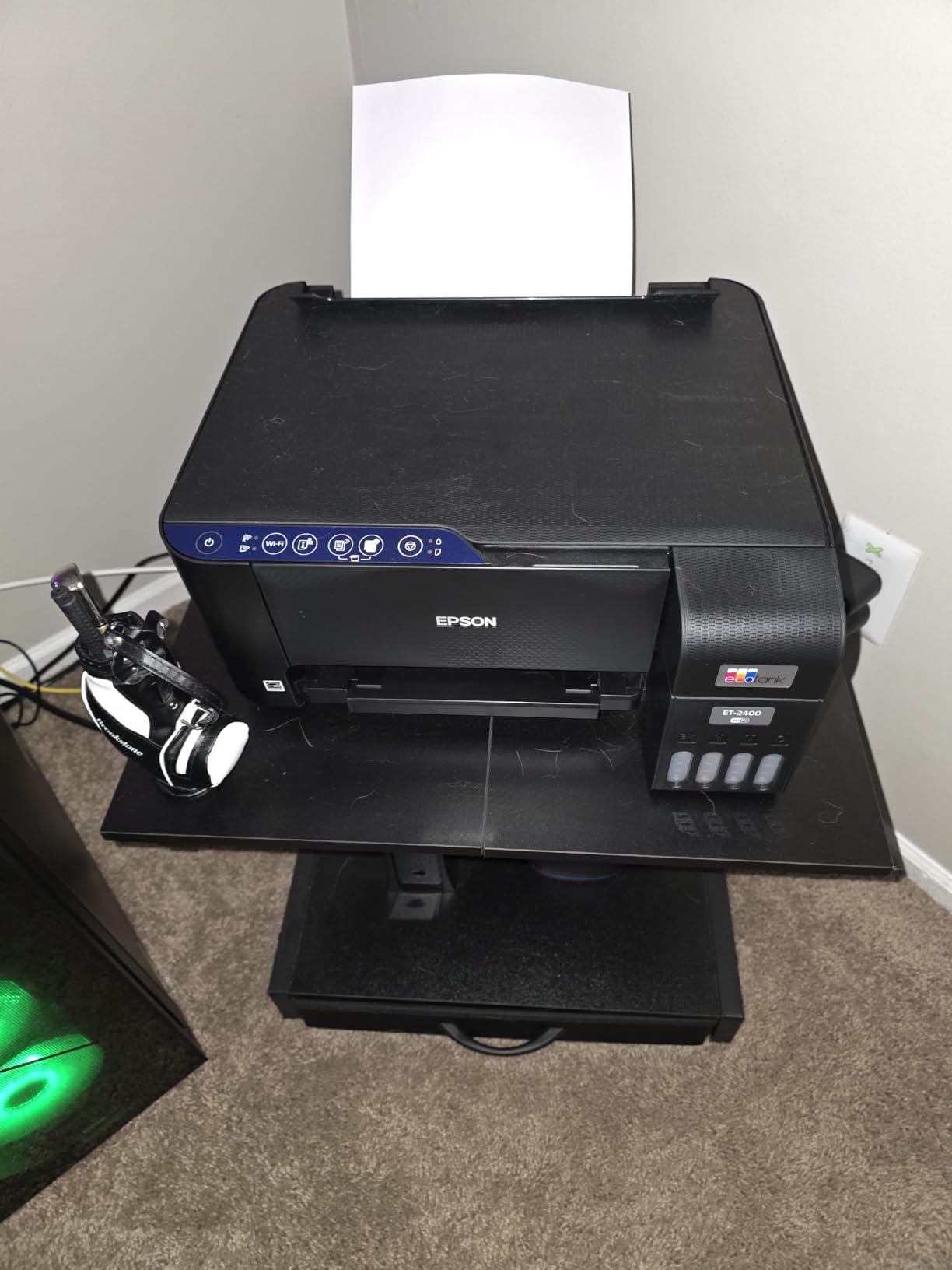
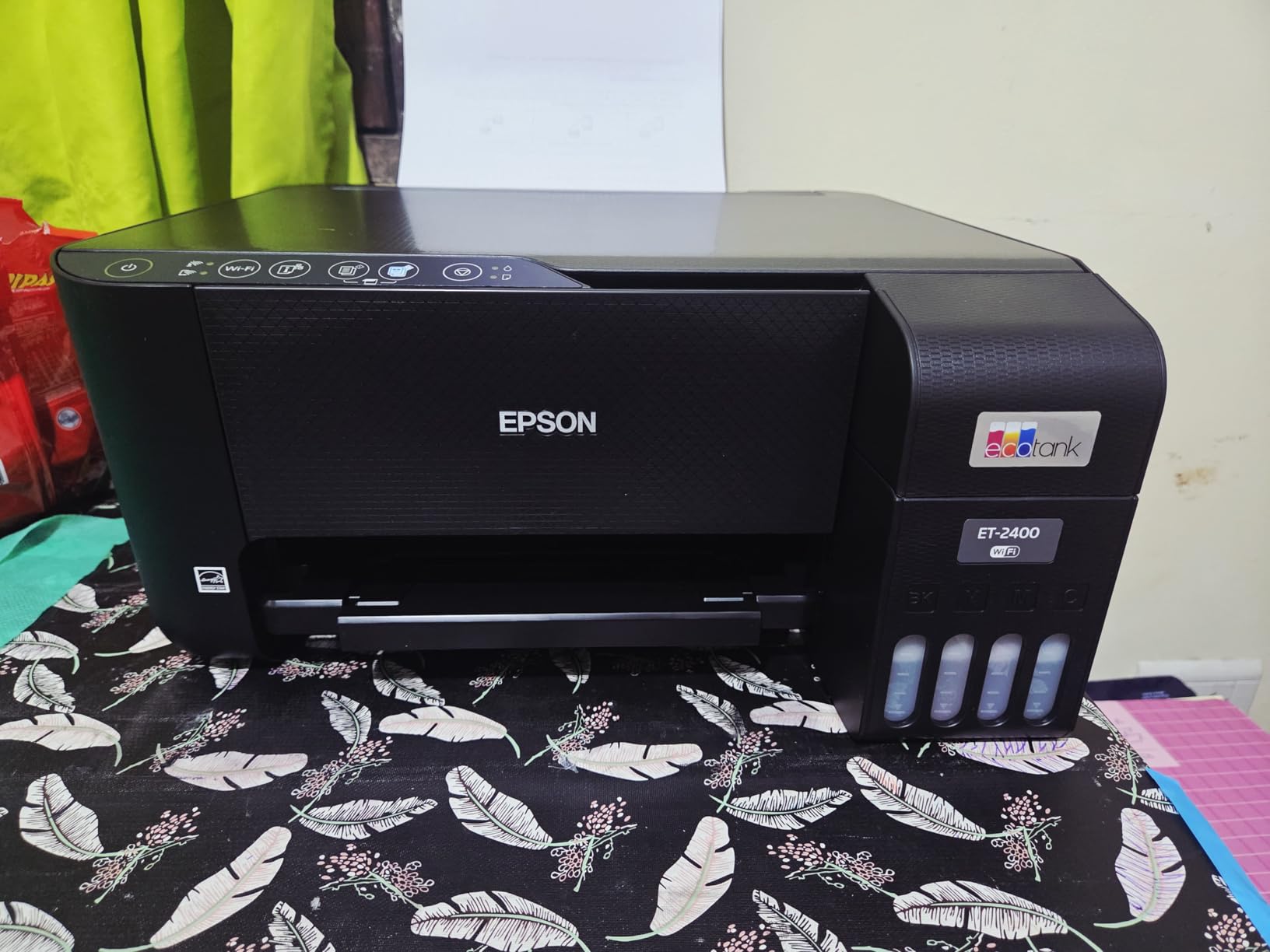
The EcoTank’s design language is functional rather than flashy, and that’s mostly a good thing. The chassis is larger than a standard inkjet printer of the same print size, mainly because it needs to make room for the ink tanks mounted on the side or front of the unit. That extra footprint is the first practical trade-off buyers need to accept — this is not a printer for a cramped corner desk.
Build quality feels solid rather than premium. The plastic housing doesn’t flex or creak under normal handling, the paper trays extend smoothly, and the lid mechanisms for scanning feel appropriately sturdy. The ink tanks themselves are the standout design element: they’re made from a semi-transparent plastic so you can see ink levels at a glance without opening any panel or checking a screen, which is a small but genuinely useful touch during daily use.
Control Panel and Display
Depending on the specific EcoTank model, you’ll get either a basic LCD screen or a small touchscreen interface. The touchscreen models are noticeably easier to navigate, especially when setting up wireless connections or running scans, while the basic button-and-screen combo works fine but requires more menu diving. If you plan on doing a lot of copying, scanning, or fax work directly from the machine (rather than from a computer), it’s worth prioritizing a model with the touchscreen.
Footprint Considerations
Because of the tank system, expect the EcoTank to take up meaningfully more desk space than a typical cartridge printer. If space is a genuine constraint in your home office, it’s worth comparing footprints across our best compact home printers roundup before committing, since some ink tank models are noticeably more space-efficient than others.
Noise Levels During Operation
Day-to-day operating noise is fairly typical for a home inkjet — noticeable in a quiet room but not disruptive in a household with normal background activity. It’s louder during scanning and copying than during straightforward document printing, and the initial calibration or long cleaning cycles produce the most noise of any routine operation. None of this stands out as unusually loud compared to similarly priced printers, but if you’re placing the unit in a shared workspace or near a nursery, it’s worth factoring into where you position it.
Environmental Footprint of the Tank System
One underrated benefit of the refillable tank design is the reduction in plastic waste over time. A single set of ink bottles replaces what would otherwise be dozens of small plastic cartridges over the same printing volume, which matters if you’re trying to reduce the amount of packaging and plastic your household throws away. It’s not marketed as an “eco” feature the way some appliances lean on sustainability messaging, but the practical effect is a genuine reduction in disposable plastic compared to cartridge-based printing.
Setup & Installation Process
Out of the box, setting up an EcoTank printer takes longer than setting up a standard cartridge printer, but it’s not difficult — just methodical. The initial ink-filling process is the part that intimidates a lot of first-time buyers, so it’s worth walking through exactly what happens.
Unboxing and Initial Ink Fill
Each printer ships with a full set of ink bottles (typically four colors: black, cyan, magenta, and yellow) along with color-coded nozzles that make it nearly impossible to fill the wrong tank with the wrong color. You unlock a small cover on each tank, insert the matching bottle nozzle, and the ink flows in automatically without needing to squeeze or pour anything manually. It stops on its own once the tank is full, which removes most of the risk of overfilling or spilling.
The whole initial setup, including unboxing, filling all four tanks, and running the auto-calibration print, usually takes between 20 and 30 minutes. That’s longer than most people expect from a “just plug it in” appliance, but it’s a one-time process, not something you’ll repeat often.
Software and Driver Installation
Epson’s setup software walks you through connecting the printer to your Wi-Fi network, installing drivers, and registering the printer with Epson Connect if you want to use cloud printing features. The process is straightforward on both Windows and Mac, though it does ask you to create or log into an Epson account, which some users find like an unnecessary extra step for what should be a simple installation.
If you’re setting this up as a replacement for an older printer, our guide on how to connect a printer to WiFi covers troubleshooting steps that apply directly to EcoTank models as well, particularly for households with dual-band routers where the printer sometimes tries to connect to the wrong network band.
Is the Account Requirement Really Necessary?
It’s a fair question, and the honest answer is: not entirely, but it does unlock genuinely useful features. Registering the printer enables remote print release, firmware update notifications, and access to Epson’s mobile scanning tools. You can skip account creation and still use the printer for local wireless printing without any issue, so it’s worth treating this as optional rather than mandatory, especially for buyers who are cautious about registering every device with a manufacturer account.
Placement Before You Start
Because refilling the tanks involves handling ink bottles, it’s worth doing the initial setup on a hard, wipeable surface rather than a carpeted desk or fabric-covered table, just as a precaution. In practice, spills are rare thanks to the auto-stop nozzles, but it’s a five-minute precaution that removes any risk entirely.
Print Quality: Text, Graphics, and Photos
This is where the EcoTank genuinely earns its reputation. Text documents come out crisp and dark, with clean edges on standard fonts even at smaller point sizes. For anyone printing invoices, school assignments, or general office paperwork, the output quality is comfortably on par with — and in some cases better than — similarly priced laser printers, without the toner smudging that can happen with cheaper laser units.
Everyday Document Printing
For black-and-white text, the results are consistently sharp. Even dense pages with small fonts and tables stay legible without the ink bleeding or feathering that plagues some budget inkjets. Color documents with charts, highlighted text, or embedded graphics also render accurately, with true-to-screen colors rather than the washed-out tones some cheaper printers produce.
Photo Printing Performance
Photo output is genuinely impressive for a printer in this category. Skin tones look natural rather than overly warm or cool, gradients transition smoothly without visible banding, and detail retention in shadows and highlights holds up well on photo paper. It won’t fully replace a dedicated photo printer for serious hobbyists, but for family photos, school projects with images, and the occasional print-at-home photo book, it performs well above what the price point suggests. If photo output is your primary use case, it’s still worth cross-checking against our best printer for photos at home comparison, since a few dedicated photo models edge it out on premium glossy paper.
Where It Falls Slightly Short
The one area where the EcoTank doesn’t quite match dedicated graphics or photo printers is in extremely fine gradient work and large solid color blocks, where very subtle banding can occasionally appear under close inspection. For everyday use, most people will never notice this, but it’s worth mentioning for anyone doing detailed design or art print work.
Paper Handling and Media Types
The printer handles a wide range of paper weights well, from standard 20 lb office paper up through heavier cardstock and glossy photo paper, without frequent misfeeds. The paper trays are labeled clearly for different media types, and switching between plain paper and photo paper only requires a quick settings change in the print dialog rather than any physical reconfiguration of the machine. Envelope printing works reliably too, which is a small detail that some competing printers still struggle with.
Print Consistency Over Time
Print quality holds up consistently between the first page and the thousandth, without the gradual fading or streaking that can creep in on cheaper printers as cartridges run low. Because the tank system shows ink levels visually rather than relying on a printer’s internal estimate, there’s less risk of prints degrading unnoticed as ink runs low — you can see exactly when a refill is coming and plan accordingly.

Compare Models & Bundles
Some EcoTank bundles include extra ink bottles at a discount — worth checking before you buy separately.
Check Bundle PricingInk System & Long-Term Cost Savings
The ink system is the entire reason the EcoTank exists, so it deserves a close look. Each ink bottle is rated for a significantly higher page yield than a standard cartridge — often multiple times higher — which is where the long-term savings come from. Instead of paying per cartridge every few weeks, you’re paying less often for a bottle that lasts for months of regular household printing.
Real-World Cost Comparison
When you break down the cost per page, EcoTank ink typically comes out to a fraction of a cent per black-and-white page and only a few cents for color pages, compared to standard inkjet cartridges that can run several times higher per page once you factor in how often they need replacing. Over a year of moderate household printing, that difference can easily add up to real savings, especially for families printing school assignments regularly or small offices running invoices and forms.
| Printer Type | Approx. Cost Per B&W Page | Approx. Cost Per Color Page | Refill Frequency |
|---|---|---|---|
| Epson EcoTank | Very Low | Low | Every few months |
| Standard Inkjet Cartridge | Moderate–High | High | Every few weeks |
| Laser Printer (Toner) | Low–Moderate | Moderate–High | Every 1–2 months |
For a deeper breakdown of ink versus toner economics specifically, our piece on the cost of printer ink vs toner lays out the math in more detail if you’re trying to decide between an ink tank and a laser printer for your household.
Refilling the Tanks
Refilling is genuinely simple once you’ve done it once. The color-coded bottles and tank openings make it nearly foolproof, and the printer’s software will warn you when a tank is running low well before it actually runs dry, so you’re not caught mid-print with no ink. That said, it’s worth keeping spare bottles on hand rather than waiting until the last moment to order more, particularly for the color you use most.
To keep ink flowing smoothly between refills, it also helps to follow basic upkeep habits — our guide on how to prevent an inkjet printer from drying out covers the small habits that extend the life of both the ink and the print head, especially if the printer sits idle for stretches at a time.
Speed & Performance
Print speed has historically been a weak point for ink tank printers compared to laser models, and while the EcoTank line has improved significantly, it’s still not going to win any speed races against a dedicated office laser printer. For everyday single-page printing, the wait is barely noticeable. Where it becomes more apparent is with larger batch jobs — printing a 30-page document, for example, will take noticeably longer than the same job on a laser printer.
First-Page-Out Time
The first page typically comes out within several seconds of hitting print, which feels responsive for quick one-off jobs like a boarding pass, a form, or a single document. It’s the sustained multi-page jobs where the pace becomes more of a factor to consider.
Duplex (Double-Sided) Printing
Automatic duplex printing works reliably on supported models, flipping pages cleanly without frequent jams, though it does roughly double the time per sheet since each page has to pass through the printer twice. For anyone printing long double-sided documents regularly, that’s worth factoring into expectations around total print time.
How It Compares in Everyday Use
In practical terms, most households won’t notice the speed difference during typical use — printing a recipe, a form, or a handful of school pages feels perfectly normal. It’s specifically high-volume, repetitive printing environments where the gap versus a laser printer becomes more noticeable, which is why our inkjet vs laser printer for home comparison is worth reading if speed is your top priority.

See Speed Specs & Reviews
Check verified buyer feedback on real-world print speed before purchasing.
Read Verified ReviewsConnectivity & Wireless Features
Wireless setup on the EcoTank is generally smooth, supporting standard Wi-Fi connections, Wi-Fi Direct for connecting without a router, and mobile printing through Epson’s own app as well as standard protocols like AirPrint and Mopria for Android devices. Once connected, printing from a phone or tablet is as simple as selecting print from any app, without needing to install extra software on the mobile device itself.
Setting Up Wireless Printing
The onboard control panel lets you connect directly to a Wi-Fi network without needing a computer, which is convenient if you’re setting the printer up in a shared space like a home office or family room. Occasionally, routers with strict band-steering settings can cause the printer to drop its connection, but this is a router-side quirk rather than a flaw specific to the printer, and it’s usually solved by assigning the printer to a dedicated network band. For anyone hunting specifically for reliable wireless performance, our best wireless printer for home guide breaks down which models handle flaky home networks best.
Printing From Multiple Devices
One underrated strength here is how well the EcoTank handles multiple connected devices — laptops, phones, and tablets can all print to the same unit without needing to reconnect or reconfigure anything, which matters a lot in households where several people share one printer.
Software & Compatibility
Epson’s printer software works across Windows, macOS, Chromebook, and mobile platforms, though the experience varies slightly depending on your setup. Mac users get a clean, native-feeling driver experience with straightforward print dialogs, and the printer plays nicely with macOS’s built-in AirPrint support for wireless printing without any extra app. If you’re specifically shopping with a Mac household in mind, our best home printer for Mac guide covers additional compatibility notes worth knowing.
Chromebook and Mobile Printing
Chromebook users can print through Google Cloud Print alternatives and native Chrome OS printing support, though setup can require a bit more patience than on Windows or Mac. If you’re outfitting a household that leans heavily on Chromebooks for schoolwork, it’s worth reviewing our best printer for Chromebook models guide, since compatibility quirks vary more between printer brands than most buyers expect.
The Epson Smart Panel App
The companion mobile app lets you monitor ink levels, start scans, and print directly from your phone’s camera roll or cloud storage accounts. It’s a genuinely useful addition rather than a gimmick, particularly for scanning documents on the go without needing to be near a computer.
Maintenance & Longevity
Long-term reliability is where ink tank printers can either shine or disappoint, largely depending on how well they’re maintained. The EcoTank’s print heads are generally more resilient to occasional dry spells than budget cartridge printers, but they’re not immune to clogging if the printer sits completely unused for extended stretches.
Preventing Clogs
Running a print job at least every couple of weeks helps keep the ink flowing through the nozzles and prevents the kind of dried ink buildup that can require a deep cleaning cycle to fix. If clogging does happen, most models include a built-in cleaning utility, though repeated cleaning cycles do consume ink, so it’s better to prevent the issue than rely on the fix. Our guide on how to clean printer heads walks through the process for anyone dealing with streaky or faded prints.
Storing Ink and Cartridges
If you’re stocking up on spare ink bottles, proper storage matters more than people expect — heat and direct sunlight can degrade ink quality over time. Our piece on how to store printer cartridges applies to spare EcoTank bottles as well, particularly for anyone buying in bulk to save on per-bottle cost.
General Upkeep Habits
Beyond ink care, keeping the paper path clear of dust, occasionally wiping down the scanner glass, and updating firmware when prompted all contribute to a printer that keeps performing well years down the line. Our broader home printer maintenance tips guide rounds up the habits that make the biggest difference in practice.
Epson EcoTank vs Other Printer Types
To put the EcoTank in context, it helps to see how it stacks up against the other common home printer categories people typically consider.
| Feature | Epson EcoTank | Standard Inkjet | Laser Printer |
|---|---|---|---|
| Upfront Price | Higher | Lower | Moderate–High |
| Long-Term Ink Cost | Very Low | High | Moderate |
| Photo Quality | Excellent | Good | Fair |
| Print Speed | Moderate | Moderate | Fast |
| Best For | Mixed home use, photos, moderate volume | Occasional light printing | High-volume text documents |
If you’re deciding between brands rather than technology types, our Epson EcoTank vs HP Smart Tank comparison and Brother vs HP printers for home guide cover the closest competing systems in more detail. For a broader “is this whole category worth it” question, are ink tank printers worth it tackles that directly.
It’s also worth noting how EcoTank compares against Canon’s ink tank lineup and other inkjet competitors, since the core technology is similar across brands but execution varies — our Canon Pixma vs HP Envy piece is a useful side reference if you’re weighing non-Epson alternatives as well.

Compare This Model on Amazon
See how this specific EcoTank model stacks up in verified customer ratings.
Compare on AmazonPros & Cons
Pros
- Dramatically lower long-term ink costs
- Sharp text and impressive photo output
- Simple, mess-free tank refilling system
- Reliable wireless and mobile printing
- Visible ink levels without guesswork
- Solid build quality for the price range
Cons
- Higher upfront purchase price than cartridge printers
- Larger footprint takes up more desk space
- Print speed lags behind laser printers on big jobs
- Occasional clogging if left unused for long periods
- Initial setup takes longer than a standard printer
Who Should Buy This Printer?
The Epson EcoTank makes the most sense for households and small offices that print regularly enough to feel cartridge costs adding up, but don’t need the raw speed of a dedicated laser printer. Families with school-age kids printing assignments and projects, anyone printing photos occasionally at home, and small home offices handling moderate document volume are all a strong fit.
It’s a less obvious fit for people who print only occasionally — the higher upfront cost takes longer to pay off if you’re only printing a handful of pages a month — and for anyone whose primary need is fast, high-volume black-and-white document printing, where a laser printer will still out-perform it. If either of those describes your situation, it’s worth browsing our best laser printer for home guide or our lower-commitment home printer with cheapest ink roundup before deciding.
Students living in dorms or shared housing with limited space might also want to weigh the footprint against convenience — our best printer for students guide covers more compact alternatives if desk space is tight. And if crafting, scrapbooking, or specialty paper printing is the main use case, our best printer for crafting picks are also worth a look alongside this model.
Frequently Asked Questions
Is the Epson EcoTank actually cheaper in the long run?
Yes, for most households that print regularly. The upfront cost is higher than a standard inkjet, but the cost per page for both black-and-white and color printing is significantly lower, so the savings accumulate the more you print.
How often do you need to refill the ink tanks?
This depends heavily on print volume, but for a typical household, refills are often needed only every few months rather than every few weeks, which is one of the biggest quality-of-life improvements over cartridge printers.
Does the EcoTank work well for photo printing?
Yes. Photo output is one of the printer’s genuine strengths, with natural color reproduction and smooth gradients, though dedicated photo printers still edge it out for very fine detail work on premium glossy paper.
Is setup difficult for someone who isn’t tech-savvy?
Not particularly. The process takes longer than a standard printer due to the initial ink fill and account setup, but each step is guided and doesn’t require technical knowledge.
Can it connect to a Chromebook?
Yes, though the setup process can take a bit more patience compared to Windows or Mac. Native Chrome OS printing support and mobile printing apps both work once configured.
Does the printer support automatic double-sided printing?
Most EcoTank models support automatic duplex printing, though print time roughly doubles per sheet since each page passes through the printer twice.
What happens if the printer sits unused for a while?
Extended idle periods can lead to minor nozzle clogging. Running occasional print jobs and using the built-in cleaning cycle when needed usually resolves this without lasting damage.
Is the EcoTank faster or slower than a laser printer?
It’s generally slower than a comparable laser printer, especially on large multi-page jobs, though single-page and everyday printing feels responsive enough for most households.
Can multiple devices print to the same EcoTank printer?
Yes. Laptops, phones, and tablets on the same network can all print to the unit without needing to reconnect or reconfigure settings between devices.
Is the EcoTank a good choice for a small office?
For moderate document volume, yes — the ink savings and print quality make it a solid fit. For very high-volume, fast text printing, a laser printer is still generally the better tool for the job.
Final Verdict
The Epson EcoTank earns its reputation for a reason: it solves the actual problem most home printer owners care about — the ongoing cost and hassle of buying ink — without sacrificing much in print quality. It’s not the fastest option on the market, and it asks for a bigger upfront investment and more desk space than a standard printer, but for households and small offices that print regularly, the math works out in its favor over time.
If you print occasionally rather than regularly, the value proposition shrinks, and it’s worth comparing against our broader best home printers worth buying right now guide before deciding. But for anyone tired of buying ink cartridges every few weeks, this is one of the more genuinely worthwhile printer purchases in its category.
Check Latest Price on AmazonRelated reading: best printer for home office · best Brother printer for home · best HP printer for home use · why does my printer keep going offline · printer not responding: how to fix it · how to connect your HP printer to WiFi