Best Brother Printer for Home: The Complete Buying Guide
Brother’s home lineup spans budget cartridge printers all the way to true refillable ink tanks. Here’s how the standout models actually compare, so you can match the right one to how your household prints.
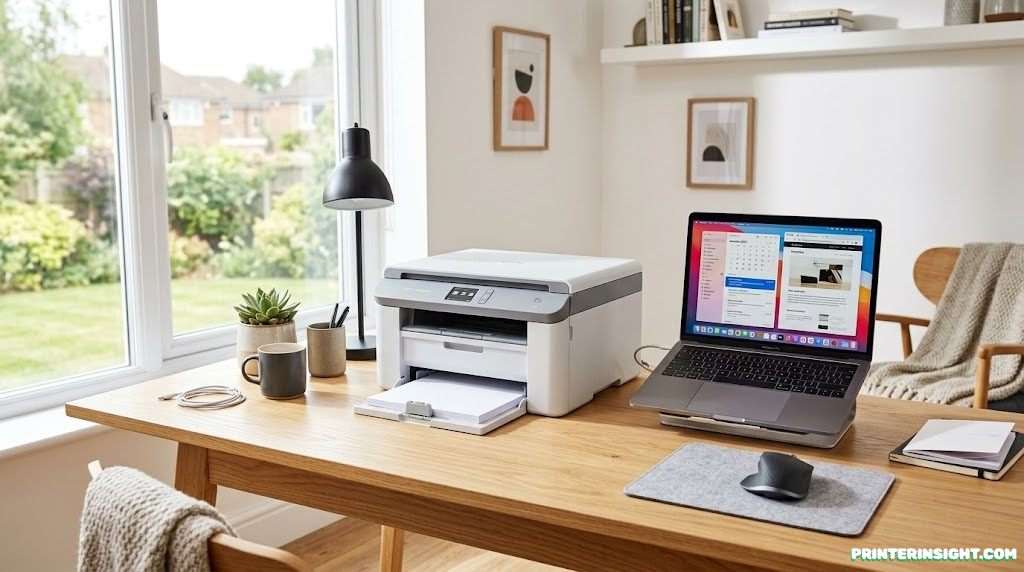
Brother’s home printers range from simple cartridge all-in-ones to multi-year ink tank systems — the right pick depends entirely on how much you print.
Brother has quietly become one of the most trusted names in home printing, known for printers that just work without constant babysitting. The lineup now spans three distinct approaches to ink: standard cartridges, high-capacity INKvestment cartridges, and true refillable ink tanks. Picking the right one comes down to how much you print and how much you want to think about ink at all.
Quick Overview: Brother’s Home Printer Lineup
This guide focuses on four models that represent the realistic range a home buyer is choosing between right now: the compact MFC-J1360DW, the faster INKvestment MFC-J4355DW, and two true ink tank models, the feature-rich MFC-T980DW and the more affordable MFC-T580DW. Each fits a different printing habit, and none of them is a bad printer — the differences are about fit, not quality.
If you’re still deciding whether Brother is the right brand at all, our Brother vs. HP printers for home comparison is a useful starting point, and our broader best home printers worth buying right now hub covers other brands side by side with these.
One thing worth deciding early: do you want a printer with a refillable tank, or are you fine replacing cartridges as needed? Our guide on whether ink tank printers are worth it walks through that decision in more depth before you commit to either approach.

Start with Brother’s most popular all-rounder. The MFC-J1360DW covers the essentials in a compact footprint.
Check Price on AmazonBrother MFC-J1360DW: Best Compact All-Rounder
The MFC-J1360DW is Brother’s answer to “I just want a printer that works.” It’s a wireless color inkjet all-in-one built around standard individual ink cartridges, which means you only replace the color that actually runs out rather than swapping a combined unit.
Key Specs and Features
- Print speeds up to roughly 16 ppm black and 9 ppm color
- 20-sheet automatic document feeder for multi-page scanning and copying
- 150-sheet main paper tray
- Automatic duplex (two-sided) printing
- 1.8-inch color display for navigation
- Wi-Fi, Wi-Fi Direct, USB connectivity, plus AirPrint and Mopria support
- Compact dimensions that fit easily on a desk or shelf
Who It’s Best For
This is the right pick for a household or home office that prints a moderate, mixed volume of documents and the occasional color page, and doesn’t need fax. Its individual cartridge system keeps replacement costs predictable, and the included document feeder is a genuine convenience for scanning multi-page paperwork. For students balancing schoolwork printing with limited desk space, our best printer for students guide covers how this model stacks up against other compact options.
Pros
- Compact size fits tight spaces
- Individual cartridges reduce waste
- Reliable duplex printing and ADF included
- Straightforward setup via Brother Mobile Connect
Cons
- No fax functionality
- Color print speed is modest
- Cartridge-based, so costs more per page than tank models over time
Compact, reliable, and easy to set up. A solid first printer for most home offices.
Check Price on AmazonBrother MFC-J4355DW: Best for Speed and Fax
The MFC-J4355DW steps up to Brother’s INKvestment cartridge system, which uses higher-capacity cartridges than the standard line without moving to a refillable tank. The tradeoff is a noticeably faster printer with a longer stretch between ink replacements.
Key Specs and Features
- Print speeds up to roughly 20 ppm black and 19 ppm color
- Built-in fax alongside print, copy, and scan
- 20-sheet automatic document feeder plus a one-sheet manual feed slot
- 150-sheet main paper tray
- Automatic duplex printing and borderless printing up to letter size
- High-yield INKvestment cartridges rated for up to roughly a year of typical home ink use
- 1.8-inch color display, Wi-Fi Direct, AirPrint, and Mopria support
Who It’s Best For
This model suits a home office that still needs occasional faxing, wants noticeably faster output than the J1360DW, and doesn’t mind cartridges as long as they last a long time between swaps. The manual feed slot is also a nice touch for printing on thicker stock like letterhead or cardstock. If your home office setup needs to handle more than just printing, our best printer for home office guide looks at this model alongside other multi-function picks.
Pros
- Fastest print speeds in this lineup
- Long-lasting INKvestment cartridges
- Includes fax, useful for some home offices
- Manual feed slot for specialty paper
Cons
- Higher upfront cost than the J1360DW
- Still cartridge-based rather than refillable tank
- Photo print quality is modest compared to dedicated photo printers

Faster printing with long-lasting ink. A strong pick for busier home offices that need fax support.
Check Price on AmazonBrother MFC-T980DW: Best True Ink Tank
The MFC-T980DW is Brother’s flagship ink tank all-in-one, built around refillable tanks rather than cartridges of any kind. It’s aimed squarely at households and small offices that print enough to make the higher upfront cost pay for itself in ink savings.
Key Specs and Features
- Print speeds up to roughly 17 ppm black and 16.5 ppm color
- Refillable ink tanks using keyed, spill-resistant bottles, rated for up to roughly three years of typical ink use
- Built-in fax, plus print, copy, and scan
- 20-sheet automatic document feeder
- 150-sheet paper tray plus an 80-sheet multi-purpose tray
- Automatic duplex printing and a front USB port for direct print/scan
- Wi-Fi, Wi-Fi Direct, Ethernet, and USB connectivity
Who It’s Best For
This is the pick for anyone who prints often enough that ink cost actually matters month to month — large households, home-based businesses, or anyone tired of buying cartridges. The dual paper trays and Ethernet support also make it a strong fit for a busier home office setup. If you’re weighing this against ink tank options from other brands, our best ink tank printer for home roundup and our Epson EcoTank vs. HP Smart Tank comparison are worth a look before deciding.
Pros
- Very low cost per page over the long run
- Up to roughly three years of included ink for typical use
- Fax, ADF, and dual paper trays included
- Ethernet support for office network setups
Cons
- Highest upfront price in this lineup
- Bottle refills require careful pouring to avoid spills
- Larger footprint than the cartridge-based models

The lowest long-term ink costs in Brother’s lineup. Built for households and offices that print often.
Check Price on AmazonBrother MFC-T580DW: Best Budget Ink Tank
The MFC-T580DW brings Brother’s refillable tank technology down to a more affordable, simplified all-in-one. It trims a few conveniences found on the T980DW in exchange for a lower price, while keeping the core appeal of tank printing intact.
Key Specs and Features
- Print speeds up to roughly 16 ppm black and 9 ppm color
- Refillable ink tanks with the same keyed bottle system as the T980DW
- Print, copy, and scan functions (no built-in fax)
- 150-sheet main paper tray
- Automatic duplex printing and Wi-Fi with AirPrint support
- Simplified control panel without a full-color display
Who It’s Best For
This model fits a household that wants the long-term ink savings of a tank printer without paying for an automatic document feeder, fax line, or second paper tray they won’t use. It’s a sensible step-up from a basic cartridge printer for anyone trying to cut ongoing costs without spending heavily upfront. Our home printer with the cheapest ink guide includes this model alongside other budget-focused tank options.
Pros
- Most affordable way into Brother’s tank lineup
- Same low cost-per-page benefit as the T980DW
- Compact for a tank-based printer
- Simple, low-fuss setup
Cons
- No automatic document feeder
- No fax functionality
- Basic control panel without a color display

Tank-printer savings at a lower entry price. A practical pick if you want to cut ink costs without overspending.
Check Price on AmazonCartridge vs. INKvestment vs. Ink Tank
Brother sells three distinct ink approaches under one home lineup, and it’s easy to conflate them since the marketing language overlaps. Understanding the real difference matters more than the model number.
Standard Cartridges (MFC-J1360DW)
Individual, swappable cartridges per color. Lowest upfront printer cost, but the highest ongoing cost per page of the three approaches covered here.
INKvestment Cartridges (MFC-J4355DW)
Still a sealed cartridge that gets replaced as a unit, but built with much higher ink capacity, stretching replacement intervals out significantly compared to standard cartridges.
True Ink Tanks (MFC-T980DW, MFC-T580DW)
Refillable tanks topped up from bottles rather than replaced as a sealed part. This is where the lowest long-term cost per page lives, at the expense of a higher printer price and a refill process that, while clean with Brother’s keyed bottles, still requires more hands-on attention than swapping a cartridge.
If you’re deciding between this tank approach and laser printing entirely, our inkjet vs. laser printer for home use guide is worth reading first.
Cost Per Page and Long-Term Value
This is where the three ink approaches really separate from each other. Standard cartridges on the J1360DW cost the most per page over time, even though the printer itself is the cheapest to buy. INKvestment cartridges on the J4355DW improve that math by stretching out replacement intervals, but the cost per page still sits above true tank printing.
The T980DW and T580DW pull ahead significantly here. Brother’s own estimates put the T980DW’s in-box ink at covering roughly three years of typical home use, and independent testing has found per-page costs on Brother’s tank models to be dramatically lower than cartridge-based alternatives once the printer itself is paid off.
| Model | Ink System | Relative Cost Per Page | Best Value For |
|---|---|---|---|
| MFC-J1360DW | Standard cartridges | Higher | Light to moderate printing |
| MFC-J4355DW | INKvestment cartridges | Moderate | Moderate to heavy printing, faster output |
| MFC-T980DW | Refillable ink tank | Lowest | Heavy, frequent printing |
| MFC-T580DW | Refillable ink tank | Lowest | Heavy printing on a tighter budget |
For a wider view of how this compares against laser toner costs too, our cost of printer ink vs. toner guide puts these numbers in a broader context.
Print Speed and Quality Compared
Speed differences across this lineup are meaningful but not dramatic. The J4355DW leads at roughly 20 ppm black and 19 ppm color, noticeably ahead of the J1360DW and T580DW, which both sit around 16 ppm black and 9 ppm color. The T980DW lands in between at roughly 17 ppm black and 16.5 ppm color, a strong showing for a tank-based design.
Text quality is consistently strong across all four models, which is typical of Brother’s home lineup. Color graphics and casual photo printing are serviceable on every model here, though none of these four are built as dedicated photo printers. If photo quality is a priority for your household, it’s worth checking best printer for photos at home for picks better suited to that specific need.
Features: ADF, Fax, and Paper Handling
Feature differences track closely with price tier in this lineup. The J1360DW and T980DW both include a 20-sheet automatic document feeder, while the T580DW relies on its flatbed scanner only. Fax is included on the J4355DW and T980DW, but absent on the J1360DW and T580DW.
Paper handling also varies: the T980DW is the only model here with a second 80-sheet multi-purpose tray, useful for keeping a second paper type, like envelopes or letterhead, loaded and ready without swapping trays. The J4355DW compensates with a one-sheet manual feed slot rather than a full second tray.
- Need fax? Choose the J4355DW or T980DW
- Need an automatic document feeder? Skip the T580DW
- Need a second paper tray? Only the T980DW has one
- Need the absolute lowest upfront price? The J1360DW or T580DW
Connectivity and Mobile Printing
All four models support Wi-Fi, Wi-Fi Direct, and USB, along with mobile printing through AirPrint and Mopria. The T980DW stands out as the only model in this group with built-in Ethernet, which matters if you want a hardwired connection for a busier home office network rather than relying on Wi-Fi alone.
Setup on all four models runs through the Brother Mobile Connect app, which walks you through wireless configuration step by step. If you run into trouble during setup regardless of which model you choose, our how to connect a printer to WiFi guide covers general troubleshooting steps that apply across Brother’s lineup.
Which Brother Printer Should You Buy
Rather than crowning one universal winner, the right choice really depends on your printing habits.
Choose the MFC-J1360DW If:
- You print a light-to-moderate amount and want the lowest upfront cost
- You don’t need fax
- Desk space is limited
Choose the MFC-J4355DW If:
- You want the fastest print speeds in this lineup
- You occasionally need to fax documents
- You print enough to benefit from high-capacity cartridges but aren’t ready for a tank printer
Choose the MFC-T980DW If:
- You print frequently enough that cost per page matters
- You want fax, ADF, dual paper trays, and Ethernet in one unit
- You’re comfortable with the higher upfront cost in exchange for years of low ink costs
Choose the MFC-T580DW If:
- You want tank-level ink savings without paying for extra features
- You don’t need fax or an automatic document feeder
- You’re working with a tighter budget but still print enough to justify a tank
If none of these quite fit and you want to compare Brother against other major brands directly, our best HP printer for home use and Canon PIXMA vs. HP Envy guides are good next reads, and our best home printer for Mac guide is worth checking if platform compatibility is a deciding factor for you.
Ready to cut your ink costs for good? The T980DW is Brother’s strongest all-around tank printer.
Check Price on AmazonFull Spec Comparison Table
| Spec | MFC-J1360DW | MFC-J4355DW | MFC-T980DW | MFC-T580DW |
|---|---|---|---|---|
| Ink system | Standard cartridges | INKvestment cartridges | Refillable tank | Refillable tank |
| Print speed (black/color) | ~16/9 ppm | ~20/19 ppm | ~17/16.5 ppm | ~16/9 ppm |
| Fax included | No | Yes | Yes | No |
| Automatic document feeder | Yes (20-sheet) | Yes (20-sheet) | Yes (20-sheet) | No |
| Paper trays | 150-sheet | 150-sheet + manual feed | 150-sheet + 80-sheet | 150-sheet |
| Ethernet support | No | No | Yes | No |
| Relative upfront price | Lowest | Mid-high | Highest | Mid |
| Relative cost per page | Highest | Moderate | Lowest | Lowest |
Frequently Asked Questions
What is the best Brother printer for a typical home user?
For most households printing a moderate amount, the Brother MFC-J1360DW hits a good balance of compact size, low upfront cost, and the core features people actually use, like automatic duplex printing and a document feeder. Heavier printers or households that go through a lot of color pages tend to do better with an ink tank model like the MFC-T980DW.
What is the difference between Brother’s INKvestment and ink tank (T-series) printers?
INKvestment models like the MFC-J4355DW use high-capacity cartridges that hold more ink than standard cartridges but still get replaced as a sealed unit. True ink tank models like the MFC-T980DW and MFC-T580DW use refillable tanks that you top up from bottles, which generally brings the cost per page down even further over time.
Do Brother home printers support both Mac and Windows?
Yes, current Brother home printer models maintain drivers and support for Windows, macOS, iOS, and Android, along with mobile printing standards like AirPrint and Mopria. Compatibility issues are uncommon across modern operating systems on Brother’s current lineup.
Is it worth paying more for a Brother ink tank model over a cartridge model?
If you print frequently or in higher volumes, the higher upfront cost of an ink tank model like the MFC-T980DW typically pays for itself through a much lower cost per page over time. Light or occasional printers may not print enough volume to recoup that difference and could be better served by a standard cartridge model.
Which Brother printer is best for printing photos at home?
Brother’s home lineup is generally stronger for documents and everyday color graphics than for dedicated photo printing, and none of the models in this guide are marketed primarily as photo printers. If photo output quality is the top priority, it’s worth comparing Brother against brands with dedicated photo-focused inkjet lines.
Do any of these Brother printers include fax capability?
Yes, the MFC-J4355DW and MFC-T980DW both include fax functionality alongside printing, scanning, and copying, which matters for home offices that still occasionally need to send or receive faxes. The MFC-J1360DW and MFC-T580DW are positioned as simpler all-in-ones without a built-in fax line.
How messy is refilling ink on Brother’s tank printers?
Brother’s current tank bottles use a keyed nozzle design so each bottle only fits its matching tank color, which prevents cross-filling mistakes. Some care is still needed during the pour itself, since Brother’s bottles do not always reseal as cleanly as some competing brands once opened.
Which Brother printer has the fastest print speed in this lineup?
The MFC-J4355DW is the fastest model covered here, rated at roughly 20 pages per minute in black and 19 pages per minute in color. The tank-based MFC-T980DW and MFC-T580DW print a bit slower, which is a common tradeoff between cartridge and tank technology at this price range.
Can I scan multiple pages automatically with these Brother printers?
The MFC-J1360DW, MFC-J4355DW, and MFC-T980DW all include a 20-sheet automatic document feeder for scanning or copying multi-page stacks without manually placing each sheet. The MFC-T580DW is the exception in this lineup and relies on its flatbed scanner only.
How long does the included ink actually last on Brother’s tank printers?
Brother estimates the MFC-T980DW can print for up to about three years on its in-box ink at typical home printing volumes, while the MFC-T580DW’s simpler tank setup is also built around long intervals between refills for average use. Actual mileage depends heavily on how much color versus black-and-white printing you do.
Should I buy a Brother printer with a subscription ink service?
Subscription ink delivery can be convenient if you print enough to justify a recurring plan and don’t want to think about reordering, but it’s not mandatory and can be skipped in favor of buying cartridges or bottles as needed. Compare the subscription cost per page against buying ink directly before committing, since the better deal depends on your specific print volume.
Final Verdict
Brother’s home lineup doesn’t have a single best printer — it has a best printer for each kind of household. Light, occasional printers do well with the compact MFC-J1360DW. Home offices that need speed and fax should look at the MFC-J4355DW. And anyone printing often enough to care about ink cost should go straight to the tank-based MFC-T980DW or, on a tighter budget, the MFC-T580DW.
Whichever you choose, you’re getting a printer from a brand with a strong reputation for reliability — the real decision is just matching the model to your printing habits.
Still comparing brands? Our best home printers worth buying right now hub rounds up top picks across every major brand, including all four models covered here.
Shop Brother Printers on Amazon