Best All-in-One Printer for Home: 9 Models Worth Buying
Shopping for a home all-in-one printer means wading through vague marketing claims about “unbeatable print quality” and “lightning-fast speeds” that rarely match what actually lands on your desk. This guide skips the fluff and breaks down nine all-in-one printers — ink tank and laser alike — so you can match a machine to how your household actually prints, scans, and copies.
Quick Answer: Our Top Picks
If you only read one section, read this one. Below is the short version of everything we cover in depth further down the page — pick the row that matches your household and skip straight to that review if you want.
- Best overall for most homes: Epson EcoTank ET-3850 — supertank ink, low cost per page, easy to live with day to day.
- Best for photo-heavy households: Epson Expression Photo XP-8800 — six-color ink system built for prints, not just documents.
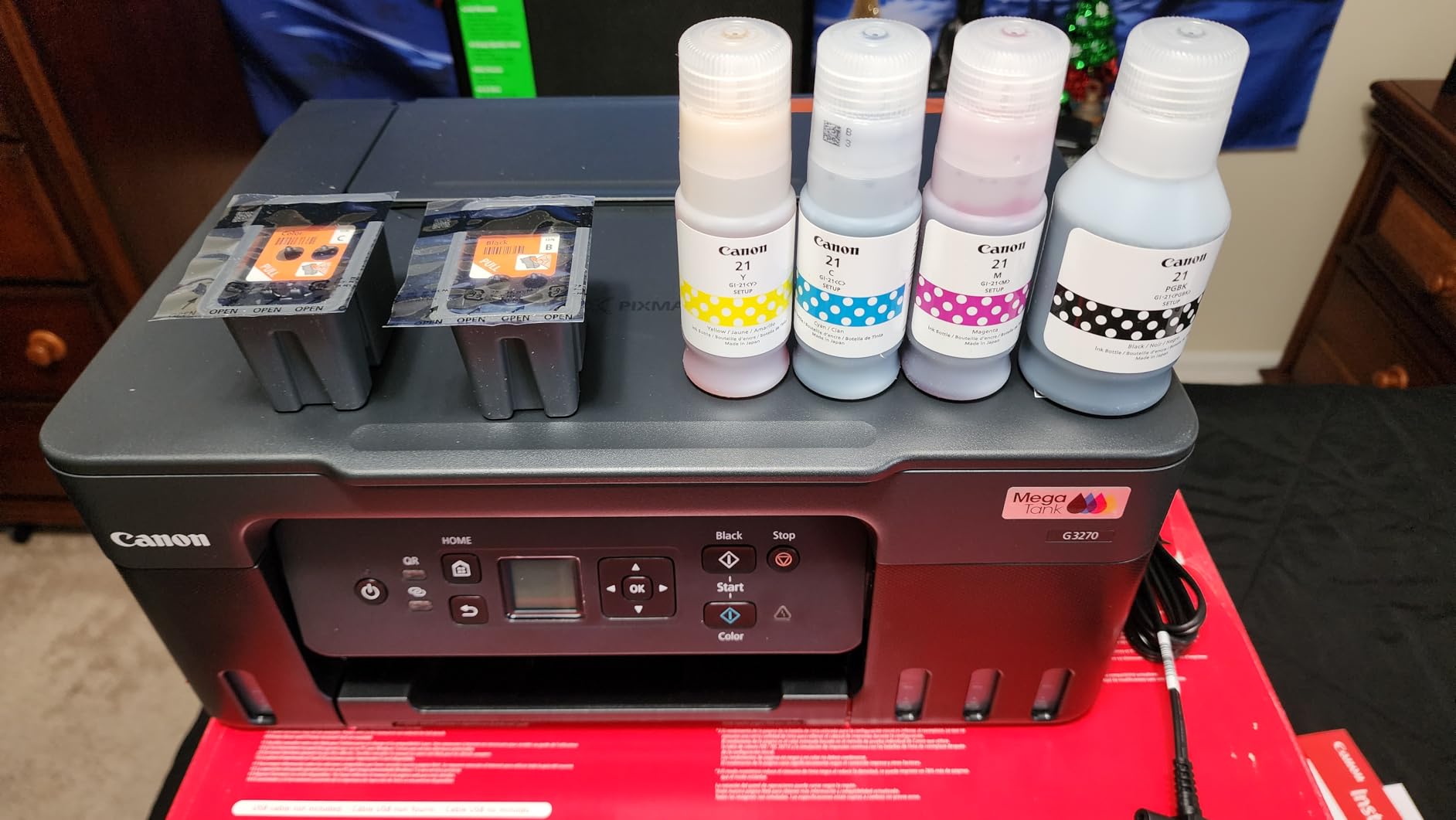
- Best budget supertank: Canon MegaTank G3270 — cheapest way into refillable ink without giving up wireless and scanning.
- Best for a busy family office: Canon MegaTank GX4020 — faster print engine and higher-capacity tanks for heavier daily use.
- Best color laser for a home office: Canon Color imageCLASS MF753Cdw II — crisp text, real duplex, built to survive daily business use.
- Best compact color laser: Canon Color imageCLASS MF665Cdw — smaller footprint, still full duplex color and scanning.
- Best all-color laser all-in-one for mixed households: Brother MFC-L3780CDW — strong duplex speeds and generous paper handling.
- Best monochrome laser for pure document printing: Brother MFC-L2900DW XL — high-yield cartridges, no color needed.
- Best high-capacity inkjet cartridge system: Brother INKvestment Tank 780 — cartridge convenience with tank-like page yields.

Check Price on Amazon
Who This Guide Is For
An all-in-one printer earns its shelf space by doing three or four jobs at once — printing, scanning, copying, and sometimes faxing — without asking you to keep three separate boxes around. But “all-in-one” is a broad category, and the right pick depends heavily on what your household actually does with a printer week to week.
If you print a school permission slip once a month, your needs look nothing like a household running a side business that mails invoices and prints shipping labels daily. Someone scanning tax documents and old family photos cares about scan resolution and document feeder reliability far more than color print quality. A parent printing worksheets and craft templates for kids wants low cost per page above almost everything else, because that’s the number that adds up over a year.
This guide separates the field into ink tank supertanks, traditional inkjets, and laser all-in-ones, and explains where each type genuinely shines instead of pretending one printer wins every category. For a broader look at how these decisions play out across the wider printer market, our roundup of the best home printers worth buying right now is a useful companion piece to this one.
How We Picked These Printers
We didn’t just pull nine popular listings and call it a day. Each printer on this list was evaluated against a consistent set of criteria that actually predicts how happy you’ll be with it a year from now, not just on day one out of the box.
- Cost per page over time — sticker price is misleading; ink and toner replacement cost is what determines the real cost of ownership.
- Print quality for the intended use case — a document printer doesn’t need photo-lab color accuracy, but a photo printer needs it badly.
- Scan and copy reliability — automatic document feeders, duplex scanning, and resolution for archiving old photos or paperwork.
- Wireless setup and app support — how painless it is to connect from a phone, laptop, or tablet without wrestling with drivers.
- Footprint and noise — because a home printer usually lives in a kitchen, hallway, or bedroom corner, not a dedicated office.
- Long-term reliability signals — build quality patterns, known failure points, and how the brand handles support and parts.
We also cross-referenced how each of these models stacks up against dedicated category leaders, including our deeper breakdowns of the best laser printer for home use and the best ink tank printer for home, so the recommendations here aren’t happening in a vacuum.
Comparison Table: All Nine Printers Side by Side
Here’s the quick-glance version. Use this table to narrow the field down to two or three candidates before reading the full reviews below.
| Printer | Type | Best For | Duplex | ADF | Running Cost |
|---|---|---|---|---|---|
| Epson EcoTank ET-3850 | Supertank Inkjet | Most home users | Yes | Yes | Very Low |
| Canon MegaTank GX4020 | Supertank Inkjet | Busy family office | Yes | Yes | Very Low |
| Canon MegaTank G3270 | Supertank Inkjet | Budget refillable ink | No | No | Very Low |
| Canon imageCLASS MF753Cdw II | Color Laser | Home office / small business | Yes | Yes | Moderate |
| Brother MFC-L3780CDW | Color Laser | Mixed household printing | Yes | Yes | Moderate |
| Brother MFC-L2900DW XL | Mono Laser | Text-only, high volume | Yes | Yes | Low (mono only) |
| Canon imageCLASS MF665Cdw | Color Laser | Compact home office | Yes | Yes | Moderate |
| Epson Expression Photo XP-8800 | Photo Inkjet | Photo printing | Yes | No | Moderate-High |
| Brother INKvestment Tank 780 | High-Yield Inkjet | Cartridge convenience | Yes | Yes | Low |
If cost per page is your main concern, our dedicated guide on home printers with the cheapest ink goes deeper into the math than we have room for here.
1. Epson EcoTank ET-3850 Wireless Color All-in-One Supertank Printer
A supertank all-in-one that trades disposable cartridges for refillable ink bottles, cutting cost per page dramatically over the life of the machine.
The ET-3850 is the printer we’d point most households toward first, and it’s not close. Instead of buying replacement cartridges every few months, you fill visible ink tanks from bottles that ship in the box, and those bottles are cheap enough that ink stops being something you think about. For a family that prints homework, forms, boarding passes, and the occasional color flyer, that alone changes the printer from an annoyance into something you forget is even a recurring expense.
Print quality on text is sharp and consistent, and photos come out perfectly usable for everyday purposes — not gallery-print quality, but more than good enough for a school project or a printed recipe card. The flatbed scanner handles single-page jobs well, and the automatic document feeder means you’re not standing over the machine feeding pages one at a time when you’re scanning a stack of paperwork.
Setup is where Epson’s app support genuinely helps. Connecting over Wi-Fi from a phone or laptop takes a few minutes, and the companion app lets you print or scan without ever touching the machine directly, which matters when the printer lives in a closet or spare room rather than next to a desk.
Pros
- Extremely low cost per page over time
- Reliable wireless printing and scanning via app
- Automatic duplex printing and scanning
- Compact enough for a desk or shelf
Cons
- Print speed is average, not fast
- Photo output is good, not photo-lab great
For a full breakdown of how this exact model compares against its closest EcoTank sibling, see our standalone Epson EcoTank printer review.
2. Canon MegaTank GX4020 All-in-One Wireless Supertank Printer

A faster, higher-capacity supertank aimed at homes that print more often and don’t want to babysit ink levels.
The GX4020 sits a notch above entry-level supertanks in both speed and tank capacity, which matters if your household is printing daily rather than occasionally. Canon’s MegaTank ink system holds enough volume that refills become an occasional chore rather than a monthly ritual, and the printer keeps a fast, steady pace through longer print jobs without the slowdown some budget tank printers show.
Scanning and copying both benefit from a more capable control panel than you’ll find on Canon’s cheaper tank printers, and the automatic document feeder handles multi-page originals without jamming or misfeeding, which is the kind of small reliability detail that only becomes obvious after months of use.
This is the printer we’d recommend over the ET-3850 specifically for households running a home business alongside family printing, where volume and uptime matter more than shaving a few more cents off cost per page.
Pros
- High-capacity ink tanks reduce refill frequency
- Faster print engine than entry-level tank printers
- Strong automatic document feeder
- Handles higher-volume households well
Cons
- Larger footprint than compact tank printers
- Costs more upfront than base-tier supertanks
Check Price on Amazon
Curious how this compares against Canon’s own budget supertank? We cover that exact matchup in our Canon MegaTank wireless inkjet printer review.
3. Canon MegaTank G3270 All-in-One Wireless Inkjet Printer

The cheapest realistic entry point into refillable-ink printing without giving up wireless connectivity or scanning.
The G3270 strips things down to essentials — no automatic document feeder, no automatic duplex printing — but keeps the two features that matter most for a budget buyer: refillable ink tanks and wireless connectivity. If you’re mainly printing single-page documents, worksheets, or boarding passes and don’t need to scan stacks of paper unattended, this is the least expensive way to stop buying cartridges altogether.
Print quality holds up well for text and casual color graphics, and the flatbed scanner is perfectly capable for one-off scans of a document or ID card. What you’re giving up compared to pricier tank printers is speed and convenience features, not core output quality.
For anyone weighing whether a tank printer is worth the switch from a traditional cartridge machine at all, our piece on whether ink tank printers are worth it lays out the math in detail.
Pros
- Lowest-cost entry into supertank ink
- Wireless printing and scanning included
- Very low cost per page for text documents
Cons
- No automatic document feeder
- No automatic duplex printing
4. Canon Color imageCLASS MF753Cdw II All-in-One Color Duplex Laser Printer

A business-grade color laser all-in-one that’s overkill for casual printing but excellent for a genuine home office.
Laser printers earn their keep on text-heavy printing, and the MF753Cdw II delivers crisp, smudge-proof text at a pace inkjets simply can’t match. If your household prints contracts, resumes, invoices, or anything that needs to look professional the moment it comes off the tray, this is the category to shop in, and this Canon model is one of the stronger options in it.
Toner-based printing means pages resist water and fading in a way ink never fully does, which matters for anything you’re mailing or filing long-term. The automatic document feeder and full duplex scanning make this genuinely useful for digitizing paperwork, not just printing it, and the color engine handles charts and presentation graphics respectably even if it’s not going to replace a dedicated photo printer.
The tradeoff is upfront cost and toner replacement cost, both higher than inkjet tank printers. This machine makes the most sense for someone running a business from home or printing high volumes of professional documents regularly — for lighter needs, a supertank inkjet will save money. For more on this exact tradeoff, see our comparison of inkjet vs. laser printers for the home.
Pros
- Fast, professional-grade text output
- Full duplex printing and scanning
- Toner resists smudging and water damage
- Strong automatic document feeder
Cons
- Higher upfront and toner replacement cost
- Larger and heavier than inkjet all-in-ones
Check Price on Amazon
5. Brother MFC-L3780CDW Wireless Digital Color All-in-One Printer

A well-rounded color laser that balances speed, paper handling, and toner cost better than most in its class.
Brother has built a reputation on dependable, no-drama laser printers, and the MFC-L3780CDW continues that pattern. It prints fast, handles duplex jobs smoothly, and its paper tray capacity means you’re not refilling it every other day even with a full household using it for school, work, and general printing.
The scanning side is equally solid — the automatic document feeder handles duplex scanning in a single pass, which saves real time when you’re digitizing a stack of double-sided paperwork instead of flipping pages manually. Color output is good for graphics and presentations, though as with any laser printer, don’t expect photo-quality results.
If you’re comparing Brother against another major brand for your specific situation, our head-to-head Brother vs. HP printers for home guide covers the broader brand-level tradeoffs beyond just this one model.
Pros
- Fast duplex printing and scanning
- Generous paper tray capacity
- Reasonable toner cost for a color laser
- Reliable wireless setup
Cons
- Bulkier than inkjet alternatives
- Color photo output is average at best
Check Price on Amazon
See our full standalone breakdown of Brother’s lineup in the best Brother printer for home guide.
6. Brother MFC-L2900DW XL Wireless Compact Monochrome All-in-One Laser Printer

For households that print almost exclusively text, this monochrome laser trades color for exceptionally low running costs.
Not every home needs color. If your printing is mostly forms, homework, shipping labels, and text documents, a monochrome laser like the L2900DW XL is the cheapest way to print a lot of pages without thinking about ink or toner costs at all. The “XL” designation refers to the high-yield toner cartridge that ships in the box, which can print thousands of pages before needing replacement.
Print speed is genuinely fast for the price point, and the automatic document feeder plus duplex scanning make it capable of real office-style workflows — scanning contracts, digitizing receipts, copying multi-page documents — without a color engine adding cost or complexity you don’t need.
This is a smart pairing if you already own a dedicated photo printer or inkjet for color needs and want a second, dirt-cheap-to-run machine purely for volume text printing.
Pros
- Very low cost per page for text printing
- High-yield toner cartridge included
- Fast print speeds for the price
- Compact footprint for a laser printer
Cons
- No color printing at all
- Not suited to photo or graphic-heavy printing
Check Price on Amazon
7. Canon Color imageCLASS MF665Cdw Wireless All-in-One Duplex Laser Printer

A smaller, lighter color laser all-in-one for homes that want laser output without dedicating a full desk to it.
The MF665Cdw is essentially a scaled-down sibling to Canon’s larger business laser models, trimming size and weight while keeping the essentials: full duplex color printing, duplex scanning through the document feeder, and reliable wireless connectivity. It fits on a smaller desk or shelf than most color lasers, which matters in an apartment or a home office carved out of a spare corner.
Text quality is excellent, as expected from a laser engine, and the touchscreen control panel makes copying and scanning straightforward without needing a computer connected at all. Color output handles everyday graphics and presentations well, landing in the same realistic-not-photo-quality tier as other laser printers on this list.
For anyone working from a Mac and concerned about driver support with a business-oriented laser printer, our best home printer for Mac guide is worth a look before buying.
Pros
- Smaller footprint than most color lasers
- Full duplex printing and scanning
- Sharp, professional text output
- Intuitive touchscreen controls
Cons
- Toner cost still higher than inkjet tanks
- Paper tray capacity is modest
Check Price on Amazon
8. Epson Expression Photo XP-8800 Wireless Color All-in-One Inkjet Printer
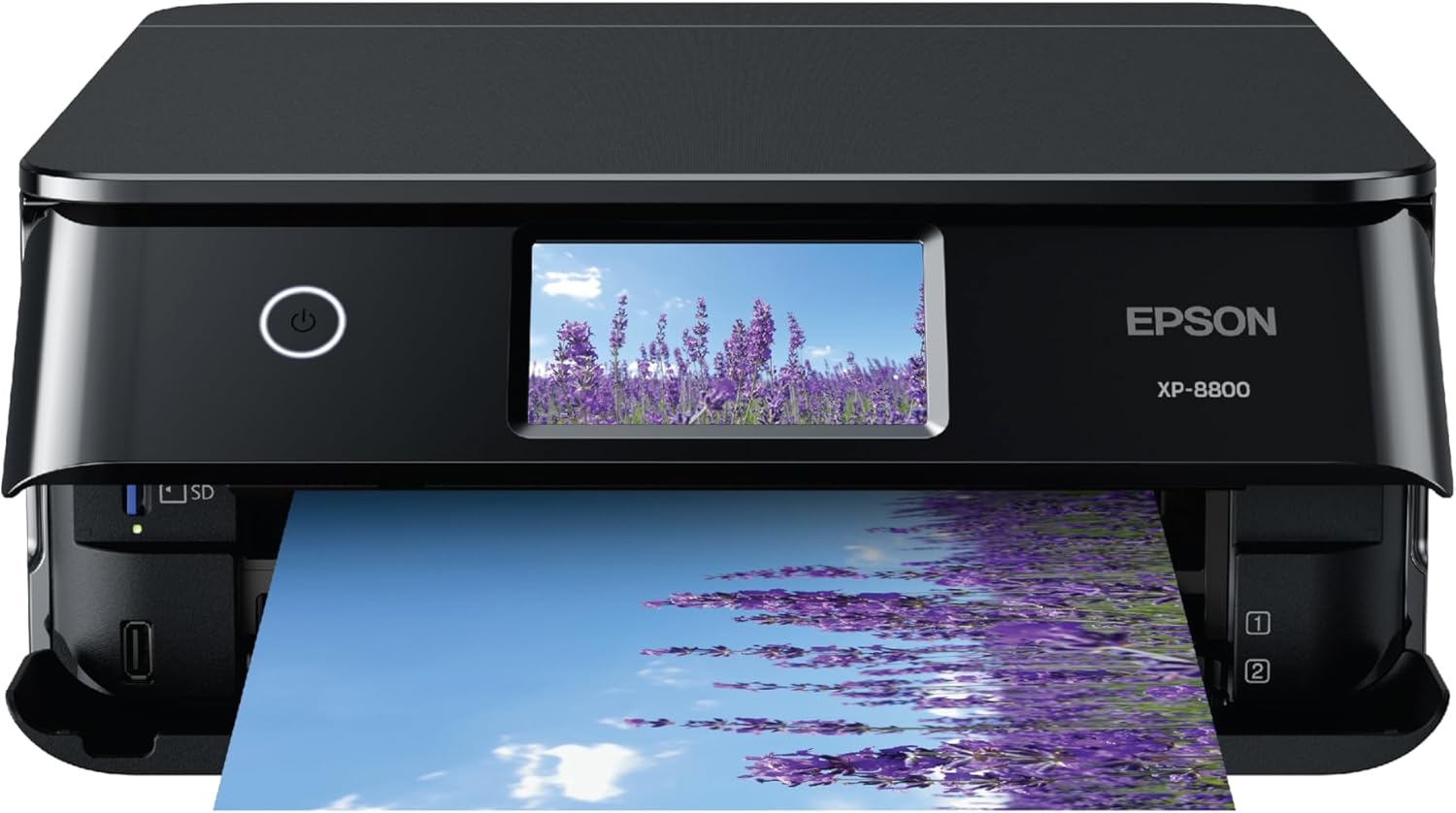
A dedicated photo printer that also handles everyday documents, built around a six-color ink system for true photographic output.
Every other printer on this list treats photo printing as a secondary skill. The XP-8800 treats it as the entire point. Its six-color ink system produces noticeably smoother gradients and more accurate skin tones than the four-color engines found in document-focused inkjets, which matters enormously if you’re printing family photos, prints for framing, or anything where color accuracy is the whole reason you bought the machine.
It still handles document printing and basic scanning competently, so it’s not a one-trick machine, but the running cost is higher than a supertank printer because it uses individual ink cartridges rather than refillable tanks. That’s the tradeoff for photo quality most tank printers simply can’t match.
If photo printing is your main use case rather than a nice-to-have, this is worth the higher cost per page. For document-heavy households where photos are occasional, one of the supertank models above will serve you better and cheaper. See our dedicated best printer for photos at home guide for more photo-focused comparisons.
Pros
- Six-color ink system for true photo quality
- Built-in card slots for direct photo printing
- Handles documents and scanning competently too
Cons
- Higher cost per page than tank printers
- No automatic document feeder
Check Price on Amazon
9. Brother INKvestment Tank 780 Wireless Color Inkjet All-in-One Printer
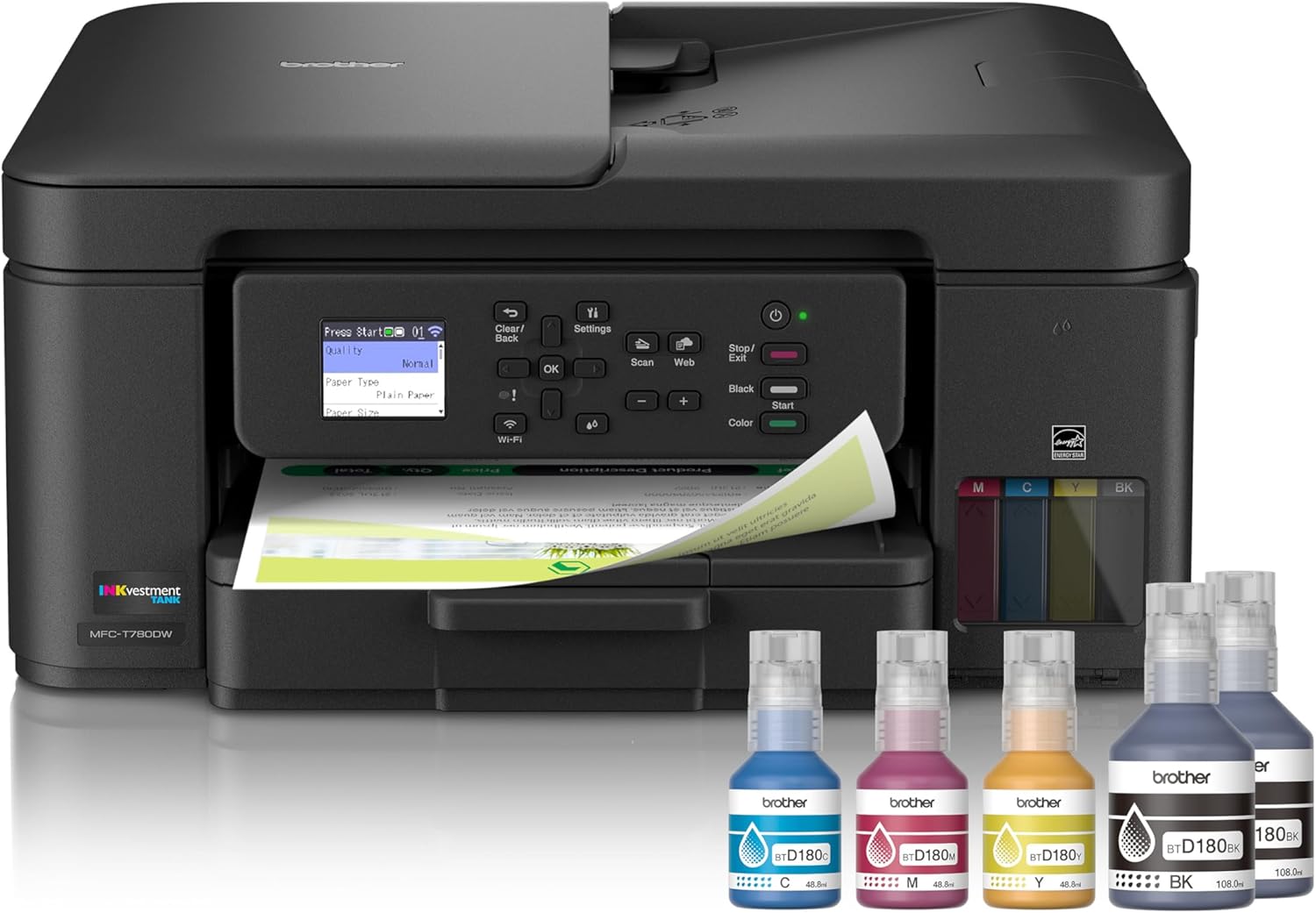
A middle ground between disposable cartridges and refillable supertanks, using high-yield ink cartridges built for long stretches between changes.
Brother’s INKvestment system doesn’t refill from bottles the way EcoTank or MegaTank printers do, but the cartridges are engineered to hold far more ink than standard replacements, so you’re not restocking nearly as often as with a typical inkjet. For someone who wants lower running costs without the upfront ritual of pouring ink bottles into tanks, this is a genuinely reasonable middle path.
The 780 handles duplex printing and scanning well, and the automatic document feeder makes it capable of real document workflows rather than single-page printing only. Print quality on both text and casual photos is solid, landing comfortably between a basic inkjet and Epson’s photo-focused model above.
If cartridge-based convenience appeals to you more than tank refilling but you still want to avoid buying ink every month, this is the printer to consider. For more wireless-specific comparisons across brands, see our best wireless printer for home guide.
Pros
- High-yield cartridges reduce replacement frequency
- No manual ink refilling required
- Solid duplex printing and scanning
Cons
- Still costs more per page than true supertanks
- Cartridges cost more upfront than standard ones
Check Price on Amazon
Ink Tank vs. Laser: Which Fits Your Home
This is the decision that matters more than any single model on this list, because it determines which five printers above are even worth comparing against each other in the first place.
Choose a supertank inkjet if:
- You print a mix of text and color, including photos, graphics, or crafts
- Low cost per page matters more than raw print speed
- You want a compact, quiet machine that fits on a desk or shelf
Choose a laser all-in-one if:
- You print mostly text — forms, contracts, homework, shipping labels
- You need fast turnaround on multi-page print jobs
- Your printed pages need to resist smudging, water, or long-term fading
For a deeper technical breakdown of how these two technologies actually differ under the hood, our full inkjet vs. laser printer for home comparison covers print mechanics, cost curves, and longevity in more detail than we have room for here. If your comparison is narrowing specifically to Epson’s and HP’s tank lineups, our Epson EcoTank vs. HP Smart Tank breakdown is directly relevant too.
Buying Guide: What Actually Matters When Choosing an All-in-One
Cost Per Page, Not Sticker Price
The single biggest mistake buyers make is comparing printers by shelf price alone. A $90 printer with expensive cartridges can easily cost more over two years than a $250 supertank printer that barely sips ink. Before buying, look up the replacement ink or toner cost and estimated page yield, then do the math for how many pages you actually print in a typical month.
Automatic Document Feeder (ADF)
If you regularly scan or copy multi-page documents, an ADF isn’t a luxury — it’s the difference between a five-second task and a five-minute one. Flatbed-only scanners are fine for occasional single-page scans but become genuinely frustrating for anything longer.
Duplex Printing and Scanning
Automatic duplex (two-sided) printing saves paper and looks more professional on anything you’re mailing or filing. Duplex scanning saves even more time, since you’re not manually flipping pages to digitize both sides of a document.
Wireless Setup and Mobile Printing
Most modern all-in-ones support Wi-Fi Direct, mobile apps, and cloud printing, but the quality of that software varies more than you’d expect. A printer that connects instantly and stays connected is worth paying slightly more for over one that requires re-pairing every few weeks. If you’re specifically troubleshooting a connection, our guide on how to connect a printer to Wi-Fi walks through the common failure points.
Footprint and Noise
A printer that lives in a kitchen or bedroom needs to be quiet and small enough that it doesn’t dominate the space. If footprint is a real constraint for you, our best compact home printers guide narrows the field specifically around size.
Who’s Actually Using It
A printer serving a student’s homework and college applications has different priorities than one serving a home office, and both differ again from one shared by the whole family. We’ve broken these use cases out separately in our guides to the best printer for a home office, the best printer for students, and the best printer for crafting, if your situation leans heavily toward one of those.
Keeping Your Printer Running Well
Even the best all-in-one printer will disappoint you if it’s neglected. A few habits go a long way toward avoiding the most common home printer headaches — streaky prints, clogged nozzles, and printers that mysteriously drop offline.
- Print something at least every week or two, even a test page, to keep inkjet nozzles from drying out. Our guide on preventing an inkjet printer from drying out covers this in more depth.
- Run the built-in print head cleaning cycle if you notice streaks or missing colors — see our how to clean printer heads guide for the exact steps.
- Store spare cartridges properly rather than leaving them in a hot car or direct sunlight; our printer cartridge storage guide covers best practices.
- If your printer keeps dropping off the network, router placement and firmware updates are usually the culprit — we cover the fixes in why does my printer keep going offline.
- For a full maintenance routine covering all printer types, see our home printer maintenance tips guide.
And if something goes wrong beyond routine maintenance, our comprehensive printer not responding troubleshooting guide walks through every likely cause step by step.
Frequently Asked Questions
What’s the difference between a supertank printer and a regular inkjet?
A supertank printer, sometimes called an ink tank or refillable printer, uses large visible reservoirs that you refill from ink bottles instead of swapping disposable cartridges. The upfront cost is higher, but the cost per page drops dramatically, often making it cheaper within the first year or two of moderate use.
Is a laser printer really better for a home office than an inkjet?
It depends on what you’re printing. Laser printers excel at fast, sharp text and handle high monthly volumes better, while inkjets — especially supertank models — are more versatile for mixed text and color printing, including photos, at a lower running cost for moderate use.
Do I need an automatic document feeder if I only scan occasionally?
If you’re scanning single pages once in a while, a flatbed scanner alone is fine. An ADF becomes valuable once you’re regularly scanning multi-page documents, since it saves you from manually placing and re-placing each page.
Why does my printer keep going offline even though it’s connected to Wi-Fi?
This is usually caused by the printer’s Wi-Fi power-saving mode dropping the connection, router settings that reassign IP addresses, or outdated firmware. Most of these have straightforward fixes, which we cover in detail in our dedicated troubleshooting guide linked earlier in this article.
Are ink tank printers worth the higher upfront cost?
For most households that print regularly, yes. The break-even point where a supertank printer starts saving money over cartridge-based printing typically arrives within the first year, and after that every printed page costs a fraction of what cartridge ink costs.
Can I print from my phone without installing a driver?
Yes, virtually every printer on this list supports mobile printing through a manufacturer app or built-in wireless standards like AirPrint and Mopria, which let you print directly from a phone or tablet without installing traditional desktop drivers.
How often should I replace ink or toner in a home printer?
This varies enormously by printer type and print volume. Supertank printers may go many months or over a year between refills for light use, cartridge-based inkjets typically need replacement every few months, and laser toner cartridges — especially high-yield versions — can last thousands of pages.
Is a color laser printer worth it if I mostly print text documents?
Usually not. If color is only an occasional need, a monochrome laser printer plus an inexpensive inkjet for the rare color job will almost always be cheaper to run than a full color laser printer used mostly for black-and-white text.
Will an all-in-one printer work with both Mac and Windows?
Nearly all modern all-in-one printers support both operating systems, though driver quality and app features can vary. If you’re specifically on a Mac, it’s worth checking model-specific compatibility notes before buying, since some scanning features are more polished on one platform than the other.
What’s the real difference between the printers reviewed here and their closest competitors?
Mostly ink or toner delivery method, speed, and paper handling capacity — the underlying print quality across major brands in the same category (supertank inkjet, laser, or photo inkjet) is more similar than marketing suggests. The differences that matter most in daily use are running cost, reliability, and how well the wireless and scanning software actually works.
Do I need a fax function on a home printer in the current day?
For most households, no. Fax has become a niche feature mostly relevant to certain medical, legal, or business paperwork requirements. If you don’t have a specific ongoing need for it, don’t let its absence or presence sway your decision much.
Final Verdict
There isn’t a single best all-in-one printer for every home — there’s a best one for your home, based on how much you print, whether color and photo quality matter, and how much you want to think about ink or toner once the machine is set up. For most households weighing all of that at once, the Epson EcoTank ET-3850 remains the safest, most broadly satisfying choice: low running costs, reliable wireless printing and scanning, and enough versatility to cover documents, homework, and casual photos without complaint.
If your household leans harder into one direction — heavier daily volume, photo printing, or fast professional-grade text — one of the other eight printers above will likely serve you better than a generic “best overall” pick would. Match the printer to how you actually use it, and any of these nine will earn its place on your desk.
Check Price on Amazon