Ink Cost Deep-Dive
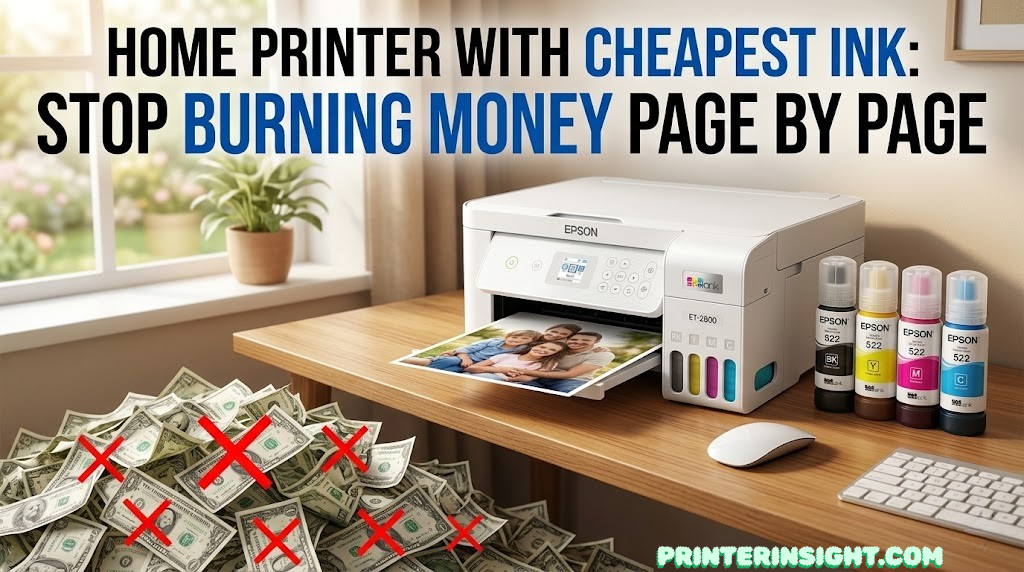
Home Printer With Cheapest Ink: Stop Burning Money Page by Page
Cartridge printers bleed you quietly — one refill at a time. These five printers flip that model entirely, delivering some of the lowest per-page ink costs available to home users today.
You’ve probably been there: you print a boarding pass, a school permission slip, or a few pages of a recipe — and a notification pops up saying your ink is critically low. You replace the cartridge, pay what feels like too much, and the cycle starts again. Traditional inkjet printers are designed around this loop, and it costs the average household far more than they realize.
This guide is for people who want out of that cycle. We’ve zeroed in on the five best home printers with the cheapest ink currently available — all of them using refillable ink tank or ultra-high-yield cartridge systems that bring per-page costs down to levels that would have seemed impossible a decade ago. We’ll walk through per-page cost data, real-world pros and cons, who each printer suits best, and the honest trade-offs you should know before buying.
If you’re still deciding between ink and toner technology altogether, our inkjet vs laser printer for home guide is worth reading first. And if you want to see the full landscape of top home printers before narrowing down by ink cost, start with our best home printers hub guide.
Why Ink Cost Is the Most Important Printer Metric Nobody Talks About
When people buy a printer, they almost always focus on the sticker price. That’s understandable — it’s the number you see first. But for most households, the printer purchase price is a minor expense compared to what they’ll spend on ink or toner over the life of the machine. Printer ink is, by weight, one of the most expensive consumer liquids on earth. Some branded cartridges work out to thousands of dollars per liter when you do the arithmetic.
The industry term for this business model is “razors and blades” — sell the hardware cheaply, then make the real margin on the consumables. Budget inkjet printers are almost always sold at or below cost, because the manufacturer recoups that and much more through cartridge sales over the product’s lifetime. Understanding this model is the first step to escaping it.
The solution — embraced by Epson, Canon, HP, and Brother in different forms — is to move to higher-capacity ink delivery systems that eliminate the per-cartridge premium. Ink tank printers store large volumes of liquid ink in sealed reservoirs that you refill from cheap bottles. High-yield cartridge systems like Brother’s INKvestment technology cram significantly more ink into each cartridge, spreading the fixed cartridge cost across far more pages. Either way, the result is the same: dramatically lower per-page cost.
For a detailed breakdown of running costs across every technology, our cost of printer ink vs toner guide runs the full numbers. If you already know you want an ink tank printer and just want the best options, our best ink tank printer for home guide is the companion resource to this article.
How We Define “Cheapest Ink”
For this guide, “cheapest ink” means the lowest cost per page of combined black and color printing under typical home use conditions. We weight color printing more heavily because that’s where traditional cartridge costs bite hardest. We also account for the total cost of ownership — including the ink supply bundled with the printer at purchase — because a printer that ships with two years of ink built into the price is genuinely cheaper to own than one that doesn’t, even if the replacement bottles cost the same.
Quick Picks: Cheapest Ink Printers at a Glance
Here are the five home printers with the lowest ink costs we’ve found, ranked and labeled by their best use case. Full reviews follow below.
Full Comparison: Per-Page Costs & Key Specs
This table shows the five printers side by side with real per-page costs, ink yield figures, and the standout feature that makes each one worth considering. Use this as your fast reference while reading the detailed reviews below.
| # | Printer | Cost/Page | Ink System | Included Yield | Functions | Best For |
|---|---|---|---|---|---|---|
| 1 | Epson EcoTank ET-2800 Top Pick | ~0.3¢ | Ink Tank | 7,500 BK / 6,000 CLR | Print, Scan, Copy | Best overall value |
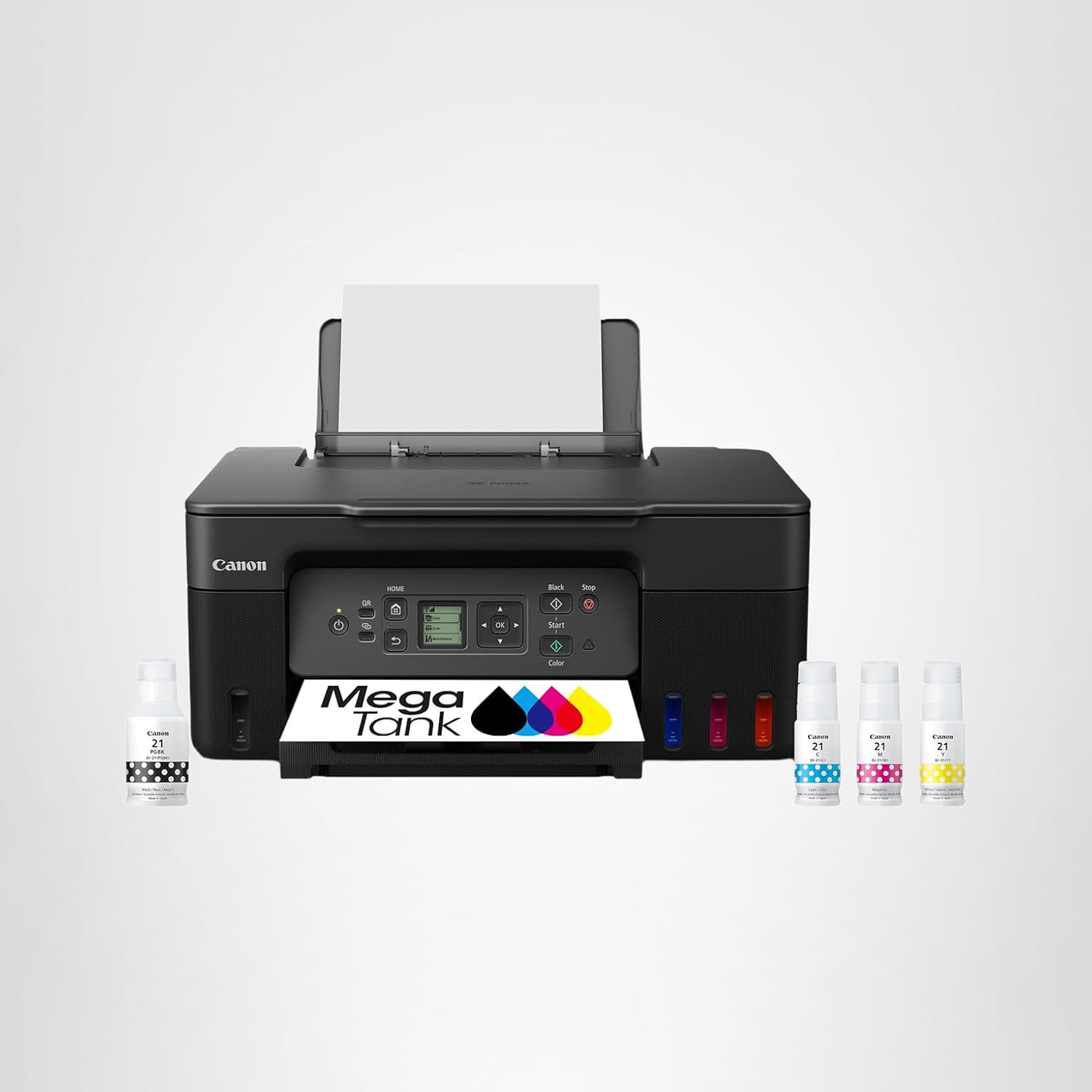
| 2 | Canon MegaTank G3270 | ~0.3¢ | Ink Tank | 6,000 BK / 7,700 CLR | Print, Scan, Copy | High color yield |
| 3 | Brother MFC-J1205W | ~1.0¢ | INKvestment Cart. | ~3,000 pages included | Print, Scan, Copy, Fax | Lowest upfront cost |
| 4 | HP Smart Tank 5101 | ~0.3¢ | Ink Tank | 8,000 BK / 6,000 CLR | Print, Scan, Copy | HP ecosystem fans |
| 5 | Epson EcoTank ET-2400 | ~0.3¢ | Ink Tank | 5,200 BK / 6,000 CLR | Print Only | Cheapest EcoTank entry |
Visual Cost Comparison: Per-Page Cost vs Traditional Cartridge
To put these numbers in concrete perspective, here’s how the five cheapest-ink printers compare against standard cartridge alternatives:
Epson EcoTank ET-2800 — The Gold Standard for Cheap Ink Printing

“The single smartest ink investment most home users can make. Cartridges feel almost quaint in comparison.”
Ask anyone who has switched from a cartridge printer to the Epson EcoTank ET-2800, and you’ll hear some version of the same reaction: “Why didn’t I do this sooner?” The ET-2800 is the most refined, widely available, and well-supported entry point into Epson’s EcoTank ink-tank system — a line that has genuinely disrupted the home printing market by making very cheap ink accessible to everyday users.
The core concept is elegantly simple. Instead of sealed ink cartridges, the ET-2800 has four external ink tanks — one each for black, cyan, magenta, and yellow — that you fill from inexpensive ink bottles rather than replacing entire cartridge units. Epson’s Genuine 522 ink bottles cost a fraction of what comparable cartridges would cost per milliliter, and each bottle yields a staggering amount of printing. The printer ships with enough ink bundled in-box to print approximately 7,500 pages in black and 6,000 pages in color. That is not a typo. The included ink supply alone would cost multiple times the printer’s price if purchased as cartridges.
What Makes the ET-2800’s Ink Cost So Low
The math behind the ET-2800’s per-page cost advantage isn’t complicated — it’s about removing the packaging markup. A traditional ink cartridge contains a tiny amount of ink, a chip that communicates with the printer, a housing, and a significant per-unit manufacturing overhead. You pay for all of that overhead every time you buy a replacement. EcoTank ink bottles, by contrast, are simple plastic containers of ink with almost no additional technology involved. You’re paying almost purely for the ink itself, and that changes the economics entirely.
Epson’s 522 replacement bottles are widely available, competitively priced, and sold through Amazon, office supply stores, and big-box retailers. When you eventually need to refill — which, at 7,500 pages per bottle set, will take most home users well over a year — the process is straightforward: snap off the bottle cap, insert into the color-coded tank port, and squeeze. The ink flows in, you replace the cap, and you’re done. No cartridge waste, no fiddling with protective strips, no worrying about running out mid-document.
Print Quality and Real-World Performance
The ET-2800 uses Epson’s PrecisionCore Micro TFP printhead technology, which delivers sharp text and accurate color reproduction for everyday use. It prints at resolutions up to 5760 x 1440 dpi in highest-quality mode, and while it’s not a dedicated photo printer, it handles casual photo printing on photo paper admirably. For school projects, presentations, business documents, and the occasional 4×6 snapshot, the print quality is genuinely impressive.
The Epson Smart Panel app handles wireless setup, and the experience is smooth on both iOS and Android. The printer supports Apple AirPrint, Google Cloud Print (via Smart Panel), and Chromebook printing, making it compatible with essentially any modern device in the home. Mac users particularly appreciate the native macOS driver support — something that sometimes trips up competing brands. See our best home printer for Mac guide for a full comparison.
The limitation most users encounter is the absence of automatic duplex printing — you’ll need to manually flip pages for double-sided documents. The paper tray holds 100 sheets, which is sufficient for a home environment but means more frequent refills for high-volume printing sessions. For heavy-duty home office use with duplex printing, the larger Epson EcoTank ET-5800 or ET-4850 are the natural upgrades. Our best printer for home office guide covers those options in detail.
- ~0.3¢ per page — best-in-class running cost
- 7,500 pages black / 6,000 color included in-box
- Excellent Epson Smart Panel app
- AirPrint & Chromebook compatible
- Easy, mess-free tank refilling
- Good text and color print quality
- No print head clogging with regular use
- No automatic duplex printing
- 100-sheet rear tray only
- No fax functionality
- Slightly slower color printing
- Higher upfront cost than budget cartridge printers
For a head-to-head look at how the ET-2800 compares with HP’s ink tank offering, read our Epson EcoTank vs HP Smart Tank comparison. And if you’re still on the fence about whether ink tank technology is right for you, our are ink tank printers worth it breakdown is essential reading.
Canon PIXMA MegaTank G3270 — Highest Color Yield In Its Class
“One box of ink included at purchase — 6,000 black pages and 7,700 color. The best color page yield of any home tank printer at this price.”
Canon’s answer to the Epson EcoTank is the MegaTank line, and the G3270 is where most home users should start. It matches the ET-2800 on per-page cost at approximately 0.3 cents per page, and in one meaningful metric actually surpasses its rival: color page yield. The included ink delivers 6,000 pages in black and an impressive 7,700 pages in color — flipping the usual ratio where black outlasts color. For households that print lots of color documents, presentations, charts, and craft projects, this yield advantage is genuinely significant.
Canon uses its FINE (Full-photolithography Inkjet Nozzle Engineering) printhead technology, which delivers excellent resolution with fine detail in text and good color accuracy for everyday printing. The 4800 x 1200 dpi maximum resolution is well-suited to casual photo printing — you can print 4×6 snapshots that look sharp and vibrant without needing a dedicated photo printer. For serious photo work at home, we’d still recommend a dedicated model from our best printer for photos at home guide, but the G3270 is a capable secondary photo printer for occasional use.
The ink refill process is similarly straightforward to Epson’s — color-coded tank ports, spill-resistant bottle nozzles, and a visual fill-level window. Where the G3270 falls slightly behind the ET-2800 is in app quality. Canon’s PIXMA Print app works reliably for wireless setup and basic printing, but it doesn’t match the polish of Epson’s Smart Panel for document management, scan-to-cloud, or advanced features. Students and creatives who do a lot of project-oriented printing will get on fine with the G3270 — it’s one of our top picks in the best printer for students category.
- Best color page yield in class (7,700 pages)
- Canon FINE printhead for sharp detail
- Great value for color-heavy printing
- Visible ink level windows
- Borderless photo printing supported
- No automatic duplex printing
- App experience less polished than Epson
- Small 100-sheet paper capacity
- Slightly slower than EcoTank rivals
For a side-by-side breakdown of Canon and HP’s home printing lineup, our Canon PIXMA vs HP ENVY guide covers the key differences in detail. Crafters will particularly appreciate the G3270 — it features prominently in our best printer for crafting roundup.
Brother INKvestment MFC-J1205W — The Cheapest Way Into a High-Yield System

“Not a tank printer — but the lowest-cost cartridge-based entry point, with enough included ink to last most users over a year.”
The Brother INKvestment MFC-J1205W takes a different approach from the Epson and Canon tanks. Rather than a reservoir system, it uses high-capacity INKvestment cartridges — larger-than-standard cartridges pre-loaded with a significant amount of ink — that come bundled in-box. At approximately 1.0 cent per page, it doesn’t match the ~0.3¢ figures of the tank printers, but it’s still 10 to 15 times cheaper per page than a standard cartridge inkjet, and it has one distinct advantage: the lowest upfront purchase price of any high-yield system on this list.
That matters for users who can’t or don’t want to commit to the higher upfront cost of a true ink tank machine. The MFC-J1205W also includes print, scan, copy, and fax functionality in a notably compact form factor — Brother’s compact all-in-one designs are consistently smaller and lighter than the competition. If desk space is a real concern, the Brother actually fits in spots where the Epson and Canon tanks might not. Our best compact home printers guide features this model prominently.
The included ink supply covers approximately 3,000 pages — less than the tank options, but still enough for the average home user to go well over a year without buying a refill. When you do need more ink, Brother’s INKvestment replacement cartridges are widely available and offer much better value than standard cartridges. For a deeper look at how Brother’s full lineup performs for home use, our best Brother printer for home guide and the Brother vs HP home printers comparison are both useful resources.
- Lowest upfront price of any high-yield printer here
- Full 4-in-1 including fax
- Compact footprint for small spaces
- ~3,000 pages included in-box
- Simple cartridge replacement (no refilling)
- Good text print quality
- Higher per-page cost than tank models (~1.0¢ vs ~0.3¢)
- Cartridge-based (not refillable tanks)
- Smaller included yield than tank rivals
- Photo quality not as strong as inkjet tanks
HP Smart Tank 5101 — HP’s Best Answer to Cheap Ink Printing

“HP’s ink tank offering — solid Smart app integration, a high black page yield, and ultra-low running costs. The logical choice if you’re invested in the HP ecosystem.”
The HP Smart Tank 5101 is HP’s primary entry into the ink tank market, and it brings the company’s considerable software and ecosystem advantages to bear on low-cost printing. Like the Epson and Canon tank options, it uses refillable reservoirs filled from cheap ink bottles rather than disposable cartridges — delivering the same ~0.3¢ per-page cost. Where it distinguishes itself from the competition is in its black page yield (up to 8,000 pages per black bottle) and in the quality of HP’s companion software experience.
The HP Smart app is consistently rated as the best printer companion app across all major brands. It handles wireless setup, scan-to-email, scan-to-cloud, print scheduling, ink level monitoring, and even intelligent printing tips with a clarity and polish that Epson’s Smart Panel and Canon’s PIXMA Print can’t quite match. For users who do a lot of document scanning or who want deep smartphone integration, the HP ecosystem advantage is real and meaningful.
The 5101’s ink bottle pricing is competitive with Epson and Canon alternatives, and HP’s replacement bottles are available through Amazon, Costco, and major retailers. Refill bottle costs are slightly higher per milliliter than Epson’s 522 series, but the higher per-bottle yield — particularly for black — keeps the per-page cost in the same range. For a full breakdown of how HP’s Smart Tank compares with Epson’s EcoTank on every dimension, our Epson EcoTank vs HP Smart Tank comparison is the definitive resource. And for HP’s full home printing lineup, our best HP printer for home use guide covers every model.
- Best-in-class HP Smart app experience
- 8,000-page black yield per bottle
- Ultra-low ~0.3¢ per-page cost
- Excellent wireless setup
- Compatible with HP Instant Ink as fallback
- Strong scan functionality
- No automatic duplex printing
- Replacement bottles slightly more expensive than Epson 522
- Less color page yield than Canon G3270
- No fax function
Epson EcoTank ET-2400 — The Absolute Cheapest Way Into EcoTank
“If you only need to print — no scanning, no copying — the ET-2400 gets you into the EcoTank system at the lowest possible purchase price.”
The Epson EcoTank ET-2400 occupies a specific and useful niche: it’s a print-only EcoTank machine at the lowest possible purchase price in the lineup. No scanner, no copier — just wireless printing with Epson’s ink tank system and the same ~0.3¢ per-page running cost as its more capable siblings. If your household already has a scanner (perhaps built into another device, or you rely on a phone scanning app), the ET-2400 gives you EcoTank economics at a meaningfully lower upfront cost than the ET-2800.
The ET-2400 uses the same 522 ink series as the ET-2800, so replacement ink is inexpensive and universally available. Print quality is identical to the ET-2800 — the same PrecisionCore print head, same resolution, same ink formulation. It ships with an ink supply that covers approximately 5,200 black pages and 6,000 color pages, which is slightly less than the ET-2800 but still represents months or years of printing for the typical home user.
Wireless connectivity uses the Epson Smart Panel app for setup and management, and supports AirPrint for direct mobile printing. It’s a clean, reliable Wi-Fi printer with no unnecessary complexity. For users who want to compare it against fully wireless alternatives before deciding, our best wireless printer for home guide has the full landscape covered.
- Lowest EcoTank purchase price
- Same 0.3¢/page running cost as ET-2800
- Uses same 522 ink — widely available
- AirPrint & Epson Smart Panel
- 5,200 BK / 6,000 CLR pages included
- Compact design
- Print only — no scanner or copier
- Lower included yield than ET-2800
- No duplex printing
- Not suitable for document scanning needs
What Actually Drives the Cost of Printer Ink — And How to Use It Against the Industry
Most people know that printer ink is expensive. Fewer people understand exactly why — or how ink tank technology sidesteps those reasons so effectively. Understanding the mechanics helps you make a smarter buying decision and gives you the mental model to evaluate future products as the market evolves.
The Cartridge Markup Structure
A standard inkjet cartridge is not just a container of ink. It’s a micro-manufactured assembly that includes a plastic housing, an electronic chip communicating with the printer, a printhead (in many designs), protective sealing tape, and packaging. Each of these components adds cost, and every one of those costs gets baked into the price of every cartridge you buy. Because cartridges are relatively low-volume in terms of ink content — typically holding 5 to 10 milliliters of color ink per chamber — the fixed overhead per unit of ink is very high.
Ink tank printers eliminate most of this overhead. The printheads are built into the printer permanently (or as a rarely-replaced unit). The “cartridges” become simple bottles of ink with minimal manufacturing complexity. You’re paying for ink, not infrastructure — and that changes the economics completely.
Yield vs Price: The Right Math
When evaluating ink cost, it’s essential to think in yield (pages per dollar) rather than price per cartridge. A cartridge that costs $18 and yields 200 pages costs 9 cents per page. A bottle of EcoTank ink that costs $7 and yields 2,000 pages costs 0.35 cents per page. The absolute dollar figures are almost irrelevant — it’s the yield that determines your actual running cost. Our full cost analysis comparing ink and toner breaks this down with real numbers from current market prices.
Third-Party Ink: Is It Worth It?
Third-party ink compatible with ink tank printers (notably aftermarket 522 series for Epson and GI-20 for Canon) is available at even lower cost than the official bottles. In our experience, quality varies significantly — the best third-party inks are chemically compatible with the printhead formulation and produce accurate colors, while the worst will cause banding, printhead damage, and premature wear. For the very lowest running cost, it’s worth researching well-reviewed third-party suppliers, but it’s a risk management trade-off rather than a straightforward recommendation. Keep in mind that third-party ink typically voids the manufacturer warranty on the ink supply.
Page Coverage: Why 5% Is the Standard
Printer manufacturers calculate page yield at approximately 5% ink coverage — a standard page of text with normal margins. Real printing is often more ink-dense than this, particularly color graphics, photos, and presentations. When you see “7,500 pages black” on an EcoTank box, assume that figure is optimistic for your actual use case if you print anything more heavily inked than plain text. For practical planning purposes, assume 70–80% of the stated yield as your real-world figure.
Ink Subscription Plans vs Ink Tank Printers: Which Saves More?
HP Instant Ink, Epson’s ReadyPrint, and Canon’s auto-replenishment programs have introduced another way to reduce cartridge printing costs: ink subscriptions. These plans charge a flat monthly fee based on your print volume and automatically ship you ink before you run out. For light users on a tight budget, they can reduce the effective per-page cost of a cartridge printer significantly. So how do they compare to owning an ink tank machine?
| Factor | Ink Subscription | Ink Tank Printer |
|---|---|---|
| Upfront cost | Low (cartridge printer) | Medium-High |
| Per-page cost | ~2–5¢ (depending on plan) | ~0.3¢ |
| Flexibility | Monthly commitment required | Print on demand, no commitment |
| Annual cost (100 pages/mo) | $25–$60/year | $3–$5/year |
| Ink type lock-in | Tied to subscription | Buy anywhere |
| Best for | Very light or sporadic printing | Regular or heavy printing |
For anyone printing more than 50–75 pages per month consistently, an ink tank printer wins on cost at virtually every price point. Subscription plans make more financial sense only for extremely light users — perhaps 20–30 pages per month — where the monthly subscription fee might undercut the ink tank’s advantage when amortized over the printer’s life. For heavy users, the math firmly favors the ink tank. The question is purely about upfront investment tolerance and whether you prefer the convenience of auto-delivery over the control of self-refilling.
How to Avoid Wasting Ink and Keep Your Printer Running Like New
Even the cheapest-ink printer is a wasted investment if you let it degrade through preventable misuse or neglect. Ink tank printers are significantly more forgiving than cartridge printers in most respects — the large ink volumes and permanent printheads eliminate many of the failure modes that plague standard inkjets — but there are still practices that protect your machine and maximize every drop of ink.
Print Regularly to Prevent Clogging
The most common inkjet failure mode is printhead clogging — ink dries in the nozzles during extended idle periods, blocking the microscopic channels through which ink is sprayed. Ink tank printers are somewhat less susceptible to this than cartridge printers (because larger ink volumes don’t evaporate as quickly through the sealed tanks), but the printhead itself is still exposed to the same drying risk.
The simplest and most effective prevention is also the most obvious: print something at least once every two to three weeks. A single test page or a short text document is enough to cycle fresh ink through the nozzles and prevent buildup. If you know you’ll be away from home for an extended period, run a cleaning cycle before you leave and again when you return. Our detailed guide on how to prevent your inkjet printer from drying out covers this in full.
Don’t Over-Clean
Printhead cleaning cycles use ink — sometimes a significant amount. Running multiple cleaning cycles back-to-back without printing between them wastes ink without proportionally improving head condition. The correct approach is: run one cleaning cycle, print a nozzle check pattern, assess the results, and only run a second cycle if the pattern shows persistent gaps. This approach is outlined in our how to clean printer heads guide.
Store Ink Bottles Correctly
When you buy a multi-pack of replacement ink bottles and don’t immediately use all of them, proper storage matters. Keep sealed bottles upright, away from direct sunlight and heat, and at moderate room temperature. Extreme temperatures — hot cars, uninsulated garages in winter — can degrade ink quality and change viscosity, leading to inconsistent flow and clogging when eventually used. For full storage guidelines, our how to store printer ink and cartridges guide applies equally to bottled ink.
Use Quality Paper
Ink cost savings are partially undermined by poor paper choices. Very cheap paper is more porous, absorbs more ink per page, and produces blurry text — meaning you end up using more ink to get a usable print, and the results still don’t look as good. Using 20–24 lb copy paper in the printer manufacturer’s recommended specification improves both output quality and ink efficiency. For photos and graphics, always use the paper type specified in your print driver settings.
For ongoing maintenance advice that keeps your machine performing optimally for years, our comprehensive home printer maintenance tips guide is worth bookmarking.
Buying Guide: Choosing the Right Cheapest-Ink Printer for Your Home
All five printers on this list will cost you dramatically less in ink than a traditional cartridge inkjet. But they’re not identical — each has a different profile of strengths, and the right pick depends on your specific home printing situation. Here’s a clear framework to guide your decision.
Choose the Epson EcoTank ET-2800 if:
- You want the best all-around balance of cost, quality, and ecosystem support
- You print a mix of documents and occasional photos
- You want the best app experience among ink tank options
- Scanning and copying are useful to you
- You want to stick with the most widely supported ink tank platform
Choose the Canon MegaTank G3270 if:
- You print a high proportion of color documents, graphics, or craft projects
- You want the highest color page yield per included ink supply
- You prefer Canon’s printing ecosystem or already own Canon accessories
- You occasionally print 4×6 borderless photos at home
Choose the Brother INKvestment MFC-J1205W if:
- Your top priority is the lowest possible upfront purchase price
- You need fax capability included
- Space is a genuine constraint and you need the most compact option
- You prefer the simplicity of cartridge replacement over tank refilling
- You print fewer than 100 pages per month and want a cheap entry point
Choose the HP Smart Tank 5101 if:
- You’re already in the HP ecosystem and use HP devices
- You do a lot of smartphone printing and need the best app experience
- You scan documents regularly and want a polished scan-to-cloud workflow
- You print many more black pages than color pages (highest black yield)
Choose the Epson EcoTank ET-2400 if:
- You genuinely only need to print — no scanning or copying required
- You want EcoTank economics at the absolute lowest entry price
- You have an alternative scanning solution (phone scanner app, all-in-one elsewhere)
- Simplicity is your highest priority
If you want to broaden your research to the full home printer landscape beyond ink cost, our best home printers worth buying guide is the most comprehensive overview we publish. For wireless-first shoppers, the best wireless printer for home guide focuses specifically on wireless performance and connectivity quality.
| If You Need… | Choose This | Why |
|---|---|---|
| Best all-around value | Epson ET-2800 | Top pick for most households |
| Best color page yield | Canon G3270 | 7,700 color pages included |
| Lowest upfront cost | Brother J1205W | Cheapest entry to high-yield printing |
| Best HP option | HP Smart Tank 5101 | Best app + 8,000 BK page yield |
| Print-only + cheapest EcoTank | Epson ET-2400 | Lowest EcoTank entry price |
FAQs: Home Printers With Cheapest Ink
Stop Paying the Cartridge Tax — Upgrade to Cheap Ink Today
The average household spends $100–$300 per year on printer ink they didn’t need to. Ink tank technology exists, it works reliably, and it reduces those costs by 30 to 50 times. The only barrier is the slightly higher upfront cost — and for anyone who prints with any regularity at all, that investment pays for itself within a year or two at most.
Our top pick is the Epson EcoTank ET-2800 for its outstanding balance of cost, quality, and ecosystem support. If you’re a color-heavy printer, the Canon MegaTank G3270’s superior color yield makes it the better fit. And if your budget won’t stretch to a tank machine today, the Brother INKvestment MFC-J1205W gets you 80% of the savings at a fraction of the upfront cost.
Whatever you choose, you’ll spend the rest of your printing life wondering why you didn’t switch sooner.