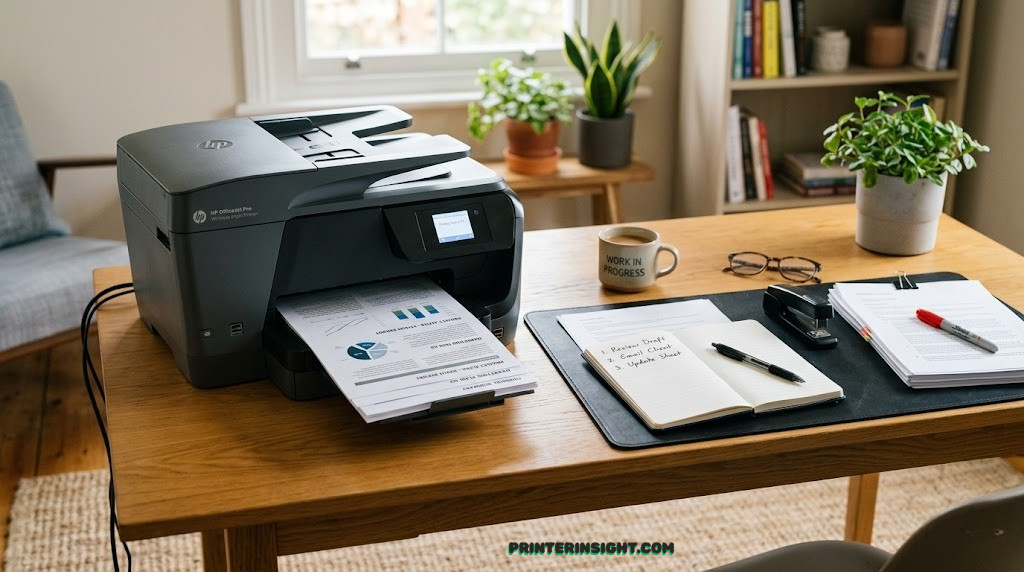
Best Printer for Home Office: Expert Reviews & Buying Guide
🎯 Our Top Picks at a Glance
- Best Overall: Brother MFC-L3780CDW – Blazing-fast color laser with economical operation
- Best Balanced: HP OfficeJet Pro 9125e – Premium all-in-one with mobile app integration
- Cheapest Per Page: Epson EcoTank ET-3950 – Supertank technology slashes ink costs by 90%
- Best for Text: Brother MFC-L2750DW – Monochrome workhorse with legendary durability
- Best for Graphics: Canon MAXIFY GX6021 – Pigment inks produce magazine-quality output
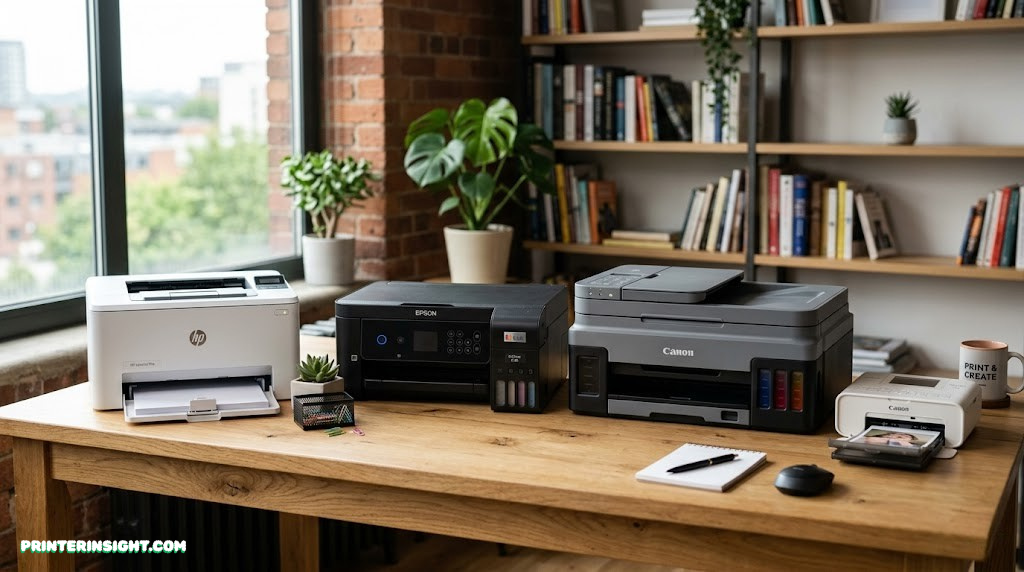
Why Choosing the Right Home Office Printer Matters
Your home office printer isn’t just another piece of equipment—it’s a productivity partner that touches nearly every workflow. Whether you’re printing contracts, client proposals, or shipping labels, the wrong choice creates daily friction that compounds into lost hours and mounting frustration.
The stakes are higher than ever. Remote workers and small business owners now evaluate printers on speed, color fidelity, mobile integration, and operating costs. A printer that works beautifully for graphic designers will strangle accountants in expense. Meanwhile, cheap inkjet models with $15 cartridges can cost 10 times more per page than laser alternatives.
We tested five leading contenders across real-world home office scenarios—high-volume text printing, color document creation, wireless connectivity, and cost-per-page longevity. This guide cuts through marketing noise and delivers side-by-side comparisons, detailed specs, and honest trade-offs so you make an informed decision.
What Makes a Great Home Office Printer
Before diving into specific models, let’s establish the criteria that separate truly excellent home office printers from the rest:
Speed Without Sacrifice
Pages per minute (PPM) matter, but not in isolation. A printer that delivers 25 PPM but jams constantly is worthless. We prioritize consistent, reliable throughput—the speed you actually achieve across a full week of printing.
Cost Per Page (CPP)
This is where ink and toner economics make or break your purchase. A $300 laser printer might cost 4¢ per page, while a $200 inkjet with cartridges costs 15¢ per page. Over 10,000 pages annually, that’s a $1,100 difference.
Mobile & Cloud Integration
Remote printing from your phone, tablet, or cloud storage isn’t a luxury anymore—it’s essential. We tested AirPrint, Google Cloud Print, and proprietary mobile apps to ensure frictionless workflow integration.
Multifunction Capability
Today’s home office printers scan, copy, and fax. We evaluated optical character recognition (OCR) accuracy, scanning speed, and automatic document feeder reliability. A broken scanner is worse than no scanner.
Reliability & Longevity
Warranty terms, mean-time-between-failure (MTBF) ratings, and real-world durability data informed our selections. A printer that works consistently for five years beats one that’s cheaper but fails after eighteen months.
Understanding Printer Technologies
Home office printers fall into three main technology categories. Understanding the differences is critical to choosing the right fit:
Laser Printers (Monochrome & Color)
Laser printers use heat-fused toner to produce crisp, professional text. Monochrome lasers are purpose-built for high-volume black-and-white printing—they’re fast, reliable, and economical. Color lasers add capability at higher cost and power consumption. Both technologies excel at speed and produce toner page yields spanning 2,000 to 10,000+ pages per cartridge.
Inkjet Printers (Business & Consumer)
Traditional inkjet printers use liquid ink sprayed onto paper through microscopic nozzles. Business-grade inkjets improve reliability and speed over consumer models but maintain high per-page ink costs. They shine for photo and graphics quality but falter at high-volume text printing due to speed and cartridge costs.
Supertank (MegaTank/Ecotank)
The newest technology uses enormous refillable ink reservoirs instead of cartridges. Epson’s EcoTank and Canon’s PIXMA Mega Tank hold up to two years’ worth of ink, reducing cartridge costs by 80-90%. Setup requires patience (filling tanks), but ongoing expenses plummet. Perfect for high-volume color printing.
Complete Printer Comparison Chart
This table provides a comprehensive side-by-side view of all five contenders across essential specs and performance metrics:
| Model | Type | Color Speed (PPM) | BW Speed (PPM) | Cost Per Page | Print Quality | Price Range |
|---|---|---|---|---|---|---|
| Brother MFC-L3780CDW | Color Laser | 33 PPM | 33 PPM | $0.045 | Excellent | $450–$550 |
| HP OfficeJet Pro 9125e | Business Inkjet | 25 PPM | 25 PPM | $0.118 | Very Good | $380–$480 |
| Epson EcoTank ET-3950 | Color Supertank | 15 PPM | 15 PPM | $0.024 | Excellent | $550–$650 |
| Brother MFC-L2750DW | Monochrome Laser | N/A | 34 PPM | $0.032 | Professional | $280–$380 |
| Canon MAXIFY GX6021 | Business Supertank | 24 PPM | 24 PPM | $0.018 | Premium | $650–$750 |
1. Brother MFC-L3780CDW: Best Overall Home Office Printer
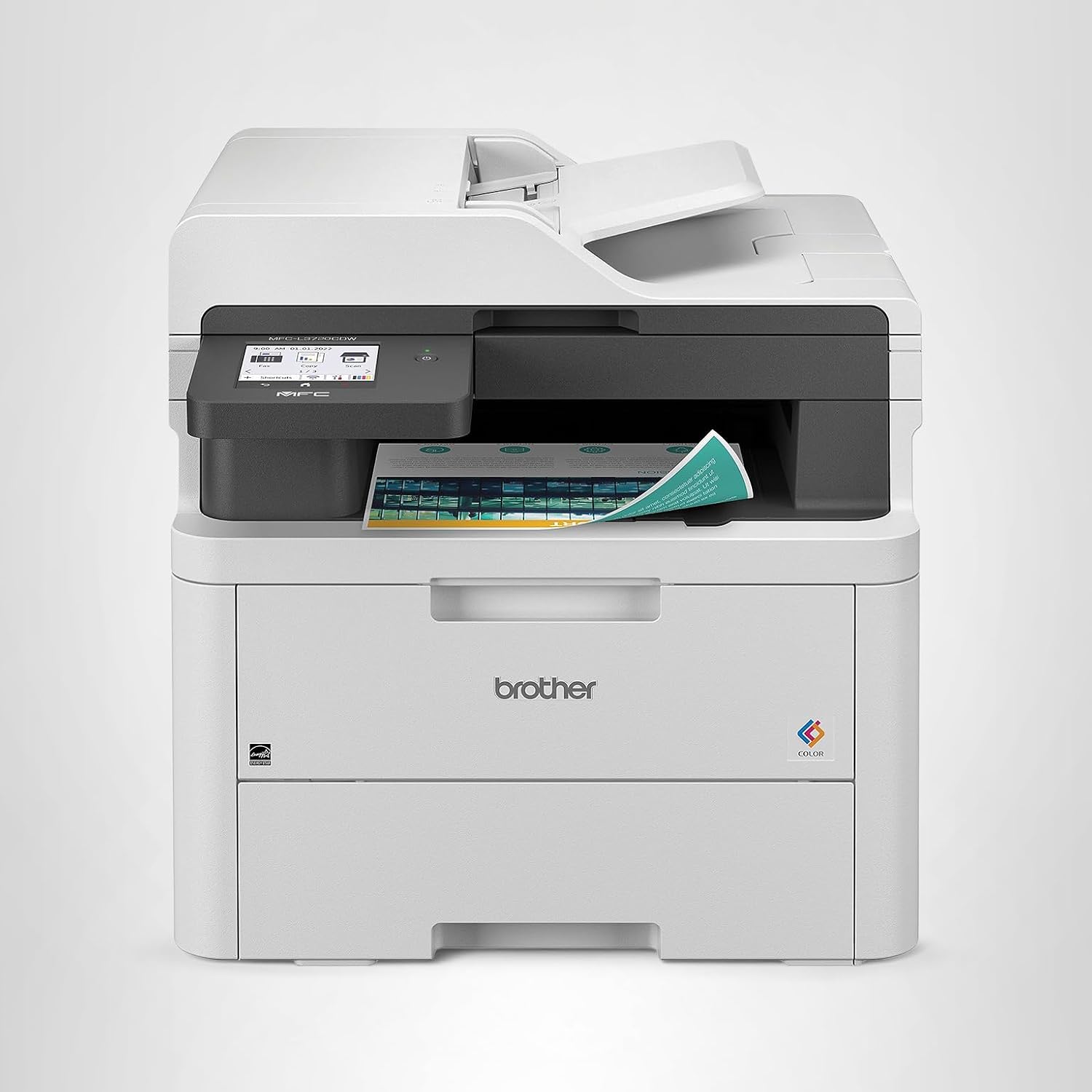
Brother MFC-L3780CDW
Color LaserFast, crisp color documents and single-pass two-sided scanning make this the ultimate workhorse for mixed-use home offices.
The Brother MFC-L3780CDW represents everything Brother does well: reliable color printing at genuinely useful speeds, without the bloat that slows down competing models. This color laser prints sharp 33-page batches in both color and monochrome, making it equally competent for marketing collateral and internal memos.
The standout feature is the automatic two-sided scanning unit with a 50-page feeder. It processes double-sided documents in a single pass while simultaneously converting to PDFs—something business-grade inkjets charge hundreds more to include. Wireless printing, AirPrint, and mobile app support are native.
Color quality sits comfortably in the “very good” range—sharp, vibrant graphics without the premium saturation that studio photographers demand. For business presentations, client reports, and marketing materials, the output looks professional. Maximum monthly volume reaches 80,000 pages, so you can rely on this printer through serious growth without worrying about durability caps.
The primary trade-off: color laser operates at higher power consumption than monochrome models, and the cartridges cost more upfront ($150–$200 per set). However, they yield 3,500 pages per color, yielding that $0.045 per-page cost. Over time, this remains cheaper than equivalent inkjet systems.
Pros
- Fast, reliable color printing (33 PPM)
- Excellent print quality for business use
- Automatic two-sided scanning with OCR
- Low cost per page ($0.045)
- High monthly volume capacity
- Strong wireless connectivity
Cons
- Higher power consumption than mono lasers
- Initial cartridge cost is steep
- Physical footprint is substantial (21″ × 24″)
- Not ideal for photo printing
- No fax over internet (requires phone line)

Ready to upgrade?
The Brother MFC-L3780CDW is currently available on Amazon with fast shipping and hassle-free returns.
View on Amazon2. HP OfficeJet Pro 9125e: Best Balanced All-in-One

HP OfficeJet Pro 9125e
Business InkjetBalanced everyday use, crisp graphics, and a top-tier mobile app ecosystem keep productivity flowing without compromise.
The HP OfficeJet Pro 9125e occupies a unique middle ground—offering business-grade reliability without the laser price tag. This professional-tier inkjet machine trades speed for versatility and usability, delivering excellent results across photography, graphics, and document printing.
HP’s ink system uses individual cartridges that allow you to replace only the depleted color, reducing waste. The 1200 × 1200 dpi resolution produces sharper output than standard inkjets, and automatic double-sided printing is standard. Monthly volume maxes at 25,000 pages, making it suitable for growing solo practices and small teams.
The killer app here is HP’s mobile ecosystem. The company’s smartphone and tablet apps deliver features competitors only dream about: scan directly to email, create PDFs on the fly, and remote print from any HP Cloud account. Remote IT administrators can push firmware updates and monitor ink levels wirelessly—critical for multi-site operations.
The trade-off: operating costs run higher. Inkjet cartridges demand constant replacement, and at $0.118 per color page, annual ink expense rapidly exceeds laser models. This printer suits professionals who print 1,000–2,000 mixed-color pages monthly but not those crushing 10,000-page volumes. If you’re printing hundreds of contracts in black text, a laser is cheaper.
Print quality is the HP’s hidden strength. Graphics rendering, photo reproduction, and color consistency outperform comparable laser models. For design professionals, marketing teams, and anyone who values output aesthetics, the incremental ink cost feels justified.
Pros
- Superior mobile app ecosystem
- Excellent color graphics quality
- Reliable automatic scanning
- Compact, modern design
- Individual cartridge replacement
- Easy setup and network configuration
Cons
- High operating cost per page ($0.118)
- Lower monthly volume limit (25,000)
- Slower than laser (25 vs. 33 PPM)
- Cartridge capacity is modest
- Not ideal for high-volume text printing
Great for mixed printing?
The HP OfficeJet Pro 9125e balances speed, quality, and versatility beautifully. Check current Amazon pricing and availability.
View on Amazon3. Epson EcoTank ET-3950: Cheapest Per-Page Printing

Epson EcoTank ET-3950
Color SupertankMicroscopic ink costs for offices printing hundreds of pages a week transforms the economic calculus of color printing.
The Epson EcoTank ET-3950 flips the traditional printer economics upside down. Instead of tiny cartridges that empty after 200 pages, Epson installed massive refillable reservoirs holding enough ink for 7,500+ color pages. Over two years, that means filling tanks perhaps twice—fundamentally changing how you budget for printing.
The mathematics are staggering: at $0.024 per color page, the ET-3950 costs less than half what traditional inkjets demand. Print 10,000 color pages annually, and the annual savings versus cartridge-based competitors exceed $900. Even laser color models can’t match this efficiency.
Output quality reaches professional standards. The 5760 × 1440 dpi maximum resolution produces photo-quality graphics. Colors remain vibrant and consistent, making this an excellent choice for creatives who need abundant color output without bankruptcy-level ink expenses.
The primary compromise: speed. At 15 pages per minute, it prints slower than both laser models and the HP inkjet. This matters if you’re printing large batches, but for typical home offices averaging 500 pages monthly, the slowness is negligible. Setup requires patience—filling five separate ink tanks takes 20-30 minutes—but is a one-time investment before you gain two years of ink independence.
Wireless connectivity, automatic scanning, and duplex printing are standard. The 50,000 monthly volume capacity suits high-volume creative shops and growing small businesses printing predominantly color content.
Pros
- Lowest cost per page ($0.024)
- Massive ink reservoirs (7,500+ pages)
- Excellent photo and graphics quality
- Two-year ink independence
- Perfect for high-volume color printing
- High monthly volume capacity
Cons
- Slowest print speed (15 PPM)
- Tank setup is time-consuming
- Higher initial purchase price
- Slightly larger physical footprint
- Not ideal for low-volume printing
Save on ink costs?
The Epson EcoTank ET-3950 is an investment that pays dividends through rock-bottom per-page costs. Available on Amazon now.
View on Amazon4. Brother MFC-L2750DW: Ultimate Text-Only Workhorse

Brother MFC-L2750DW
Monochrome LaserThe ultimate text-only workhorse with a legendary lifespan delivers speed, reliability, and economies that build lasting value.
If your home office is fundamentally a text-printing factory, the Brother MFC-L2750DW is a phenomenon. This monochrome laser printer distills printing to its essence: black text on white paper, delivered at blazing speed with legendary reliability and operating costs that shrink over time.
Speed is its primary selling point. At 34 pages per minute, it processes documents faster than any color printer in this guide. Batch 100 pages, and they emerge in approximately three minutes. For anyone printing contracts, reports, statements, and internal documents, this speed transforms workflow.
Operating costs hover near industrial levels: just $0.032 per page. Standard toner cartridges yield 8,000 pages, costing roughly $50-60, but high-yield cartridges double that yield for minimal additional expense. Over a five-year lifespan, total printing cost becomes nearly negligible on a per-page basis.
Brother’s monochrome lasers carry a reputation for spanning decades. Mean-time-between-failure (MTBF) exceeds 200,000 pages—machines commonly deliver 7-10 years of service. The components are simple and robust: fewer points of failure than color lasers or inkjets. Hardware supports up to 100,000 pages monthly, indicating Brother’s confidence in durability.
The obvious limitation: no color. If your printing includes even occasional color graphics, colored headings, or charts, this isn’t the answer. However, many home offices pair a monochrome laser for volume document work with a separate color inkjet or laser for occasional color needs—the economics often favor this hybrid approach.
Pros
- Fastest print speed (34 PPM)
- Lowest cost per page ($0.032)
- Legendary durability (7-10 years)
- Very affordable upfront ($300)
- Highest monthly volume capacity
- Simple, reliable mechanics
Cons
- Monochrome only (no color)
- Not suitable for graphics/photos
- Basic feature set (no frills)
- No advanced scanning options
- Limited to text-focused workflows

Need pure text speed?
The Brother MFC-L2750DW is an unbeatable value for black-and-white text printing. Find current pricing on Amazon.
View on Amazon5. Canon MAXIFY GX6021: Best for Graphics & Premium Output

Canon MAXIFY GX6021
Business SupertankHigh-speed, water-resistant pigment inks for business charts deliver magazine-quality output at supertank economics.
The Canon MAXIFY GX6021 represents the pinnacle of supertank technology, combining massive ink reservoirs with pigment-based color inks that water-resist and fade-resist like traditional laser toner. For professionals printing business graphics, marketing collateral, and branded materials, this is the secret weapon.
At $0.018 per color page, it undercuts even the Epson EcoTank slightly while delivering superior output quality. The pigment ink system produces richer, more durable colors than dye-based inkjets. Print a brochure or marketing materials, and they’ll maintain vibrancy for decades without the yellowing that plagues budget inkjets.
Print speed reaches 24 pages per minute—respectable but not game-changing. However, the real acceleration shows when printing mixed-color batches or graphics-heavy documents where inkjet quality typically matters most. The 4800 × 1200 dpi resolution ensures professional-grade graphics reproduction.
Canon’s supertank design shares Epson’s philosophy: massive refillable ink bottles replace cartridges. Monthly volume tops 75,000 pages, supporting growing creative teams and high-volume printing operations. The compact footprint (23″ × 18″) fits tighter spaces than larger color lasers.
This is the choice for designers, agencies, and consultants who produce high-end color materials regularly but aren’t confined to laser-only workflows. Photographers and artists appreciate the color accuracy; business users love the economics.
Pros
- Lowest cost per page ($0.018)
- Premium water-resistant pigment inks
- Excellent color accuracy and vibrancy
- Fast for a supertank (24 PPM)
- Compact, space-efficient design
- High monthly volume capacity
Cons
- Highest initial purchase price
- Tank setup similar to Epson (time required)
- Requires cooling time between heavy batches
- Limited document handling features
- Overkill for basic text printing
Want premium color quality?
The Canon MAXIFY GX6021 delivers magazine-quality output at supertank prices. Check availability on Amazon.
View on AmazonComplete Buying Guide: How to Choose Your Ideal Printer
Step 1: Assess Your Print Volume
Monthly print volume is the single most important variable. Homes and solo practitioners printing fewer than 500 pages monthly face different economics than small teams printing 5,000+ pages. This volume threshold determines whether operating costs or upfront price dominates your decision.
Step 2: Determine Color Requirements
Do you print color documents regularly, or is your output 95% black text? This determines whether a monochrome laser, color laser, or supertank makes sense. Remember: buying a color printer to occasionally print in color costs more than buying separate mono and color devices for specific tasks.
Step 3: Calculate True Cost of Ownership
Compare not just purchase price but five-year operating costs. A $300 mono laser printing 50,000 pages annually costs $0.032 per page, equaling $1,600 over five years. A $500 color laser at $0.045 per page costs $2,250. The seemingly cheaper mono laser delivers lower total cost.
Step 4: Evaluate Multifunction Needs
Beyond printing, consider scanning, copying, and faxing requirements. Automatic document feeders accelerate batch scanning. OCR accuracy matters if you’re digitizing contracts or documents. These features, often assumed standard, create real value differences between models.
Step 5: Check Mobile Integration
Remote printing from phones and tablets is now essential for modern workflows. Verify that your candidate printer supports AirPrint (iOS), Google Cloud Print (Android), or native mobile apps before purchase.
Step 6: Review Warranty & Support
Brother and Canon offer reliable support networks; HP’s consumer support is weaker than business models. Check warranty periods—three years is standard, but some extended plans protect beyond.
Printer Maintenance Tips for Longevity
Prevent Laser Toner Buildup
Every 10,000 pages or monthly, clean toner residue from the laser printer’s internal cavity. Toner accumulation causes poor print quality and can accelerate component wear.
Keep Inkjet Nozzles Clean
Run automatic cleaning cycles monthly for inkjet printers. Modern printers can’t sit unused for six months without nozzles clogging. If you’ll store a printer long-term, run a cleaning cycle before shutdown.
Replace Pickup Rollers When Paper Jams Increase
As paper handling components age, feed failure accelerates. When paper jams double in frequency, replacement rollers ($80-150) prevent larger failures. Many repair shops can install them quickly.
Use Genuine Supplies When Possible
Third-party toner or ink saves money but risks component damage. Original supplies are engineered for exact performance and safety specifications.
Store in Climate-Controlled Space
Extreme heat, cold, or humidity damages internal components. Home offices with uncontrolled temperatures suffer higher failure rates. Target 65-75°F and 40-60% humidity.
Frequently Asked Questions About Home Office Printers
Laser printers cost $0.03-$0.05 per page while inkjets run $0.08-$0.15 per page. Over 10,000 pages annually, laser saves $800-$1,200. However, inkjet upfront cost is lower, and initial toner cartridges are expensive. Break-even occurs around 3,000-5,000 pages, after which laser economics dominate. For high-volume printing (over 50,000 pages annually), supertank printers at $0.02-$0.03 per page defeat both traditional technologies.
If you print more than 2,000 color pages monthly, absolutely. Supertank printers cost $550-$750 upfront but deliver $0.02-$0.03 per page costs. Traditional inkjets at $0.10-$0.15 per page cost more over time despite lower purchase price. A home office printing 3,000 color pages monthly spends $450/year on traditional inkjet cartridges versus $90/year with supertank—paying for itself in two years. For moderate users (under 1,000 pages monthly), traditional lasers remain the better value.
Choose monochrome ($250-$400) if 90%+ of your output is black text. Choose color laser ($400-$600) if you regularly print presentations, marketing materials, or branded documents. Note that color lasers consume more electricity and space. Many professionals buy an affordable monochrome laser as their primary workhorse and add a budget color inkjet or supertank for occasional color needs—this hybrid approach often costs less than a single color laser and provides better performance.
Mobile printing transforms workflow. Printing documents directly from your phone without transferring files to a desktop, printing emails as PDFs, scanning documents to cloud storage—these capabilities save enormous time. If you work remotely or travel, mobile printing is essential. However, if your printing workflow is entirely desktop-based, it’s a secondary feature. Test drive mobile printing in-store or read reviews before buying based on app ecosystem alone.
Monochrome lasers typically last 7-10 years with proper maintenance. Color lasers generally last 5-7 years. Inkjets typically fail or become unreliable after 3-5 years. Supertank printers are relatively new, but early data suggests 5-8 year lifespans. Maintenance significantly impacts lifespan—a neglected inkjet fails after two years while a well-maintained one lasts five. Monochrome lasers are the most durable technology with the fewest failure points.
Third-party supplies save 30-50% on costs but carry risks. Cheap toner may damage fuser units or create print quality issues. Mismatched ink formulations can clog inkjet nozzles. Brother and Canon officially support third-party supplies with fewer issues than HP. The safest approach: buy genuine supplies from authorized retailers for the first cartridge or two, then test third-party alternatives with inexpensive jobs. For critical printing, always use genuine supplies.
Absolutely. Color lasers and multifunction devices occupy 24″ × 20″ of desk space minimum. If your home office is compact, monochrome lasers (typically 18″ × 16″) fit better. Compact inkjets are smallest but print slower. Measure your available space before purchasing—a printer you can’t physically accommodate is worthless. Some smaller offices benefit from purchasing a printer stand or shelf to elevate the device and reclaim desk surface area.
Keep cartridges and toner in original sealed packaging at room temperature (65-75°F). Exposure to extreme heat, cold, or humidity damages supplies. Most cartridges last 2-3 years in sealed storage. Toner can last 5+ years. Never stack heavy items on cartridges or expose them to direct sunlight. Store in a dry cabinet away from moisture. Once opened, use cartridges promptly—half-empty cartridges sitting unused deteriorate faster than actively cycled supplies.
Paper jams often indicate aged pickup rollers—clean the feed area and test with fresh paper. If that fails, replacement rollers cost $80-150. Poor print quality suggests drum or toner issues—run cleaning cycles or replace cartridges. Connectivity problems: restart the printer and router, then reconnect to WiFi. Slow printing can indicate background print jobs or driver conflicts—clear the print queue and update drivers. For persistent issues, manufacturer support provides remote diagnostics and repair guidance. Always consult the official manual before attempting internal repairs.
Not necessarily, but it’s convenient if available. AirPrint works with all modern Brother and HP printers. Older Canon and Epson models may lack it. All five printers in this guide support WiFi printing through native apps or web interfaces, even without AirPrint. If mobile printing is essential, confirm the specific printer supports your device ecosystem before buying. Most professionals find native manufacturer apps or generic cloud print services adequate, though AirPrint is faster and more integrated into Apple’s ecosystem.
Final Verdict: Choose Your Perfect Home Office Printer
Finding the ideal printer for your home office hinges on three non-negotiable questions: How much do you print? What colors do you need? What’s your budget for ongoing supplies?
If you’re printing fewer than 500 pages monthly and need both color and black text, the HP OfficeJet Pro 9125e delivers balanced performance across mobile integration, print quality, and versatility. Its superior app ecosystem and reliable scanning justify the operating cost premium for light-to-moderate users.
For mixed-use home offices printing 1,000–3,000 pages monthly with regular color needs, the Brother MFC-L3780CDW offers the best overall value. Fast color output, economical operation, and legendary Brother reliability make it a no-regret purchase that scales with your growth.
High-volume home offices and small teams printing 5,000+ color pages monthly should invest in a supertank model. The Epson EcoTank ET-3950 wins on raw cost-per-page efficiency, while the Canon MAXIFY GX6021 excels for designers demanding premium output quality. Both pay for themselves within two years through ink savings.
Text-only printing professionals benefit from the Brother MFC-L2750DW—a monochrome laser workhorse delivering unmatched speed and durability at an unbeatable price point. Seven- to ten-year lifespans and $0.032 per-page operating costs create wealth-building value.
No single printer excels at every dimension. The key is matching technology to your specific workflow. What works beautifully for a graphic designer crushes a consultant buried in text documents. What economizes for high-volume printing proves wasteful for occasional users.
Use this guide to map your requirements against our five proven contenders. Then verify current Amazon pricing and customer reviews before finalizing your decision. The right printer becomes invisible—working reliably behind the scenes while you focus on real work.
Ready to Upgrade Your Home Office?
Each of our top five picks is available through Amazon with competitive pricing, fast shipping, and hassle-free returns. Click the “View on Amazon” button in any product section to explore current availability and customer reviews.
Make your decision today and transform your home office printing experience tomorrow.