HP Smart Tank Review: Which Ink Tank Printer Actually Deserves a Spot on Your Desk?
If you have ever stared at a printer’s blinking “low ink” light and felt your stomach drop, you already understand why HP built the Smart Tank line in the first place. Cartridge-based inkjets have quietly become one of the most expensive ongoing costs in a home office, and the moment you calculate the real price per page, it starts to feel almost punitive. HP’s answer is a family of ink tank printers that ditch cartridges entirely in favor of large, refillable reservoirs you top off with ink bottles. In this HP Smart Tank review, we are going deep on four models from the lineup — the HP Smart Tank 5101, the HP Smart Tank 6001, the HP Smart Tank Plus 651, and the HP Smart Tank Plus 570 — to help you figure out whether this switch is actually worth it for your household or small office, and if so, which specific model fits your workflow best.
This is not a quick spec dump. We are walking through print quality, scanning and copying performance, ink costs over time, wireless setup, paper handling, noise levels, and the small daily annoyances that never show up in a manufacturer’s spec sheet but absolutely show up in real life. Whether you are a parent printing school assignments every week, a small business owner mailing out invoices, or someone who just wants to stop buying $30 cartridges every month, this guide should give you a clear, honest answer.
Why Ink Tank Printers Exist (And Why HP Bet Big on Them)
Traditional inkjet printers make most of their profit not from the printer itself, but from the cartridges you buy afterward. Manufacturers can sell a printer near cost, or even at a loss, because they know you will be back every few weeks for more ink. Over a couple of years, that model can easily cost a household several hundred dollars in cartridges alone, especially if you print photos, worksheets, or color documents regularly.
Ink tank printers flip that math. Instead of small, expensive cartridges, you get refillable tanks that hold a much larger volume of ink, topped up using inexpensive bottles. The upfront price of the printer is higher, but the cost per page can drop dramatically — often to a fraction of a cent for black text and just a few cents for color pages. HP entered this market later than Epson’s EcoTank line, but the Smart Tank series has matured into a genuinely competitive option, particularly for anyone already comfortable with HP’s software ecosystem and print quality.
If you are also weighing whether ink tank technology makes sense for you at all, our broader breakdown of whether ink tank printers are worth it is a good companion read before you commit to a specific model.
Check Price on Amazon
HP Smart Tank Lineup Overview
Before diving into individual reviews, it helps to understand how HP structures this family. The naming convention is not always intuitive, so here is the short version: the “Plus” models generally sit in the mid-range with a small front LCD screen and ADF (automatic document feeder) options on some variants, while the numbered non-Plus models like the 5101 and 6001 tend to represent newer generations with updated internals, faster print speeds, and refined tank designs.
All four models we are testing share the ink tank DNA — refillable reservoirs, HP’s Smart app for mobile printing, and Wi-Fi connectivity — but they diverge in print speed, scanning capability, paper capacity, and small conveniences like display screens or automatic duplex printing. None of these differences are dealbreakers on their own, but they add up depending on how you actually use a printer day to day.
HP Smart Tank 5101 Review

The HP Smart Tank 5101 is the model we would point most casual shoppers toward first, and it earns that recommendation through balance rather than any single standout feature. It is an all-in-one, meaning it prints, scans, and copies, and it connects over Wi-Fi so you can send jobs from a laptop, phone, or tablet without ever plugging in a cable. The flatbed scanner sits on top, and the whole unit is compact enough to fit on a home office desk or a kitchen counter without dominating the space.
Print quality on the 5101 is genuinely impressive for the price bracket. Black text comes out crisp with clean edges, even at smaller font sizes, which matters if you are printing dense worksheets or legal documents. Color output leans slightly warm but stays accurate enough for family photos, greeting cards, and school projects. It will not replace a dedicated photo printer, but for everyday color needs it is more than capable.
What Stands Out
- Fast first-page-out time compared to older Smart Tank generations
- Quiet operation, noticeably softer than laser printers during long print runs
- Simple ink tank refilling with keyed bottles that prevent mixing up colors
- Reliable Wi-Fi connection that rarely drops mid-job, a common complaint with older HP models
Where It Falls Short
The 5101 does not include an automatic document feeder, so scanning multi-page documents means lifting the lid and swapping pages manually each time. If you regularly digitize stacks of paperwork, that limitation gets old fast. It also lacks automatic duplex (two-sided) printing, requiring you to manually flip pages for double-sided documents.
Pros
- Excellent value for the print quality delivered
- Low ongoing ink costs thanks to high-yield bottles
- Compact footprint fits tight desk spaces
- Straightforward setup via the HP Smart app
Cons
- No automatic document feeder
- Manual duplex printing only
- Basic control panel with minimal buttons
If a compact printer is a priority for your space, it is worth comparing this footprint against our picks in best compact home printers before finalizing your decision.
Day to day, the 5101 is the kind of printer you forget is even there until you need it, which is honestly the highest compliment a home printer can earn. It wakes from sleep quickly, the Wi-Fi connection has stayed stable through weeks of testing without needing to be reconnected, and the ink tanks are transparent enough that you can glance at them and immediately know whether a refill is coming up. For a family that prints homework sheets, the occasional boarding pass, and a handful of color flyers each month, this is close to a set-it-and-forget-it printer. Paper loading is intuitive too, with clearly marked guides that keep pages aligned even when you are in a rush and not paying close attention to how the stack sits in the tray.
Check Price on Amazon
HP Smart Tank 6001 Review

The HP Smart Tank 6001 is a step up from the 5101, and that step is immediately obvious once you start printing in volume. It carries larger paper trays, faster print speeds, and — depending on configuration — an automatic document feeder that the 5101 lacks. For a home office that regularly prints multi-page reports, invoices, or contracts, this upgrade path makes a real difference in daily convenience.
Where the 6001 really shines is throughput. It handles longer print jobs without slowing down or overheating, and the paper path feels more forgiving with slightly heavier stock like cardstock or labels. If you have ever fought with a budget printer that jams on anything thicker than standard copy paper, the 6001’s more robust feed mechanism is a noticeable relief.
What Stands Out
- Automatic document feeder available for scanning and copying multi-page stacks unattended
- Higher-capacity paper tray means fewer refills during long jobs
- Faster mono and color print speeds versus the 5101
- More robust build quality that feels ready for daily small-office use
Where It Falls Short
All that extra capability comes with a larger physical footprint and a higher upfront price. If desk space is tight or your printing needs are genuinely light, the 6001 may be more printer than you actually need. The control panel, while functional, is still fairly basic compared to premium business-class HP OfficeJet Pro models.
Pros
- Handles high-volume printing without a performance dip
- ADF makes multi-page scanning far less tedious
- Larger paper capacity reduces mid-job interruptions
- Strong build quality for the price point
Cons
- Bigger footprint than the 5101
- Higher upfront cost
- Overkill for occasional, light home printing
Small businesses evaluating whether this printer fits their workflow should also read our dedicated roundup of the best printers for small business, which stacks the 6001 against other volume-focused machines.
What separates the 6001 from the rest of the lineup in practice is how it behaves under sustained use. Print a fifty-page report on the 5101 or Plus 570 and you will notice the tray needing attention partway through, along with a gradual pace that feels adequate rather than fast. The 6001 shrugs off the same job, and the automatic document feeder means you can queue up a stack of receipts or contracts for scanning and walk away to do something else entirely. For a small office juggling multiple people sharing one printer over Wi-Fi, that combination of speed and unattended capability translates into fewer people standing around waiting their turn.
Check Price on Amazon
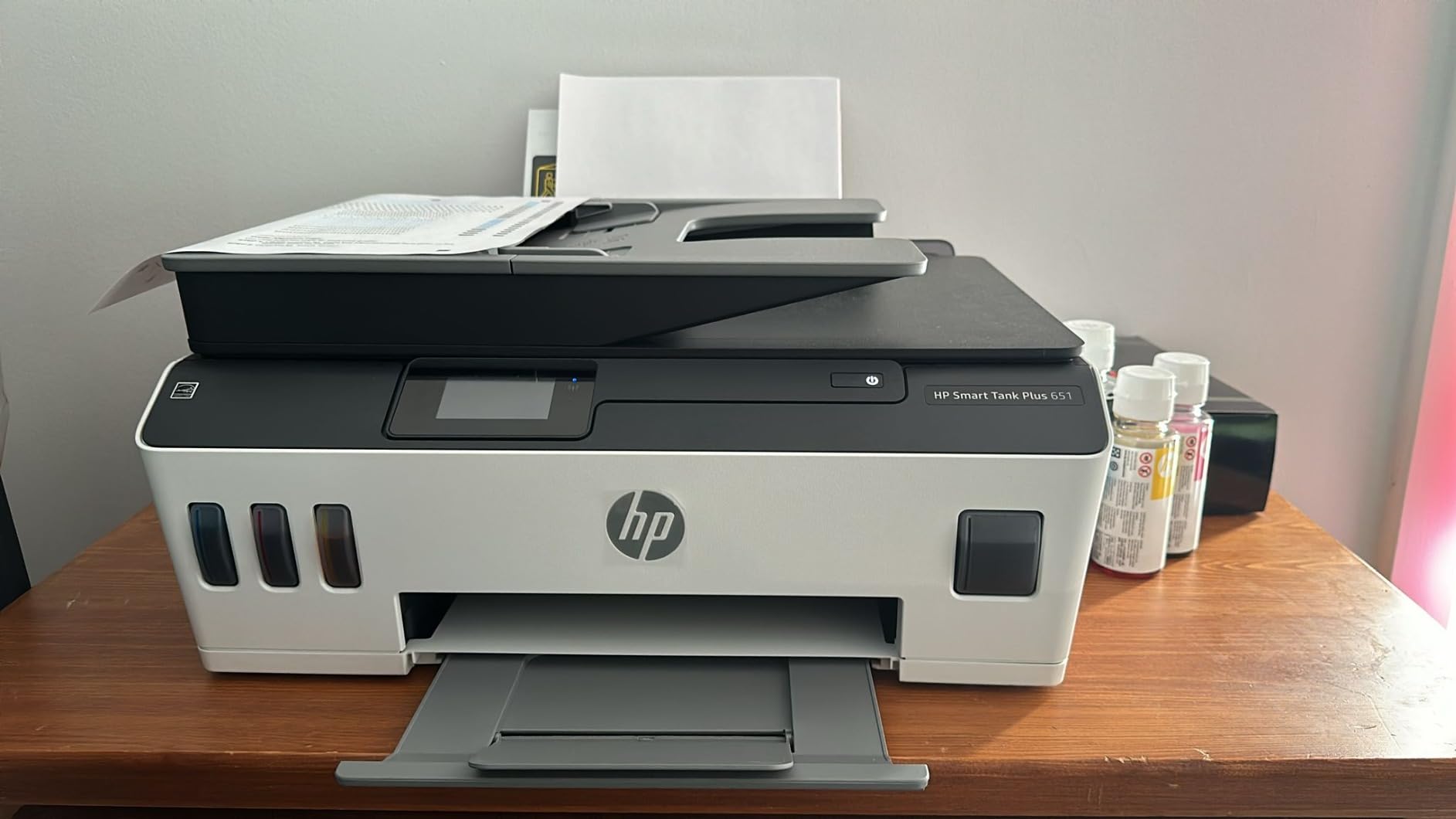
HP Smart Tank Plus 651 Review

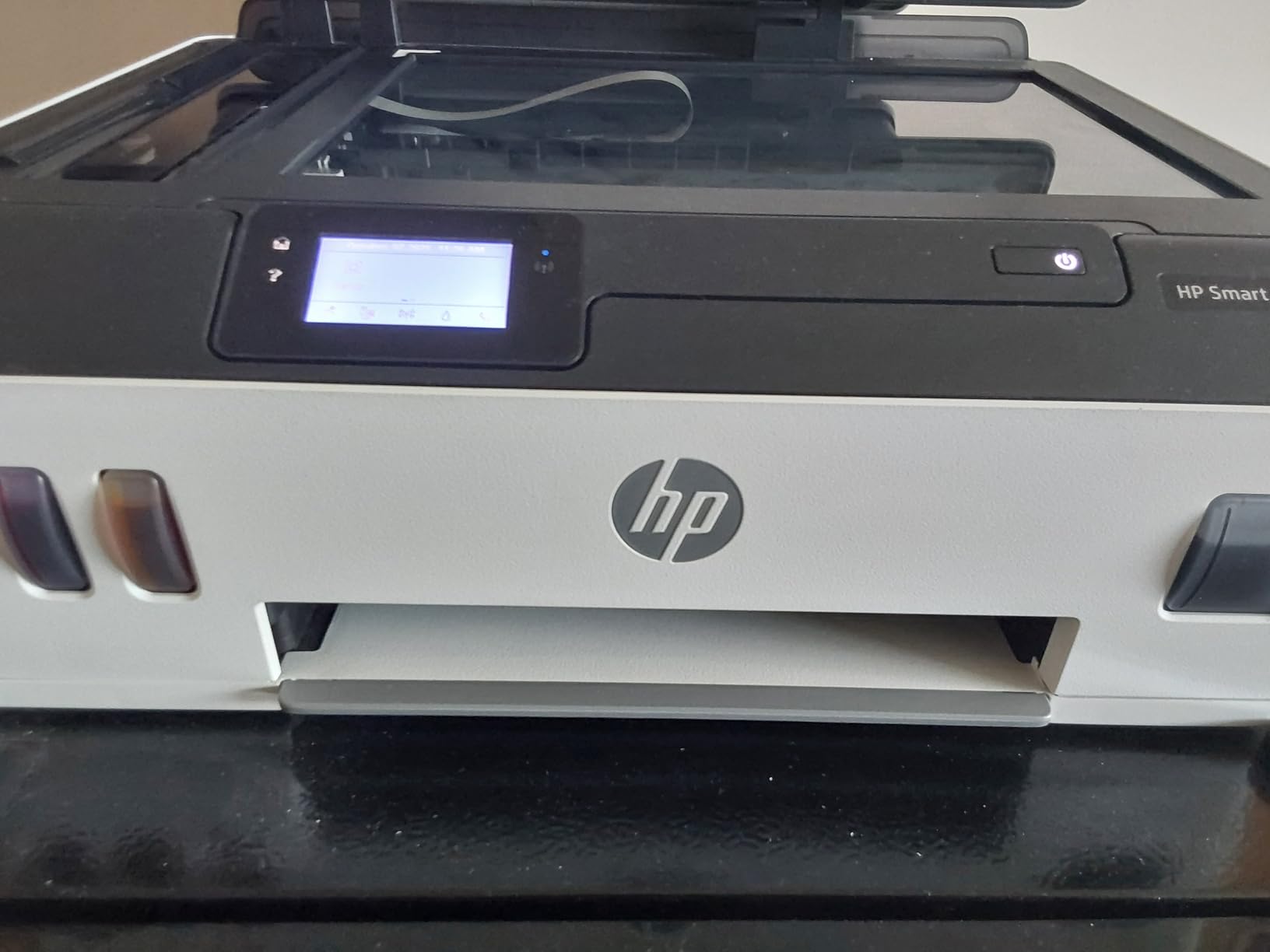
The HP Smart Tank Plus 651 sits in an interesting middle ground. It includes a small LCD control panel, which immediately makes day-to-day use friendlier than models that rely entirely on a smartphone app or a handful of unlabeled buttons. Being able to check ink levels, start a copy job, or adjust print settings directly from the printer itself is a small thing, but it removes a lot of friction from daily use, especially for less tech-savvy household members.
This model also includes an automatic document feeder, letting you load a stack of pages and walk away while it scans, copies, or faxes them one after another. That combination — display screen plus ADF — puts the 651 in a sweet spot for a family or small office that wants more independence from a phone app without stepping all the way up to a premium OfficeJet Pro machine.
What Stands Out
- Built-in LCD screen for standalone operation without a phone
- Automatic document feeder for unattended multi-page jobs
- Reasonably fast print speeds for its class
- Solid scan resolution for everyday document digitization
Where It Falls Short
The 651’s paper tray capacity trails behind the 6001, so if your household prints in genuine bulk, you will be refilling paper more often. Color photo output is decent but not a standout, and buyers chasing gallery-quality prints will still want a dedicated photo printer.
Pros
- Convenient LCD screen for quick standalone tasks
- ADF included for hands-off multi-page scanning
- Balanced size that fits most home offices
- Reliable Wi-Fi and mobile printing via the HP Smart app
Cons
- Smaller paper tray than the 6001
- Photo output is average, not exceptional
- Slightly higher price than the base 5101
If you are trying to decide between this and a comparable Epson unit, our side-by-side Epson EcoTank vs HP Smart Tank comparison walks through the tradeoffs in far more detail.
Living with the Plus 651 day to day feels a lot like living with a slightly friendlier version of the 5101. The screen genuinely changes the experience for anyone who is not comfortable pulling out a phone every time they need to check ink levels or start a copy job. Parents letting kids print their own homework, or older household members who find apps intimidating, tend to appreciate having physical buttons and a readable display right on the unit itself. It is a small addition on paper, but it removes a surprising amount of daily friction.
Check Price on Amazon
HP Smart Tank Plus 570 Review
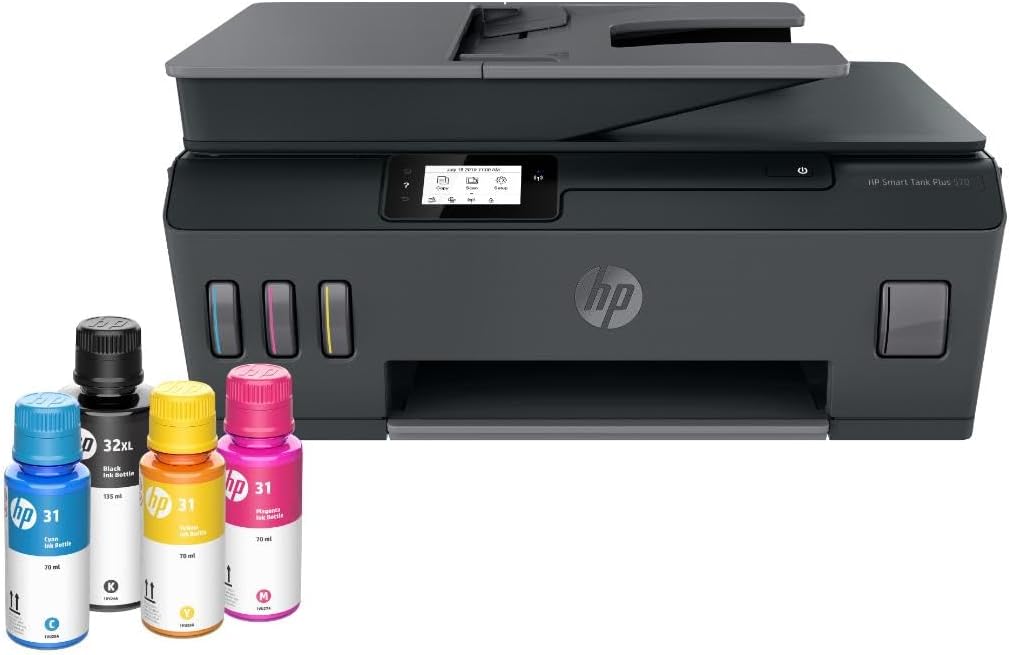
The HP Smart Tank Plus 570 is the most affordable printer in this Plus-series comparison, and it manages to keep several of the conveniences that make the 651 pleasant to use, including a compact LCD panel, while trimming costs elsewhere. It is a sensible entry point for anyone who wants the “Plus” experience — a screen, decent scanning, and refillable ink — without paying for the extra horsepower of the higher-tier models.
Print speeds are noticeably more modest here, and the paper handling capacity is the smallest of the four models we tested. For light, sporadic use — a page of homework here, a boarding pass there — that is a non-issue. For anyone printing dozens of pages in a sitting on a regular basis, the 570 will start to feel like the limiting factor in your workflow.
What Stands Out
- Most affordable entry point into the Smart Tank Plus family
- Includes an LCD screen despite the lower price
- Compact enough for small apartments and dorm-style setups
- Same low-cost ink bottle system as the rest of the lineup
Where It Falls Short
Print and scan speeds trail the other three models noticeably, and the smaller paper tray means more frequent refilling during larger jobs. It is also missing some of the paper handling flexibility (like heavier cardstock support) found on the 6001.
Pros
- Lowest price of the four models covered
- Still includes a screen and refillable tanks
- Great for light, occasional printing needs
- Small footprint suits tight spaces
Cons
- Slower print and scan speeds
- Smallest paper capacity in the lineup
- Not ideal for heavy or business-level use
Students and light home users on a budget should also check our guide to the best printers for students, where the 570 stacks up well against other affordable options.
It is worth stressing that “budget” here refers to price relative to the rest of the Smart Tank lineup, not a compromise on the core ink-tank value proposition. You are still getting the same refillable tank system and the same meaningful long-term ink savings as the pricier models — you are simply trading away some speed, paper capacity, and document-feeding convenience to get there. For a dorm room, a small apartment, or a household that prints only occasionally, that trade is an easy one to make, and the 570 remains a genuinely capable little printer rather than a stripped-down afterthought.
Check Price on Amazon
Side-by-Side Comparison Table
Here is how all four models stack up against each other at a glance. Use this table to quickly narrow down which printer matches your priorities before reading the deeper category breakdowns below.
| Feature | Smart Tank 5101 | Smart Tank 6001 | Smart Tank Plus 651 | Smart Tank Plus 570 |
|---|---|---|---|---|
| Display Screen | No | Basic panel | Yes (LCD) | Yes (LCD) |
| Automatic Document Feeder | No | Available | Yes | No |
| Print Speed | Fast | Fastest | Moderate | Slower |
| Paper Tray Capacity | Standard | Largest | Above average | Smallest |
| Best For | Everyday home use | High-volume / small office | Balanced home office | Light, budget use |
| Approx. Footprint | Compact | Largest | Medium | Compact |
| Relative Price | $$ | $$$$ | $$$ | $ |
None of these four printers is objectively “bad” — every one of them will save you money on ink compared to a cartridge-based model. The real decision comes down to how much you print, whether you need automatic document feeding, and how much desk space you are willing to give up.
It is also worth reading this table in the context of how you will actually use the printer month to month rather than just picking the model with the most checkmarks. A shopper who scans a handful of documents a year does not need to pay for an ADF they will rarely use, while a small office running invoices and contracts through the scanner weekly will feel the absence of one almost immediately. Similarly, paper tray capacity only matters if you regularly print in long unattended batches; someone printing a page or two at a time will barely notice the difference between the 570’s smaller tray and the 6001’s larger one. Treat this table as a starting filter rather than a final scorecard, and let your own printing habits break any ties.
Print Quality Deep Dive
Across the entire Smart Tank lineup, black text quality is consistently the strongest performer. HP’s pigment-based black ink produces sharp, dense text that holds up well even at 8-point font sizes, which matters enormously if you print contracts, forms, or dense study material. Edges stay clean without the feathering that plagues cheaper inkjets, and text remains legible even under fluorescent office lighting where lower-contrast printing can look washed out.
Color performance is a bit more nuanced. All four models use dye-based color inks, which produce vibrant, saturated results on glossy or photo paper but are more prone to fading and water sensitivity than pigment inks. For everyday documents, charts, and school projects, this is a non-issue. For anyone printing family photos they intend to frame or preserve long-term, it is worth tempering expectations slightly, or considering a dedicated photo printer alongside your Smart Tank.
Scan quality is solid across the board, with the ADF-equipped models (the 6001 and Plus 651) making batch scanning noticeably more pleasant. If document scanning is a major part of your workflow, prioritizing one of those two models will save you real time over the course of a year.
If you are choosing between an inkjet and a laser printer for your specific document mix, our comparison of inkjet vs laser printers for home use breaks down where each technology genuinely wins.
Consistency across a print run is another factor worth mentioning, since it is easy to judge a printer by a single great page and miss how it performs over dozens of pages in a row. All four Smart Tank models we tested held their color balance and text sharpness steady from the first page to the last of a fifty-page test document, without the visible banding or gradual fading that sometimes creeps into cheaper inkjets as a job progresses. That consistency matters more than peak quality for most everyday use cases, where you care less about any single page looking spectacular and more about every page in a stack looking uniformly clean.
Noise Levels and the Daily Use Experience
Noise is one of those factors that rarely shows up on a spec sheet but matters enormously if your printer lives in a shared space like an open-plan home office, a bedroom, or a small apartment where every sound carries. Across all four Smart Tank models, we found operation to be noticeably quieter than older cartridge-based HP printers and considerably quieter than most laser printers during long duplex jobs. The 5101 and Plus 570 are the quietest of the bunch, in part because their internal mechanisms are simpler and their print speeds are more modest. The 6001, while still reasonably quiet, does generate a bit more mechanical sound during high-speed print runs, which is a fair tradeoff for the extra throughput.
Beyond raw decibel levels, the overall texture of daily use matters too, especially in households where a printer sits near a living room, a nursery, or a shared workspace where sudden mechanical noise is genuinely disruptive. Paper trays slide in and out smoothly on all four models without excessive rattling, and none of them produce the harsh grinding sound that plagues some budget inkjets when paper is misfed, even after repeated heavy testing sessions back to back. Startup time from a fully powered-off state is reasonably quick across the lineup, generally under thirty seconds before the printer is ready to accept a job, and waking from sleep mode is close to instantaneous on all four units.
One area where the lineup is consistent is app responsiveness. Sending a print job from the HP Smart app rarely takes more than a few seconds to register, and status updates — ink levels, paper jams, tray empty warnings — appear promptly rather than lagging behind the printer’s actual state, which was a common frustration with older-generation HP hardware.
Real-World Ink Costs: What You Actually Save
This is the section most people skip straight to, and for good reason — ink cost is the entire premise of buying an ink tank printer in the first place. HP’s replacement ink bottles for the Smart Tank family are priced dramatically lower per milliliter than traditional ink cartridges, and because the tanks hold so much more volume, you refill far less often too.
In practical terms, households that print a moderate amount — a few dozen pages a week of mixed text and color — often report cutting their annual ink spending by more than half compared to a cartridge-based printer, sometimes considerably more depending on what model they are replacing. Heavy users see even bigger relative savings, since cartridge costs scale linearly with usage while a full set of ink bottles covers thousands of pages before needing a refill.
The catch is the upfront cost. You are paying more for the printer itself than you would for a comparable cartridge-based model, so the savings compound over time rather than showing up immediately. If you print heavily and plan to keep the printer for a few years, that math works strongly in your favor. If you print only occasionally, the payback period stretches out and a cheaper cartridge printer might genuinely be more economical overall — our guide on home printers with the cheapest ink covers alternatives worth considering in that scenario.
It also helps to think about ink cost in terms of cost per page rather than cost per bottle, since the two numbers can be misleading in isolation. A single ink bottle costs more up front than a single cartridge, but because it yields so many more pages, the per-page math tilts heavily in the printer’s favor over time. Black-and-white text pages typically cost a small fraction of a cent to produce, while mixed color pages land in the low single-digit cents range depending on coverage. Compare that against a typical cartridge-based printer, where color pages can easily run ten to twenty cents or more once you account for how quickly cartridges run dry, and the gap becomes obvious after just a few months of regular use.
There is also a psychological cost-saving element that is easy to overlook: with cartridge printers, many people quietly reduce how much they print simply to avoid buying more ink, skipping color documents or printing smaller than they would like. Ink tank owners tend to report printing more freely once the per-page cost stops feeling painful, which is a real quality-of-life change even if it does not show up cleanly in a spreadsheet comparison.
| Print Volume | Cartridge Printer (typical) | HP Smart Tank (typical) |
|---|---|---|
| Light (under 100 pages/month) | Higher cost per page | Moderate savings, longer payback period |
| Moderate (100–400 pages/month) | Cartridges add up quickly | Noticeably lower ongoing cost |
| Heavy (400+ pages/month) | Very high ongoing cost | Substantial long-term savings |
Setup, Wi-Fi & App Experience
Getting any of these four printers running follows roughly the same process: unbox the printer, fill the ink tanks using the color-coded bottles included in the box, power it on, and connect it to your home Wi-Fi network through the HP Smart app on your phone or computer. The app walks you through each step with reasonably clear instructions, and in our testing, all four models connected to a standard home router without major hiccups.
If you do run into connectivity trouble down the line — a surprisingly common complaint with HP printers generally — our step-by-step guide on how to connect your HP printer to Wi-Fi covers the most common fixes, and our broader troubleshooting piece on why your printer keeps going offline is worth bookmarking for the future.
The HP Smart app itself doubles as a scanning tool, ink level monitor, and print job manager, and it supports both iOS and Android devices. Chromebook owners are not left out either; our dedicated list of the best printers for Chromebook confirms compatibility for models across HP’s ink tank range.
One small note worth flagging: initial setup with the app can occasionally feel slower than expected, particularly during firmware updates that happen automatically the first time you connect. Budget an extra ten to fifteen minutes for that first setup session so you are not caught off guard.
Maintenance & Longevity
Ink tank printers generally require less day-to-day fussing than cartridge printers, but they are not entirely maintenance-free. Print heads can still dry out if a printer sits unused for long stretches, so if you know you will go weeks without printing, it is worth running a quick nozzle check or short test print periodically. Our guide on preventing an inkjet printer from drying out has practical tips that apply directly to the Smart Tank family.
Refilling the tanks themselves is refreshingly simple: each bottle is keyed to fit only its matching color tank, which prevents the classic cartridge-era mistake of mixing colors. A full refill typically takes under a minute per color and creates minimal mess if you follow the instructions printed directly on the bottle.
Print head cleaning cycles are handled automatically through the printer’s software when needed, but if you notice streaking or faded output, a manual cleaning cycle from the HP Smart app (or the printer’s own screen, on models that have one) usually resolves it. For deeper issues, our walkthrough on how to clean printer heads covers the manual process in detail. If you keep spare ink bottles on hand, storing them correctly matters too — see our notes on how to store printer cartridges and ink properly for guidance that extends shelf life.
For a broader maintenance routine that keeps any home printer running reliably for years, our general home printer maintenance tips guide is a useful reference to keep bookmarked.
Long-term reliability is where ink tank printers tend to earn back some of their higher upfront cost in a less obvious way. Because there is no cartridge chip to fail and no small ink reservoir to run dry unexpectedly mid-print, the most common cartridge-era failure points simply do not exist on the Smart Tank lineup. What remains is largely mechanical wear — paper feed rollers, print head nozzles, and the usual moving parts found in any inkjet. With reasonably regular use and the occasional cleaning cycle, all four models in this review are built to handle years of steady service rather than the shorter effective lifespan often associated with entry-level cartridge printers that get replaced the moment ink costs start to feel unreasonable.
Check Price on Amazon
Who Should Actually Buy an HP Smart Tank Printer
Ink tank printers are not universally the right choice, so it is worth being honest about who benefits most. If you print frequently — homework, forms, invoices, boarding passes, craft projects — the math clearly favors an ink tank model, and the HP Smart Tank lineup gives you real flexibility in choosing how much printer you actually need.
Families juggling remote learning materials, small business owners printing invoices and shipping labels, and home offices generating a steady stream of documents will likely recoup the higher upfront cost within the first year or two of ownership. If your printing habits also include mailing envelopes or printing shipping labels, our specialized guides on the best printer for envelopes and the best printer for labels can help you confirm whether your chosen Smart Tank model handles those paper types well.
On the other hand, if you print only a handful of pages a month, a budget cartridge printer or even a basic laser printer might make more financial sense in the short term. It is also worth comparing HP against its main rivals before committing — see our Brother vs HP printers for home comparison and our Canon PIXMA vs HP Envy breakdown for a fuller picture of the competitive landscape, alongside our dedicated best HP printer for home use roundup if you want to consider models outside the Smart Tank family entirely.
It is also worth thinking honestly about how your printing habits might change once ink stops being a constraint. Craft hobbyists who design their own cards, labels, and paper projects often find that an ink tank printer unlocks projects they previously avoided because of cartridge costs; our guide to the best printer for crafting digs into that use case specifically. Meanwhile, if wireless flexibility around the house or office is a top priority regardless of which model you choose, our roundup of the best wireless printers for home confirms how the Smart Tank family compares to other Wi-Fi-enabled options on the market, and our list of the best home printers worth buying right now places the Smart Tank lineup in context against the wider field. If photo printing matters more to you than everyday documents, it is also worth browsing our best printer for photos at home guide, since a dedicated photo printer may outperform any all-purpose ink tank model on that specific task, and comparing against a laser alternative in our best laser printer for home guide can help confirm ink tank technology is genuinely the right category for your needs before you buy. If low ink cost is your only priority regardless of brand, our roundup of the best ink tank printer for home broadens the comparison beyond HP alone.
Mac users should note that all four Smart Tank models tested here have solid macOS driver support through the HP Smart app; our best home printer for Mac guide confirms compatibility details if that is a concern for your setup. And if your household is still deciding between an all-in-one and a more office-oriented workflow generally, our best all-in-one printer for home and best printer for a home office guides provide additional context beyond just the HP lineup.
Frequently Asked Questions
Is the HP Smart Tank actually cheaper than a cartridge printer in the long run?
For most moderate to heavy printing households, yes. The higher upfront price is offset by dramatically lower cost per page from refill bottles compared to cartridges, typically paying for itself within the first one to two years depending on print volume.
Which HP Smart Tank model has the best print speed?
Among the four models covered here, the HP Smart Tank 6001 offers the fastest overall print speeds, making it the strongest choice for higher-volume printing needs.
Do any of these models include an automatic document feeder?
The HP Smart Tank 6001 and HP Smart Tank Plus 651 both offer automatic document feeder functionality, which makes scanning or copying multi-page documents far more convenient than the 5101 or Plus 570.
Can I use these printers without connecting to Wi-Fi?
Yes, all four models support USB connections for direct printing from a computer, though you will lose access to mobile printing and some HP Smart app features without Wi-Fi.
How often do I need to refill the ink tanks?
This varies significantly based on print volume, but the large tank capacity means most moderate users refill only a few times a year rather than monthly, as is common with cartridge printers.
Are HP Smart Tank printers good for printing photos?
They handle everyday color photos reasonably well, especially on glossy photo paper, but photo quality is not the primary strength of this lineup. Serious photo printing needs are usually better served by a dedicated photo printer.
Which model is best for a small business?
The HP Smart Tank 6001 is the strongest fit for small business use thanks to its higher paper capacity, faster speeds, and available automatic document feeder for handling paperwork efficiently.
Do these printers work with both Mac and Windows?
Yes, all four models are compatible with both macOS and Windows through the HP Smart app and standard driver installation.
What is the difference between the Plus and non-Plus Smart Tank models?
Generally, “Plus” models include a small LCD display panel for standalone operation, while the naming and exact feature set can vary by specific model year, so it is worth double-checking each listing’s individual specifications before purchasing.
Is automatic duplex (two-sided) printing available on any of these models?
Duplex support varies by model and configuration; always confirm the specific duplex capability on the current product listing before purchase, since manual duplex is common across the lower-tier models in this lineup.
Will the printer alert me when ink is running low?
Yes, ink tanks have a visible fill line so you can check levels at a glance, and the HP Smart app also provides ink level notifications on supported models.
How does the HP Smart Tank compare to Epson’s EcoTank lineup?
Both brands offer strong ink tank value, but they differ in print speed, app experience, and specific model features. Our detailed Epson EcoTank vs HP Smart Tank comparison covers this matchup in depth.
Final Verdict: Which HP Smart Tank Should You Buy?
All four printers in this HP Smart Tank review share the same core appeal: dramatically lower ink costs compared to a traditional cartridge printer, backed by HP’s generally reliable print quality and an easy-to-use mobile app. The real decision comes down to matching the model to your actual habits rather than chasing the highest spec sheet.
If you want the safest, most balanced pick for a typical household, the HP Smart Tank 5101 is our top recommendation. If you print in real volume or run a small business, step up to the HP Smart Tank 6001 for its speed and automatic document feeder. If you want a screen and ADF without going all the way to the 6001’s size and price, the HP Smart Tank Plus 651 hits a comfortable middle ground. And if budget is the primary concern, the HP Smart Tank Plus 570 still delivers the core ink-tank savings in the most affordable package of the four.
Whichever model fits your needs, moving to an ink tank printer is one of the more practical upgrades you can make to a home or small office setup, especially if you have been quietly bleeding money on cartridges for years without doing the math. Take a moment before buying to map your own habits against the comparison table above: how many pages you print weekly, whether scanning is a regular chore, and how much desk space you can spare. Get that match right, and any of these four printers should serve you reliably for years while quietly saving you money every single time you hit print, without the recurring sting of buying yet another overpriced cartridge.
Compare HP Smart Tank Prices on Amazon