Best Printers for Sublimation: Honest Picks for Mugs, Shirts, and Everything In Between
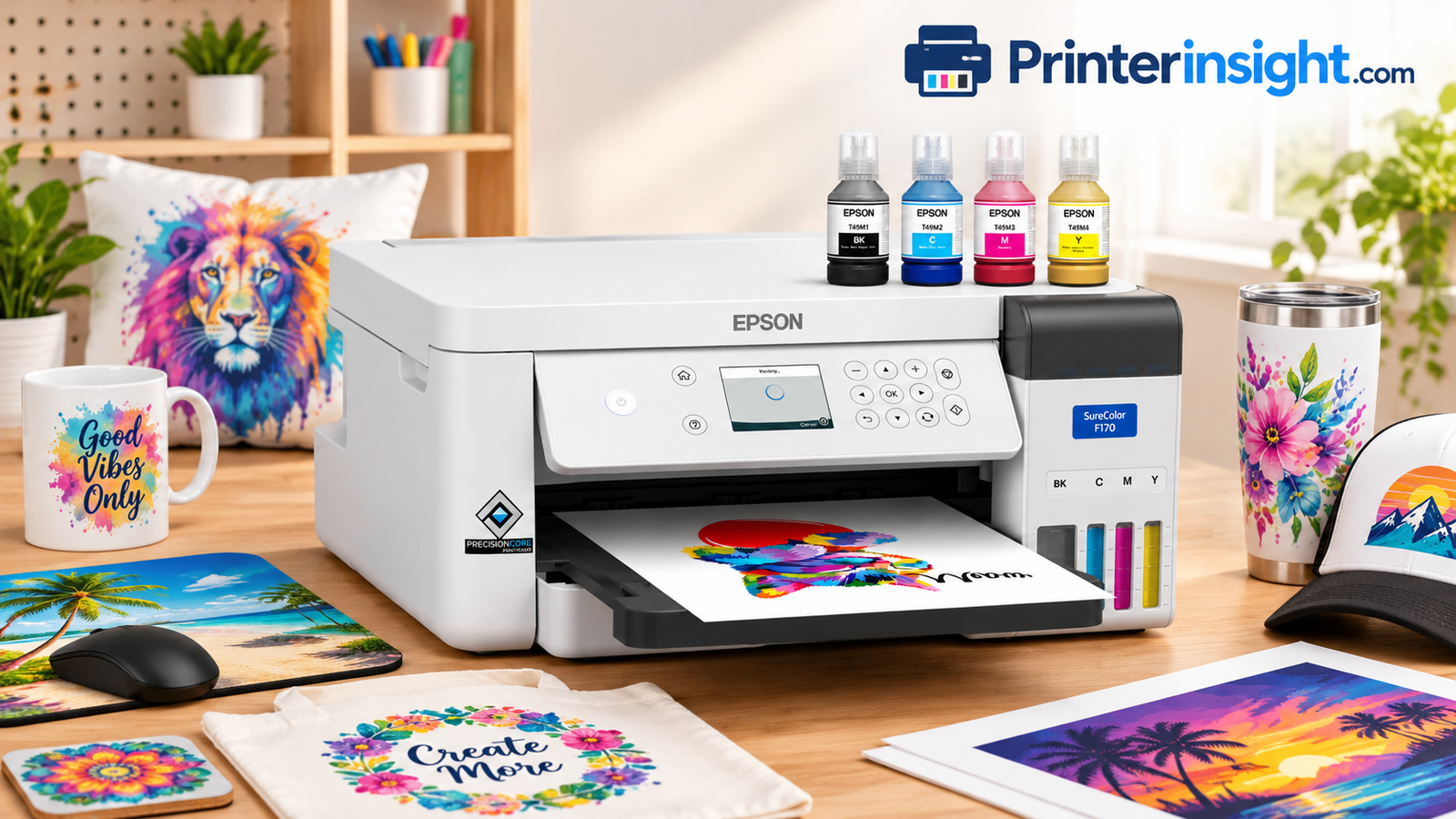
Sublimation is one of the most rewarding crafts you can turn into a business, and the printer you pick decides almost everything: color, durability, running cost, and how often you will swear at your desk. This guide walks through the machines that are genuinely worth considering, who each one suits, and how to avoid the expensive mistakes beginners make.

How Sublimation Printing Works
Sublimation printers use special dye inks that turn from solid to gas under heat and pressure, bonding into polyester fibers or polymer coatings. The result is a print you cannot feel on the surface and that will not crack or peel. That is why it dominates mugs, tumblers, mouse pads, and polyester apparel.
The catch is that the ink is not interchangeable with ordinary home ink. If you are still comparing the basics, our guide on inkjet vs laser printers and the explainer on whether ink tank printers are worth it give useful background before you commit.
Why the Printer Matters So Much
In sublimation the printer only makes the transfer; the heat press does the real work. Still, a transfer with muddy blacks, banding, or clogged nozzles cannot be rescued by perfect pressing. Consistent nozzle health, accurate color profiles, and steady ink flow are what separate a sellable product from a failed blank.
The Basic Workflow
You print a mirrored design onto sublimation paper, tape it to a polyester or coated blank, and press at roughly 380 to 400 degrees Fahrenheit for the time your blank requires. The dye turns to gas, enters the surface, and locks in as it cools. Mugs, tumblers, ornaments, coasters, license plates, and light-colored polyester shirts are the usual starting points.
The Light-Color Rule
Sublimation dye is transparent, so it cannot print white and shows best on white or very light blanks. Dark garments do not work. Plan your product line around that limit before buying anything.
Substrates That Work
Polyester fabric, polymer-coated mugs, aluminum panels, coated tiles, phone cases, and hardboard all accept dye-sub transfers. Cotton, nylon, and uncoated ceramic do not. Always buy blanks labeled for sublimation, because the coating is what holds the image.
Common Beginner Mistakes
Forgetting to mirror the image, pressing too long and scorching the paper, using regular inkjet paper, and printing on dark shirts are the usual culprits. Keep a small notebook of time, temperature, and pressure for every blank type; it will save you dozens of wasted pieces. If you also want a general-purpose machine for documents, our best all-in-one printer for home guide is a better fit than a dedicated sublimation unit.
Sublimation Compared With Other Methods
Heat transfer vinyl sits on top of the surface and can peel over time, while direct-to-garment printing works on cotton but costs far more to start. Sublimation gives a soft, permanent finish on polyester and hard goods, making it the most budget-friendly route for custom mugs and performance apparel.
Time, Temperature, and Pressure
These three variables decide whether a press succeeds. Too little heat leaves faded colors, too much causes ghosting or yellowing, and uneven pressure creates blank patches. Treat each new blank as an experiment until you have a reliable recipe.
Safety Basics
Use heat-resistant gloves, keep ink bottles away from children and pets, and ventilate your workspace. Fresh air matters most while pressing large batches.
Understanding Sublimation Ink
Dye-sub ink is water-based but carries special dyes that behave differently from the pigment or dye inks in a typical office printer. It is formulated to stay stable as a liquid in the printhead and convert to gas only at press temperatures. That chemistry is why you should never swap ink brands casually or top off tanks with a different formula.
Paper Matters Too
Sublimation paper has a coating that holds ink until pressing, then releases it cleanly. Low-quality paper can leave dye in the sheet, which shows up as dull transfers and wasted ink. Buy a trusted brand, store it flat, and keep it dry.
Who Sublimation Suits
It is a great fit for gift makers, school and team merchandise sellers, small apparel brands focused on light polyester, and anyone who enjoys a hands-on craft with room for creativity.
A Short Walk Through the Process
First you create or choose artwork and size it to the blank. Next you flip it horizontally, print it on sublimation paper, and let the ink settle. Then you secure the transfer with heat tape, protect the press with butcher paper, and apply heat and pressure for the recommended time. Finally you peel the paper while the item is still warm or after it cools, depending on the blank. Each stage is simple alone, but consistency across all of them is what gives you professional results.
Why Polyester Content Matters
Fabric with a high polyester percentage holds color vividly, while blends look faded because the dye only bonds to polyester fibers. As a rule, aim for 100 percent polyester or a blend with the highest polyester share you can find.
Expectations for Beginners
Expect a handful of ruined blanks in the first weeks. That is normal, and the lessons you learn about pressure, timing, and ink behavior are what make later orders smooth.
Color Behavior You Should Expect
Colors on screen use light, while sublimation relies on dye, so bright neon shades and some deep blues may shift in the press. Soft proofing and test swatches help you learn which colors translate well. Many sellers keep a printed swatch card for each blank so they can match customer expectations before taking an order.
Ghosting and How to Avoid It
Ghosting appears as a faint double image and usually comes from paper shifting while you open the press or while the item cools. Secure the transfer with heat tape, lift the press straight up, and avoid dragging the paper. These habits solve most ghosting complaints.
Working Within Limits
Sublimation will not cover dark fabrics, cotton, or items without a polymer coating. Knowing the limits keeps you from overpromising to customers and helps you build a product line that fits the process.

Starting out? See the most beginner-friendly option.
Check Epson SureColor F170 on AmazonWhat to Look For in a Sublimation Printer
Four things matter most: print size, ink system, color management, and cost per print. Wide-format machines handle big transfers but need more desk space. Refillable tanks keep ink costs low. Color profiles matter more than most buyers expect, because dye-sub colors look dull on paper and only come alive after pressing.
- Print width: 8.5 inch for mugs and small items, 13 to 24 inch for shirts and signage.
- Ink supply: Cartridges are tidy; tanks are cheap per print.
- Software: Good ICC profiles save hours of trial and error.
- Warranty: Important, since third-party ink can affect coverage.
Print Width and Workspace
Think about the largest product you expect to sell. A mug wrap needs under nine inches, but a youth shirt design needs more, and adult shirt transfers often need thirteen inches or wider. Measure your desk, because wide-format machines also need clearance for paper feeding and, in some cases, a rear paper path.
Ink System and Long-Term Cost
Cartridge systems are clean and predictable, while tank systems cost far less per milliliter. If you will print daily, tanks pay for themselves quickly. If you print occasionally, a managed cartridge system is less likely to clog and cheaper than wasting a half-filled tank of dried ink.
Color Management and Profiles
Dye-sub prints look washed out on paper, which surprises new users. A good ICC profile for your specific ink, paper, and blank corrects that. Purpose-built systems ship with profiles and tuned software, while converted printers rely on community or vendor profiles you must install yourself.
Support and Warranty
Ask who helps you when something breaks. Official sublimation printers come with support and parts. Converted printers can still run beautifully, but you are the support team.
Paper Handling and Reliability
Sublimation paper is heavier and slicker than office paper, and some printers feed it better than others. Look for models with a straight, dependable paper path and good user reports on feeding large sheets. Jams waste both paper and ink, so see how to fix a printer jam if you run into trouble.
Connectivity and Software
Wi-Fi is convenient for a shared workspace, but a wired USB connection tends to be steadier for large print jobs. If the printer drops off the network, this troubleshooting guide can help. Make sure the printer supports your operating system and the design software you already use.
Budget Planning
Set a ceiling for the printer, then reserve a second budget for the press and blanks. A common mistake is spending everything on the printer and having no money left for the equipment that turns transfers into products.
Resolution and Print Quality
Higher resolution is nice, but sublimation transfers are forgiving because the dye spreads slightly during pressing. Smooth tones and accurate color matter more than the largest dpi number on a spec sheet.
Speed and Duty Cycle
If you fill batches of twenty or more orders a week, print speed and ink capacity start to matter. Hobbyists printing a few designs a day can safely ignore speed and focus on reliability.
Noise and Footprint
If the printer will sit in a bedroom or a shared space, check the machine depth and the way paper exits. Some printers need a clear back panel to feed wide paper, which can surprise buyers with small desks.
Consumables Availability
Confirm that ink, maintenance tanks, and paper are easy to get. A great printer becomes frustrating when a key supply is out of stock for weeks.
Choosing Between New and Converted Machines
A purpose-built machine saves time and reduces risk. A conversion saves money but shifts responsibility to you. Decide honestly how much troubleshooting you enjoy, because the machine with the lowest price is not always the one with the lowest total cost once failed prints are counted.
Evaluating Reviews Carefully
Look for reviews from sellers who print regularly rather than one-time buyers. Pay attention to comments about nozzle clogs after a week or two of inactivity, support responsiveness, and consistency across batches. Those details predict long-term satisfaction better than first-day impressions.
Planning for Growth
If you expect to double your volume within a year, factor that in now. Moving from a small printer to a wide-format one is simple, but a model that is slightly larger than you need can postpone an upgrade.
Evaluating Ink Chemistry and Compatibility
Not every dye-sub ink works with every printhead. Manufacturer-recommended inks usually produce the most predictable color, while third-party inks can be cheaper but require more profile tweaking. If you experiment, change one thing at a time and record the result.
Understanding Maintenance Systems
Some printers include automatic cleaning cycles, ink circulation, or a maintenance tank for waste ink. Those features reduce hands-on work but can add ongoing costs. Check how much a replacement maintenance tank costs and how easily you can replace it.
Thinking About Resale and Upgrades
Established brands hold their value better and are easier to sell when you upgrade. Obscure models may be harder to resell, so factor that into your total cost of ownership.
Matching the Printer to Your Selling Channel
Craft fairs often favor quick turnarounds of small items, while online shops need consistency and batch efficiency. Choose the printer that supports the way you actually plan to sell.
Interpreting Specifications Wisely
Spec sheets love big numbers like maximum resolution and ink capacity, but sellers care about practical results. Pay attention to media handling, supported paper weights, color accuracy for the inks you plan to use, and how easy it is to clean the heads. Those details influence your daily experience far more than headline specs.
Understanding Waste Ink
Every inkjet sends some ink to a waste pad or maintenance tank during cleaning. Frequent cleaning increases waste and running cost. A printer that holds nozzle health well between uses saves money over time, even if its sticker price is higher.
Consider Your Own Time
Time spent fixing clogs, tuning profiles, and troubleshooting is a real cost. A machine that saves you an hour a week can be worth a higher purchase price, particularly once you value your hours at a sensible rate.
Safety and Workspace Setup
Keep ink bottles upright and clearly labeled, store them away from heat, and use a mat under the printer to catch spills. A small shelf for paper, tape, and cleaning tools keeps your station tidy and lowers the chance of accidents.
Need wide-format?
Check Epson SureColor F570 Pro on AmazonQuick Comparison
| Printer | Best For | Ink System | Skill Level |
|---|---|---|---|
| Epson SureColor F170 | Beginners, small shops | Cartridge-style dye-sub ink | Easy |
| Epson SureColor F570 Pro | Production, wide transfers | High-capacity dye-sub ink | Intermediate |
| Sawgrass SG500 | Compact ecosystem users | Cartridges, managed system | Easy |
| Sawgrass SG1000 | Wider prints, growing shops | Cartridges, managed system | Easy-Intermediate |
| Brother SP-1 | Compact craft setups | Dye-sub ink | Easy |
| Epson EcoTank ET-15000 | Budget wide-format DIY | Refillable tanks | Advanced |
| Epson EcoTank Photo ET-8550 | Hobbyists, photo crafters | Refillable tanks | Advanced |
| Pinckney Super-Tank | Ready-to-use tank option | Refillable tanks | Easy-Intermediate |
Specifications and availability change, so confirm details on the product page before buying.
How to Read the Table
Skill level here reflects setup effort and ongoing troubleshooting, not print quality. A well-tuned conversion can match purpose-built machines on color, but it requires patience when nozzles clog or profiles drift. If you want to start selling this month, favor the easy rows. If you enjoy tinkering and want the lowest ink cost, the advanced rows reward you.
Budget Versus Total Cost
Sticker price is only part of the picture. Add ink for your first few months, paper, a press, blanks, and replacement parts. A cheaper printer that needs frequent head cleaning can quietly cost more than a pricier machine that simply works.
Choosing by Product Type
Mugs and tumblers: any of the narrower machines will do. Shirts and large panels: favor the F570 Pro, SG1000, or ET-15000. Photo gifts and small crafts: the F170, SG500, or ET-8550 are sensible. Mixed catalogs: choose the width of your biggest product and work backward.
Choosing by Experience
New to dye-sub? Start with the managed systems. Comfortable with printer maintenance and community forums? The tank options give you the best savings. If you are unsure, remember that you can always add a second machine later when your orders justify it.
Cost Thinking Over Time
Managed cartridge systems cost more per print but reduce waste and support calls. Tank systems cost less per print but demand regular use. Wide-format machines are efficient for shirts, yet inefficient if you only press mugs.
A Realistic Starting Setup
Most beginners do well with a compact printer, a basic mug press or small flat press, a few packs of paper, and a handful of blanks to practice on. Spend a week testing before launching a shop.
What the Table Cannot Tell You
Real-world performance depends on ink, paper, profile, humidity, and press settings as much as on the printer. Two sellers can use the same model and get very different results. Treat the comparison as a starting point, then verify details such as maximum print size, ink availability, and software support on the current product pages.
Matching a Printer to Your Budget
Lower budgets favor tank-based options and the entry-level managed machines. Mid-range budgets open the Sawgrass models and the Brother. Higher budgets make sense when orders are already coming in and speed becomes the bottleneck.
Summary of Trade-Offs
No single machine wins every category. Managed systems win on ease, wide-format machines on throughput, and tank systems on ink cost. The best choice is the one whose weaknesses you can live with. If you are willing to accept a steeper learning curve for savings, the tank options are compelling. If your time is worth more than the ink savings, pay for convenience.
How We Approached the Picks
We weighed purpose, print size, ink approach, support, and suitability for different experience levels rather than chasing a single score. That keeps the recommendations useful across a wide range of sellers.
Using the Table to Shortlist
Start by crossing out printers that cannot handle your largest product. Next, cross out any that exceed your budget including accessories. From what remains, choose based on how much hands-on maintenance you are willing to do. Most buyers end with two finalists, and at that point reading recent buyer feedback and checking current availability will settle the choice.
Beyond the Table
Before you buy, confirm whether the printer ships with ink, what the return policy covers, and whether the seller provides profiles. Those practical details do not fit neatly in a table but often decide whether the purchase goes smoothly.

Want a managed ecosystem?
Check Sawgrass SG500 on AmazonEpson SureColor F170: The Easy Entry Point
The F170 is built for people who want to press, sell, and repeat without becoming ink chemists. It is purpose-made for dye-sublimation, so you are not fighting the machine to accept the right ink.
- Designed for sublimation from day one
- Simple setup
- Strong color from supplied profiles
- Narrow print width
- Ink costs more than DIY tanks
Who It Is Best For
The F170 suits hobbyists turning a craft into a side business, small gift shops, and anyone who wants a straightforward desktop machine for mugs, coasters, and small apparel transfers. It is also a sensible first printer if you are unsure how serious you are, because it limits the guesswork that sinks many beginners.
Performance and Color
Output is clean, with strong saturation once pressed and smooth gradients on photo-style artwork. Using the recommended paper and profile matters; off-brand paper can cause bleeding and uneven drying.
What to Watch
The narrow width means large shirt designs may need another machine later, and ink cost per print is higher than a tank system. If your plan is volume from day one, compare it against the wider options below.
Setup Tips
Install the manufacturer software, load the ink exactly as instructed, run the initial charge, and print a nozzle check before anything else. Use the recommended paper and keep it in a dry spot, since humidity makes transfers blotchy.
Real-World Use Cases
It works well for personalized mugs, ornaments, coasters, key chains, and small garment transfers. Sellers on handmade marketplaces often start here and add a second, larger printer once demand grows.
Verdict
An approachable, purpose-built option that removes much of the guesswork. Its main limit is width, so confirm it covers your biggest planned product before you order.
Strengths Worth Highlighting
- Purpose-built for dye-sub ink
- Friendly for first-time users
- Compact enough for a home desk
- Backed by a well-known maker
Things to Consider
- Cartridge ink costs more than tank refills
- Narrow width limits shirt design size
- Best used with recommended paper and profiles
Who Should Skip It
If you already know you will print large shirt transfers daily, go straight to a wider machine rather than outgrowing this one in a few months.
Tips for Better Results
Print at the highest quality setting for photos and at standard quality for simple graphics, since the faster mode saves ink without hurting flat designs. Keep your design files at the right size, because stretching low-resolution images leads to soft transfers. Let printed sheets dry for a few minutes before pressing to prevent smudges.
Pairing With the Right Press
A compact heat press or mug press matched to the printer keeps the setup balanced. Many beginners start with a small clamshell press and add specialty presses as they diversify products.
Bottom Line
A dependable, beginner-oriented option whose main limitation is size rather than quality.
Typical Products You Can Make
- Personalized mugs and coasters
- Photo ornaments and keepsakes
- Mouse pads and small panels
- Small polyester shirt designs
- Phone cases and key chains
Growth Path
Many sellers use this machine to validate demand, then add a larger printer for shirts and big orders while keeping the F170 for small jobs. Having two printers also provides a backup if one needs service.
Final Word
If you want a gentle introduction that does not hide the details behind complicated settings, this is a safe place to begin.
How It Compares Within This List
Compared with the Sawgrass SG500, the F170 is a similar beginner-friendly choice, with differences mostly in ecosystem and ink supply preferences. Compared with tank conversions, it costs more per print but demands far less hands-on care. Compared with the F570 Pro, it is the smaller, lighter-duty sibling.
Longevity Considerations
With regular use and basic maintenance, a purpose-built printer like this can serve for a long time. Keep the printer clean, use recommended supplies, and avoid leaving it idle for extended periods.
Epson SureColor F570 Pro: The Production Workhorse
With a 24 inch desktop footprint, the F570 Pro suits shops printing shirt transfers, banners, and large panels. It is the machine you grow into rather than out of, though it asks for more space and a bigger budget.
- Wide format for big jobs
- Built for steady production
- Professional color control
- Large and costly
- Overkill for mug-only sellers
Who It Is Best For
If you are printing for customers every week, selling shirts, wall panels, or large transfers, the F570 Pro is built for that rhythm. It is also appealing to small print shops that want a professional dye-sub workflow without a floor-standing machine.
Production Strengths
Wide output reduces seams and layout compromises, and the high-capacity ink supply means fewer interruptions mid-job. You can gang several designs on one sheet, which saves paper and time when filling bulk orders.
Practical Considerations
You need space, a wide-format heat press to match, and enough regular work to keep the printer from sitting idle. For a mug-only seller, that is far more machine than you need.
Setup and Space
Plan a stable table or stand with room around the printer for paper feeding and ink access. A matching wide-format heat press is almost a requirement, since printing at this size and pressing small defeats the purpose.
Color and Detail
Large prints show fine detail and smooth gradients, which matters for photographic wall art and full-garment designs. Spend time on profiles, because small color errors become obvious at scale.
Verdict
A strong choice for shops with steady orders. It costs more up front, but it gives you speed, size, and the confidence to take bigger jobs. For small teams, our small business printer guide covers other equipment to consider.
Strengths Worth Highlighting
- Wide-format output for large designs
- Built with continuous production in mind
- High-capacity ink for fewer swaps
- Professional-grade color control
Things to Consider
- Higher purchase price
- Needs space and a matching press
- Ink replenishment is a bigger investment
Who Should Skip It
Casual crafters and mug-only sellers will rarely use its capacity. A smaller printer will be cheaper to buy and easier to live with.
Tips for Better Results
Use the maker-recommended paper and profile, calibrate regularly, and test large prints on cheap blanks before running customer jobs. Handle oversized sheets carefully to avoid creases that show up as lines in the finished product.
Pairing With the Right Press
A large-format heat press ensures even pressure across wide transfers. Uneven pressure is the top cause of patchy results on big prints, so do not skimp here.
Bottom Line
A serious production printer for sellers who value size and steady throughput.
Typical Products You Can Make
- Full-size shirt transfers
- Large wall art and panels
- Banners and fabric displays
- Blankets and tote bags
- Multiple-product sheets for bulk orders
Growth Path
Shops often pair this with a secondary small printer for mugs and tumblers, using the larger machine only for apparel and big jobs. That split saves ink and keeps the wide-format printer fresh.
Final Word
If your order book is already busy and speed matters, this printer earns its place on the desk.
How It Compares Within This List
Compared with the SG1000, the F570 Pro suits shops that prefer the Epson ecosystem and want a professional workflow. Compared with the ET-15000 conversion, it costs more up front but offers official support and a clear path for service. Compared with smaller printers, it simply plays in a different league for throughput.
Longevity Considerations
Professional machines are designed to handle heavier duty cycles. Regular maintenance, careful handling of oversized paper, and keeping to the recommended ink extend service life.
Sawgrass SG500: Compact and Dependable
Sawgrass pairs hardware with its own inks and software, which removes much of the guesswork. The SG500 is the smaller of the two models here and fits comfortably on a craft table. Crafters who also print documents might like our roundup of the best printers for crafting.
- Reliable, guided color workflow
- Compact size
- Locked-in ink ecosystem
- Smaller print size
Who It Is Best For
The SG500 fits small spaces and new sellers who value a guided workflow. Because the printer, ink, and software are designed together, color results tend to be consistent from the first batch.
Everyday Use
Setup is mostly installing the software and loading ink. Print queues are simple, and the printer is designed to maintain its heads automatically, which cuts the cleaning chores that frustrate hobbyists.
Trade-Offs
You are committed to the maker ink ecosystem, and ink costs more than tanks. The print area also limits larger shirt designs, so check your intended products before ordering.
Setup Tips
Follow the installation order closely, register the software, and use the maker-approved paper. Because the system is managed, deviating from the recommended workflow is the most common cause of poor color.
Real-World Use Cases
Great for mugs, tumblers, ornaments, small apparel pieces, and personalized gifts. Many home sellers like the SG500 because it fits a spare-room studio without taking over the space.
Verdict
A reliable, low-drama option for people who value consistency over customization. You trade some ink savings for predictability.
Strengths Worth Highlighting
- Guided software and managed color
- Small footprint
- Consistent results for beginners
- Established in the sublimation community
Things to Consider
- Proprietary ink pricing
- Smaller maximum print size
- Less freedom to experiment with third-party ink
Who Should Skip It
If you want maximum savings or wide prints, look at the SG1000, a wide-format Epson, or a tank option.
Tips for Better Results
Stay within the recommended color workflow, keep paper stored flat, and always run a nozzle check after longer breaks. Small gains in consistency add up when you are repeating the same product dozens of times.
Pairing With the Right Press
A small to medium flat press and a mug press cover most products this printer can handle. Add a tumbler press if drinkware becomes a best seller.
Bottom Line
Easy, reliable, and well suited to a small studio, with the usual premium for managed ink.
Typical Products You Can Make
- Mugs and drinkware
- Ornaments and gifts
- Coasters and keepsakes
- Small shirt designs
- Photo panels
Growth Path
Because the workflow is shared across the maker lineup, stepping up to the SG1000 later is simple. You keep what you learned and simply gain space.
Final Word
A friendly entry into dye-sub that rewards you for following the process.
How It Compares Within This List
Compared with the F170, the SG500 offers a managed ecosystem that some sellers prefer for consistency. Compared with the SG1000, it is smaller and cheaper but limited in print size. Compared with tank printers, it is simpler but costs more per print.
Longevity Considerations
Follow the maker maintenance guidance, keep firmware and software updated, and avoid mixing inks. A well-cared-for managed printer can deliver steady performance for years.
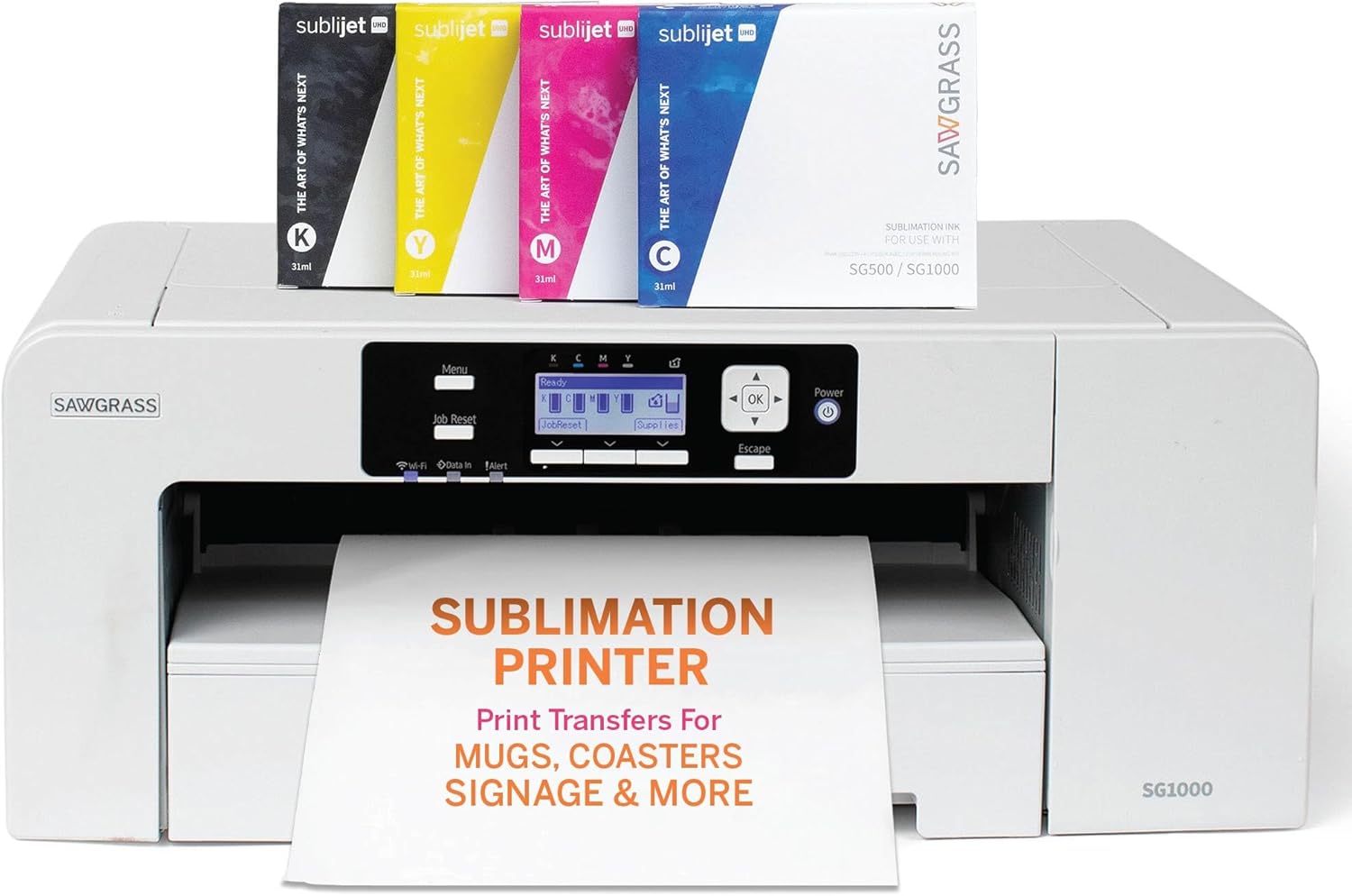
Sawgrass SG1000: Room to Grow
The SG1000 keeps the same easy workflow but supports wider prints, which opens up larger shirt designs and bigger transfers. It is a natural step up if the SG500 starts to feel cramped.
- Wider prints
- Same friendly software
- Higher price
- Needs more desk space
Who It Is Best For
The SG1000 is the natural upgrade for sellers who have outgrown a small machine. It handles larger designs while keeping the same software experience, so you do not have to relearn your workflow.
Why Wider Matters
Bigger prints open the door to adult shirt transfers, larger tote bags, and sets of coordinated designs on a single sheet. For a growing shop, those capabilities often justify the higher price within a few months of steady orders.
Trade-Offs
It occupies more desk space, and cartridge ink adds up if volume is very high. Pair it with a press that matches the size of your transfers.
Setup Tips
Give it a level surface, allow warm-up time, and print a test page before your first real job. Keep paper stored flat, because curling causes feed issues on wider sheets.
Real-World Use Cases
Ideal for adult shirt transfers, tote bags, blankets, large coasters, and multi-design sheets. If you take custom orders for teams or events, the extra width is a clear advantage.
Verdict
The sensible step up for a growing business that wants to keep a familiar workflow. Make sure your press size matches your print size so the extra width is actually usable.
Strengths Worth Highlighting
- Wider print area than the SG500
- Familiar, beginner-friendly workflow
- Good for growing shops
- Consistent color from managed ink
Things to Consider
- Higher upfront price
- Larger footprint
- Ink costs rise with volume
Who Should Skip It
Small-batch hobbyists may not use the extra width. Tank-based options may suit high-volume users better on ink cost.
Tips for Better Results
When printing larger sheets, make sure the paper path is clear and the paper is free from curl. Group designs sensibly on each sheet to reduce waste, and print test pieces whenever you switch to a new blank type.
Pairing With the Right Press
A medium to large flat press keeps up with the extra width, and a tumbler press is a handy addition once orders diversify.
Bottom Line
The sensible growth option for shops that have outgrown a compact printer.
Typical Products You Can Make
- Adult shirt transfers
- Tote bags and pillow covers
- Large coasters and panels
- Team and event apparel
- Multi-design production sheets
Growth Path
If order volume keeps climbing, consider whether a wide-format production printer or a tank system would lower costs. The SG1000 is a strong middle step.
Final Word
A confident pick for shops that want bigger prints without a steep learning curve.
How It Compares Within This List
Compared with the SG500, it offers more print area and capacity for growth. Compared with the F570 Pro, it may suit sellers who prefer the Sawgrass workflow and want a slightly more approachable machine. Compared with conversions, it trades savings for predictability.
Longevity Considerations
Look after the printhead, print regularly, and keep your workspace clean. Dust and humidity are quiet enemies of wide-format printers.
Brother SP-1: A Newer Compact Contender
Brother brings its reputation for dependable home hardware to sublimation. If you already like the brand, see our look at the best Brother printers for home and the Brother vs HP comparison.
- Compact, approachable design
- Trusted brand support
- Smaller ecosystem of community guides
Who It Is Best For
The SP-1 is aimed at crafters who want a compact, friendly machine from a brand they already trust. It makes sense on a small desk where a wide-format unit would not fit.
What to Consider
Because it is newer to the sublimation space than the Epson and Sawgrass ranges, there are fewer community tutorials and profile libraries. Check current software support and ink availability before ordering, and compare it with the two Sawgrass models if your products include larger transfers.
Everyday Reliability
Brother printers have a reputation for steady, low-fuss operation. Even so, any sublimation printer benefits from weekly use to keep the nozzles wet.
Setup Tips
Install the latest drivers and software, load the supplied ink carefully, and run any initial cleaning cycle. Test with a small design on an inexpensive blank before moving to customer orders. For connection help, see how to connect a printer to Wi-Fi.
Real-World Use Cases
Good for craft rooms, small Etsy-style shops, and gift makers who want a tidy machine that blends into a home workspace.
Verdict
A promising compact option, especially for Brother loyalists. Compare supply costs and community support against the Epson and Sawgrass choices before deciding.
Strengths Worth Highlighting
- Compact design for small spaces
- Trusted brand and general-purpose support network
- Straightforward setup
Things to Consider
- Smaller pool of sublimation-specific tutorials
- Check ink and accessory availability
- Compare size limits to your product list
Who Should Skip It
If you rely heavily on community profiles and troubleshooting threads, the Sawgrass and Epson families offer more shared knowledge.
Tips for Better Results
Run an initial test pattern, adjust profiles for your preferred paper, and keep a short log of settings. Because it is a newer entry, check manufacturer support pages regularly for software updates that improve color or compatibility.
Pairing With the Right Press
A small flat press and a mug press make a good match for its likely product range.
Bottom Line
A compact, brand-trusted alternative that suits small spaces and modest volumes.
Typical Products You Can Make
- Mugs and tumblers
- Ornaments and small gifts
- Coasters and keychains
- Photo keepsakes
Growth Path
If you find you need larger prints, pair it with a wider machine later. Until then, it can handle the small items that make up a big share of craft sales.
Final Word
A neat compact choice for crafters who value brand familiarity.
How It Compares Within This List
Compared with the F170 and SG500, the SP-1 has fewer sublimation-specific community resources but benefits from a familiar brand. Compared with conversions, it is simpler and safer. Compared with wide-format models, it is smaller and less capable for large transfers.
Longevity Considerations
Use the recommended ink and paper, update software, and follow storage guidance. Brother devices are often chosen for steady day-to-day operation, and good habits keep that reliability.

Epson EcoTank ET-15000 and ET-8550: The DIY Route
Many hobbyists convert EcoTank printers to sublimation by filling the tanks with dye-sub ink. It is cheap per print and a popular path, but it is not officially supported and can affect your warranty. Using the wrong ink in a printer that has run regular ink can also clog it, so start with clean tanks. Our Epson EcoTank review and EcoTank vs Smart Tank comparison cover the hardware itself.
The ET-15000 offers wide-format output, while the ET-8550 is a six-color photo printer favored by smaller-scale crafters.
The ET-15000 for Wide Formats
The ET-15000 prints wide pages at a low per-page ink cost, which attracts sellers who want large transfers without a large budget. It is a popular base for conversions among shirt and banner makers.
The ET-8550 for Small Crafts
The ET-8550 is a six-color photo printer that produces smooth tones for photo gifts, ornaments, and mugs. Its smaller footprint suits home studios.
Conversion Cautions
Use a brand-new, never-inked printer when possible. Flush tanks thoroughly if the printer has run other ink, buy dye-sub ink from a reputable supplier, install the right profile, and never mix inks. Expect a learning curve, and keep a cleaning routine. Converting may reduce warranty coverage, so decide whether the savings are worth that risk.
Costs of the Conversion Route
The printer price is low, but you also pay for dye-sub ink, possible profile software, and extra supplies for flushing and cleaning. Even so, per-print ink costs often end up far below managed cartridge systems. Compare approaches in our ink tank printer roundup.
Maintenance Routine
Print weekly, run head cleaning only when needed since it uses ink, and keep the printer powered down through its normal shutdown, not by unplugging. Do not leave it unused for weeks. If nozzles clog, see our head cleaning guide.
Verdict
The ET-15000 for wide work and the ET-8550 for small crafts are both capable bases for hobbyists who accept the tinkering. They are not the best choice if you want guaranteed support.
Strengths Worth Highlighting
- Very low ink cost per print
- Large refillable tanks
- Strong value for hobbyists
- Widely discussed in sublimation communities
Things to Consider
- Not an official sublimation setup
- Warranty may be affected
- Requires careful ink handling and cleaning
Who Should Skip Them
If you want guaranteed support or a plug-and-play experience, a purpose-built machine is the safer choice. For general home use, the best printers for photos at home may fit better than a conversion project.
Tips for Better Results
Print a nozzle check right after filling, save your best profile settings, and avoid shaking bottles aggressively. Keep a lint-free cloth and manufacturer-approved cleaning solution nearby. Working slowly in the first week prevents the avoidable clogs that frustrate many first-time converters.
Choosing Between the Two
The ET-15000 makes sense for shirts, larger transfers, and volume. The ET-8550 is better for photo gifts and compact work. If you are undecided, base your pick on the largest product you expect to sell in the next six months.
Bottom Line
Excellent value for patient hobbyists and a risky pick for anyone who needs guaranteed support.
Typical Products You Can Make
- Shirts and apparel transfers
- Mugs and drinkware
- Photo gifts
- Banners and larger panels
Questions to Settle Before Converting
Are you comfortable losing warranty coverage? Do you have a dedicated printer that has never held regular ink? Can you commit to weekly printing? If the answer to all three is yes, a conversion can be a rewarding project. If not, spend more upfront for peace of mind.
Final Word
Great economics, but best suited to people who treat the printer as a hobby project as well as a tool. If you are shopping for general ink tank printing too, see our full EcoTank review.
How They Compare Within This List
Against purpose-built machines, EcoTank conversions are cheaper to run but riskier to set up. Against the Pinckney Super-Tank, they require you to do the conversion yourself. Against managed systems, they demand more attention but offer more freedom.
Longevity Considerations
Because the printer is used outside its original design, long-term reliability depends heavily on your maintenance habits. Use clean tools, avoid mixing inks, and keep the printer active on a regular schedule. If you ever resell it, be honest about its history.


Pinckney Cartridge-Free Super-Tank Printer
This option arrives positioned for sublimation use, with refillable tanks and no cartridges to buy. It suits sellers who want low running costs without converting a printer themselves. Read the seller details and warranty terms carefully.
- Low ink cost
- No conversion work
- Less established support network
Who It Is Best For
This model suits sellers who want refillable tanks and a printer that is ready for sublimation ink without doing the conversion work. It can be a middle path between a managed system and a do-it-yourself project.
Questions to Ask Before Buying
Check what ink the seller recommends, whether profiles are included, what the return policy covers, and how support is handled. A low price loses its appeal if you cannot get help when a head clogs.
Everyday Use
Plan to test with small prints first. Match your paper, profile, and press settings, and keep notes on what works for each blank so results stay repeatable.
Strengths
Refillable tanks mean low ink cost and no cartridges to reorder. The setup is intended for sublimation, which removes the riskiest part of conversion: ensuring no regular ink ever touches the system.
Limitations
As a less established name, community profiles and tutorials are thinner, so you may rely more on the seller for help. Read recent buyer feedback and confirm what is included in the box.
Verdict
Worth a look for budget-minded sellers who want a ready-to-print tank system. Treat it as a smart value option, but verify support and return terms first.
Strengths Worth Highlighting
- Cartridge-free tanks
- Low running cost
- Ready for sublimation without conversion
Things to Consider
- Support depends on the seller
- Fewer community resources
- Check warranty and return terms
Who Should Skip It
Buyers who need rapid replacement parts or a large user community may prefer one of the established brands.
Tips for Better Results
Start with a short test run, document the profile you use, and keep the printer in regular use. As with any tank printer, leaving ink sitting unused for long periods invites clogging.
Pairing With the Right Press
A mid-size flat press and a mug press are enough to start. Add other presses as you expand.
Bottom Line
A value-oriented option worth considering after you verify support and return terms.
Typical Products You Can Make
- Mugs and drinkware
- Small shirt transfers
- Photo gifts
- Craft-fair items
Questions to Ask the Seller
Ask which ink they recommend, whether a profile is included, how returns work, and what support looks like after the sale. Clear answers are a good sign.
Final Word
A promising value pick for confident beginners who read the details first.
How It Compares Within This List
Compared with EcoTank conversions, it removes the conversion step. Compared with the F170 or SG500, it likely costs less to run but has less established support. Compared with wide-format printers, it targets small and mid-size jobs.
Longevity Considerations
Keep a record of purchase details and warranty terms, run it regularly, and follow cleaning routines. Good documentation helps if you need to contact the seller for service.

Running Costs and Maintenance
Sublimation ink dries out faster than people expect, so print something at least weekly. Our guides on preventing inkjet drying, cleaning printer heads, and home printer maintenance apply directly here. Weigh ink costs against upfront price: a cheap printer with pricey ink can cost more within months.
Budget also for sublimation paper, a heat press, blanks, heat-resistant tape, and butcher paper. Many first-time buyers forget these.
Preventing Clogs
Print a nozzle check and a small color block at least once a week, store the printer away from drafts, and keep the lid closed when not in use. Dye-sub ink contains particles that settle, so gentle shaking of bottles before refills is a good habit with tank systems. For more, see how to store printer cartridges.
Cost Per Print
Estimate ink cost by printing a known design and tracking how much ink is used. Tank systems often come out dramatically cheaper than cartridges, but only when you print enough to use the ink before it ages.
Other Costs to Plan For
Heat press, teflon sheets, butcher paper, heat tape, lint rollers, and blanks add up. A realistic starter budget includes all of them, plus extra paper for testing. Our ink versus toner cost breakdown shows how to think about long-term expenses.
Shutdown and Storage
If you will not print for a while, follow the manufacturer guidance for storage, keep ink caps tight, and store bottles upright in a cool, dark place. Heat and sunlight age dye-sub ink faster than most buyers expect.
Troubleshooting Quality Problems
Banding often points to clogged nozzles, ghosting can come from too much pressure or shifting paper, and dull colors usually trace back to the wrong profile or paper. Change one variable at a time and keep notes. If pages come out empty, see why a printer prints blank pages.
Replacing Parts
Waste ink pads, heads, and rollers eventually wear out. Know how your chosen printer handles service before you need it, since replacement can influence long-term ownership cost.
Weekly Maintenance Checklist
- Print a nozzle check pattern
- Run a small color test on scrap paper
- Wipe the area around the paper feed
- Check ink levels and tank caps
- Store paper flat and dry
Monthly Checks
Look at maintenance tank levels, inspect rollers for wear, and update drivers or profiles when the maker releases new versions. Keep a spare set of cleaning supplies on hand so a clog never stops a rush order.
Improving Profit Per Print
Buy blanks in bulk, gang several designs on one sheet, and keep failed prints to a minimum by testing before every new product. Over time, these habits lower your cost per item more than switching ink brands ever will. For additional care ideas, read our home printer maintenance tips.
Environment Matters
Keep your workspace between roughly moderate temperatures and avoid high humidity. Paper absorbs moisture, which can lead to smearing and uneven transfers. A small dehumidifier or sealed storage bin for paper can make a visible difference.
Track Your Numbers
Log ink usage, failed prints, and blanks used per week. After a month you will know your real cost per product, which helps you price items sensibly and decide whether a tank system would save money.
When to Call for Help
If nozzles remain blocked after multiple cleaning cycles, stop running cleanings and contact support. Repeated cleaning wastes ink and may push the maintenance tank toward full.
Building a Simple Routine
Pick a weekly print day and treat it like an appointment. Print a test, run a small job, and check the output. A routine prevents most clogs and gives you a steady stream of practice pieces to sell or give away.
Budgeting for Supplies
Plan a monthly supply budget for paper, tape, blanks, and ink. Unexpected shortages are the most common reason new sellers miss deadlines.
Thinking About Resale Value
Keep boxes, manuals, and receipts. A well-kept printer with service records sells faster when you upgrade.
Learning From Others
Join sublimation communities, but test every tip on scrap before trusting it. Advice that works for one printer or ink may not work for yours.
Handling Seasonal Demand
Orders often spike around holidays, school events, and gift seasons. Prepare ahead by stocking ink, paper, and blanks, and by running test prints well before the rush. A printer that struggles during peak demand costs far more in missed sales than a few extra supplies cost in advance.
Keeping Records
Maintain a simple spreadsheet listing press settings for every blank, the profile used, and notes on quality. When a customer reorders months later, you can repeat the product without starting from scratch.
Recycling and Disposal
Dispose of used ink containers, waste pads, and old blanks responsibly. Check local guidance, since some materials cannot go in regular trash.
Which One Should You Buy?
- Absolute beginner: Epson SureColor F170 or Sawgrass SG500.
- Growing business: Sawgrass SG1000 or Epson F570 Pro.
- Tight budget, comfortable tinkering: an EcoTank conversion.
- Want tanks without converting: Pinckney Super-Tank.
If You Want the Safest Start
Choose a purpose-built Epson or Sawgrass model. You pay more for ink, but you get predictable color and support, which saves hours in the first months.
If You Want Maximum Savings
An EcoTank conversion or the Pinckney Super-Tank cuts ink costs substantially. Accept that you will spend time on cleaning and profile tuning, and that warranty coverage may be affected.
If You Plan to Scale
Lean toward the F570 Pro or SG1000. Wider prints and steadier production earn their cost once you have regular orders.
A Simple Decision Path
Decide your largest product, set a total budget including accessories, then choose between managed and tank ink. That three-step filter narrows the options to one or two machines quickly.
Our Top Picks at a Glance
- Best for beginners: Epson SureColor F170
- Best for production: Epson SureColor F570 Pro
- Best managed ecosystem: Sawgrass SG500 and SG1000
- Best compact alternative: Brother SP-1
- Best for savings: Epson EcoTank ET-15000 or ET-8550 conversions, or the Pinckney Super-Tank
Before You Order
Confirm current availability, ink pricing, software compatibility, and warranty terms on the product pages. Prices and models change often, and a quick check can prevent an expensive surprise.
Final Thought
Pick a machine that matches your first three products, not your dream catalog. You can scale later, and early wins build the confidence to grow.
Common Buying Scenarios
Weekend hobbyist: A compact managed printer keeps things simple. Side-hustle seller: Consider a wide-format or tank-based option once you have steady orders. School or club fundraiser: A reliable machine with support beats the cheapest option, because the project only works if it prints every time.
Red Flags to Avoid
Be careful with listings that hide the ink type, omit warranty information, or promise unrealistic savings. Read recent buyer feedback and look for patterns about clogs, support, and color accuracy.
Next Steps
Write down your three first products, pick a printer that fits them, and order a small supply of blanks and paper. Run test prints, document your settings, and only then open your shop.
Questions to Ask Yourself
- What is the largest product I plan to sell?
- How many items will I make in a typical week?
- Am I comfortable troubleshooting my own printer?
- Do I have the budget for a press and supplies?
- How important is manufacturer support to me?
Putting It Together
Your answers point toward one of three paths: a managed system for ease, a wide-format printer for production, or a tank-based setup for savings. Pick the path that matches your temperament as much as your budget.
Three Sample Starter Plans
Home hobbyist: Compact printer, small flat press, mug press, practice blanks. Etsy-style seller: Managed printer, medium flat press, tumbler press, bulk blanks. Growing shop: Wide-format printer, large press, backup small printer, organized storage for blanks.
Setting Your Prices
Add up the cost of the blank, ink, paper, tape, and your time, then add a margin that respects your effort. Many beginners underprice because they ignore time and failed prints.
Closing Thought
The best sublimation printer is the one that gets you printing regularly with confidence. Choose with your products in mind, and the rest will follow.
Final Buying Checklist
- Confirm the maximum print size matches your largest product
- Check ink type, price, and availability
- Verify software and operating system support
- Read warranty and return terms
- Budget for a heat press, paper, tape, and blanks
- Plan a weekly print routine
- Order a small stock of practice blanks
What Success Looks Like
A good setup produces consistent transfers, predictable costs, and a workflow you enjoy. If you reach that point within the first couple of months, you chose well.
One More Piece of Advice
Do not chase the perfect printer. Choose a solid option, learn it thoroughly, and let your product quality, customer service, and design skills set you apart.
Frequently Asked Questions
Can any printer do sublimation?
Only printers with piezo heat-free printheads, mostly Epson and Brother designs, are suitable. Heat-based heads can be damaged by sublimation ink.
Do I need a special printer?
Not strictly, but purpose-built models are easier and safer for your warranty.
What size should I choose?
Mugs and small items work on narrow machines; shirts need 13 inch or wider.
Can I switch back to regular ink?
Rarely. Treat a sublimation printer as dedicated.
What else do I need?
A heat press, sublimation paper, blanks coated for sublimation, and heat tape.
Does sublimation work on cotton?
No. It needs polyester or polymer-coated surfaces.
How often should I print?
Weekly keeps nozzles healthy.
Is it profitable?
It can be, with low-cost blanks and good designs, but margins depend on volume and pricing.
Will it work with Mac?
Most do. Check driver support, and see our Mac printer guide.
Can I connect it wirelessly?
Most models support Wi-Fi; see how to connect a printer to Wi-Fi.
Can I use a laser printer for sublimation?
Standard laser printers do not work with dye-sub ink. Sublimation needs a compatible inkjet. For the differences, see inkjet vs laser.
How long do sublimated products last?
The dye becomes part of the surface, so prints resist fading and peeling well, though durability depends on the blank and care instructions.
Conclusion
The best sublimation printer is the one that matches your volume and patience. Buy purpose-built for peace of mind, or convert a tank printer to save money if you are happy to troubleshoot. Whatever you choose, keep it printing regularly and match your ICC profiles to your blanks.
Whichever path you take, start small, test often, and write down your press settings. Sublimation rewards consistency, and the right printer simply makes consistency easier to achieve.
Remember that a printer is only one piece of the system. The heat press, blanks, paper, and your own testing habits all shape the result. Start with a realistic plan, treat your first few weeks as practice, and you will be selling polished products far sooner than you expect. Browse the related guides below for more help choosing and maintaining your equipment.
Sublimation can feel technical at first, but it rewards steady habits more than expensive equipment. Choose the printer that matches your products, respect the maintenance routine, and keep your notes organized. The right machine will quickly pay you back in quality, confidence, and time saved.
If you are still undecided, begin with the model that best fits your first product and leave room to expand. Every successful sublimation business started with a few test prints and a lot of learning. Use the buying tips above, keep your expectations realistic, and enjoy the process of turning blank items into something people want to own.
Whichever model you pick, set aside time for testing and keep learning from every batch. Over weeks, you will build a reliable recipe for each blank, and the printer will fade into the background while your products take center stage.
Sublimation printing is one of the most accessible ways to turn creativity into products, and the right printer makes that journey far smoother. Use this guide to match a machine to your products, budget, and patience, then commit to a routine of testing and maintenance. Do that, and you will be producing vivid, durable pieces you can be proud of.