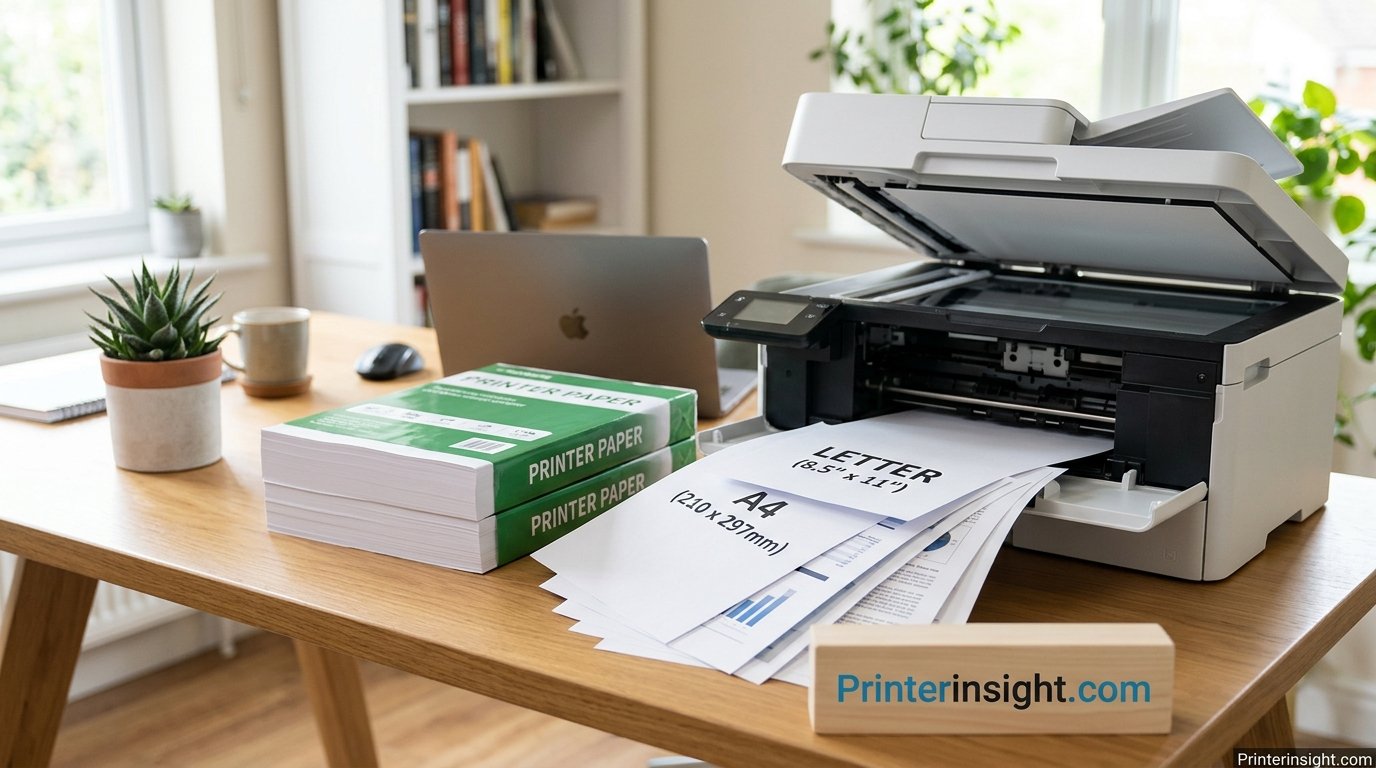
What Is the Size of Printer Paper? Every Standard Size Explained
Short answer: it depends on where you live. Most of North America prints on Letter (8.5 × 11 inches), while nearly everywhere else uses A4 (210 × 297 mm). Here is the full picture, from the sheet in your tray to the oversized formats your printer probably cannot touch.
- Letter and A4 compared
- Legal, Tabloid and A3
- Weight and thickness
- Fixing scaling problems
What is the standard size of printer paper?
The standard printer paper size in the United States, Canada and parts of Latin America is Letter: 8.5 × 11 inches (215.9 × 279.4 mm). Most other countries use A4: 8.27 × 11.69 inches (210 × 297 mm). Almost every home inkjet and laser printer is built around one of these two sheets.
Anyone who has ever bought a ream of paper, loaded a tray, or opened a print dialog has run into the same quiet question: what size is this sheet supposed to be? It sounds like a trivial detail until a document prints with its bottom line chopped off, a school assignment arrives from overseas with strange proportions, or a photo comes out with unexpected white bars along the edges. Paper size is one of those everyday standards that stays invisible right up until it breaks something.
This guide walks through the sizes you will actually meet, why they exist, and how to pick the right one for your printer and your project. We start with the two heavyweights, Letter and A4, then work outward to Legal, Tabloid, the A-series ladder, envelopes, photo paper and the weight ratings printed on every ream. Along the way you will find practical advice about scaling, margins and buying, plus links to deeper guides on this site when a topic deserves more room.
What Is the Standard Size of Printer Paper?
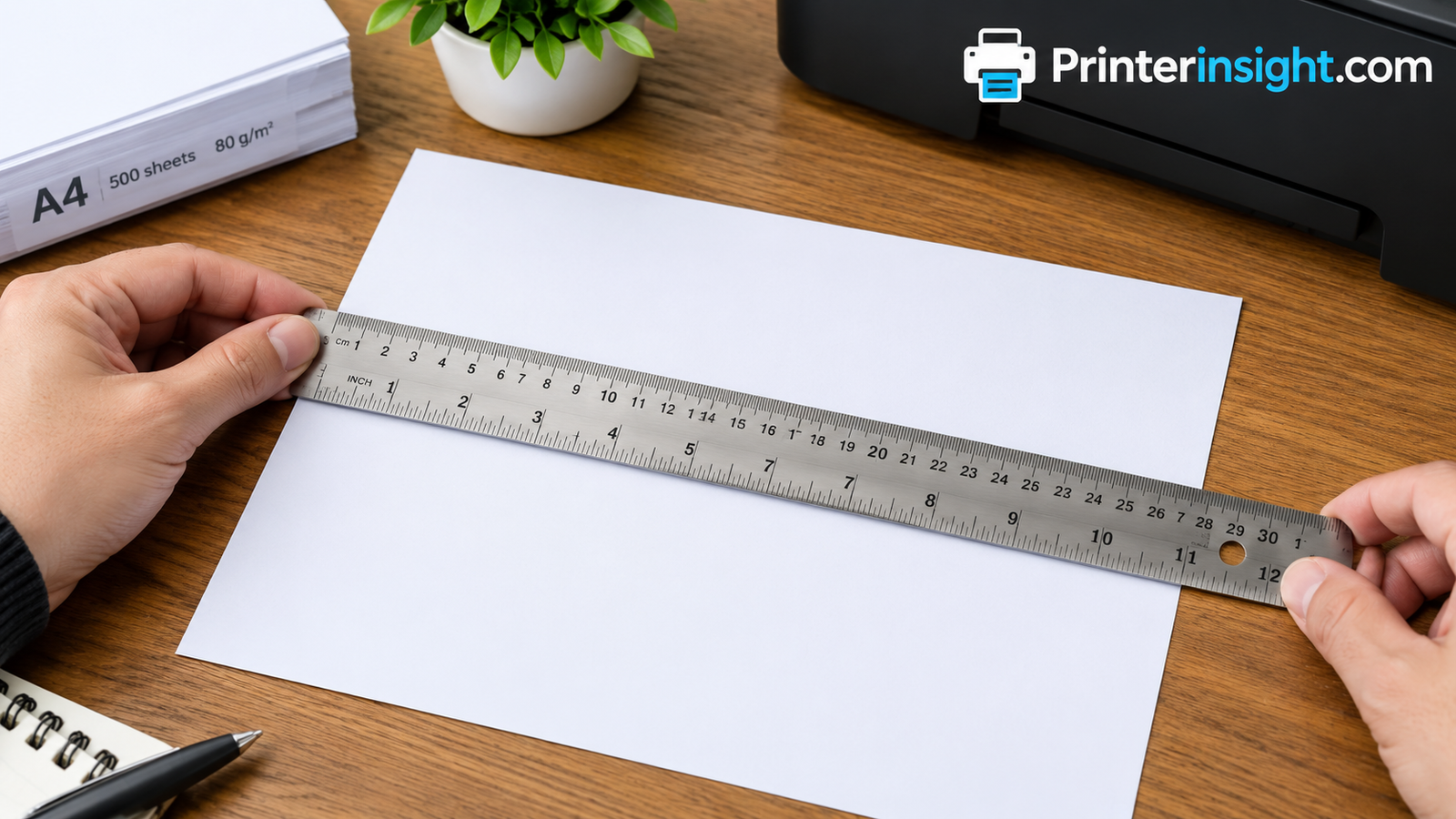
There is no single worldwide answer, and that is the honest starting point. Two families of sizes dominate office and home printing, and they are close enough to look identical on a shelf while being different enough to cause trouble once you print.
| Feature | US Letter | A4 |
|---|---|---|
| Inches | 8.5 × 11 | 8.27 × 11.69 |
| Millimetres | 215.9 × 279.4 | 210 × 297 |
| Shape | Slightly wider and shorter | Slightly narrower and taller |
| Main regions | United States, Canada, Mexico, parts of Central and South America, the Philippines | Europe, Asia, Africa, Oceania, most of South America |
| Governing standard | ANSI/ASME | ISO 216 |
| Default in printer software | Usually, if the device was sold in North America | Usually, if the device was sold elsewhere |
The difference looks small on paper, and in numbers it is. A4 is about 6 mm narrower than Letter but roughly 18 mm taller. Put one sheet on top of the other, align the top-left corners, and you can see the mismatch immediately. The diagram below draws both to scale, with Legal thrown in as a dashed outline so you can see how far it stretches.
If you only remember one thing, remember this: your printer, your software and your paper all need to agree on the same size. When they do, everything prints cleanly. When they do not, you get scaling, cropping or a printer that stops and asks for a different tray.
Need a fresh ream in the right size? Compare highly rated everyday printer paper.
Shop printer paper on AmazonUS Letter: The 8.5 × 11 Inch Standard
Letter is the default sheet for homes, schools and offices across the United States and Canada. It measures 8.5 inches wide and 11 inches tall, which converts to 215.9 by 279.4 millimetres. Manufacturers in North America cut, package and label paper around this format, and printers sold there arrive with Letter preselected in the driver.
Where Letter is used
Beyond the United States and Canada, Letter is also the everyday size in Mexico and in several Central and South American countries, as well as the Philippines. In practice, if a country has strong commercial ties to the American paper industry, there is a good chance its offices and schools lean toward Letter. Most other places follow the international A-series.
What Letter is good at
Letter fits an enormous amount of the North American paper ecosystem. Three-ring binders, folders, notebooks, filing cabinets, picture frames and document sleeves are all designed around it. Business forms, tax paperwork, résumés, school worksheets and medical documents are typically formatted for it. Even printers aimed at students assume you will spend most of your time feeding Letter sheets, because that is what teachers request.
The proportions matter too. Letter has an aspect ratio of about 1.29, a little squarer than A4. Text documents with standard one-inch margins give you a comfortable 6.5-inch line of text, which is close to the ideal length for readable body copy at a normal font size.
Strengths of Letter
- Universal in North America, so supplies are easy to find
- Matches folders, binders and frames sold locally
- Wider page suits tables and side-by-side layouts
- Default in software sold in the region
Drawbacks of Letter
- Rare outside the Americas, which complicates international work
- Shorter page than A4, so long documents run a little longer
- Does not fold neatly into a family of related sizes
- Requires scaling when you send files overseas
Letter’s relatives
Letter belongs to a smaller family known as the ANSI sizes. Half a sheet of Letter turned sideways gives you Statement, sometimes called Half Letter, at 5.5 by 8.5 inches. Double Letter and you land on Tabloid, also known as Ledger, at 11 by 17 inches. We cover that ladder in more detail in the section on North American sizes.
If you are shopping for a machine and want to be sure it handles Letter comfortably, our roundup of the best home printers worth buying is a sensible place to start. Every model there accepts standard Letter and most also take smaller photo sizes.
Stocking up on Letter? These 8.5 × 11 reams are popular for home and office use.
See Letter-size paper on AmazonA4: The Standard Almost Everywhere Else
A4 measures 210 by 297 millimetres, or roughly 8.27 by 11.69 inches. It is the default in the United Kingdom, all of continental Europe, most of Asia, Africa and Oceania, and a large part of South America. If you buy a printer in one of those regions, A4 is what the tray, the driver and the manual all assume.
Why A4 works so well
A4 is not a random choice. It belongs to the ISO 216 A-series, a system built around a single clever proportion. Every sheet in the series has sides in the ratio of one to the square root of two, about 1.414. That ratio has a useful property: cut a sheet in half across its longer side, and the two halves keep exactly the same proportions as the original. A4 cut in half becomes A5. A5 cut in half becomes A6. Fold A4 once and you have an A5 booklet page. Enlarge an A4 flyer to A3 and nothing gets stretched or squashed.
That behaviour is why copiers and printers in A4 countries offer neat scaling options such as 141 percent and 71 percent. Those numbers are simply the square root of two and its reciprocal, and they move a document up or down one size in the series with no distortion at all.
What A4 is good at
The taller, narrower A4 page suits long-form text, letters and reports. It is also the base size for a huge range of related products, from envelopes that fit a folded sheet to clip frames and display folders. Businesses that work internationally often standardise on A4 for exactly this reason: a sheet from one country slots straight into another’s filing system.
A quick sense of scale
A4 is a touch taller and slimmer than Letter. If you hold the two sheets together, the A4 page overhangs the top by nearly three quarters of an inch while the Letter page pokes out slightly on the right. That gap is exactly what causes trouble when documents cross borders.
Can you use A4 in a Letter country?
You can, and plenty of people do, but availability and convenience vary. A4 paper is stocked by larger office supply retailers in North America, and most current home printers accept it because the tray adjusts to a range of widths. The catch is that folders, binders and sleeves will not fit it perfectly. If most of your printing stays on your desk, an occasional A4 ream is fine. If you file or bind your pages, stick with Letter.
Working with international documents? Browse A4 reams for everyday printing.
Shop A4 paper on AmazonWhy the World Uses Two Different Paper Systems
It is fair to wonder why a planet that agrees on so many technical standards still splits its paper in two. The short version is that the two systems grew from different traditions and never merged.
The older, craft-based tradition
North American paper sizes descend from historic hand-papermaking practice. Mills made sheets in whatever dimensions their moulds and deckles allowed, and trades later settled on familiar formats such as the sheet that eventually became Letter. There is no mathematical rule behind it. The proportions were shaped by how large a sheet one person could comfortably lift from a vat, and by the equipment printers already owned. Over time those habits hardened into standards, and the standards were later formalised by American national bodies.
The logic-first approach
The metric system of paper took a different route. A German scientist noticed in the late eighteenth century that a rectangle with a side ratio of one to the square root of two could be halved endlessly without changing shape. The idea sat mostly as a curiosity until the early twentieth century, when German industry adopted it as a national standard for drawings and documents. It spread through Europe, and then internationally through the ISO, which published the A, B and C series as a global reference.
The founding rule is simple. A0 is defined as a sheet with an area of exactly one square metre, and every other size in the series is created by halving. So A1 is half a square metre, A2 a quarter, and so on down to A4, which is one sixteenth of a square metre. That relationship is more than trivia. It means paper weight in grams per square metre translates directly into how heavy a stack is: an A4 sheet at 80 gsm weighs almost exactly 5 grams.
| Question | North American sizes | ISO sizes |
|---|---|---|
| Origin | Traditional mill and printing practice | Mathematical rule based on a square-root-of-two ratio |
| Halving a sheet | Changes the proportions | Keeps the proportions identical |
| Scaling between sizes | Requires custom percentages | Uses fixed steps of about 141 and 71 percent |
| Unit of measure | Inches | Millimetres |
| Weight rating | Pounds per ream (bond, text, cover and others) | Grams per square metre |
Why the split never closed
Changing a paper standard is expensive. Every filing cabinet, envelope, binder, photocopier and form in a country is built around the size it already uses. Countries that adopted metric measurements largely switched to A4 along the way, while countries that kept the inch stayed with Letter. The two camps now trade files constantly, so most software offers both sizes and lets you switch with a single dropdown.
If your work sits between the two systems, that is the reason a printout of a perfectly good file can suddenly lose its footer. The document was laid out for one sheet and printed on the other. We return to this problem, with practical fixes, in the section on printing between Letter and A4.
Keep both sizes on hand if you print across borders. Browse mixed paper packs.
Browse multipurpose paper on AmazonThe Complete A-Series, B-Series and Envelope Size Chart
If you print anything beyond plain letters, you will meet the wider ISO ladder sooner or later. Here is the full A-series, the size most relevant to home and office printing, listed from the giant A0 down to A7.
| Size | Millimetres | Inches | Typical use |
|---|---|---|---|
| A0 | 841 × 1189 | 33.1 × 46.8 | Technical drawings, large posters |
| A1 | 594 × 841 | 23.4 × 33.1 | Flip charts, architectural plans |
| A2 | 420 × 594 | 16.5 × 23.4 | Posters, diagrams |
| A3 | 297 × 420 | 11.7 × 16.5 | Charts, small posters, design proofs |
| A4 | 210 × 297 | 8.27 × 11.69 | Standard letters, reports, everyday printing |
| A5 | 148 × 210 | 5.83 × 8.27 | Notebooks, flyers, booklets |
| A6 | 105 × 148 | 4.13 × 5.83 | Postcards, small notepads |
| A7 | 74 × 105 | 2.91 × 4.13 | Labels, tickets, small cards |
The B-series
The B-series sits between the A sizes. B sheets are designed so that their dimensions are the geometric mean of two neighbouring A sizes, which is why B4 is a little larger than A4 but smaller than A3. You are less likely to print on B paper at home, but it is common in books, posters and some regional school notebooks.
| Size | Millimetres | Inches |
|---|---|---|
| B3 | 353 × 500 | 13.9 × 19.7 |
| B4 | 250 × 353 | 9.84 × 13.9 |
| B5 | 176 × 250 | 6.93 × 9.84 |
| B6 | 125 × 176 | 4.92 × 6.93 |
Note that Japan uses its own B-series, known as JIS B, which is slightly larger than the ISO version. If a printer lists both, make sure you pick the one that matches the stock you bought.
The C-series and DL envelopes
Envelopes follow the C-series so that an A-size sheet slides inside with a little room to spare. A C5 envelope holds a flat A5 sheet or an A4 sheet folded once. A C4 envelope holds an unfolded A4 page. DL, which is 110 by 220 millimetres, is the long envelope that takes an A4 letter folded in three. If you send a lot of mail, our guide to the best printer for envelopes explains which machines feed these narrow formats reliably.
| Envelope | Millimetres | Fits |
|---|---|---|
| C4 | 229 × 324 | Flat A4 |
| C5 | 162 × 229 | A4 folded once, or flat A5 |
| C6 | 114 × 162 | A4 folded twice, or flat A6 |
| DL | 110 × 220 | A4 folded in three |
| No. 10 (US) | 105 × 241 (4.125 × 9.5 in) | Letter folded in three |
Planning to print mailers or invitations? Compare envelopes in popular sizes.
Find envelopes on AmazonNorth American Paper Sizes Beyond Letter
Letter is only the beginning of the North American lineup. A handful of other sizes turn up regularly in offices, legal firms and design studios, and knowing them saves guesswork when a printer’s tray menu lists options you have never used.
| Name | Inches | Millimetres | Where it is used |
|---|---|---|---|
| Letter | 8.5 × 11 | 215.9 × 279.4 | Everyday documents, school work, business letters |
| Legal | 8.5 × 14 | 215.9 × 355.6 | Contracts, court filings, long spreadsheets |
| Tabloid / Ledger | 11 × 17 | 279.4 × 431.8 | Newsletters, accounting ledgers, small posters |
| Statement / Half Letter | 5.5 × 8.5 | 139.7 × 215.9 | Invoices, booklets, small planners |
| Executive | 7.25 × 10.5 | 184.2 × 266.7 | Stationery, executive memos |
| Junior Legal | 5 × 8 | 127 × 203.2 | Notepads, legal pads |
| Super B | 13 × 19 | 330.2 × 482.6 | Photo prints, large posters, art proofs |
Legal paper
Legal is the same width as Letter but three inches longer. It was historically favoured for contracts and court documents because the extra length keeps a long clause together on one page. Many home printers can take it, but only if the paper tray extends or you feed it through a rear slot. Check the specifications before you buy a ream.
Tabloid and Ledger
Tabloid and Ledger are two names for the same sheet, used in different contexts. Tabloid describes it in portrait orientation, while Ledger describes it in landscape. It is exactly the size of two Letter sheets side by side, which makes it convenient for newsletters folded into Letter-sized pages. It is also the closest North American match to A3.
The ANSI ladder
Formal American drafting sizes go by letters too, and the first rung is easy to remember. ANSI A is simply Letter. ANSI B is Tabloid. ANSI C measures 17 by 22 inches, ANSI D is 22 by 34, and ANSI E is 34 by 44. Home printers stop at B, and office models rarely go beyond it, so anything larger is a job for a print shop or a wide-format machine.
Tabloid versus A3
Tabloid at 11 by 17 inches and A3 at 11.7 by 16.5 inches look similar but are not the same. A printer that advertises “A3” may or may not accept Tabloid without scaling, and the reverse is also true. Always confirm which the tray truly supports.
If your work mixes several formats, a machine with a rear feed or a generous multi-purpose slot pays for itself quickly. Our review of the best printer for small business highlights the models that handle variety without constant tray swapping.
Need Legal or Tabloid stock for contracts and larger layouts?
Shop Legal and Tabloid paper on AmazonPaper Size Is Only Half the Story: Weight and Thickness
Once you know the size, the next number on the ream label is weight. It tells you how thick and sturdy each sheet feels, and it decides whether a paper suits a daily document run or a certificate you want to frame. Weight is measured in two ways, and they are confusingly unrelated at first glance.
Grams per square metre
Most of the world uses gsm, or grams per square metre. It is a direct measure: how much a single square metre of that paper weighs. Standard office paper sits around 75 to 80 gsm. Slightly heavier stock at 90 to 100 gsm feels noticeably more premium and resists show-through. Anything above 160 gsm behaves like light card.
Pounds in North America
Paper sold in the United States is graded in pounds, and here is the confusing part: a pound rating refers to the weight of 500 sheets of the paper’s uncut parent size, and that parent size is different for each paper category. Bond paper is measured against one sheet size, text paper against another, and cover stock against a third. That is why a 20 lb bond sheet and a 20 lb text sheet are not the same thickness. For printer paper you will nearly always see bond weights, so the following table focuses on those with a few common heavier stocks added for reference.
| US rating | Approx. gsm | Feels like | Good for |
|---|---|---|---|
| 20 lb bond | 75 | Standard copy paper | Everyday documents, drafts, homework |
| 24 lb bond | 90 | Smooth and crisp | Reports, résumés, double-sided pages |
| 28 lb bond | 105 | Premium letterhead feel | Presentations, formal letters |
| 32 lb bond | 120 | Substantial and opaque | Brochures, menus, high-impact handouts |
| 65 lb cover | 175 | Light card | Covers, flyers, crafts |
| 110 lb cover | 300 | Heavy cardstock | Greeting cards, invitations, business cards |
When you compare a US ream to a European one, do not assume the numbers line up. A US 20 lb sheet and a European 80 gsm sheet are close in feel but not identical; the European sheet is a fraction heavier. Both handle everyday printing without trouble.
Thickness is not weight
Thickness, measured in microns or thousandths of an inch, describes how tall a single sheet is. Two papers with the same weight can have different thickness, depending on how densely the fibres are packed. Printers care about thickness more than you might expect. A tray designed for standard copy paper, roughly 0.1 mm per sheet, may struggle with sheets three times as thick. Manufacturers usually publish a maximum weight or thickness for each input path, and it is worth checking before buying cardstock.
Heavier paper
- Feels sturdier and more professional
- Shows less bleed-through on double-sided prints
- Holds folds and edges cleanly
- Better for certificates and covers
Trade-offs
- Costs more per sheet
- Can jam in trays built for lighter stock
- Needs the rear feed on many home printers
- Adds bulk to files and mailings
Want a sturdier sheet for reports and handouts? Compare 24 lb and 32 lb paper.
Compare heavier paper on AmazonWhich Paper Sizes Can Your Printer Actually Handle?
Owning a ream of the right size is pointless if your printer refuses to feed it. Every model has a range of supported sizes, a range of supported weights, and sometimes different limits for different paths through the machine. Checking those limits takes about two minutes and prevents a surprising number of paper jams.
Where to find the specifications
Look at the product page or the manual for a line called “paper sizes supported,” “media sizes” or “print media.” You will usually see a mix of Letter, Legal, A4, A5, A6, B5 and a set of photo and envelope sizes. Most home machines also list a custom size range with a minimum and maximum width and length, which tells you exactly how far the printer can stretch.
- Maximum and minimum sheet width
- Maximum and minimum sheet length
- Supported paper weight range
- Tray capacity in sheets
- Rear feed or manual feed slot
- Borderless printing support
- Automatic two-sided printing
- Photo and envelope compatibility
Match the tray to the paper
Trays fall into three basic types. A main tray holds a stack of standard paper, usually Letter or A4, with adjustable guides. A rear tray or slot handles thicker or unusual media. Some printers add a dedicated photo tray for small glossy sheets. If you print photos regularly, it is worth picking a machine with a dedicated photo path, because swapping paper in and out of a main tray is tedious and often causes mistakes. Our comparison of the best printer for photos at home covers models that do this well.
Setting the size in software
Even with the right paper in the tray, the printing software must know what to expect. A mismatch produces scaling problems, or the printer pauses with a “wrong paper size” prompt. Here is a simple routine that works on nearly every system:
- Load the paper and adjust the tray guides so the stack sits snug but not tight.
- On the printer panel or the setup utility, confirm the tray is set to the same size and type as the paper.
- Open your document and check the page size in its layout settings.
- In the print dialog, choose the same size and confirm the scaling option says actual size or 100 percent.
- Print a single test page before running a large job.
If the print dialog does not show your printer or picks the wrong one, revisit the driver and the default printer setting. Our short guides on installing printer drivers and changing your default printer walk through both.
Compact and all-in-one machines
Smaller printers often have shorter input trays that limit their choices. A compact model may support Letter and A4 comfortably yet drop Legal entirely. If space is tight, read our roundup of the best compact home printers and check each specification. If you want scanning and copying alongside printing, the best all-in-one printers for home guide includes notes on flatbed glass sizes, which matter just as much as tray sizes when you copy oversize documents.
Not sure your current sheets suit your machine? See paper made for inkjet and laser printers.
See compatible paper on AmazonWhich Paper Size Fits Which Printing Job?
Different jobs call for different sheets. Here is how sizes typically map to everyday tasks, so you can match paper to purpose without trial and error.
| Job | Common size | Notes |
|---|---|---|
| Letters and reports | Letter or A4 | Follow your regional default |
| Contracts and legal forms | Legal | Check that the tray extends |
| Family photos | 4 × 6 or 5 × 7 inch | Use a photo tray if available |
| Wall prints | 8 × 10 inch, or Letter or A4 photo paper | Choose glossy or matte to taste |
| Envelopes | No. 10, DL, C5 | Use the rear feed if possible |
| Shipping and address labels | Letter or A4 label sheets | Use the manufacturer’s template |
| Invitations and cards | A6, A5, or 5 × 7 inch | Cardstock needs a straight paper path |
| Booklets and programs | Statement, A5 | Print two-up on Letter or A4, then fold |
| Posters and layouts | Tabloid or A3 | Requires a wide-format model |
Everyday documents
For daily printing, stick with the paper size that matches your region and pick a weight suited to how you use it. A straightforward 20 lb or 75 to 80 gsm ream handles homework, recipes, boarding passes and bills without any drama. If you run a household office, our guide to the best printer for home office explains what to look for in a daily workhorse.
Photos
Photo sizes are a separate world, measured in inches even in A4 countries. The classic 4 by 6 print is roughly A6 in spirit, while 5 by 7 and 8 by 10 fit inside a Letter or A4 sheet with a border. If you care about detail and colour depth, pick paper labelled for your printer type, because inkjet photo paper and laser photo paper are not interchangeable.
Labels
Label sheets almost always arrive in Letter or A4 format, with a grid of peel-off stickers. The trick is choosing a template that matches the sheet exactly, since a misaligned print can miss the label edges entirely. Our list of the best printer for labels covers machines that feed label sheets without curling them.
Crafting and cardstock
Crafters often want thicker stock and unusual sizes. Standard Letter or A4 cardstock is fine for most home printers, but 12 by 12 inch scrapbook sheets are outside the range of nearly every consumer machine. If you enjoy paper crafts, browse our guide to the best printer for crafting before you buy a printer that cannot feed your favourite sheets.
Travel and small spaces
Portable printers usually support either standard A4 or Letter thermal paper or tiny photo formats. That makes a big difference to what you can print on the road. Our roundup of the best portable printer for travel lists sheet sizes model by model so there are no surprises.
Printing photos, labels or crafts? Explore specialty paper for each job.
Explore specialty paper on AmazonPrinting Between Letter and A4 Without Cropped Pages
The most common paper size problem is not buying the wrong ream. It is opening a file made for one standard and printing it on the other. A document laid out for A4 is taller than a Letter sheet, so when printed at full size the bottom edge gets cut off. A Letter document printed on A4 is wider than the page, so the right margin can vanish. Both mistakes are easy to fix once you know what the printer is doing.
The scaling numbers
The difference between the two sheets is small enough that a modest reduction fixes it. Sending an A4 file to Letter paper requires shrinking it to roughly 94 percent, because the taller A4 page has to squeeze into 11 inches. Sending a Letter file to A4 paper requires shrinking it to roughly 97 percent, because Letter is slightly wider than A4. In each case the limiting side decides the ratio.
| File made for | Paper in tray | What goes wrong at 100 percent | Best fix |
|---|---|---|---|
| A4 | Letter | Bottom of the page is cropped | Use fit to page, or about 94 percent |
| Letter | A4 | Right edge may be trimmed and a gap remains below | Use fit to page, or about 97 percent |
| Letter | Legal | Extra blank space at the bottom | Print at actual size, or re-layout for Legal |
| A4 | A3 | Small print in one corner | Scale up about 141 percent |
Practical fixes that work
- Choose “Fit to page” or “Shrink to fit” in the print dialog
- Change the page size inside the document before printing
- Export to PDF with the target size selected
- Keep important content away from the outer edges
- Preview the page before sending the job
- Save a template for each size you use often
The most reliable habit is to set the page size when you start a document, not when you print it. Word processors, spreadsheets and slide tools all have a page or paper size setting, and changing it early lets text reflow naturally instead of being squeezed at the last second. If you share files with people abroad, exporting to PDF at the recipient’s size is kinder to everyone.
Mac and Chromebook quirks
Computers often decide paper size based on your region, so a machine set to a different locale may default to the wrong sheet without warning. Mac users can add a printer and choose its default size in system settings; our walkthrough for adding a printer to a Mac shows where that option lives, and the list of the best home printer for Mac highlights models with dependable driver support. Chromebook users have fewer settings to tweak, so choosing a compatible model matters even more; see our guide to the best printer for Chromebook.
When a page prints blank or offline
Sometimes a size mismatch shows up as a completely empty sheet rather than a cropped one. That is usually a different fault, such as an unsupported size request or a driver hiccup. If it happens to you, try the steps in our guide on why a printer prints blank pages before wasting more paper.
Keep spare Letter and A4 reams ready so a size mismatch never stalls a print job.
Stock up on paper at AmazonMargins, Printable Area and Pixel Dimensions
A sheet of paper measures one thing, but a printer can only put ink on part of it. Understanding the difference between the sheet and the printable area helps you design documents that print exactly as you see them on screen.
Why every printer has a border
Almost all home printers hold the sheet with rollers along its edges, so they cannot lay ink right up to the boundary. A typical unprintable margin is about a quarter of an inch, or roughly 6 mm, on each side, though it varies by model and by edge. Laser printers are often stricter than inkjets because of how the fuser grips the page. If a border looks uneven or unexpectedly wide, that is a hardware limit rather than a mistake in your file.
Borderless printing
Many inkjets offer borderless mode, which prints slightly beyond the trimmed page and lets the extra ink fall off the edge. It is popular for photos and posters. The trade-off is that a tiny amount of the image is cropped, and the machine uses more ink. Borderless printing usually works only on specific paper sizes and types, so check the settings if the option is greyed out.
Borderless printing
- Photos fill the whole sheet
- Looks polished without trimming
- Great for flyers and covers
Watch out for
- Slight crop at the edges
- Uses more ink
- Limited paper size options
Safe margins for documents
For everyday documents, a margin of at least half an inch on every side is safe on almost any printer. The traditional word processor default of one inch (25.4 mm) is even more comfortable and produces a readable line of text. If you are printing something that will be hole-punched or bound, add extra room along the binding edge.
Pixel sizes for designers
If you create posters, flyers or photos on screen, it helps to know how many pixels a page needs for a crisp print. At 300 dots per inch, the usual target for sharp results, the numbers work out like this:
| Paper | Pixels (width × height) |
|---|---|
| Letter | 2550 × 3300 |
| A4 | 2480 × 3508 |
| Legal | 2550 × 4200 |
| A5 | 1748 × 2480 |
| 4 × 6 inch photo | 1200 × 1800 |
| 5 × 7 inch photo | 1500 × 2100 |
| 8 × 10 inch photo | 2400 × 3000 |
Working at these dimensions means you will not need to stretch a small image to fill the page, which is what causes soft, blurry prints. If a file is smaller than the sizes above, print it smaller rather than blowing it up.
Printing photos or designs that need sharp detail? Look at matte and glossy photo paper.
Browse photo paper on AmazonBuying Printer Paper: What to Look for Beyond Size
Once you have settled on size and weight, a few other details separate a ream you will enjoy using from one that jams, smears or wastes ink. None of them are complicated, but they do add up.
Brightness and finish
Brightness is measured on a scale where higher numbers look whiter. Standard copy paper sits around 92, while premium stock reaches the high nineties. Brighter paper makes colours pop and text look crisper, though very bright stock can feel harsh on the eyes for long reading sessions. Finish matters as well. Smooth papers suit sharp text and graphics, while matte or slightly textured papers are gentler and hold ink well for letterhead and stationery.
Ream and case sizes
A ream holds 500 sheets, and cases usually pack 5 or 10 reams. Buying a case lowers the cost per sheet and keeps you supplied, provided you have somewhere dry to store it. If you print only a few pages a week, a single ream lasts for months, and a heavy case is unnecessary.
Match paper to printer type
Inkjet and laser printers treat paper differently. Inkjets spray liquid ink that must be absorbed quickly, so they favour papers with a coating designed to prevent bleeding. Lasers fuse toner with heat, so they need paper that tolerates high temperatures without curling. Most everyday multipurpose paper works well with both, but specialty stock is usually labelled for one or the other. If you are still deciding between machines, our comparison of inkjet versus laser printers for home explains how each technology handles media, and our breakdown of the cost of printer ink versus toner shows what each will cost in the long run.
Storage and humidity
Paper is sensitive to moisture. In a damp room it swells, curls and sticks together, which is the number one cause of double feeds and jams. Keep reams in their wrappers, lying flat, in a cool and dry cupboard. Open only what you need, and let a freshly moved ream settle in the room for a few hours before printing. If a jam does happen, our step-by-step guide on fixing a printer jam shows how to clear it safely without tearing the sheet inside the rollers.
Budget and value
Paper is often the cheapest part of printing, but its quality can influence how long a printer lasts. Lint from poor-quality stock builds up on rollers and heads, so a bargain ream is not always a saving. Regular cleaning and care extend the life of the machine, and the tips in our home printer maintenance guide are worth a quick read. If you are still shopping for a device, our overview of how much a printer costs helps you balance purchase price against running costs.
Eco-friendly options
Recycled paper has improved enormously and now performs almost as well as virgin stock in modern printers. Look for reams with a high recycled content and a credible forestry certification. Using both sides of a sheet, printing draft pages in a lower quality mode, and previewing documents before printing all cut waste without any cost at all.
- Confirm size and weight suit your tray
- Pick brightness that matches the job
- Choose inkjet or laser paper as needed
- Buy a case only if storage is dry
- Keep reams flat and wrapped
- Consider recycled stock for drafts
Ready to buy? Compare bulk cases and recycled options.
Compare paper cases on AmazonFrequently Asked Questions About Printer Paper Size
What is the standard size of printer paper?
In the United States, Canada and much of Latin America, the standard is Letter at 8.5 × 11 inches. In most of the rest of the world, it is A4 at 210 × 297 millimetres. Home printers are built around one or both of these sheets.
Is A4 bigger than Letter?
Neither is strictly bigger. A4 is taller by about 0.7 inch, while Letter is wider by about 0.2 inch. A4 has slightly more surface area, but the difference is small enough that most people only notice it when they line two sheets up.
What size is regular copy paper?
Regular copy paper is Letter in North America and A4 elsewhere, usually in a 20 lb or 75 to 80 gsm weight. Most reams contain 500 sheets and are labelled for both inkjet and laser printers.
Can I print A4 documents on Letter paper?
Yes. Use the fit to page or shrink to fit option, which reduces the document to roughly 94 percent so the taller A4 layout stays inside the shorter Letter sheet. Without scaling, the bottom of each page will be cropped.
What is Legal paper used for?
Legal paper measures 8.5 × 14 inches and is traditionally used for contracts, court filings and long forms. The extra length keeps more content on a single page. Not every home printer can feed it, so check the specifications.
What is the difference between Tabloid and A3?
Tabloid is 11 × 17 inches, while A3 is 11.7 × 16.5 inches. Tabloid is squarer and A3 is longer and narrower. A printer that supports one may need scaling to print the other, so confirm the exact size the machine accepts.
Why is A4 shaped the way it is?
A4 belongs to the ISO A-series, in which every sheet has a side ratio of one to the square root of two. That means halving a sheet produces two smaller sheets with the same proportions, so enlarging or reducing between sizes never distorts a layout.
How many sheets are in a ream of printer paper?
A standard ream contains 500 sheets. Most retailers sell reams individually or in cases of five or ten. Specialty paper such as photo stock or cardstock is usually sold in much smaller packs of 20 to 100 sheets.
What does 20 lb or 80 gsm paper mean?
Both numbers describe paper weight. Pounds are used in North America, gsm (grams per square metre) elsewhere. Standard copy paper is about 20 lb or 75 gsm, while 24 lb (about 90 gsm) and heavier stocks feel thicker and more premium.
Can my home printer handle cardstock or thick paper?
Many can, but only up to a specified weight and often only through a rear feed slot. Check your printer’s maximum paper weight before buying. Feeding stock that is too thick for the tray is a common cause of jams and roller damage.
What paper size should I use for photos?
The most popular photo sizes are 4 × 6, 5 × 7 and 8 × 10 inches. For larger prints, use Letter or A4 photo paper. Always choose paper made for your printer type, and select the matching size and paper type in the print dialog.
Why does my printer say the wrong paper size?
The printer’s tray setting and the size requested by your software do not match. Update the tray size on the printer panel, confirm the page size in your document, and choose the same size in the print dialog. Reloading the paper and adjusting the guides often clears the warning too.
Conclusion: Choose the Sheet That Matches Your World
So, what is the size of printer paper? For most readers in North America it is Letter, 8.5 by 11 inches. For most of the rest of the world it is A4, 210 by 297 millimetres. Around those two anchors sits a supporting cast of Legal, Tabloid, A5, A3, envelopes and photo sizes, each with a clear job to do.
The practical takeaways are simple. Buy the size that matches your region and your filing habits. Confirm that your printer supports any unusual sheet before you commit to a ream. Pay attention to weight when you need something sturdier than standard copy paper. Set the page size at the start of a document rather than the end, and use fit to page when files cross between Letter and A4. Store your paper flat and dry, and your printer will thank you with fewer jams.
Paper size is one of those small choices that quietly shapes the quality of everything you print. Get it right once, and you will rarely think about it again.
Ready to print with confidence? Pick up a ream that matches your printer and start today.
Shop printer paper on Amazon