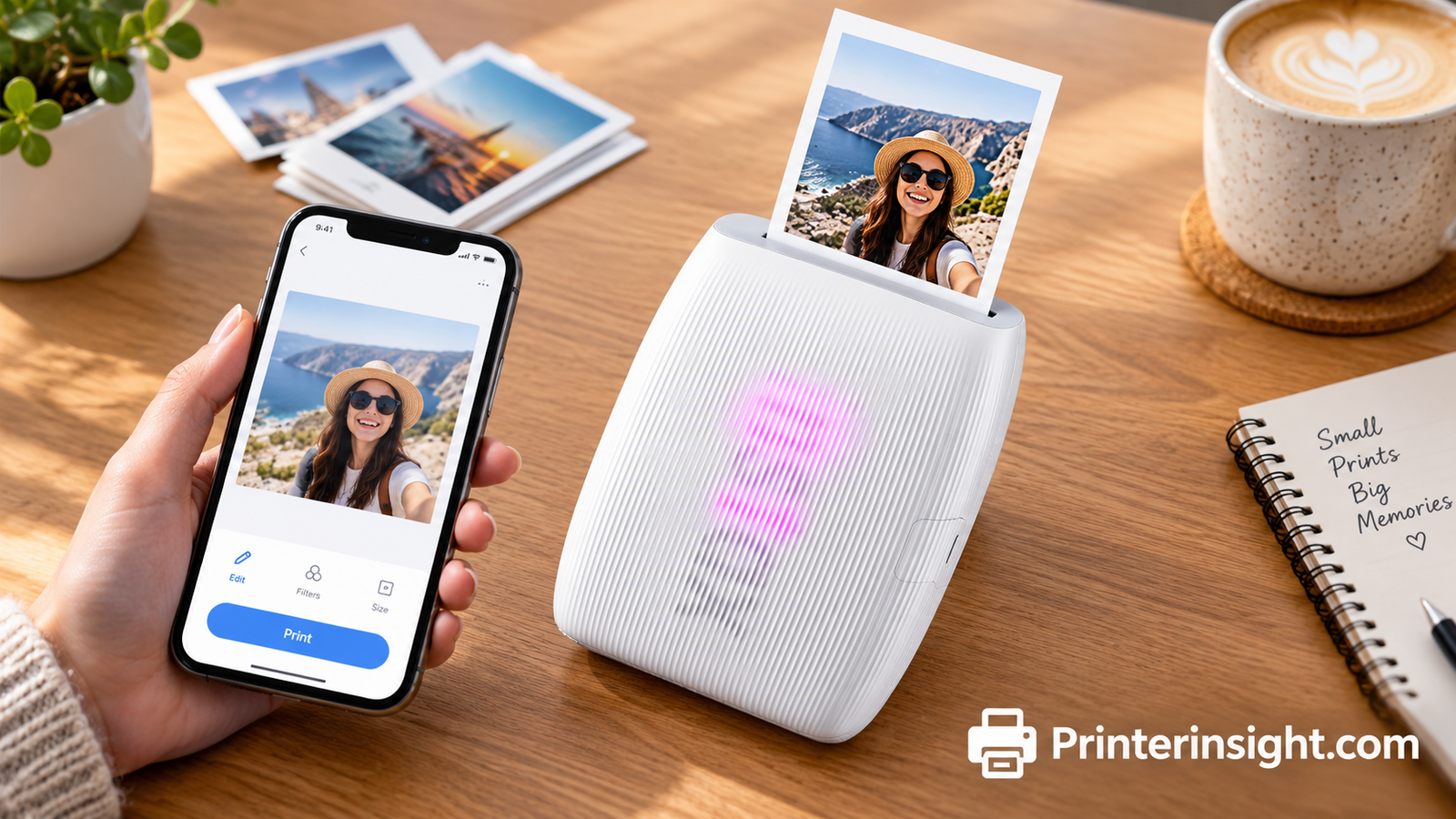
Best Portable Photo Printers: Pocket Printers for Sharp, Shareable Prints
From instant-film favorites to durable dye-sub compacts, here is how to pick the right portable photo printer.

What Makes a Portable Photo Printer Worth Owning
A portable photo printer turns the shots on your phone into something you can hold, pin up, or hand to a friend. The best ones fit in a bag, pair over Bluetooth or Wi-Fi, and print in under a minute. If you want to compare them with full-size machines, our guide to the best printer for photos at home covers that side of things.
The category splits into three technologies: instant-film, dye-sublimation, and sticky-back or thermal. Each trades size, print life, and running cost differently, and understanding those trade-offs matters more than any spec sheet.
Who Actually Benefits From One
Portable photo printers shine for people who capture moments on a phone and rarely print them. Think of a travel scrapbook, a wedding table, a classroom bulletin board, or a fridge door covered in family photos. A tiny printer removes the friction: you shoot, tap, and a few moments later the picture is in your hand. That immediacy is the real product, and it is why these devices feel closer to a camera accessory than to an office machine.
Who Should Skip It
If you print documents daily or need big photo enlargements, a full-size machine is a better fit. Our roundup of the best all-in-one printers for home is the place to start in that case. A pocket printer is a companion to a home printer, not a replacement for one.
A Short History of Pocket Printing
Instant photography has been around for decades, but phone-connected printers brought the idea back in a new form. Instead of shooting on film and hoping for the best, you now edit a picture on your phone, then print only the shot you love. That blend of digital control and physical keepsake is the reason this category keeps growing.
What You Get for the Money
Expect a small device, a charger, an app, and a starter pack of film or paper. The printer itself is only part of the story; the supplies you buy afterward make up the real cost, so it pays to think about both before you choose.
Why Physical Prints Still Matter
Phones hold thousands of pictures, and most of them are never seen again. A printed photo changes that. It sits on a shelf, rides in a wallet, or hangs on a wall, and people notice it in a way they never notice a thumbnail. Families who print even a few photos a month often say the pictures become conversation starters, which is something a camera roll rarely manages.
What to Expect From Pocket Quality
Portable prints will not match a professional lab on a large enlargement, and that is not their job. Their strength is speed, charm, and convenience. Judge them on how pleasing the print looks at hand-held size, and you will rarely be disappointed.
Ready to compare current prices?
Browse portable photo printers on AmazonHow We Evaluated Each Model
We looked at print quality, app experience, connection reliability, size and weight, cost per print, and how forgiving each printer is for beginners. Specs came from manufacturer listings, and the verdicts reflect how each design behaves in everyday use: quick party prints, travel scrapbooks, and gift photos.
- Print quality: color accuracy, sharpness, and durability.
- Portability: weight, battery, and carry size.
- Running cost: film or paper packs per print.
- Software: app polish, editing tools, and connection stability.
What We Weighted Most
Print quality and running cost mattered most, because a printer that looks great on day one but makes every print expensive quickly gets left in a drawer. App stability came next: a Bluetooth printer that fails to pair is just a plastic brick. Portability and battery life round out the list, since the whole point is taking the printer with you.
How to Read the Verdicts
Each model carries a short label, such as best for stickers or best for lasting 4×6 prints. Treat those labels as starting points. A printer that wins on durability may lose on size, and the right choice depends on which trade-off you can live with.
Testing Mindset
We approached each model the way a shopper would: unbox it, pair it, print a handful of photos, and ask whether we would reach for it again. That sounds simple, but it reveals a lot. A clumsy first-time setup is a red flag, and a printer that stays fast and friendly after repeated use earns trust.
Photos That Reveal Differences
Portraits show skin tones, landscapes show gradients, and busy street scenes show sharpness. Printing all three types on any printer tells you quickly where its strengths and weaknesses sit.
Questions We Kept Asking
- Could a beginner set this up in a few minutes?
- Do the colors look natural on faces?
- Is the print finish pleasant to handle?
- Are replacement supplies easy to find?
- Would we feel comfortable gifting the results?
Those questions kept our focus on real-life use rather than on features that look good on a box but rarely matter in practice.
Ready to compare current prices?
Browse portable photo printers on AmazonInstant Film vs Dye-Sublimation vs Sticky-Back Prints
Instant film (Fujifilm Instax) gives the classic framed look and is the most fun at gatherings. Dye-sublimation (Polaroid Hi-Print, Canon Selphy, Kodak Dock) lays down color in layers and finishes with a protective coat, so prints are durable and smudge-resistant. Sticky-back and thermal formats (Canon Ivy 2, Nelko) are small and cheap, ideal for journals and stickers.
| Type | Look | Durability | Best For |
|---|---|---|---|
| Instant film | Framed, nostalgic | Good | Parties, gifts |
| Dye-sub | Rich, photo-lab feel | Excellent | Albums, frames |
| Sticky-back / thermal | Small, casual | Moderate | Journals, stickers |
Why the Technology Matters More Than the Brand
Two printers from different brands that use the same technology often behave alike, while two printers from one brand using different technologies can feel nothing alike. Instant film develops a chemical image, dye-sublimation transfers dye from a ribbon into specially coated paper, and thermal or sticky-back printing activates heat-sensitive material. Knowing which one a model uses tells you most of what you need about print life, cost, and feel.
If you plan to hand prints out at events, instant film’s frame makes each one feel like a keepsake. If you plan to frame or album your prints, the protective finish on dye-sub prints is hard to beat.
Color and Detail
Instant film tends toward a warm, slightly soft look that many people love for nostalgia. Dye-sub prints aim for smoother, more consistent color. Thermal and sticky-back prints stay simple and graphic. None of these is wrong; they simply serve different tastes.
Size and Handling
Instax Mini frames are tiny, which suits wallets and planners. Square frames feel more like a collectible. 4×6 prints match standard albums and frames, so they slot into things you already own.
Which Should You Pick First?
If you are unsure, start with whichever format you would proudly hand to a friend. That answer tells you more than any spec sheet.
Common Misconceptions
Many shoppers assume a bigger print always means better quality, but a well-exposed small print can look far better than a muddy large one. Others assume instant film is always the most expensive, yet a heavy sticker-printer habit with premium packs can cost just as much. If print dimensions confuse you, our explainer on printer paper sizes puts 4×6 and other formats in context.
A Simple Decision Path
Ask three questions. Do you want prints to last for years? Do you want to print while out and about? Do you mind paying more per print for a charming format? Your answers point toward dye-sub, thermal, or instant film.
How Each Format Ages
Instant film prints should be kept out of direct sun and away from heat. Dye-sub prints resist handling better and stay vivid longer when stored in an album. Thermal prints can fade if left in bright light or hot spots, so keep them in a journal or folder. Whatever the format, a cool, dry drawer is the safest home for prints you want to keep.
Ready to compare current prices?
Browse portable photo printers on AmazonFujifilm Instax Link Series: Mini Link 3, Mini Link 2, and Square Link
Fujifilm leads the pocket category. The Mini Link line prints credit-card-size Instax Mini film, while the Square Link prints larger square frames.

Fujifilm Instax Mini Link 3
Instax Mini film, credit-card-size prints
Best overall pocket printer.
Check Price on Amazon
Pros: tiny, fast, fun film look, simple app. Cons: film costs more per print than dye-sub, and prints are small.
Why These Stay Popular
The Instax line wins on simplicity. Open the app, choose a photo, add a frame or filter, and print. The format is instantly recognizable, and the small prints fit wallets, planners, and gift cards. The Mini Link 3 and Mini Link 2 share the same print size, so shoppers often choose based on current price and available features. The Square Link is the pick if you want a bigger, squarer frame for photos that deserve more room.
Things to Keep in Mind
Film packs are limited in count, so you will reload often if you print a lot. Keep spare packs on hand before an event, and avoid exposing the film to heat or bright light while it develops.
Mini Link 3 vs Mini Link 2
These two sit side by side for good reason. They print the same small Instax Mini format and use the same style of phone app, so the choice often comes down to price on the day and whether the newer model offers features you care about. If your priority is simply getting a quick, charming print, either one will do the job, and the older model can be a smart buy when it is discounted.
Square Link: When Bigger Matters
The Square Link’s square frame suits portraits, food shots, and travel snapshots where a tall or wide crop would feel awkward. It costs more to run than the Mini line because each frame is larger, but the extra space gives photos room to breathe. Pair it with a corkboard or a photo wall and it makes a lovely display.
Everyday Experience
All three printers favor simplicity. You pair once, pick a photo, adjust it, and print. Build a habit of closing the app between sessions and charging before an event so the battery never surprises you. Keep a spare film pack in your bag; there is nothing more disappointing than running out halfway through a celebration.
Setting Up an Instax Link Printer
Charge the printer, load a film pack by matching the arrows and colors, close the cover, and pair it through the app. The first print ejects a protective sheet, so do not worry when a blank card appears. After that, prints develop in front of you over a short wait.
Common Mistakes
- Shaking prints as they develop, which does not help and can smudge them.
- Leaving film in a hot car, where heat can spoil it.
- Printing very dark photos, which lose detail on small frames.
Creative Ideas
Use Mini prints as place cards, bookmarks, or tiny gallery walls. Square prints work well for gift tags, travel logs, and mood boards. Add a date or short note with a marker to turn any print into a keepsake.
Editing Before You Print
The Instax app lets you crop, add frames, and apply filters before printing. Take a moment to brighten shadows and boost contrast slightly, because small prints can look flat on a dim screen. Crop in closer than you would for a screen photo, which lets faces fill the frame and keeps detail readable.
Sharing the Printer
At gatherings, let friends pair their own phones one at a time. Printing becomes part of the fun, and nobody needs to pass a phone around. Keep a marker nearby so people can write notes on the white border.
Ready to compare current prices?
Browse portable photo printers on AmazonPolaroid Hi-Print (Generation 2)
The Hi-Print uses dye-sublimation with cartridge-and-paper packs, producing sturdy prints with a protective finish. It suits anyone who wants durability from a pocketable device.

Polaroid Hi-Print (Generation 2)
Dye-sub, cartridge-and-paper packs
Best for sturdy dye-sub prints.
Check Price on AmazonPros: durable prints, compact. Cons: packs must be bought as sets, and prints are small.
Why Dye-Sublimation Feels Different
Dye-sub prints come out dry, finished, and resistant to fingerprints. Because color is laid down in layers, gradients such as skies and skin tones tend to look smooth rather than speckled. The Hi-Print’s pack-based supplies keep the process tidy, with paper and cartridge matched together so there is nothing to measure or refill.
Best Uses
Choose it for photos you want to keep, such as milestones, travel highlights, and gifts for relatives. A small stack of these in a photo album ages better than casual snapshots.
Print Life and Handling
One reason people choose dye-sub is peace of mind. Prints come out with a protective finish, so they handle fingerprints, light moisture, and being shuffled through an album far better than many casual prints. If you plan to give photos as gifts, that durability matters.
Pairing With Your Home Setup
If you also use a computer for photo work, check how each printer connects. Mac owners may want to read our guide to the best home printer for Mac to understand how driver support works on that platform, and our walkthrough on installing printer drivers helps if a desktop connection is part of your plan.
Who Will Love It
Hobbyists who enjoy photo albums, relatives who prefer holding a picture to scrolling a screen, and gift-givers who like to include a print with a card are all natural fits for the Hi-Print.
Getting Great Hi-Print Results
Because dye-sub makes several passes over the paper, hold the printer steady and keep the area free of dust. Resist the urge to tug the paper as it moves, because the print needs to travel back and forth to finish. Let the finished print rest for a moment before you handle it.
Photos That Suit It
Portraits with soft skin tones, pastel travel scenes, and well-lit family group shots all look pleasing in this format. Very high-contrast night shots can lose shadow detail on small prints, so brighten them a little before printing.
Display Ideas
Small dye-sub prints slip nicely into wallets, mini frames, and card inserts. They also look good arranged in a grid on a wall, where uniform size gives a tidy look.
Care for Supplies
Store the paper and cartridges flat and dry. Avoid leaving them in a warm car or damp bag. Load a fresh pack only when you are ready to print, which keeps dust out of the paper path and protects your results.
Gift Ideas
Print a small series of family portraits and tuck them into a mini album. Print holiday photos and mail them in a card. Print a favorite travel shot and slip it into a frame for a friend’s desk. These small gestures cost little and mean a lot.
Ready to compare current prices?
Browse portable photo printers on AmazonCanon Ivy 2 and Canon Selphy CP1500
Canon covers both ends: the Ivy 2 is a mini sticky-back printer for journals, while the Selphy CP1500 is a countertop-style compact dye-sub printer for 4×6 prints with Wi-Fi, USB, and card support.

Canon Ivy 2 Mini Photo Printer
Zink-style sticky-back 2×3 prints
Best for stickers.
Check Price on Amazon
Canon Selphy CP1500 Wireless Compact Photo Printer
Dye-sub 4×6, Wi-Fi, SD and USB
Best for lasting 4×6 prints.
Check Price on AmazonIf you mostly print from a laptop or camera cards, see our notes on compact home printers.
Ivy 2: Small, Sticky, and Playful
The Ivy 2 prints small sticky-back photos, which makes it a natural fit for bullet journals, phone cases, laptop lids, and school projects. Students and crafters tend to love it. If that sounds like you, our guide to the best printer for students may help you balance a pocket printer with a main machine.
Selphy CP1500: The 4×6 Workhorse
The Selphy CP1500 is less pocketable, but it prints standard 4×6 photos and supports several input options. That makes it a strong choice for families, event hosts, and anyone who wants prints that look and feel like lab prints without leaving home. It also pairs well with a home wireless setup, and our wireless printer guide covers how those networks behave.
Choosing Between the Two Canons
The Ivy 2 and Selphy CP1500 answer different questions. Ask whether you want a pocket printer for fun or a compact printer for quality 4×6 prints. The Ivy 2 wins on size and sticker appeal. The Selphy wins on print size, durability, and the number of ways you can feed it photos. Many households end up preferring the Selphy for events and keeping a small printer for trips.
Print Quality Expectations
Dye-sub prints from the Selphy look smooth and consistent, which is why this style is so popular for events, school projects, and family albums. Small sticky-back prints from the Ivy 2 are about charm and convenience rather than gallery quality, and that is perfectly fine for journals and decorations.
Use Cases We Like
- Photo booth corners at parties with the Selphy.
- Decorating notebooks and cases with Ivy 2 stickers.
- Quick printing for school or club projects.
- Gift prints for relatives who love albums.
Using the Selphy at Events
Set the Selphy on a stable table near an outlet, keep a stack of spare paper and ink sheets within reach, and have guests send favorites to one device so the line moves quickly. Prints finish with a protective coat, so guests can take them straight away without worrying about smudges.
Using the Ivy 2 for Projects
The Ivy 2 shines in craft sessions. Print a small batch, peel the backing, and stick prints into journals, onto folders, or around a bulletin board. It is also a classic pick for teens decorating phone cases and notebooks.
Pairing Tips
If your computer is a Mac and you want to print from it, our guide on how to add a printer to a Mac explains the basics.
Photo Booth Setup
Pair the Selphy with a simple backdrop, a ring light, and a shared album so guests can send photos to one device. Set a short list of print sizes ahead of time to keep things moving. A small basket of pens, stickers, and frames lets guests personalize their prints on the spot.
Selecting Photos for Ivy 2 Stickers
Pick bold, simple images with clear subjects. Pets, flowers, and close-up portraits look great as stickers, while crowded scenes tend to lose their impact at small size.
Ready to compare current prices?
Browse portable photo printers on AmazonLiene M100 and Liene Amber M110
Liene offers affordable ways to print photos without a big brand price. The M100 prints 4×6 over Wi-Fi, and the Amber M110 focuses on Bluetooth portability.

Liene M100 4×6 Portable Photo Printer with Wi-Fi
4×6 sticker-free, Wi-Fi
Best 4×6 on a budget.
Check Price on Amazon
Liene Amber M110 Portable Bluetooth Photo Printer
Compact Bluetooth printer
Best lightweight Bluetooth pick.
Check Price on AmazonPros: low entry cost. Cons: app polish varies, so test early.
A Friendly Entry Point
Liene’s printers appeal to shoppers who want to try photo printing without a big commitment. The M100 targets 4×6 prints over Wi-Fi, while the Amber M110 leans on Bluetooth for quick phone pairing. Because they are budget-minded, expect a simpler feel than the biggest brands and test the app early so you know whether it suits you.
Our Take
If you want 4×6 prints and care about price, the M100 is worth a look. If you want something light for travel bags, the M110 is the more portable of the two.
M100: Straightforward 4×6
The M100 appeals to shoppers who want 4×6 prints without paying for a famous name. Wi-Fi connectivity means your phone does not have to be glued to the printer, which is handy when several people want to send photos at once. As with any value printer, run a test batch right away so you can judge color and sharpness while you are still within the return window.
Amber M110: Bluetooth Convenience
The Amber M110 is built around quick Bluetooth pairing and a lightweight body. It fits easily into a tote bag or backpack. Think of it as the printer you grab for a day out, a weekend trip, or a classroom activity.
Buying Advice
Read recent buyer feedback on app reliability and supply availability. A printer you can easily re-supply will serve you better over time than one with a slightly lower sticker price.
Making the Most of a Budget Printer
Value-priced printers reward patience. Use the maker’s app for the first few prints, test several photos, and note which settings work best. Keep your phone close during printing, and avoid switching apps mid-job, because interruptions can stall a print.
Who Should Pick Liene
Look at Liene if you are curious about photo printing but not ready to spend a lot. The Wi-Fi M100 suits households, while the Bluetooth Amber M110 suits people who want something to toss in a bag.
What to Watch
Compare how each app handles cropping and filters, and check how simple it is to reorder supplies later. A great price loses its shine if replacement packs are hard to find.
Sharing the Printer With Family
A Wi-Fi printer like the M100 lets several people send pictures without crowding around a single phone. Set up a quick family routine: everyone picks a favorite from the week, and the best ones get printed for the fridge or a shared album.
Travel Use
For trips, pack the Amber M110 with a small stack of paper and a charging cable. Print a few photos at the end of each day, and your journal fills itself.
Ready to compare current prices?
Browse portable photo printers on AmazonKODAK Dock Plus and KODAK Step
Kodak’s Dock Plus is a dye-sub 4×6 printer built around a dock-style base, while the Step is a small instant-style printer for casual fun.

KODAK Dock Plus 4×6 Photo Printer
4×6 dock-style dye-sub
Best for home-base printing.
Check Price on Amazon
KODAK Step Instant Photo Printer
Small instant-style printer
Best for casual fun.
Check Price on AmazonPros: approachable, family friendly. Cons: consumables add up over time.
Dock Plus for the Home Base
The Dock Plus is designed to stay in one place, which makes it handy for families who print a batch of photos every few weeks. Its 4×6 output suits standard frames and albums.
Step for Spontaneous Fun
The Step is the more casual of the pair. Think quick prints at gatherings and birthday parties. Keep supplies stored properly so they stay in good shape, and review our tips on storing printer cartridges for general advice on keeping consumables fresh.
Dock Plus in Daily Life
A dock-style printer works like a small appliance. You place it on a shelf, connect your phone, and print when the mood strikes. That setup suits busy households where photos pile up on a phone and nobody gets around to printing them. A regular print night, say once a month, turns the printer into a family ritual.
Step in the Bag
The Step is intended for fun. Throw it in a bag for birthdays, picnics, and sleepovers. Keep expectations playful rather than perfectionist, and remember that smaller prints look best with simple, bold compositions.
What to Check Before Buying
Confirm which supplies each printer uses, how many prints a pack provides, and whether your phone is supported by the maker’s app.
Photo Night at Home
With the Dock Plus, you can plan a regular print night. Pick the month’s best photos, print them in a batch, and slip them into an album. It turns a pile of forgotten phone pictures into a family tradition.
Step at Parties
The Step works well at gatherings where guests want a quick souvenir. Let each guest pick a photo, print it, and write a message on the back. It becomes a little guestbook of the day.
Who Should Skip Them
If you want gallery-grade prints or need to print in volume, a larger photo-focused machine will serve you better than either of these.
Kids and Photo Printing
Children love holding a photo they just took. A simple printer encourages them to look at their pictures with more care, choose favorites, and decorate their rooms. Set ground rules: adults load supplies, kids choose photos, and everyone helps keep the paper tidy.
Cleaning and Storage
Wipe dust off the printer with a dry cloth and keep it in a drawer or box between uses. A small zip pouch for supplies keeps everything together.
Ready to compare current prices?
Browse portable photo printers on AmazonNelko PP01 and YOTON 4×6
Nelko’s PP01 is an ink-free 2×3 thermal option, and the YOTON adds Wi-Fi 4×6 printing at a modest cost.


YOTON Portable 4×6 Photo Printer with Wi-Fi
4×6 Wi-Fi portable
Best alternative 4×6.
Check Price on AmazonAnyone on a tight budget should also read how much a printer costs before buying.
Nelko PP01: Ink-Free and Tiny
Thermal printers like the PP01 skip ink altogether, which lowers running cost and keeps the device small. The prints are small and simple, perfect for notes, planners, and quick snapshots. If you also create labels, read our pieces on the best thermal label printers and the best printer for labels.
YOTON: Wi-Fi 4×6 on a Budget
The YOTON offers 4×6 printing with Wi-Fi at a modest price, giving shoppers another way into larger prints. As with any budget device, compare the app experience and read recent buyer feedback before you buy.
Nelko PP01 Day to Day
Thermal printing needs no ink or toner, so there is nothing to dry out or replace in the usual sense. That makes the PP01 a good companion for quick notes, small photos, and planners. Prints are small and monochrome-style in character, so choose high-contrast photos for best results.
YOTON in Practice
The YOTON suits shoppers who want 4×6 without a premium price. It works best as a casual household printer, where convenience matters more than perfection. If you are also weighing a bigger setup for work, our guide to the best printer for a home office shows what a full-size machine adds.
Two Budget Mindsets
If you want the cheapest possible way to print tiny pictures, start with the Nelko. If you want larger prints and are happy to accept a simpler experience, take a look at the YOTON.
Nelko for Planners and Notes
Small thermal prints suit planners, study notes, and tiny reminders. They are also useful for decorating journals when you want something light and cheap. Print contrast matters, so choose images with strong shapes and clear edges.
YOTON for Casual Family Use
With 4×6 prints and Wi-Fi, the YOTON suits casual family printing. Pick a small stack of photos, print them, and slip them into a shoebox album or hang them on a clothesline display.
Setting Expectations
Both printers prioritize price and convenience. Treat them as fun companions rather than professional photo tools, and you will likely enjoy them more.
Making the Most of Tiny Prints
Small prints reward simple compositions. Pick images with clear shapes, strong contrast, and plenty of light. A tight crop on a face or an object makes a stronger tiny print than a wide scene full of detail.
Gift and Craft Ideas
Use tiny prints as gift tags, bookmarks, calendar decorations, and notebook inserts. They also make cute additions to handwritten cards.
Ready to compare current prices?
Browse portable photo printers on AmazonFull Comparison Table and Cost Per Print
| Model | Technology | Best For |
|---|---|---|
| Fujifilm Instax Mini Link 3 | Instax Mini film, credit-card-size prints | Best overall pocket printer |
| Fujifilm Instax Mini Link 2 | Instax Mini film, Bluetooth app | Best value Instax |
| Fujifilm Instax Square Link | Square Instax film, Bluetooth | Best square prints |
| Polaroid Hi-Print (Generation 2) | Dye-sub, cartridge-and-paper packs | Best for sturdy dye-sub prints |
| Canon Ivy 2 Mini Photo Printer | Zink-style sticky-back 2×3 prints | Best for stickers |
| Canon Selphy CP1500 Wireless Compact Photo Printer | Dye-sub 4×6, Wi-Fi, SD and USB | Best for lasting 4×6 prints |
| Liene M100 4×6 Portable Photo Printer with Wi-Fi | 4×6 sticker-free, Wi-Fi | Best 4×6 on a budget |
| Liene Amber M110 Portable Bluetooth Photo Printer | Compact Bluetooth printer | Best lightweight Bluetooth pick |
| KODAK Dock Plus 4×6 Photo Printer | 4×6 dock-style dye-sub | Best for home-base printing |
| KODAK Step Instant Photo Printer | Small instant-style printer | Best for casual fun |
| Nelko PP01 2×3 Portable Photo Printer | 2×3 thermal, no ink | Best budget mini |
| YOTON Portable 4×6 Photo Printer with Wi-Fi | 4×6 Wi-Fi portable | Best alternative 4×6 |
How to Use This Table
Scan the technology column first, since it decides print life and running cost. Then look at the best-for column to see which model matches your use. If two models share the same technology, price and current availability will usually be the deciding factor.
Quick Picks
- Easiest start: Fujifilm Instax Mini Link line.
- Most durable: Polaroid Hi-Print or Canon Selphy CP1500.
- Best for journals: Canon Ivy 2 or Nelko PP01.
- Best for 4×6 on a budget: Liene M100 or YOTON.
Sticker-free thermal printers and sticky-back printers usually cost the least per print, while instant film costs the most. Dye-sub packs sit in the middle and give the best durability. Before choosing, compare film and cartridge packs, and read why printer ink is so expensive to see how consumables shape ownership cost.
Where the Money Goes
With a pocket printer, the device is often cheaper than the supplies you will buy over the next year. Instant film is charming but pricey per print. Dye-sub packs cost less per print and give tougher results. Thermal prints are the cheapest but also the most basic. Work out how many prints you expect per month before you decide.
A Simple Rule
Print only your best shots. Editing and cropping before you hit print saves film and paper, and your keepers will look better for it.
Estimating Your Yearly Spend
Count how many prints you make in a typical month, multiply by twelve, and compare the cost per print across formats. A casual user making a few prints a month may never feel the difference, while someone printing for every event will notice quickly. For a broader look at how ink and toner costs compare in full-size machines, read our ink vs toner cost breakdown and our guide to home printers with the cheapest ink.
Ways to Save
- Edit and crop before printing to avoid waste.
- Buy supplies in multi-packs when prices dip.
- Print only keepers and share the rest digitally.
- Store unused film and paper properly.
Reading Between the Lines
A comparison table is only a starting point. Two printers may share a technology but differ in app quality, battery life, or supply availability. Use the table to shortlist two or three models, then check recent buyer feedback and the price of refill packs before you decide.
When to Wait for a Deal
Prices on small electronics shift often. If you do not need a printer right away, keep an eye on the buttons in this guide and buy when the price feels right.
Accessories Worth Considering
- Photo albums and sleeves: keep prints flat and protected.
- Mini frames and clips: turn prints into displays.
- A small power bank: handy for long outings.
- A zip pouch: keeps film and paper clean in a bag.
These extras cost little and make a pocket printer feel more complete.
Ready to compare current prices?
Browse portable photo printers on AmazonSetup, Troubleshooting, and Tips for Better Prints
Most portable printers pair over Bluetooth, with a few using Wi-Fi. Keep the firmware updated, keep the phone close, and charge fully before long sessions. If a Wi-Fi model drops out, our guide on connecting a printer to Wi-Fi and our tips on why a printer keeps going offline help.
Pairing Basics
Turn on the printer, enable Bluetooth on your phone, and open the maker’s app. Most pairing problems come from low battery, a distant phone, or a stale app version. Charge the printer fully, restart both devices, and try again.
Keeping It Healthy
Dust and humidity are the enemies of small printers. Store them in a case, keep rollers clean, and keep paper flat. For broader upkeep ideas, see our home printer maintenance tips.
If Printing Fails
Start with the basics: charge the battery, reload the paper or film correctly, and close and reopen the app. Check that nothing is blocking the exit slot. If a print comes out blank or streaky, gently reseat the pack and try one more time.
Maintenance Habits
Pocket printers are not inkjets, so they skip many chores. If you also own an inkjet at home, our guides on cleaning printer heads and how to prevent an inkjet from drying out cover the upkeep those machines need. And if your main computer is a Chromebook, see our list of the best printers for Chromebook.
- Use bright, well-lit shots; small prints reward contrast.
- Crop tightly on faces and subjects.
- Keep paper and film dry, cool, and flat.
- Avoid touching dye-sub paper surfaces.
Before You Print
Choose bright, sharp photos with a clear subject. Small prints punish busy backgrounds and dim lighting. Crop toward faces and key details so the subject fills the frame.
Display Ideas
Pin prints to a string with clips, tuck them into a travel journal, slip one into a greeting card, or arrange a small gallery wall. Group similar tones together for a polished look.
Printing From Different Devices
Most pocket printers work through a phone app, so both iPhone and Android users are usually covered, but it is smart to confirm support for your specific model before buying. Some printers also accept prints from a computer or memory card, which is handy if you edit photos on a laptop.
Battery Habits
Charge the printer the night before an outing. Short top-ups are fine, and carrying a small power bank gives peace of mind on long days.
Getting the Best Print Quality
Start with a sharp original. Clean your phone’s camera lens, shoot in good light, and avoid heavy digital zoom. Before printing, nudge brightness and contrast up a little, since small prints often look darker than the screen suggests. Use the app’s crop tool to keep the subject centered, and avoid heavy filters that crush color.
Handling Prints
Hold prints by the edges and let them settle for a moment before stacking. Keep them flat and away from moisture until you slip them into an album or frame.
Ready to compare current prices?
Browse portable photo printers on AmazonHow to Choose the Right Portable Photo Printer
Choose instant film for fun, dye-sub for lasting prints, and sticky-back or thermal for budget-friendly journaling. If you also travel, read our best portable printer for travel guide, and for crafting projects see best printer for crafting.
Match the Printer to the Moment
For parties and travel, pick the printer that is quickest to use. For albums and framing, pick the one with the sturdiest prints. For crafts and journals, pick the smallest and cheapest. If you want sublimation projects beyond photos, our guide to the best printer for sublimation covers a different category entirely.
Final Checks
Confirm that the app works with your phone, check the supply packs you will need, and compare current prices using the buttons in this guide.
Which One Should You Buy?
- You want the simplest, most fun option: choose a Fujifilm Instax Mini Link model.
- You want bigger square prints: choose the Fujifilm Instax Square Link.
- You want sturdy prints in your pocket: choose the Polaroid Hi-Print.
- You want stickers for journals: choose the Canon Ivy 2.
- You want lasting 4×6 prints: choose the Canon Selphy CP1500.
- You want 4×6 on a budget: choose a Liene M100 or YOTON.
- You want a home-base family printer: choose the Kodak Dock Plus.
- You want the cheapest tiny prints: choose the Nelko PP01.
A Final Word
The best portable photo printer is the one you will actually use. Pick the format that matches your habits, keep supplies handy, and print the photos that matter.
Questions to Ask Yourself
- Will I print mostly on the go or at home?
- Do I want prints to be keepsakes or decorations?
- How many prints will I make each month?
- Is a charming format worth a higher cost per print?
Answering these honestly makes the choice much simpler, and any model in this guide can be a great pick when it matches your habits.
One Last Reminder
Do not let the number of options overwhelm you. Every printer in this guide can produce prints worth keeping when used with good photos and a little care. Start with the format that excites you most, buy a small stack of supplies, and see how it fits into your routine.
Ready to compare current prices?
Browse portable photo printers on AmazonFrequently Asked Questions
Are portable photo printers worth it?
Yes, if you want physical prints without a trip to a lab. They suit travel, parties, and gifts. Think about how often you print and what you do with the results; if photos live only on a screen, a pocket printer can change that quickly. Many owners find they print far more than they expected once the process becomes effortless.
Which type lasts longest?
Dye-sublimation prints are the most durable thanks to their protective coat. Handle prints gently and keep them out of direct sun to get the most life from any format. Keeping prints in an album or sleeve protects them from scratches and fading.
Do they need ink?
Some use film, some use dye-sub packs, and some use thermal paper, so there is no loose ink to refill. That means refilling is never messy, though you will need to buy film, paper packs, or thermal rolls as you go. Always check that you have a spare pack before an event so you never run out mid-party.
What size prints can I expect?
Sizes range from 2×3 inches up to standard 4×6. Smaller prints suit journals and wallets, while 4×6 suits albums and standard frames. Pick a size that matches how you plan to display prints, such as wallets, journals, or frames.
Do I need Wi-Fi?
Not always. Many pair over Bluetooth directly with your phone. If a model supports both, Bluetooth is usually the quickest to set up, while Wi-Fi helps when several people share one printer. A quick test print near your phone confirms that the connection works before guests arrive.
Are instant film printers cheaper to run?
Usually not; film costs more per print than dye-sub packs. If you print often, compare cost per print before you buy, not just the sticker price. Printing only your best shots and buying multi-packs can bring costs down noticeably.
Can I print from a laptop?
Some models, like the Selphy, support USB or card input as well. Check each model’s connection options before purchase if desktop printing matters to you. Even if you do print from a computer, a phone app is usually the easiest way to manage everything.
How long does printing take?
Most print in under a minute, though 4×6 dye-sub takes longer. Plan for a short wait, especially for larger prints, and avoid pulling a print out early. Use the waiting time to pick your next photo or write a note on the border.
Are they good for kids?
Simple Bluetooth models are easy to use; supervise film handling. Choose a simple, sturdy model and set it up together the first time. Make it a fun routine: kids choose, an adult loads supplies, and everyone enjoys the results.
How do I store paper and film?
Keep them flat, dry, and cool, away from sunlight. A small zip case or photo box keeps supplies protected between uses. Avoid leaving supplies in cars or sunny windows, where heat can spoil them.
What is best for beginners?
The Instax Mini Link line is simple and quick to set up. Pick a model with a simple app and a quick pairing process, then upgrade later if you want more control. You can always move up to a sturdier model later if you find yourself printing often.
What is best for 4×6 prints?
The Canon Selphy CP1500 is a strong pick for lasting 4×6 prints. Pair it with a good frame or album for the best result. Our guide to the best home printers worth buying right now may also help if you want a desktop alternative. If you print regularly, keep spare paper and ink sheets on hand so you are never caught short.
Conclusion
Instant film is the most fun, dye-sub gives the longest-lasting prints, and thermal or sticky-back printers keep costs low. Start with how you plan to use your prints, then pick the model above that fits. Keep spare supplies on hand, print only your best shots, and enjoy having your favorite moments in your hands instead of buried in a camera roll.
Ready to compare current prices?
Shop portable photo printers on AmazonYou May Also Like
As an Amazon Associate we earn from qualifying purchases.