Brother vs Canon Printer: Which Brand Is Actually Worth Your Money?
Two of the most popular names in home and small-office printing, compared on print quality, running costs, wireless setup, reliability and real-world value, so you can pick the right one the first time.
Walk into any electronics store, or scroll through any online marketplace, and you will quickly notice that two brands keep showing up in the shortlist for almost every household: Brother and Canon. Both have decades of history. Both sell printers at nearly every price point. And both have loyal fans who will tell you, with total confidence, that the other brand is the wrong choice. The truth, as usual, is more interesting than the fan arguments.
Brother built its reputation on dependable, no-nonsense laser printers that keep chugging along in home offices, classrooms and small businesses. Canon built its reputation on imaging: cameras, lenses, and the kind of color science that carries over into its PIXMA and MegaTank inkjets. Those two origin stories explain most of what you will read below. If you print a lot of black-and-white documents, one brand tends to make your life easier. If you print photos, school projects or colorful graphics, the other usually does.
This guide walks through the comparison one practical question at a time. We cover print quality, speed, cost per page, laser and inkjet lineups, apps, scanning, design, paper handling, and long-term ownership. Along the way you will find tables, pros and cons, and a use-case breakdown so you can match a brand to the way you actually print, rather than the way a spec sheet says you should.
Quick Verdict: Brother vs Canon at a Glance
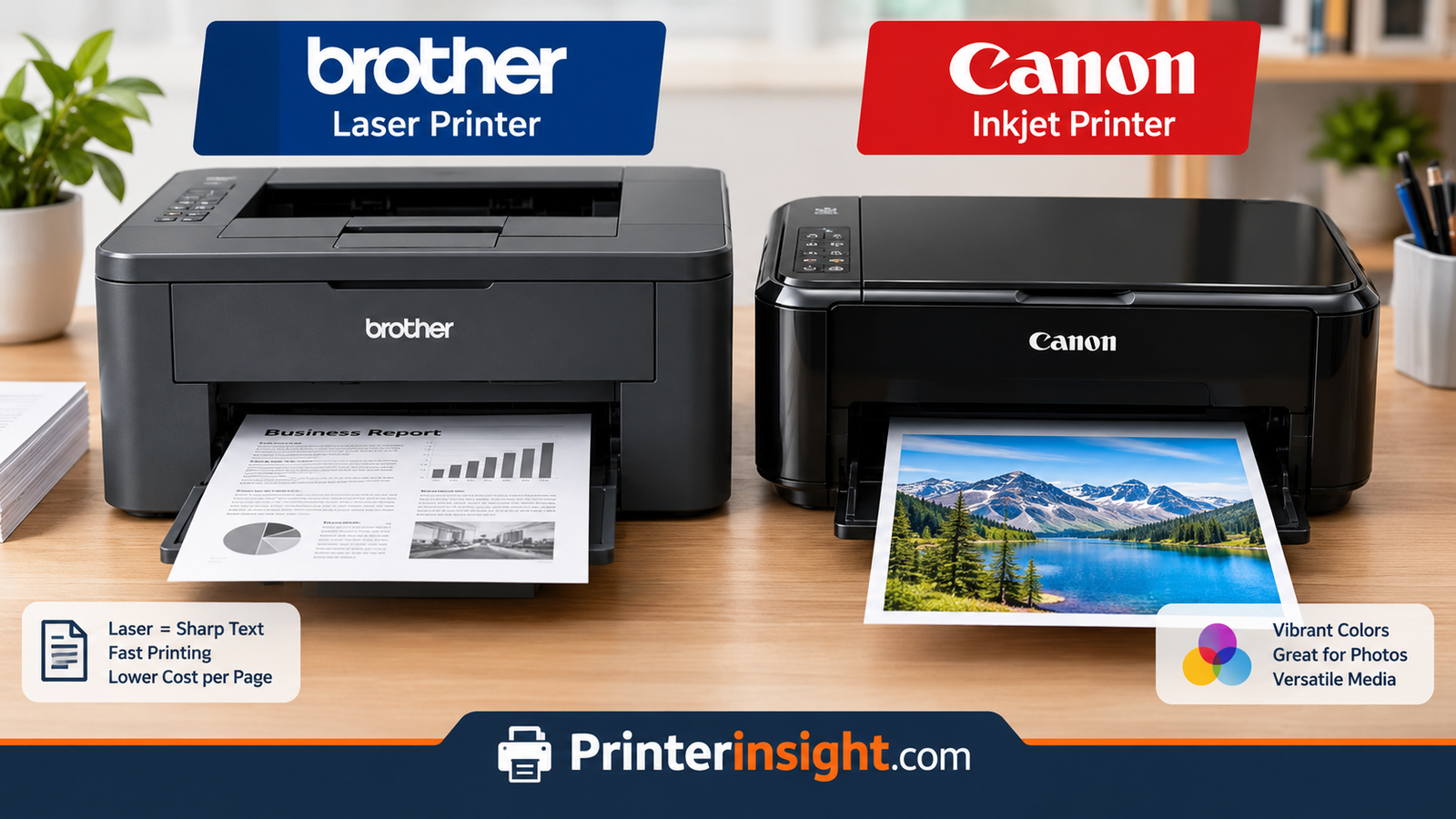
If you only have a minute, here is the short version. Brother is the safer pick when your priority is crisp black text, low cost per page, and a printer that sits quietly in the corner for years without complaining. Canon is the stronger pick when color, photos and creative projects matter, or when you want an ink tank system with big savings on color pages.
That summary hides plenty of nuance, of course. Brother sells color lasers and ink tank printers, and Canon sells capable office lasers. Still, the broad pattern holds across most of what each company makes, and it is a useful starting point before you dig into individual models.
| Category | Brother | Canon |
|---|---|---|
| Best known for | Compact monochrome lasers, office workhorses | Photo-friendly inkjets, MegaTank refillables |
| Text quality | Excellent, especially on laser models | Very good on inkjet, excellent on laser |
| Photo quality | Good on inkjet models, limited by lineup | Excellent, particularly on PIXMA photo models |
| Cost per page (black) | Very low on high-yield toner models | Low on MegaTank, moderate on cartridge inkjets |
| Cost per page (color) | Low on INKvestment Tank, moderate on lasers | Low on MegaTank, higher on cartridge models |
| Typical reliability reputation | Strong, especially for laser units | Strong, though inkjets need regular use |
| Best for | Documents, students, home offices | Photos, crafts, color-heavy households |
Rule of thumb: if most of what you print is black text, start with Brother. If color and photos are a weekly habit, start with Canon. If you print rarely, a laser from either brand beats a cartridge inkjet because toner does not dry out.
Of course, the most useful comparisons are never brand versus brand in the abstract. They are specific printers matched to specific habits. If you want a broader sweep of what is currently strong across brands, our roundup of the best home printers worth buying right now is a good companion to this article, and you can compare other rivalries such as Brother vs HP printers for home and Epson vs Canon printers to see how the market lines up overall.
Want to see what is available from both brands right now?
Compare Brother and Canon Printers on AmazonWho Each Brand Is Really Built For
Every printer maker makes trade-offs, and understanding the philosophy behind each brand will save you from buying the wrong machine. Brother thinks like an office supplier. Canon thinks like an imaging company. That single difference explains a surprising amount of what you will notice when you unbox either one.
Brother: The Practical Workhorse
Brother’s printers tend to look unfussy because they are designed to be. The company’s laser line, led by the HL and MFC families, concentrates on fast first-page-out times, sturdy paper trays, and toner cartridges that last for thousands of pages. Menus are straightforward. Drivers are generally stable. Many of the most popular models are monochrome only, which keeps the price down and the reliability up, since there is less to go wrong inside the machine.
Brother also sells color lasers and a respected line of INKvestment Tank inkjets that use large refillable ink reservoirs. These are aimed at households and small offices that want low running costs without leaving the inkjet world. If you are curious about the brand’s wider range, our guide to the best Brother printer for home covers the standouts in detail.
Canon: The Imaging Specialist
Canon’s strength shows up the moment you print a photograph. Its PIXMA inkjets use multi-ink systems, and several models add a dedicated pigment black plus extra photo inks, which helps with tonal range, skin tones and smooth gradients. The company’s MegaTank line takes the same color knowledge and pairs it with refillable ink bottles, aimed at families that print large volumes and want to stop paying cartridge prices.
Canon also makes imageCLASS laser printers, which are well regarded in offices, but most home buyers meet the brand through the PIXMA TS and TR series. Those models lean toward versatility: a flatbed scanner, a mobile app, a slot for borderless photo paper, and a price tag that keeps the entry-level options approachable. You can read more about them in our Canon PIXMA TS series review.
What That Means in Practice
- Brother buyers usually print reports, forms, assignments, shipping labels and the occasional color page, and they value reliability over variety.
- Canon buyers usually print a mix of documents and photos, and they value flexibility, color output and creative paper support.
- Both groups care about ink or toner costs, even if they do not realize it at the checkout page.
Brother Strengths
- Outstanding monochrome laser value
- Quiet, consistent day-to-day operation
- High-yield toner and ink tank options
- Straightforward setup and menus
Canon Strengths
- Rich color and photo reproduction
- Wide range from budget to premium photo
- MegaTank refillable models for heavy color use
- Polished mobile printing app
Browse popular Brother and Canon all-in-one printers side by side.
See Top All-in-One Printers on AmazonPrint Quality: Text, Graphics and Photos
Print quality is the first thing most people look at, and it is also the easiest category to misjudge, because the right answer depends on what you print. Let us break it down by content type.
Black Text and Documents
Laser technology wins on text, full stop. Toner is fused onto the page with heat, which produces sharp edges, deep black, and smudge-resistant output that does not bleed on cheap paper. Brother’s monochrome lasers are a benchmark here. Small fonts remain legible, thin lines stay clean, and printed pages come out dry and ready to handle. Canon’s imageCLASS lasers produce equally good text, but because the brand is more often chosen for its inkjets, a typical Canon home printer produces slightly softer text than a laser, although still very readable.
Modern pigment-based black inks, which Canon uses on many PIXMA and MegaTank models, are quite good. They resist water better than dye inks and look sharp on plain paper. For essays, spreadsheets and school handouts, you are unlikely to notice a difference unless you place a laser page next to an inkjet page and look closely.
Color Graphics and Presentations
Here the picture reverses a little. Canon’s inkjets produce vivid, saturated color that makes charts, infographics and flyers pop. Brother’s color lasers deliver clean, consistent color for business documents, but they are less impressive on photo-style imagery. Brother’s INKvestment Tank models narrow the gap and handle everyday color work well, especially if your volume is high enough to benefit from the bulk ink design.
Photographs
If photos matter, Canon is the clear favorite. Models with five or six ink channels reproduce skin tones, skies and shadows with a smoothness that most budget printers cannot match. Borderless printing on glossy paper is also well supported. Brother’s inkjets can print respectable photos, but they are generally designed as office-first devices rather than photo-first devices. For deeper reading on this topic, see our guide to the best printer for photos at home.
| Print Type | Brother Typical Result | Canon Typical Result |
|---|---|---|
| Everyday text | Crisp, dark, fast (laser) | Sharp (pigment black inkjet) |
| Small fonts and fine lines | Excellent on laser | Good to very good |
| Charts and flyers | Clean and consistent | Vibrant and saturated |
| Photos on glossy paper | Acceptable to good | Very good to excellent |
| Smudge and water resistance | Very good (toner) | Good (pigment black), varies by color ink |
Quick tip: whichever brand you pick, print quality improves noticeably when you match the paper type in the driver settings to the paper in the tray. Plain, photo, matte and cardstock all use different ink or toner settings behind the scenes.
One more consideration is how long the output lasts. Pigment inks and toner both tend to resist fading better than cheap dye inks, which matters if you print documents you plan to archive or photos you plan to frame. If long-term durability is a priority, look for a model that lists pigment black and ask about the color ink type before you buy.
Find a printer tuned for the kind of pages you print most.
Shop Photo-Friendly Printers on AmazonSpeed and Reliability
Printer speed is usually quoted in pages per minute, and the numbers on boxes can be optimistic. What matters more at home is how quickly the first page arrives, how long the printer takes to wake from sleep, and how often it jams or throws up an error mid-job.
Print Speed
Laser printers beat inkjets on sustained speed. A typical Brother mono laser can push out around thirty pages per minute or more, with the first page arriving within a few seconds. Canon inkjets are slower, particularly in best-quality or photo modes, though everyday draft or standard mode is usually fast enough for home use. If you regularly print twenty-page reports, a laser from either brand feels noticeably quicker.
Duplex, or two-sided printing, adds time on both brands. Brother lasers are especially good at automatic duplexing, and many popular models include it at modest prices. On Canon, duplexing is available on a wide range of PIXMA and MegaTank models too, but check the specification sheet rather than assuming it is included.
Reliability and Jams
Brother carries a strong reputation for reliability, and it is earned mostly through its laser line. Fewer moving parts, simple paper paths, and consumables that do not dry out all contribute. Canon is also dependable, but inkjets as a category require more attention. Print heads can clog if the printer sits unused for weeks, and that is true of any brand. Our article on how to prevent an inkjet printer from drying out explains the habits that keep an inkjet healthy.
Paper jams happen on every printer eventually. The usual causes are humid paper, overfilled trays, curled stock and the wrong media setting. If you ever run into one, our walkthrough on how to fix a printer jam shows how to clear it without damaging the rollers.
Where Brother Leads
- Sustained speed on mono lasers
- Low maintenance on toner models
- Consistent output over long idle periods
Where Canon Leads
- Color quality at everyday speeds
- Flexible paper handling on PIXMA models
- Refillable tanks for steady heavy use
If your printer sits idle for long stretches, such as a student printer used a few times a semester, consider a toner-based model. Toner is a dry powder, so there is nothing to clog. That is one reason many people who print occasionally end up happier with a compact Brother laser than with a cartridge-based inkjet.
Looking for a fast, dependable printer that handles big jobs without fuss?
Check Brother Laser Printers on AmazonRunning Costs: Ink, Toner and Tanks
The sticker price of a printer is rarely the real price. Over the life of the machine, ink or toner will usually cost several times more than the hardware itself. That is why the running-cost conversation matters more than almost anything else in this comparison. If you want the broader economic picture, our explainer on why printer ink is so expensive breaks down how the industry’s pricing model works.
The Three Cost Models You Will Meet
Both Brother and Canon sell printers built around one of three systems, and knowing which one you are looking at is half the battle.
- Standard cartridges: low upfront price, higher cost per page. Common on budget Canon PIXMA models and entry-level Brother inkjets.
- Toner cartridges: higher upfront price on laser printers, but very low cost per page, especially in black. This is Brother’s home turf.
- Refillable ink tanks: higher upfront price, extremely low cost per page. Brother calls its version INKvestment Tank, and Canon calls its version MegaTank.
Cost Per Page, Realistically
Exact numbers vary by model, page coverage and the retailer you buy from, so treat any figure as a ballpark. In general, a high-yield toner cartridge for a Brother mono laser delivers black pages for a small fraction of a cent to a couple of cents each. Canon MegaTank and Brother INKvestment Tank bottles often bring both black and color costs down to a fraction of what cartridge inkjets charge. Standard cartridge inkjets, from either brand, sit at the expensive end of the range.
| System | Upfront Cost | Cost Per Page | Best For |
|---|---|---|---|
| Brother mono laser (toner) | Low to moderate | Very low (black) | Documents, students, home offices |
| Brother INKvestment Tank | Moderate to high | Low (black and color) | Mixed color and text households |
| Canon MegaTank | Moderate to high | Low (black and color) | Families, crafters, photo hobbyists |
| Canon PIXMA (cartridges) | Low | Moderate to high | Occasional printing, photo flexibility |
| Canon or Brother color laser | Moderate to high | Moderate | Small offices, colored documents |
Do Ink Tank Printers Make Sense?
For most heavy printers, yes. If you print more than a few hundred pages a year, and especially if any of those pages are in color, an ink tank model pays for itself faster than most people expect. Our breakdown of whether ink tank printers are worth it walks through the break-even math, and our shortlist of the best ink tank printers for home compares the top options. You can also read a model-specific take in our Canon MegaTank all-in-one review.
Ink Versus Toner for Casual Users
If you print rarely, say a few pages a month, the cheapest strategy is often a compact laser. Toner stays good for a long time on the shelf, and you will not waste ink on automatic cleaning cycles that inkjets run when they wake up. If you want a more detailed look at that trade-off, check out the real cost of printer ink versus toner.
Watch for subscription traps: both brands offer ink or toner subscription programs, which can be genuinely cheaper for steady printers. They can also lock you into monthly fees you do not need. Read the page allowance, overage rules and cancellation terms before you enroll.
Third-Party Ink and Toner
Compatible cartridges and refill bottles are cheaper, and many people use them without trouble. However, both Brother and Canon have faced criticism from some users over firmware updates and chip systems that can complain about non-original supplies. If you plan to use aftermarket consumables, read recent owner reviews for your exact model and think twice before installing firmware updates automatically.
Cost Advantages of Brother
- Extremely low black cost per page on high-yield toner
- Toner does not dry out between uses
- INKvestment Tank closes the color gap
Cost Advantages of Canon
- MegaTank offers very low color costs
- Strong photo output per ink dollar
- Wide selection of budget entry points
Cut your cost per page with a high-yield toner or refillable ink tank model.
Explore Ink Tank Printers on AmazonLaser Lineups Compared
When people say they prefer Brother, they are very often talking about its laser printers. When they say they prefer Canon, they are usually talking about inkjets. That asymmetry is worth keeping in mind, because it means the most fair head-to-head in lasers is between Brother’s HL and MFC series and Canon’s imageCLASS and i-SENSYS ranges.
Brother HL and MFC Lasers
The HL series covers single-function printers, while MFC models add scanning, copying and sometimes faxing. Popular configurations include a compact mono laser with wireless and duplex printing, and a fuller all-in-one with an automatic document feeder. Their appeal is simple: strong print speeds, solid paper trays, and toner options that keep cost per page low. For a detailed look at one of the brand’s most talked-about compact models, read our Brother HL-L2460DW review.
Canon imageCLASS Lasers
Canon’s imageCLASS family is aimed at home offices and small businesses. These printers are capable and often well built, with good mobile app support and flexible paper handling. The range includes both mono and color options, and a number of models offer scanning, duplex printing and network features. Pricing varies, and some Canon laser models cost slightly more than comparable Brother options. In exchange, buyers sometimes gain finer color handling and more advanced office features.
Head-to-Head Laser Comparison
| Feature | Brother HL / MFC | Canon imageCLASS |
|---|---|---|
| Typical lineup focus | Compact mono, office all-in-ones | Mono and color office devices |
| Wireless and duplex | Common even on affordable models | Common on mid-range and up |
| Toner availability | Standard and high-yield options | Standard and high-yield options |
| Typical price position | Often more affordable | Often slightly higher |
| Best fit | Students, home offices, mono-heavy users | Small offices that need color lasers |
Laser versus inkjet is a decision that sits above the brand choice, so it is worth understanding on its own. Our guide to inkjet versus laser printers for home explains how each technology behaves in everyday life, and our best laser printer for home list narrows the field further. If your printer will double as the office workhorse, our best printer for home office article covers the extras that matter, such as document feeders and network support.
Heads-up on starter toner: many laser printers ship with a smaller starter cartridge that yields fewer pages than a standard replacement. Factor in the cost of your first replacement when comparing deals.
Pros of Brother Lasers
- Great value at low and mid price points
- Reliable paper handling
- Large selection of compact models
Cons of Brother Lasers
- Color laser photos look flatter than inkjet photos
- Entry-level models can feel basic
- Some models skip a document feeder
Pros of Canon Lasers
- Capable color office output
- Solid mobile app integration
- Strong build on higher-end models
Cons of Canon Lasers
- Can cost more than a similar Brother
- Smaller selection of compact home models
- Toner can be pricey on color units
Ready to see the top-rated monochrome and color laser printers?
View Laser Printers on AmazonInkjet and Ink Tank Lineups
This is where Canon spends most of its energy for home buyers, and where Brother plays a more selective game. Understanding the differences will help you avoid paying for features you do not need.
Canon PIXMA: The Everyday Inkjet
PIXMA is Canon’s mainstream inkjet brand, and it covers an enormous range. At the low end you will find compact all-in-ones designed for homework and occasional photos. In the middle, models add larger paper trays, better duplexing and faster speeds. At the high end, PIXMA photo printers use extra ink colors and wide-format capability for serious hobbyists. Because there are so many variants, read the model number carefully and compare features rather than assuming that two PIXMA machines are alike. You can see how PIXMA stacks up against another major rival in our comparison of Canon PIXMA versus HP Envy.
Canon MegaTank: Big Bottles, Small Costs
MegaTank printers swap tiny cartridges for large refillable reservoirs. You pour ink from bottles, and a single set can last for thousands of pages. They cost more up front than a cartridge PIXMA, but running costs fall sharply. They are a strong match for families, students and small creative businesses.
Brother Inkjets and INKvestment Tank
Brother’s inkjet range is smaller than Canon’s, with an emphasis on office-style all-in-ones and the INKvestment Tank series. These printers lean toward productivity: fast text printing, automatic duplexing, document feeders, and low running costs. Photos are acceptable, but they are not the main selling point. Households that want a single printer for homework, forms and occasional color prints often find the INKvestment line a good middle path.
| Line | Ink System | Strength | Trade-off |
|---|---|---|---|
| Canon PIXMA TS / TR | Cartridges | Low price, good color, flexible | Higher cost per page |
| Canon PIXMA photo models | Cartridges, extra photo inks | Excellent photo quality | Costly ink, slower speeds |
| Canon MegaTank | Refillable tanks | Very low running costs | Higher upfront price |
| Brother INKvestment Tank | Refillable tanks | Office-friendly speed and costs | Fewer photo-focused features |
| Brother cartridge inkjets | Cartridges | Compact office features | Cartridge costs add up |
Which Inkjet Approach Suits You?
If photos, scrapbooking or school art projects dominate your printing, a Canon PIXMA or MegaTank is the more natural fit. If you print mostly documents and the occasional color page, a Brother INKvestment model delivers steady performance with lower fuss. And if you only print a few times a month, think again about going to a toner laser, since inkjets of any brand can suffer when left idle.
Keep the heads happy: print at least a test page every week or two on an inkjet. Occasional use keeps ink moving and prevents hard clogs. If you do hit a streaky print, our guide to how to clean printer heads shows the safe way to fix it.
Compare MegaTank and INKvestment style printers with large ink reservoirs.
Shop Refillable Ink Printers on AmazonWireless, Apps and Software
A printer that is hard to connect is a printer that gets returned. Fortunately, both brands have improved a great deal on setup and mobile printing, and the gap in everyday ease of use has narrowed. Still, there are differences worth knowing.
Wi-Fi Setup
Most current Brother and Canon printers support dual-band or at least 2.4 GHz Wi-Fi, along with Wi-Fi Direct for connecting without a router. Setup typically involves choosing your network on the printer’s screen or through the manufacturer’s app. If you hit trouble, our walkthrough on how to connect a printer to Wi-Fi covers the common fixes, and the article on why your printer keeps going offline helps when the connection drops later on.
Mobile Apps
Canon’s PRINT app is clean and capable, with scanning, cloud links and printer maintenance tools in one place. Brother’s Mobile Connect app handles printing and scanning too, and its interface tends to be more utilitarian. Both apps work on iOS and Android, and both also support the native print services built into each operating system. For platform-specific help, read our guides to printing from an iPhone and printing from an Android phone.
Mac, Windows and Chromebook
Windows support is excellent on both brands. Mac support is also solid, and AirPrint makes setup painless on most modern models, as we discuss in our guide to the best home printer for Mac. Chromebook users benefit from driverless printing standards, though it pays to confirm compatibility before buying, and our list of the best printers for Chromebook can help. If a computer needs a manual driver, how to install printer drivers walks you through it.
Security and Updates
Both brands publish firmware updates that fix bugs and security issues. It is wise to apply them, but read the release notes first, particularly if you use third-party supplies. Also change any default admin password on your printer’s web page. Network printers are small computers, and they deserve the same basic care as any other connected device.
Brother Software Notes
- Stable drivers and straightforward utilities
- Good office features such as scan-to shortcuts
- Functional but plainer app design
Canon Software Notes
- Polished PRINT app with cloud options
- Strong photo and creative tools
- Occasional setup quirks on older routers
Pick a wireless printer that works with your phone, Mac, PC or Chromebook.
Find Wireless Printers on AmazonScanning, Copying and Multifunction Features
Most households buy an all-in-one, which means the scanner and copier matter nearly as much as the printer itself. This is an area where the two brands differ more than their marketing suggests.
Scanners and Document Feeders
Brother’s MFC models frequently include an automatic document feeder, even at modest price points. That is a big deal if you scan multi-page contracts, tax paperwork or school records, because it saves you from lifting the lid and flipping pages one at a time. Canon’s PIXMA all-in-ones often rely on a flatbed scanner alone at the lower end, with document feeders appearing on mid-range and higher models. If you scan stacks of paper, check the feeder specification carefully on either brand.
On image quality, both brands deliver more than enough resolution for everyday needs. Canon’s scanners are well suited to photos and artwork, while Brother’s scanning software leans toward document workflows such as scan-to-email, scan-to-folder and searchable PDFs. If you want a step-by-step on getting scanned pages onto your computer, our guide to how to scan from a printer to your computer covers it.
Copying
Copy features are broadly similar. You will usually find resize, collate, ID-card copy and two-sided copy options on mid-range models from both. Brother tends to emphasize speed, while Canon tends to emphasize image fidelity on color copies. For a household that copies the occasional form, either brand is perfectly fine.
Faxing
Fax is a niche feature, but some small businesses, medical offices and legal workflows still need it. Brother offers fax on many of its MFC models, and the feature is a long-standing part of its office pitch. Canon includes fax on selected imageCLASS and PIXMA models, but you will need to look more carefully. If fax is on your must-have list, confirm it on the specification sheet before buying.
| Multifunction Feature | Brother | Canon |
|---|---|---|
| Automatic document feeder | Common on MFC models | Mid-range and up |
| Flatbed scanner quality | Very good for documents | Very good, strong for photos |
| Scan to cloud or email | Widely supported | Widely supported through app |
| Fax | Common on MFC models | Selected models only |
| Memory card or USB direct print | Varies by model | Common on photo-oriented models |
If an all-in-one is the goal, you may want to browse our guide to the best all-in-one printer for home, which compares multifunction machines on features that matter beyond printing alone.
Need scanning, copying and printing in one compact machine?
Browse All-in-One Printers on AmazonDesign, Size and Paper Handling
You will live with your printer every day, so its footprint, noise level and paper handling deserve attention. A printer that looks great in a showroom can be a nuisance in a small apartment.
Footprint and Looks
Brother’s compact lasers are boxy but efficient. They usually fit on a shelf or small desk, and the straight paper path means less depth is needed for the output tray. Canon’s PIXMA inkjets are often sleeker and lighter, with rounded edges and flip-up trays that fold away when idle. MegaTank models are taller and heavier because of the tank assembly, but the front-facing transparent tanks make ink levels easy to read at a glance. Whichever you choose, measure the space first and leave room above the printer for opening the scanner lid or accessing the cartridge door.
Noise
Lasers produce a distinct warm-up sound and a short burst of noise when fusing toner. Inkjets are generally quieter during printing, though head movement can be audible. If you work in a shared space or bedroom, look for quiet modes on both brands. They slow the printer slightly in exchange for lower volume.
Paper Trays and Media
Standard trays on both brands hold around a hundred to two hundred fifty sheets, though larger trays are available on office models. Brother lasers have strong support for plain paper, envelopes and labels through a manual feed slot. Canon inkjets are especially flexible with specialty media such as glossy photo paper, matte stock, and small photo sizes, often via a rear tray or cassette. If you regularly print envelopes or mailing labels, see our guide to the best printer for labels.
It is also worth thinking about paper size. Most home printers handle standard letter or A4, with legal support on some models. Wide-format printing is rare outside Canon’s photo models and a few office machines, so check this if you plan to print posters, banners or large photographs.
Brother Design Notes
- Compact, shelf-friendly lasers
- Strong manual feed for envelopes and labels
- Larger trays available on office models
Canon Design Notes
- Slim, lightweight PIXMA bodies
- Rear tray for photo and specialty paper
- Visible ink tanks on MegaTank models
Store paper properly: humid paper curls and jams. Keep reams sealed in their wrappers, flat, and away from damp walls, and fan the stack lightly before loading it into the tray.
Stock up on printer paper, photo paper and labels that suit your machine.
Shop Printer Paper on AmazonBest Pick by Use Case
Now that we have covered the categories one by one, let us pull them together. The right brand depends less on abstract strengths and more on how you print. Here is a practical guide organized by the type of buyer.
Students and Dorm Rooms
Students print essays, readings, forms and occasional posters. Space is tight, budgets are tighter, and the printer may sit idle for weeks. A compact Brother mono laser is hard to beat here, since toner does not dry out and cost per page stays tiny. If your coursework includes art, design or photography, a Canon PIXMA offers the color range you need. Our list of the best printer for students compares more options.
Home Office and Remote Work
For a home office, reliability and a document feeder are the key features. Brother MFC lasers excel at this role, with quick first-page times, duplex printing and fax in some cases. Canon imageCLASS or a MegaTank is a good alternative if you also need strong color. Our companion guide to the best printer for small business goes deeper on volume and growth planning.
Families
Families typically print a bit of everything: school worksheets, recipes, boarding passes and the odd photo. A Canon MegaTank or Brother INKvestment Tank offers low running costs for this varied mix, with Canon having a slight edge on color and photos and Brother on document speed. If you want something quick to set up that works across phones and laptops, shop the shortlist of the best wireless printers for home.
Photo Lovers and Crafters
Canon is the natural choice. Its PIXMA models with extra photo inks produce richer tones, and its paper handling suits cardstock, glossy sheets and stickers. If you make invitations, scrapbooks or custom gifts, read our guide to the best printer for crafting for tips on paper and ink choices.
Occasional Printers
If you print so rarely that you forget when you last did it, choose a compact Brother laser. Toner sits patiently on the shelf. The chances of waking up to a clogged print head are essentially zero.
| Buyer Type | Leaning Brother When… | Leaning Canon When… |
|---|---|---|
| Student | Mostly black text, tight budget | Art, posters or photos matter |
| Home office | Document feeder, duplex and speed matter | Color graphics and flexibility matter |
| Family | Homework and forms dominate | Photos and craft projects dominate |
| Photographer | Rarely a first choice | Almost always the better fit |
| Occasional user | Compact laser, no drying out | Only if you refill and print regularly |
| Small business | High-volume black documents | Marketing material in color |
Match a printer to the way you actually print.
Find Your Perfect Printer on AmazonLong-Term Ownership and Support
A printer is not a one-day purchase. It is a three-to-five year relationship, and the quality of that relationship depends on maintenance, warranty, support and the availability of supplies.
Maintenance Habits
Good habits matter more than brand names. Print something every couple of weeks on an inkjet, keep paper dry, avoid overfilling trays, and run the manufacturer’s cleaning utilities only when you actually see a problem. A few minutes of attention goes a long way, and our collection of home printer maintenance tips lists everything worth doing. If you ever find that pages come out empty, our guide on why a printer prints blank pages helps you diagnose the cause quickly.
Warranty and Support
Brother is known for offering support options that include phone, chat and online resources, and the company often provides extended warranty programs on selected models. Canon provides similar support channels, with repair options and registration-based services depending on the region. Policies change from time to time and vary by country, so verify the current warranty length and coverage on the manufacturer’s site before you purchase.
Supply Availability
Both brands have wide distribution, which means replacement toner, ink and bottles are easy to find online and in stores. Check that your chosen model uses a cartridge type that is easy to source, and consider buying a spare set of consumables if you are in a remote area or print for work.
When to Replace
Consider replacing a printer when repair quotes approach half the price of a new one, when firmware support ends, or when consumables become difficult to find. Many Brother lasers run for years beyond these checkpoints. Canon inkjets can also last a long time if they are used regularly and kept clean.
Ownership Wins for Brother
- Laser models age gracefully
- Low-maintenance toner
- Straightforward consumable lineup
Ownership Wins for Canon
- Easy-to-refill MegaTank design
- Broad range of upgrade options
- Strong photo paper ecosystem
Keep your printer running smoothly with the right supplies.
Shop Ink and Toner on AmazonFrequently Asked Questions
Is Brother or Canon better for home use?
It depends on what you print. Brother is usually better for black-and-white documents, quiet reliability and low cost per page. Canon is usually better for color, photos and creative projects. A household that prints mostly homework and forms leans Brother, while one that prints photos and crafts leans Canon.
Which brand has cheaper ink or toner?
For black text, a Brother laser with high-yield toner is typically the cheapest route. For color, both Canon MegaTank and Brother INKvestment Tank models deliver low costs compared with standard cartridge printers. Standard cartridge inkjets from either brand tend to be the most expensive to run.
Are Brother printers more reliable than Canon printers?
Brother has a strong reputation for reliability, mostly thanks to its laser printers, which have fewer parts that can fail and consumables that do not dry out. Canon printers are also dependable, but inkjets need regular use to prevent clogged print heads. Reliability varies more by model and usage than by brand name alone.
Which is better for printing photos, Brother or Canon?
Canon is generally the better option for photos. Its PIXMA models use additional ink colors and are designed with photo paper in mind, which gives smoother tones and richer color. Brother can print acceptable photos, but its lineup is more office-focused.
Should I buy an inkjet or a laser printer from these brands?
Choose a laser if you print mostly black text, print infrequently, or want the lowest cost per page. Choose an inkjet if you print color, photos or varied paper types. If you want the best of both worlds at a low running cost, consider a refillable ink tank model such as Canon MegaTank or Brother INKvestment Tank.
Do Brother and Canon printers work with Mac, iPhone and Android?
Yes. Most current models support AirPrint for Apple devices and have apps or system print services for Android. Canon’s PRINT app and Brother’s Mobile Connect app both support printing and scanning from a phone. Always check compatibility for your specific model before buying.
Can I use third-party ink or toner in these printers?
Often yes, and many people do. However, firmware updates on some models have caused warnings or blocks when third-party supplies are installed. If you plan to use compatible ink or toner, read owner reviews for your exact model and be careful with automatic firmware updates.
Which brand is better for a small business?
Brother is often the more economical choice for businesses that print high volumes of black-and-white documents and need duplexing, document feeders and fax. Canon imageCLASS or MegaTank models make sense when marketing material, color graphics or photos are part of the daily workload.
Do inkjet printers dry out if I do not use them?
They can. Ink in the print head may dry and clog if the printer sits idle for weeks. Printing a small test page every week or two, and keeping the printer powered off with the head properly parked, helps prevent clogs. Toner-based laser printers do not have this problem.
Is a refillable ink tank printer worth the higher price?
For people who print regularly, usually yes. The higher purchase price is offset by dramatically cheaper ink bottles, and the savings add up quickly if you print color pages often. If you print only a handful of pages each month, a laser or a low-cost cartridge model may make more sense.
What should I check before buying a Brother or Canon printer?
Check the ink or toner type and its cost per page, whether the model has duplex printing and a document feeder, which wireless features it supports, and the physical dimensions. Also confirm the warranty terms and read recent owner reviews for the exact model number, since lineups within each brand can vary widely.
Which printer is better for a student on a budget?
A compact Brother monochrome laser is the easiest recommendation for most students because of its low cost per page and reliability when used sporadically. A Canon PIXMA is a better pick if the student needs color, photo printing or art-related output.
Still undecided? See today’s top-rated Brother and Canon printers.
Check Latest Prices on AmazonFinal Verdict: Brother or Canon?
After walking through print quality, speed, running costs, laser and inkjet lineups, wireless features, scanning, design and long-term ownership, one thing should be clear: there is no single winner, only a better fit for your habits. Both brands make excellent printers, and both also make models you should skip. The trick is choosing the right type of printer first, then the right brand within that type.
Choose Brother if you value dependable day-to-day performance, crisp black text, low cost per page and a printer you can forget about until you need it. Its compact lasers and INKvestment Tank models are particularly strong for students, home offices and busy households that print mostly documents.
Choose Canon if color, photos and creative projects are central to how you use a printer. Its PIXMA and MegaTank lines deliver vibrant output and flexible paper handling, and they are an easy recommendation for families, crafters and photo lovers.
If you are still on the fence, ask yourself three simple questions. What do I print most? How often do I print? How much do I want to spend over the next several years, not just today? Your answers will point you toward the right brand more reliably than any spec sheet. Whichever way you go, a printer matched to your habits will save you money, time and frustration.
Ready to choose? Compare Brother and Canon printers and pick the one that fits your life.
Shop Brother and Canon Printers on AmazonYou May Also Like
Keep exploring printers, ink and troubleshooting with these related guides.