Epson vs Canon Printer: Which Brand Should You Actually Buy?
Two giants, two very different philosophies. Epson bets on a permanent heat-free print head and enormous refillable ink tanks. Canon leans on vivid photo output, a huge range of affordable all-in-ones, and its own take on tank printing. Here is how they really compare once the box is open and the ink starts flowing.
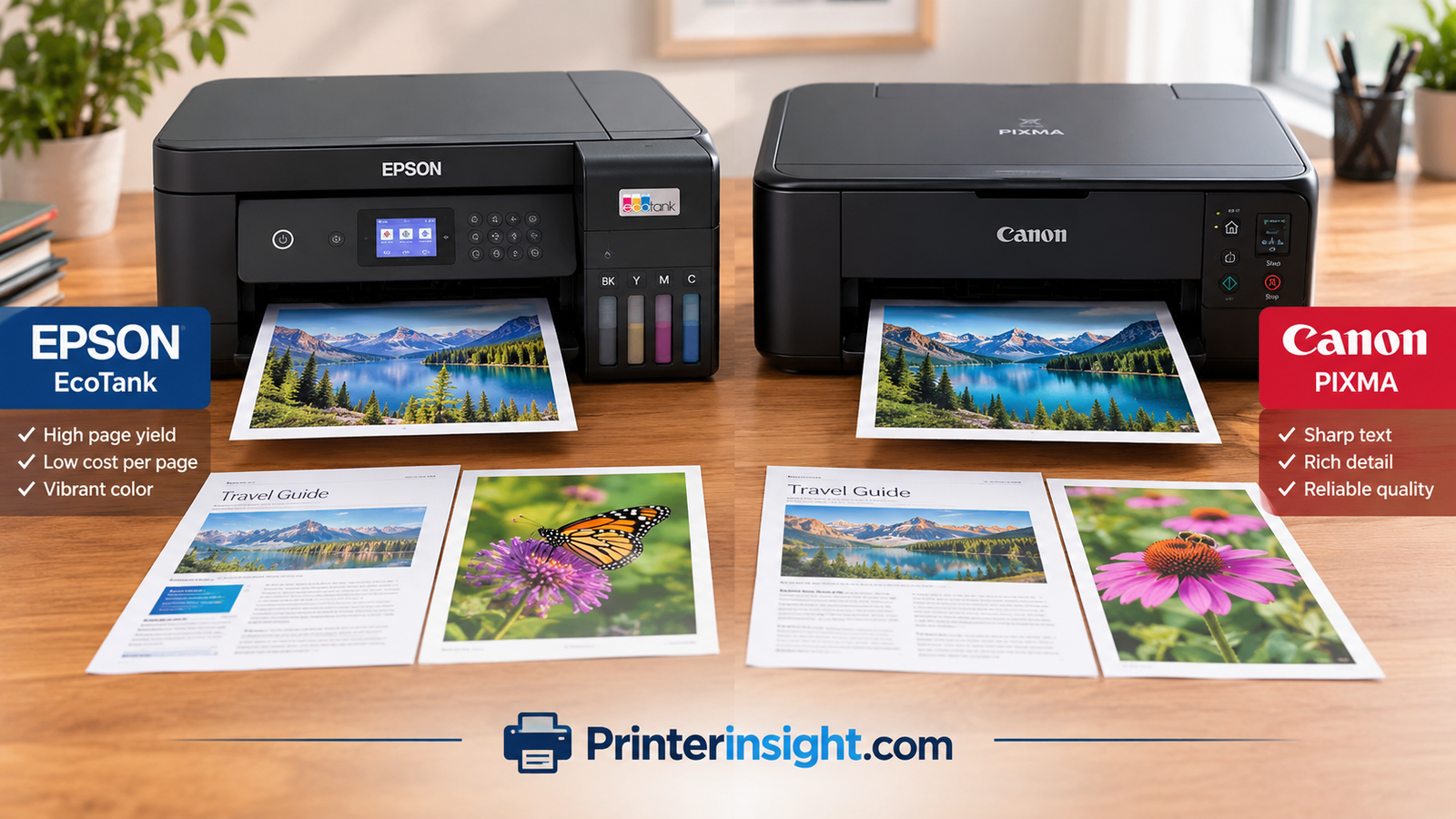
Why This Comparison Matters
Walk down any printer aisle, or scroll any shopping page, and two names dominate the inkjet world: Epson and Canon. Both make excellent machines. Both sell budget models that cost less than a nice dinner and premium models that can stand in for a small print shop. And both have loyal fans who will swear their brand is the only sensible choice.
The truth is more useful than the fandom. Epson and Canon make different trade-offs, and those trade-offs line up with different kinds of households and workspaces. If you print a few pages a week, the best choice looks different than if you print every day. If photos matter more than documents, the answer shifts again. And if you hate buying ink, the answer shifts a third time.
This guide walks through twelve areas that actually decide the winner: technology, ink systems, cost per page, text and graphics quality, photos, speed, scanning, connectivity, reliability and more. If you are still building a shortlist from scratch, our roundup of the best home printers worth buying right now is a good companion to this article. And if you are weighing Canon against a different rival, the Brother vs Canon printer breakdown covers that matchup.
Want to see current Epson and Canon prices side by side?
1. Epson vs Canon at a Glance
Before the deep dive, here is the short version. Think of this table as the cheat sheet. The rest of the article explains the reasoning behind every row.
| Category | Epson | Canon |
|---|---|---|
| Core technology | PrecisionCore / Micro Piezo, heat-free print head built into the printer | FINE thermal inkjet, print head often built into the cartridge |
| Tank printer line | EcoTank | MegaTank (PIXMA G series) |
| Cartridge line | Expression, WorkForce | PIXMA TS series, MAXIFY for business |
| Laser printers | Not offered for home use | imageCLASS laser line |
| Best known for | Low running costs, durable pigment text, fast business inkjets | Vivid photos, wide range of affordable all-in-ones |
| Upfront price (tank models) | Usually higher | Often a little lower |
| Ink bottle yield | Very high, often described as years of ink in the box | High, with generous starter bottles |
| Replacement print head | Rarely needed, part of the printer | Cartridge models replace it with each cartridge |
| Ideal user | High-volume home and office printing | Families, students and photo-minded users |
Browse top-rated Epson and Canon inkjets
2. Two Brands, Two Philosophies
Both companies are Japanese electronics heavyweights, but they come to printing from different directions. Understanding that history explains a lot about how their products feel.
Epson: The Print Head Specialists
Epson built its reputation on precision. The company grew out of watch-making and printing technology, and it treats the print head as the crown jewel of the machine. That is why Epson designs most of its printers with a permanent head that is meant to last for the life of the printer. Ink is just a consumable that flows into it, which also explains why the company pushed so hard into refillable tanks. If the head lasts years, the ink supply should too.
The Epson range is fairly easy to read. Expression models cover home use and photos. WorkForce models cover offices, including the fast heat-free WorkForce Pro line. EcoTank models cover anyone who wants bottled ink instead of cartridges, and they now stretch from small home models to heavy office machines.
Canon: The Imaging Company
Canon comes from cameras and optics, and it shows. The company has long taken colour reproduction, skin tones and photo output seriously. Its PIXMA range is enormous, covering everything from entry-level all-in-ones to photo-focused models. MegaTank printers handle the refillable-ink side, MAXIFY serves small businesses, and imageCLASS gives Canon a laser option that Epson does not have in the home market.
Canon also tends to be strong in the budget bracket. A PIXMA TS all-in-one often undercuts comparable Epson cartridge models on price, which makes it a popular first printer for students and families.
What That Means for You
Epson feels like the brand for people who plan to print a lot and want to stop thinking about ink. Canon feels like the brand for people who want flexibility, a lower buy-in price and great-looking photos. Neither is wrong. They are just aimed at slightly different people.
Explore Epson and Canon models in one place
3. Print Technology Explained
This is the part most buyers skip, and it is the part that explains almost every real-world difference. Both brands use inkjet technology, but the way each one pushes ink onto paper is quite different.
Epson PrecisionCore and Micro Piezo
Epson uses a piezoelectric crystal inside each nozzle. When an electric charge hits the crystal, it flexes and squeezes out a precisely sized droplet. No heat is involved. Epson calls this heat-free technology, and the practical benefits are real. Droplets are very consistent, the print head is not stressed by repeated heating, and the ink does not need to be formulated to survive being boiled for a split second.
Because the head is not heated, Epson can use durable pigment inks on its WorkForce models. Pigment particles sit on top of the paper rather than soaking in, which gives text a crisp edge and helps prints resist smudging and highlighter marks.
Canon FINE Thermal Inkjet
Canon uses thermal inkjet. A tiny heating element warms ink in the nozzle until a bubble forms and pushes a droplet out. FINE, which stands for Full-photolithography Inkjet Nozzle Engineering, refers to how those nozzles are manufactured to produce extremely small and accurate droplets. The result is very fine detail, especially in photos, along with smooth gradients.
Canon typically uses a mix of dye inks for colour and a pigment black for text in many of its all-in-ones. That hybrid approach gives you sharp text and rich, saturated colours without needing separate printers for each job.
Print Head Design: The Hidden Cost Difference
Here is the practical consequence. On many Canon PIXMA TS models, the print head lives in the cartridge. Every time you change a cartridge, you also change the head. That reduces the risk of a clogged, permanently ruined head, but it is part of why cartridge costs add up. On Epson, the head is built into the printer. It is more expensive to replace if something goes wrong, but you rarely have to.
| Feature | Epson | Canon |
|---|---|---|
| Droplet method | Piezoelectric, no heat | Thermal bubble |
| Typical text ink | Pigment (WorkForce, EcoTank varies by model) | Pigment black in many models |
| Typical colour ink | Dye or pigment, depending on model | Dye |
| Head location (cartridge models) | Inside the printer | Often inside the cartridge |
| Heat stress on ink | None | Brief heating per droplet |
If you want a deeper look at how different ink and toner technologies stack up, see our guide to inkjet vs laser printers for home use.
See printers built on each technology
4. EcoTank vs MegaTank: The Refillable Ink Showdown
Ink tank printers are where the Epson vs Canon debate gets heated, and for good reason. These machines swap tiny cartridges for large refillable tanks and bottles of ink, which dramatically lowers the cost of every page. If you are not sure the concept is right for you, read are ink tank printers worth it first, then come back.
Epson EcoTank
Epson essentially created the mainstream ink tank category, and EcoTank remains the benchmark. Models arrive with enough ink in the box to print thousands of pages, and the replacement bottles are inexpensive for the volume they hold. Bottles use keyed nozzles so you cannot pour the wrong colour into the wrong tank, and most models use a clear front window so you can see how much ink is left. Newer cartridge-free designs have tidied up refilling even further.
EcoTank covers a broad range. Small models handle basic home printing. Photo-focused EcoTanks add extra colours. Larger ones add automatic document feeders, faxing, duplex printing and bigger paper capacity. Our full Epson EcoTank printer review covers the line in detail.
Canon MegaTank
Canon’s answer is the MegaTank line, which sits in the PIXMA G family. These models also ship with a generous supply of ink, and replacement bottles are cheap. Canon has become very competitive here, particularly on price. Some MegaTank models include features such as auto duplex, an automatic document feeder and rear paper trays that suit thick media well.
If you are curious about a specific model, we reviewed one in our Canon MegaTank all-in-one wireless inkjet printer review.
Head-to-Head on Tank Systems
| Factor | Epson EcoTank | Canon MegaTank |
|---|---|---|
| Starter ink in the box | Very generous | Generous |
| Bottle design | Keyed, low-mess nozzles | Keyed bottles, easy fill |
| Model variety | Wide, from small to office-grade | Slightly narrower |
| Typical upfront price | Moderate to high | Often a bit lower |
| Photo-focused options | Strong, multi-colour models | Available, fewer options |
| Cost to refill | Very low per page | Very low per page |
Compare ink tank printers on Amazon
5. Cost Per Page and the Real Price of Ink
The sticker price of a printer is only the opening bid. Over a few years, the ink you buy often costs more than the machine itself. Anyone who has asked why printer ink is so expensive knows the frustration. This is where the Epson vs Canon choice has the biggest financial impact.
Cartridge Models
On cartridge printers, the two brands are broadly similar. Both sell standard and high-yield cartridges, and both make most of their money on replacement ink. Canon PIXMA TS cartridges are often cheaper individually but can be lower yield, and because the head sits in the cartridge, you are paying for that component every time. Epson cartridge printers, particularly Expression and WorkForce models, often have higher-yield options that bring the cost per page down a little, though individual cartridges can cost more.
Neither brand wins decisively here. For light printing, either is fine. If you print a lot, cartridges of either brand will start to feel expensive. If you want a broader view of costs, our explainer on the cost of printer ink vs toner puts things in perspective.
Tank Models
This is where the savings become dramatic. A full set of replacement EcoTank or MegaTank bottles can cost roughly what a single set of cartridges costs, yet print many times more pages. The cost per page can fall to a fraction of a cent for black and just a few cents for colour. That is why heavy printers move to tanks and rarely look back.
| Printer Type | Typical Upfront Cost | Cost Per Page | Best For |
|---|---|---|---|
| Epson cartridge (Expression) | Low | Moderate to high | Occasional printing |
| Canon cartridge (PIXMA TS) | Very low | Moderate to high | Light home use |
| Epson EcoTank | Moderate to high | Very low | Regular or heavy printing |
| Canon MegaTank | Moderate | Very low | Regular or heavy printing |
Third-Party Ink
Both brands technically allow third-party ink, but firmware behaviour varies by model. Using compatible cartridges can lower costs but may trigger warnings or affect warranty claims on some machines. With tank printers, third-party bottles are common and cheap, but we recommend sticking with original ink for photos so colour stays consistent. For more ways to trim costs, see home printers with the cheapest ink.
Where Epson Saves More
- Ink bottles that last a very long time
- High-yield options on business models
- Permanent head means fewer replacement parts
Where Canon Saves More
- Lower sticker price on many models
- Cheap entry-level all-in-ones
- Low-cost MegaTank bottles
A Simple Cost Example
Imagine a household that prints around fifty pages a week, mostly black text with some colour. Over three years that is roughly seven and a half thousand pages. On a budget cartridge printer, the household might replace a full set of cartridges several times, and the ink spend can easily exceed the price of the printer two or three times over. On an EcoTank or MegaTank, the same household might refill a single set of bottles once or twice. The upfront premium for the tank model is usually recovered within the first year or two.
Now imagine a light user who prints perhaps ten pages a month. The calculation changes. Ink in a tank printer is stable, so low usage is not a disaster, but the extra upfront cost may never be fully recouped. For that person, a cheap Canon cartridge printer may be the rational choice, as long as they accept the risk of cartridges drying out. Do the maths for your own habits instead of trusting any general rule.
Hidden Costs to Watch
Cleaning cycles consume ink on every inkjet. Borderless photo printing uses more ink than it appears. Draft versus best quality changes consumption significantly. And printing in colour when you only needed black costs more than you expect on some models, because colour inks can be used in small amounts to mix black. Setting your default to greyscale and draft for everyday documents is the single easiest way to stretch ink, regardless of brand.
Find replacement ink bottles and cartridges
6. Everyday Print Quality: Text, Graphics and Documents
Most people print documents far more often than photos. Boarding passes, school assignments, spreadsheets, recipes, forms. For these jobs, the question is simple: does text look sharp and do pages come out clean?
Text Sharpness
Both brands produce excellent text on plain paper. Canon’s pigment black is dark and crisp on most PIXMA all-in-ones, and the sharpness of its FINE nozzles shows in small fonts. Epson, especially on WorkForce and EcoTank models with pigment black, produces equally crisp text with a slight edge in smudge resistance. Epson’s heat-free pigment prints tend to hold up better when exposed to water drops or a highlighter, which is handy for study notes and shipping labels.
Graphics and Charts
For slides, charts and brochures, colour handling matters. Canon tends to produce slightly more saturated, punchy colour straight out of the box. Epson tends to look more neutral and natural, which some people prefer for business documents. Neither is better in an absolute sense. It comes down to taste, and both can be adjusted in the driver.
Plain Paper Performance
Plain office paper absorbs dye ink, which can soften edges and dull colours. Pigment ink sits on the surface and stays sharper. That is why Epson WorkForce Pro and some EcoTank models look especially clean on cheap paper, while Canon’s hybrid ink approach offers a good balance on most standard stock.
| Document Task | Epson | Canon |
|---|---|---|
| Small text and forms | Excellent | Excellent |
| Smudge and water resistance | Strong with pigment models | Good, pigment black helps |
| Colour charts and slides | Natural, balanced | Vibrant, saturated |
| Draft quality on plain paper | Very good | Very good |
Students and home-office users will find both brands satisfying. For model ideas, see our lists of the best printers for students and the best printers for a home office.
Borderless and Large Format
If you print posters, flyers or borderless pages, check the spec sheet. Many home printers handle letter and A4 size only, and some of them cannot do edge-to-edge printing on plain paper. Epson and Canon both offer wide-format models, but they cost considerably more and sit outside the home category. For most households, the standard sizes are enough.
Consistency Over Time
Print quality is not just about the first page out of the box. It is about the hundredth page and the thousandth. Pigment inks tend to hold consistent density, while dye inks can vary a little between cartridges. In practice the difference is subtle, and both brands calibrate their machines carefully. If you notice banding or faded lines, a nozzle check and head clean usually restore quality within a cycle or two.
Shop document-focused Epson and Canon printers
7. Photo Printing: Where Canon Fights Back
Photos are the one area where many reviewers hesitate to name a clear winner. Both brands make superb photo printers, and the better choice depends on what you value.
Canon’s Photo Strengths
Canon’s imaging background shows. PIXMA photo models produce rich colour, smooth skin tones and deep, glossy blacks. Many Canon printers also offer a dedicated photo black or extra colour channels, which makes gradients and shadows look more natural. Canon also sells the compact SELPHY line for small, fast, snapshot-style prints, which is a very different product from anything Epson sells at that price.
Epson’s Photo Strengths
Epson Expression Photo models and photo-oriented EcoTank printers use a six-colour system on many models, with extra inks that expand the colour range. Epson photos tend to look accurate and detailed, and the Epson prints are generally regarded as resisting fading well when stored properly. Epson also leads at the high end, where its professional photo printers are used by photographers and print studios.
Which Photos Look Better?
If you hold a Canon print and an Epson print side by side, you will probably see Canon with a warmer, more saturated look and Epson with a more neutral and accurate one. Both are lovely. For family albums and holiday snaps, Canon may feel more flattering. For artwork, portfolios and anything that needs faithful colour, Epson often feels more precise. Browse our favourites in the best printer for photos at home guide, or look at the best portable photo printers if you want something compact.
Canon Photo Pros
- Vibrant, flattering colour
- SELPHY compact photo printers
- Great value photo all-in-ones
Epson Photo Pros
- Accurate, neutral colour
- Six-colour Expression Photo models
- Professional-grade upgrade path
Shop photo printers from both brands
8. Speed and Everyday Performance
Printer speed claims are usually measured in ideal draft mode, so they rarely match real life. Still, there are clear patterns.
Cartridge Models
Entry-level Canon PIXMA TS and Epson Expression printers are comparable. Both are fine for a handful of pages a day, and both slow down noticeably on high-quality colour. You will not find a big difference between them at the budget end.
Tank Models
Tank printers are generally a bit slower than business inkjets, because they are designed for economy rather than speed. Epson EcoTank Pro and Canon MegaTank models with better engines handle larger jobs more smoothly, but you should not expect laser-level pace.
Business Inkjets
This is where Epson’s heat-free technology pays off. WorkForce Pro printers are built for speed, and they can print documents at a pace that rivals many lasers while using far less power. Canon’s MAXIFY line is strong competition for small offices, with fast first-page-out times and good paper handling, but Epson’s top models usually pull ahead on sustained throughput.
| Scenario | Faster Choice | Why |
|---|---|---|
| Occasional home printing | Tie | Both are quick enough |
| Daily family printing | Tie | Tank models trade speed for economy |
| Small business, high volume | Epson WorkForce Pro | Heat-free speed, low power use |
| Photos at highest quality | Tie | Both are slow in best mode |
If speed is your top priority, you might want to step outside inkjet altogether and read the best laser printer for home guide, since Canon is the only one of these two brands that also sells lasers. For a wider look at pro-grade options, see the best printer for small business.
Warm-Up, First Page and Quiet Operation
Speed ratings usually describe pages per minute once printing has started. What you feel day to day is the time until the first page appears, and how much noise the printer makes. Canon cartridge models often feel snappy for single pages, while Epson tank models can take a moment to wake from sleep. Business inkjets from both brands are quicker to respond, and both brands offer quiet modes that slow printing slightly to reduce noise, which is handy in shared homes or small offices.
Power Consumption
Epson makes a point of the low power draw of its heat-free business inkjets, which use far less electricity than comparable lasers. Canon’s inkjets are also frugal in sleep mode. Either way, running costs from electricity are tiny compared with ink, so this is a minor factor for most buyers, though offices running several machines may notice the difference.
Shop fast Epson and Canon office inkjets
9. Scanning, Copying and Paper Handling
Most buyers do not want a printer. They want an all-in-one that scans, copies and sometimes faxes. Here is how the two brands compare on the extras.
Scanners and Document Feeders
Both brands use high-resolution flatbed scanners on all-in-ones, and both offer automatic document feeders on mid-range and higher models. Epson tends to include an ADF on more of its EcoTank all-in-ones, while Canon’s budget PIXMA TS and some MegaTank models rely on the flatbed alone. If you scan stacks of paperwork, check for an ADF before you buy rather than assuming one is included.
Duplex Printing
Automatic two-sided printing saves paper and is a quiet money-saver. Epson offers duplex across most of its mid-range and above lines. Canon provides it on many PIXMA TS and MegaTank models, but entry-level versions sometimes leave it out. Always read the spec sheet.
Paper Trays and Media
Canon’s rear tray is friendly to thicker photo paper and card stock, and some models add a second cassette for plain paper. Epson EcoTank models usually include a larger main tray, and business models add extra cassettes. For envelopes and labels, both can cope, but tank models with straight paper paths do best. Check the best printer for labels and the best printer for crafting for specialist picks.
| Feature | Epson | Canon |
|---|---|---|
| Automatic document feeder | Common on mid-range and up | Less common on budget models |
| Automatic duplex | Widely available | Available on many models |
| Rear thick-media tray | On select models | Frequently included |
| Fax | Available on office models | Available on office models |
| Memory card slots | Rare, on photo models | Rare, on photo models |
Fax, Memory Cards and Extras
Fax is a niche feature, but some home offices and medical or legal settings still need it. Both brands include it on certain office models, so check the spec rather than assuming. Memory card slots and USB ports for printing from a flash drive appear on a handful of photo-oriented models, and they are useful if you print directly from a camera card. Most people never use them, so do not pay extra unless you know you will.
Scan Quality and Software
Flatbed scan quality is excellent on both brands for documents and photos. Epson’s scanning software is often praised for its straightforward text recognition and cloud options, while Canon’s utilities handle photo scanning and document stitching well. Both let you scan to a computer, a phone or a cloud service, and both support scan-to-email on higher-end models.
Shop all-in-one printers with scanner and ADF
10. Wireless, Apps and Compatibility
A printer that will not connect is just an expensive paperweight. Fortunately, both brands have matured here, and setup is far easier than it used to be.
Setup and Mobile Apps
Epson uses its Smart Panel app and Canon uses PRINT Inkjet/SELPHY and the Canon Print app. Both guide you through Wi-Fi setup, firmware updates and ink checks, and both support AirPrint and Mopria for printing without installing anything. If you do run into trouble, our walkthrough on how to connect a printer to WiFi covers the common fixes, and the best wireless printer for home lists the easiest models to set up.
Mac, Windows and Chromebook
Both brands support Windows and macOS well, and AirPrint means most Mac users never need a driver. Chromebooks use driverless printing, so any recent Epson or Canon with IPP support works. If you are choosing for a specific platform, see the best home printer for Mac and the best printer for Chromebook.
Connection Problems
The most common complaint with any wireless printer is that it drops off the network. Static IP assignment, a firmware update and a router restart solve most cases. If yours keeps disappearing, read why does my printer keep going offline for step-by-step solutions.
Shop wireless Epson and Canon printers
11. Reliability, Maintenance and Clogging
Every inkjet printer is a tiny precision machine, and every one can misbehave. The question is how likely it is and how easy it is to fix.
Clogging and Dried-Out Ink
Clogged nozzles are the classic inkjet headache, and they usually appear after long periods of inactivity. Epson’s permanent heat-free head can clog if left unused, and cleaning cycles use ink. The good news is that tank models hold plenty of ink and recover well. Canon cartridge models that include the head in the cartridge sidestep the worst case, because you can simply replace the cartridge. Printing a test page every week or two is the best prevention for both brands. We cover the habit in detail in how to prevent an inkjet printer drying out, and you can follow how to clean printer heads if you are already dealing with streaks.
Long-Term Durability
Epson’s permanent heads and sturdy tank designs earn it a reputation for lasting a long time under heavy use. Canon’s printers are also well built, though budget PIXMA TS models can feel lighter and more disposable. Think of Canon cartridge printers as short-term convenience and Epson tanks as longer-term investments, while recognising that exceptions exist in both directions.
Warranty and Support
Both brands offer a standard limited warranty and online support. Epson often adds extended coverage on EcoTank models and its business lines, and Canon provides similar support but with variations by region and model. Always register your printer and keep your receipt.
Everyday Care
A few habits help every printer: keep it powered with the proper button rather than unplugging it, use fresh paper stored flat, and update firmware when prompted. For a longer checklist, see home printer maintenance tips.
Epson Reliability Strengths
- Durable permanent print head
- Strong tank build quality
- Good extended support options
Epson Watch-Outs
- Head clogs can need ink-wasting cleaning
- Head repairs cost more than a cartridge swap
Canon Reliability Strengths
- Head replaced with cartridge on many models
- Strong build on MegaTank and MAXIFY
Canon Watch-Outs
- Budget TS models can feel less durable
- Cartridge head design raises ongoing cost
Ink Level Warnings and Firmware
Both brands push firmware updates, and both occasionally use them to block third-party consumables. If you value freedom over convenience, research the specific model’s behaviour before you buy. Tank printers tend to be more forgiving, because there is no cartridge chip to authenticate, while cartridge printers are more likely to complain about non-original ink. Consider turning off automatic firmware updates if you rely on compatible supplies.
Storing Spare Ink Properly
Ink bottles and cartridges last longest when stored upright, at room temperature and out of direct sunlight. Keep tank bottles tightly sealed and never store them on their side. Unopened cartridges generally have a printed use-by date, and using them well past it can cause clogs. A small shelf in a cupboard is all you need.
Stock up on cleaning supplies and spare ink
12. Best Pick by Use Case
You do not need the objectively best printer. You need the best printer for the way you live and work. Here is how I would match each type of person to a brand.
Students
Students print assignments in bursts and need low upfront cost. A Canon PIXMA TS all-in-one is an easy way in, while a compact EcoTank is smarter if you print a lot of reading material. Budget-conscious students should compare both against the options in our student printer guide.
Families
Homework, school forms, craft sheets and the occasional photo. A mid-range MegaTank or EcoTank makes sense, since ink bottles last through a busy school year. Canon edges ahead if photos and projects are a big part of your printing, and Epson edges ahead if volume matters most.
Home Office and Remote Workers
Epson WorkForce Pro and EcoTank Pro are hard to beat for crisp, smudge-resistant documents and low running costs. Canon MAXIFY and imageCLASS are strong alternatives, and imageCLASS is worth considering if you want a laser. See the best printer for home office for specific recommendations.
Photographers and Hobbyists
Choose Canon for vibrant everyday prints and SELPHY convenience, and choose Epson for accurate colour and a path to professional-grade output.
Crafters and Sublimation Users
Epson is the traditional platform for sublimation conversions, and its tank printers are the usual starting point. Canon works for general crafting, but check compatibility before attempting anything unusual.
Light Users
If you print a few pages a month, a cheap cartridge printer from either brand will do. Just be aware that cartridges can dry out between uses. A small tank printer may still be cheaper over time, and our look at how much a printer costs helps you budget.
| If you are… | Choose | Why |
|---|---|---|
| A student on a budget | Canon PIXMA TS | Low entry price |
| A heavy home printer | Epson EcoTank | Lowest long-term cost |
| A family with photo needs | Canon MegaTank | Vivid colour, cheap ink |
| A remote worker | Epson WorkForce Pro / EcoTank Pro | Speed and durable text |
| A sublimation crafter | Epson EcoTank | Heat-free head |
| A photographer | Epson Expression Photo | Accurate colour |
| A snapshot lover | Canon SELPHY | Compact, fast prints |
If you are still undecided between brands entirely, you may also like our match-ups of Canon PIXMA vs HP Envy, plus reviews of the Canon PIXMA TS series and the Epson WorkForce line.
A Short Buying Checklist
- Estimate your monthly pages. Over a couple of hundred pages a year, a tank printer starts to make sense.
- Decide how much photo printing you do. Regular photo printing favours a six-colour model from either brand.
- Check for an ADF and duplex. These features save time and paper every week.
- Confirm platform support. Look for AirPrint, Mopria and the apps you actually use.
- Look at replacement ink costs before you buy. Search for the exact model’s ink and compare yields.
- Read recent reviews. Firmware and ink policies change, and fresh feedback matters.
Work through that list and you will avoid the most common regrets, such as buying a cheap printer with expensive ink, or a big tank printer when you only print a birthday card twice a year.
Ready to choose? See today’s best Epson and Canon deals
Epson vs Canon Printer: Frequently Asked Questions
Is Epson or Canon better overall?
Neither wins every category. Epson tends to be better for long-term ink savings, durable documents and business speed. Canon tends to be better for vibrant photos, lower upfront prices and compact photo printers. Your print habits decide which is better for you.
Which brand has cheaper ink?
On tank models, both are very cheap per page, with Epson often giving slightly more pages per bottle set. On cartridge models, prices are similar, though Canon cartridges that include the print head can cost more over time. Tank printers from either brand beat cartridges by a wide margin.
Are EcoTank printers better than Canon MegaTank printers?
EcoTank has the longer history and the broader lineup, while MegaTank is often a bit cheaper to buy. For running costs they are close. Choose based on the specific model’s features, such as an ADF, duplex printing and paper capacity.
Which brand prints better photos?
Canon usually produces warmer, more saturated photos that look flattering straight from the printer. Epson usually produces more neutral, accurate colour and has a stronger upgrade path to professional photo printing. Both are excellent.
Do Epson printers clog more than Canon printers?
Any inkjet can clog after long inactivity. Epson’s permanent head can need cleaning cycles, while Canon cartridge models replace the head with the cartridge. Printing a test page every week or two keeps either brand healthy.
Can I use third-party ink in Epson and Canon printers?
You can on many models, but behaviour varies. Some printers display warnings or restrict features with non-original cartridges, and it may affect warranty claims. For photos, original ink gives the most consistent colour.
Which is better for a home office?
Epson WorkForce Pro and EcoTank Pro are excellent for fast, smudge-resistant documents and low running costs. Canon MAXIFY is a strong competitor, and Canon imageCLASS adds laser printing if you prefer it.
Which brand is better for students?
A Canon PIXMA TS is an affordable starting point for light printing. A compact EcoTank costs more upfront but is cheaper if you print lots of readings and assignments.
Is Epson or Canon better for sublimation printing?
Epson is the traditional choice because its heat-free print head handles sublimation ink well. Canon’s thermal heads are generally not recommended for that purpose.
Do Epson and Canon printers work with Mac and Chromebook?
Yes. Both brands support macOS through AirPrint and drivers, and recent Wi-Fi models work with Chromebooks through driverless printing. Always confirm the model supports your platform before buying.
Which printer has the lowest long-term running cost?
A tank printer from either brand. Epson EcoTank and Canon MegaTank both deliver extremely low cost per page, and the difference between them is much smaller than the gap between tank and cartridge models.
How long do Epson and Canon printers last?
With basic care, most last several years. Epson’s permanent heads and sturdy tank designs give it a slight edge for heavy use, while budget Canon cartridge printers can feel less durable. Regular use and proper shutdown extend the life of either.
Final Verdict: Epson vs Canon Printer
After comparing technology, ink systems, running costs, quality, speed, features and reliability, the picture is clear. Epson is the better choice if you want the lowest long-term cost, durable text, and a printer that can handle serious volume. Canon is the better choice if you want a lower entry price, vibrant photos and an easy all-in-one for family life.
If you print often, buy a tank printer, either an EcoTank or a MegaTank, and you will save money no matter which logo is on the front. If you print rarely, a budget cartridge model from either brand will do, as long as you print the odd test page to keep it healthy. Whichever you choose, take a moment to compare current prices and read a few recent buyer reviews before you commit.
Make your choice and start printing