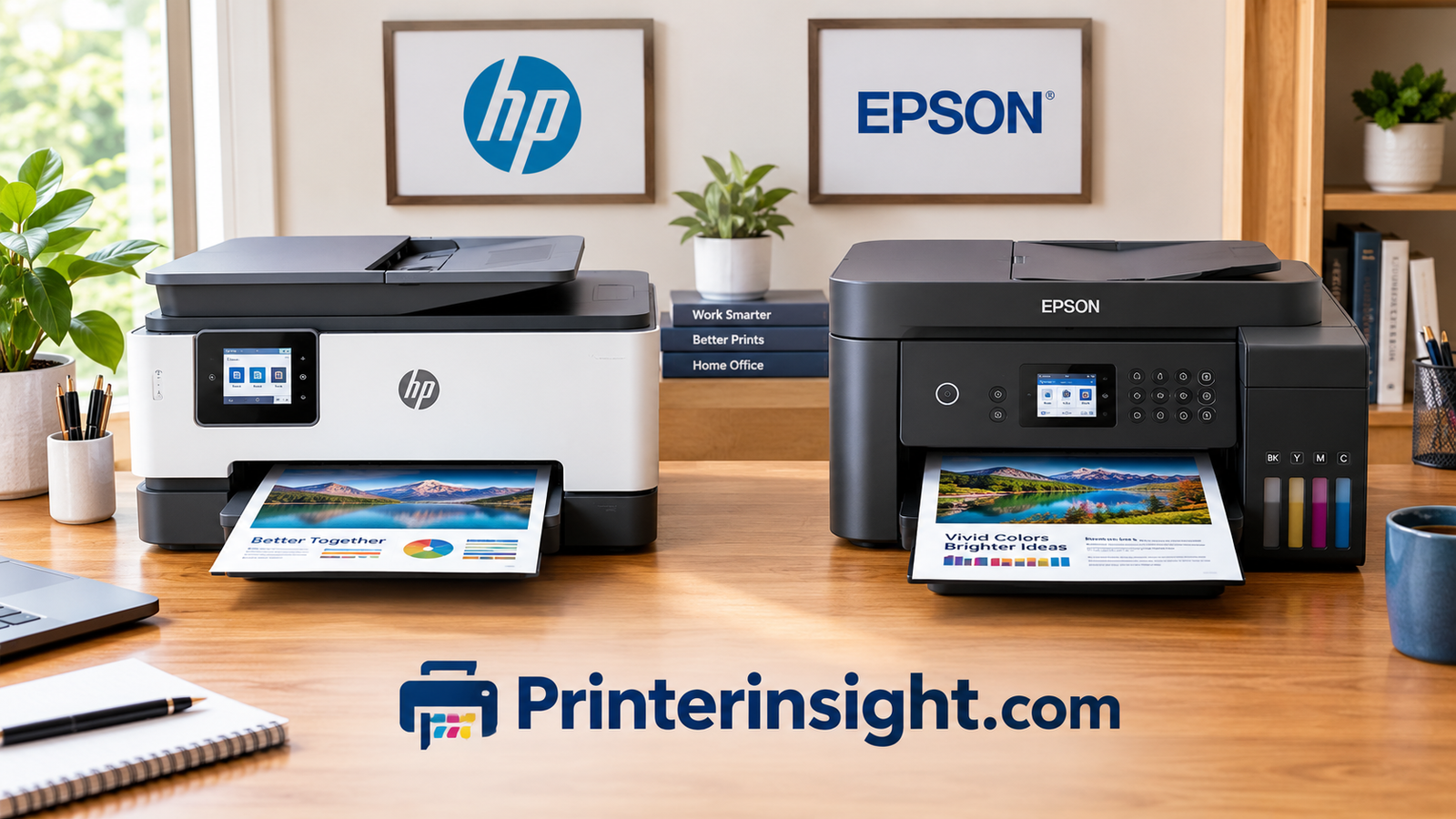
HP vs Epson Printer: Which Brand Actually Deserves a Spot on Your Desk?
Ink costs, print quality, reliability, setup headaches, and the fine print nobody mentions at the checkout page. Here is the honest breakdown.
Walk into any electronics aisle or scroll through any online marketplace, and two names keep showing up in the printer section: HP and Epson. Both have been around for decades. Both sell everything from compact budget inkjets to office workhorses. Both have loyal fans who will tell you the other brand is a mistake. So which one is right for you?
The honest answer is that it depends on how you print, how often you print, and how much you are willing to tolerate in exchange for lower costs. HP leans on a subscription-friendly, app-driven ecosystem and a huge range of models. Epson leans hard on refillable ink tanks and a print head design built for durability. Neither approach is universally better, but one of them is almost certainly better for you.
This guide compares the two brands across every category that matters: print quality, ink costs, speed, reliability, setup, software, and the long game of ownership. We will also point out the traps, because every brand has them. By the end, you should be able to pick a side with confidence and know exactly what type of model to shop for.
Quick Verdict: HP vs Epson at a Glance
Before we dig into the details, here is the bird’s-eye view. If you only read one section, make it this one, because it frames everything that follows.
| Category | HP | Epson |
|---|---|---|
| Best known for | Wide range, smart app, subscription ink | EcoTank refillable tanks, PrecisionCore heads |
| Running cost | Low with Smart Tank or an ink plan; higher with standard cartridges | Very low with EcoTank; moderate with cartridge models |
| Text quality | Sharp, especially on office models | Sharp and smudge-resistant on pigment-ink models |
| Photo quality | Good on Envy and Photo-focused lines | Excellent on Expression Photo and multi-ink tank models |
| Upfront price | Lower on entry models | Higher on EcoTank, lower on basic cartridge models |
| Setup and app | Polished, very guided | Solid, slightly less flashy |
| Biggest annoyance | Cartridge restrictions on some models and accounts | Print heads can clog if rarely used |
Pick HP if you…
- Want the widest choice of sizes and prices
- Print a modest amount and like automatic ink delivery
- Prefer a very guided phone app experience
- Need a dependable laser for text-heavy work
Pick Epson if you…
- Print often and hate buying cartridges
- Want strong photo output from a home printer
- Value refillable ink bottles over subscriptions
- Want pigment ink that resists smudging
If you are still deciding between inkjet and laser technology in general, our inkjet vs laser printer for home comparison covers that decision in depth. And if you want a broader shortlist that is not limited to these two brands, start with the best home printers worth buying right now.
Browse HP and Epson printers on Amazon
Prices and availability shown on Amazon.
Two Brands, Two Philosophies
To understand why HP and Epson printers feel different in daily use, it helps to know how each company thinks about the printer business. The hardware is only half the story. The other half is how the company expects to make money after you take the printer home.
HP: The Ecosystem Approach
HP has built its modern strategy around a connected ecosystem. You set up the printer through the HP Smart app, create an account, and in many cases are nudged toward a subscription program that ships ink automatically based on how many pages you print. For plenty of households this is genuinely convenient. You stop running out of ink at the worst possible moment, and the per-page cost is predictable.
The trade-off is that certain HP models, particularly those tied to its subscription printing programs, expect an active account and compatible cartridges. If you value total independence from accounts and cloud services, you will want to read the fine print on any HP model before you buy it. Our guide to the best HP printer for home use flags which lines are the most flexible in this regard.
Epson: The Hardware Approach
Epson has leaned into a different bet: sell a printer that costs more upfront, then make the ink so cheap and so plentiful that the customer never feels punished for printing. The EcoTank line is the clearest expression of this. Instead of tiny cartridges, you pour ink from bottles into built-in tanks. A single set of bottles can cover thousands of pages, which changes the economics of home printing entirely.
Epson also builds its own print head technology, called PrecisionCore on many business models, which uses a heat-free piezoelectric process rather than the thermal process common in HP inkjets. That has implications for ink types, durability, and speed, which we will unpack in later sections.
What This Means for You
HP is generally optimized around convenience and choice. Epson is generally optimized around cost per page and print head durability. Neither is wrong. They simply reward different habits. A person who prints twice a month and wants a hands-off experience is a very different customer from a person who prints homework, recipes, and craft templates every day.
- HP rewards: app lovers, subscribers, people who want lots of models to choose from
- Epson rewards: high-volume printers, photo enthusiasts, people who dislike recurring fees
- Both reward: buyers who read specs before buying instead of just following a brand name
See current HP and Epson deals on Amazon
Prices and availability shown on Amazon.
Print Quality: Text, Graphics, and Photos
Print quality is where brand loyalty gets loud, so let us separate the three things people usually mean by it: crisp text, vivid graphics, and photographs.
Text Documents
For everyday documents like homework, forms, invoices, and email printouts, both brands deliver crisp, readable text. The practical difference is the ink. Many HP and Epson office-oriented inkjets use pigment-based black ink, which sits on top of the paper and resists smudging and highlighter bleed. Many cheaper consumer models from both brands use dye-based inks for color, which look vibrant but can smear when wet.
If your documents get handled, highlighted, or occasionally dampened, favor pigment black. Epson’s WorkForce line and HP’s OfficeJet Pro line both make that easy. You can read model-level notes in our Epson WorkForce review and our HP OfficeJet Pro review.
Graphics and Presentations
For charts, flyers, and school projects, both brands produce bright, saturated color on plain paper. HP often looks a touch punchier on standard paper out of the box. Epson prints tend to look slightly more restrained but accurate. This is a taste thing rather than a quality gap, and most people will be happy with either.
Photographs
Photos are where Epson tends to pull ahead, particularly with its Expression Photo series and multi-ink EcoTank photo models. Extra ink colors, such as light cyan, light magenta, or a dedicated gray, help smooth gradients in skies, skin tones, and shadows. HP’s Envy line and select Photo models produce good snapshots, and many people will not notice the difference at 4×6 size. But on larger prints, or in dark, moody images, extra ink channels make a visible difference.
Where HP Shines
- Bold color on plain paper
- Sharp laser text on LaserJet models
- Consistent results across many entry models
Where Epson Shines
- Smoother photo gradients on photo-focused models
- Smudge-resistant pigment black on many models
- Strong results on glossy and matte photo paper
If photography is a priority, take a look at our roundup of the best printer for photos at home. Craft makers who print stickers, iron-on designs, and templates will find extra guidance in the best printer for crafting guide.
Longevity of Prints
If you plan to frame or archive prints, ink type matters. Pigment inks resist fading and water better, while dye inks offer richer color on glossy paper but can fade sooner in bright light. Several Epson photo models use specialized pigment or hybrid ink sets aimed at lasting results, and HP offers pigment inks on its office lines. For everyday snapshots that end up on a fridge or in an album, either brand will serve you fine. For wall art or gifts, choose a photo-focused model and good paper, because paper quality changes the final result as much as the printer does.
Paper Matters More Than You Think
Plain copy paper soaks up ink and dulls color on every inkjet. Switching to a coated matte or glossy photo paper can transform the output of both brands. Always match the paper type setting in the print dialog to the paper in the tray, since the printer adjusts ink amounts accordingly. This single habit fixes many complaints about washed-out or overly wet prints.
Shop photo-ready Epson and HP printers
Prices and availability shown on Amazon.
Ink and Running Costs
This is the section that decides most purchases, even if buyers do not realize it at the time. A printer that costs less on the shelf can cost far more over a few years. Printer pricing is famously lopsided: the hardware is often sold close to cost, and the ink is where the real money is made. If that makes you wonder why the refills seem so steep, our explainer on why printer ink is so expensive walks through the economics.
Cartridge Models
Standard cartridge inkjets from both brands share the same weakness: small cartridges that run out quickly, and replacements that can cost a meaningful fraction of the printer itself. Starter cartridges that ship in the box are often only partially filled, so the first refill arrives sooner than expected. Epson’s cartridge models and HP’s DeskJet and Envy lines all follow this pattern.
Subscription Ink: The HP Route
HP’s answer is a subscription plan where you pay a monthly fee based on page count rather than ink volume. Low-volume plans can be very cheap, and unused pages often roll over within limits. The catch is that you are renting the ink supply, not owning it, and canceling the plan may stop cartridges from working. For light printers this can be a bargain. For heavy printers, the tiers climb, and the math becomes less attractive.
Refillable Tanks: The Epson Route
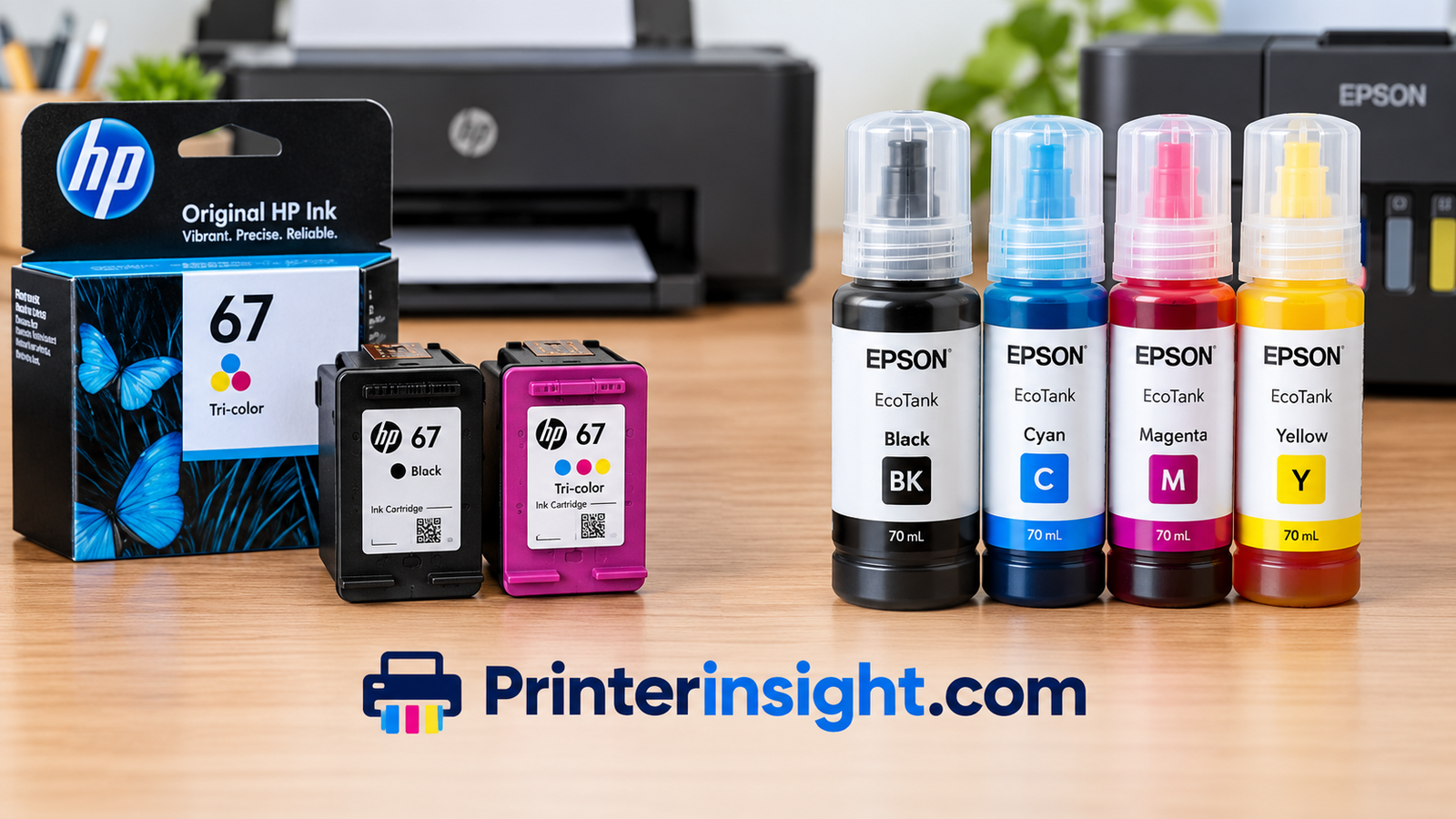
Epson’s EcoTank approach flips the model. You pay more for the printer, but replacement ink bottles are inexpensive compared with cartridges, and each bottle set covers a very large number of pages. For anyone printing weekly or daily, this is the single biggest cost advantage in the home printer market. HP offers its own tank line, Smart Tank, which we cover in the next section.
| Cost Factor | HP Cartridge | HP Smart Tank | Epson Cartridge | Epson EcoTank |
|---|---|---|---|---|
| Upfront price | Low | Medium to high | Low to medium | Medium to high |
| Ink replacement cost | High per page | Low per page | Moderate to high | Very low per page |
| Subscription option | Yes, on many models | Not needed | Limited | Not needed |
| Best for | Occasional printing | Frequent printing | Occasional printing | Frequent printing |
For a deeper look at toner versus ink economics, read the cost of printer ink vs toner breakdown. To see which models are friendliest to your wallet, our list of the home printers with the cheapest ink ranks them by long-term cost. If you are weighing the tank concept itself, are ink tank printers worth it answers that question directly.
A Simple Cost Example
Imagine two households. The first prints about twenty pages a month, mostly black-and-white forms and the occasional color flyer. The second prints close to two hundred pages a month, including homework, worksheets, and photos. For the first household, a cheap cartridge printer or a low-tier ink plan can easily be the smarter purchase, because the higher price of a tank model would take years to pay back. For the second household, the same cartridge printer would burn through ink so quickly that the tank model pays for itself within the first year or two. The brand matters far less than matching the ink system to your volume.
It also helps to think about hidden costs. Paper is the most overlooked one. Duplex printing halves paper use, and a draft mode for internal documents cuts ink use. Over several years, those habits shave more off your bill than switching brands ever would.
Compare EcoTank and Smart Tank prices
Prices and availability shown on Amazon.
Ink Tank Showdown: EcoTank vs Smart Tank
Because tank printers are where the two brands compete most directly, they deserve their own section. Both are refillable. Both promise very low running costs. They differ in design, bottle system, and what comes in the box.
Epson EcoTank
EcoTank printers use a bottle system with keyed tips, so each color bottle only fits its own tank. This reduces spills and mix-ups. Many models include a generous set of ink in the box, which Epson positions as enough for a very long stretch of regular printing. The tanks sit in front of the printer on most current designs, so you can see the ink level at a glance. Photo-oriented EcoTank models add extra ink colors for better image quality.
The trade-off is price and size. EcoTank models tend to be bulkier than a basic cartridge printer, and the upfront cost is higher. Our detailed Epson EcoTank printer review covers how they behave in real use.
HP Smart Tank
HP’s Smart Tank line follows the same refillable idea, with bottles that fill the integrated tanks. Setup is typically guided through the HP Smart app, and many models come with a large starting supply of ink. HP tends to price Smart Tank models competitively, and the printers are popular with families and students. Read our HP Smart Tank review for hands-on impressions.
For a head-to-head on exactly this matchup, see our dedicated Epson EcoTank vs HP Smart Tank comparison. And if you want a shortlist across all brands, the best ink tank printer for home guide is the place to go.
HP Smart Tank
- Often priced aggressively
- Strong app-guided setup
- Good for mixed text and color documents
- Can be bundled with HP account features
Epson EcoTank
- Keyed bottles that reduce spill risk
- Photo-focused models with extra ink colors
- Large ink supply included on many models
- Mature, widely proven design
Pros of Tank Printers (Both Brands)
- Dramatically cheaper ink per page
- Fewer replacement interruptions
- Large ink capacity
- Less cartridge waste
Cons of Tank Printers (Both Brands)
- Higher upfront price
- Bulkier bodies
- Refilling is slightly messy if rushed
- Can clog if left unused for long periods
The verdict here is close. Epson has a slight edge in photo quality and brand maturity in the tank category. HP often wins on price, app polish, and ease of setup. If your goal is a family printer for school, forms, and the occasional photo, either is a very good choice.
Check ink tank printer prices on Amazon
Prices and availability shown on Amazon.
Cartridge Inkjets: Envy, OfficeJet, Expression, and WorkForce
Not everyone wants a tank printer. Plenty of people want a small, inexpensive machine that sits quietly in a cabinet until needed. For them, cartridge inkjets still make sense, and both brands have compelling lineups.
HP Cartridge Lines
HP’s DeskJet line sits at the budget end, aimed at casual printing. The Envy line adds nicer design, better photo output, and duplex printing on some models. The OfficeJet and OfficeJet Pro lines target home offices and small businesses, with automatic document feeders, faster speeds, and larger paper trays.
Epson Cartridge Lines
Epson’s Expression line covers home use, with Expression Home models for everyday jobs and Expression Photo models for image-focused work. The WorkForce line is the business-oriented sibling, with PrecisionCore print heads on higher-end models, fast speeds, and large paper capacities. WorkForce Pro models are built for demanding environments.
| Use Case | HP Line | Epson Line |
|---|---|---|
| Basic home printing | DeskJet | Expression Home |
| Stylish, photo-capable home printer | Envy | Expression Photo |
| Home office all-in-one | OfficeJet | Expression Premium / WorkForce |
| Small business, fast output | OfficeJet Pro | WorkForce Pro |
| Refillable ink | Smart Tank | EcoTank |
One small but important note: all-in-one models bundle printing, scanning, and copying, which is what most households really need. If you are shopping that category specifically, our guide to the best all-in-one printer for home will help you narrow the field, and the best printer for a home office list covers more workplace-focused picks.
The Cartridge Cost Warning
If you buy a cartridge inkjet, check the replacement cartridge prices before you check out the printer price. High-capacity cartridges cost more upfront but lower the per-page cost significantly. Third-party cartridges can save money on some models, though certain HP and Epson models may display warnings or restrict them, so verify compatibility before buying.
Why Choose a Cartridge Inkjet
- Lowest upfront cost
- Smaller, lighter bodies
- Easy to swap in a pinch
- Good for light, occasional use
Why You Might Regret It
- Expensive ink per page
- Frequent replacements if you print a lot
- Starter cartridges run low fast
- Possible cartridge restrictions
Find a compact HP or Epson inkjet
Prices and availability shown on Amazon.
Laser and Heavy-Duty Office Options
A comparison of HP and Epson would be incomplete without addressing laser printing, because here the two brands are not equally matched. HP is a major name in laser printers through its LaserJet line, while Epson focuses almost entirely on inkjet technology for its mainstream printers, including its business-grade PrecisionCore models.
HP LaserJet
If you print mostly black-and-white documents, such as contracts, reports, shipping paperwork, and school assignments, a monochrome laser is hard to beat. Toner does not dry out, pages print quickly, text is razor-sharp, and cost per page is low. HP’s LaserJet lineup includes compact home models and heavy-duty machines for busy offices. Toner stays usable for long idle periods, which is a huge advantage for people who print infrequently. See our best laser printer for home guide for suggestions.
Epson’s Answer: High-Speed Inkjet
Epson’s WorkForce Pro line uses heat-free PrecisionCore print heads to produce laser-like speeds and sharp text without the warm-up time that many laser printers need. These models also use less power during operation in many cases. They are not lasers, but for offices that want color and speed with lower energy use, they are a serious alternative. Our Epson WorkForce review goes deeper.
When Laser Beats Inkjet
- You print mostly black-and-white text
- You print in occasional bursts with long gaps between
- You need very fast first-page output
- You never need photo-quality color
When Inkjet Beats Laser
- You print color images, photos, or crafts
- You want a lower purchase price
- You want borderless photo printing
- You need specialty media like photo paper or iron-on transfer sheets
If a laser printer is on your radar, also check out how HP stacks up against other major names in our Brother vs HP printers for home comparison, since Brother is the other big name in home laser printing. For small business buyers, our best printer for small business list mixes laser and inkjet options.
Compare laser and inkjet printers on Amazon
Prices and availability shown on Amazon.
Speed and Day-to-Day Performance
Manufacturer speed ratings are measured under ideal conditions, usually in draft mode on plain text pages. Real-world speed feels different, and it depends on which factors you care about most: first-page-out time, sustained pages per minute, duplex speed, and how quickly the printer wakes from sleep.
Print Head Technology Matters
HP’s inkjets use a thermal process that heats ink to form droplets. Epson’s PrecisionCore heads on its WorkForce Pro models use a piezoelectric process that pushes ink out without heating it. The practical effect is that Epson’s high-end business models can sustain fast speeds with consistent droplet control, while HP’s thermal heads are inexpensive to manufacture, which is one reason HP can offer attractive entry-level prices.
On consumer models, the differences shrink. Most home inkjets from either brand print a few pages per minute in normal mode and slow down noticeably in best-quality mode or when printing photos. Tank models are often a bit slower than their cartridge cousins because of their design priorities, though the gap rarely matters for home use.
Duplex, Feeders, and Paper Handling
Automatic two-sided printing saves paper and time. Many mid-range HP OfficeJet and Envy models and Epson Expression Premium and WorkForce models include it. An automatic document feeder is the feature that matters most for scanning and copying multi-page documents, and it is present on most office-oriented models from both brands. If you plan to scan regularly, read our walkthrough on how to scan from a printer to a computer.
| Performance Factor | HP | Epson |
|---|---|---|
| Entry-level speed | Adequate for casual use | Adequate for casual use |
| Office-grade speed | Fast on OfficeJet Pro and LaserJet | Very fast on WorkForce Pro |
| Wake-up time | Quick on inkjets, longer on some lasers | Quick, especially heat-free models |
| Duplex availability | Common on mid-range and up | Common on mid-range and up |
| Noise | Varies widely | Varies widely |
A final performance note: both brands let you choose between draft, normal, and best print modes. Using draft for internal documents can cut ink use and speed up jobs. Reserve best mode for photos and anything you plan to share.
Browse fast home office printers
Prices and availability shown on Amazon.
Setup, Wi-Fi, Apps, and Software
Hardware quality means little if setup is a nightmare. Printer setup has a notorious reputation, and the experience differs between the two brands in small but meaningful ways.
HP Smart App
HP’s setup flow is highly guided. You install the HP Smart app on your phone, tap through instructions, and the app finds the printer, joins it to Wi-Fi, and adds it to your device. The app can also scan documents with your phone camera, manage ink plans, and troubleshoot problems. It does ask you to create an account, which some people find irritating. If you get stuck, our guide to connecting your HP printer to Wi-Fi covers common stumbling blocks.
Epson Smart Panel and Setup Tools
Epson’s Smart Panel app handles setup, scanning, and printing tasks, and its setup process on newer models is very similar to HP’s. Many Epson models also offer a direct control panel menu for Wi-Fi, which is helpful if you prefer not to use a phone app. For general Wi-Fi help that applies to any brand, see our guide on how to connect a printer to Wi-Fi.
Mobile, Mac, and Chromebook Printing
Both brands support AirPrint for Apple devices and Mopria Print Service for Android on most wireless models. That makes printing from an iPhone and printing from Android straightforward without extra software. Mac users will find both brands well supported; our best home printer for Mac list and the walkthrough on how to add a printer to a Mac are useful starting points.
Drivers on Windows
Windows usually finds drivers automatically, but occasionally you will need to install them manually. Our guide on how to install printer drivers covers both brands. And if you own more than one printer, you may want to change your default printer so jobs go where you expect.
Setup Strengths
- HP: very guided app, strong phone scanning
- Epson: control panel setup option, solid driver support
- Both: AirPrint and Mopria support on most wireless models
Setup Frustrations
- HP: account prompts and subscription nudges
- Epson: app can feel less polished than HP’s
- Both: Wi-Fi dropouts on weak routers
If wireless is your priority, our best wireless printer for home guide lists models with the most reliable connectivity. And if a printer keeps dropping off your network, see why your printer keeps going offline.
Shop wireless HP and Epson printers
Prices and availability shown on Amazon.
Reliability, Clogs, and Maintenance
Every inkjet printer eventually faces the same enemy: dried ink. Both brands deal with it differently, and this is where long-term ownership experience diverges.
Epson Print Heads
Epson has a reputation for durable, high-quality print heads, especially on its PrecisionCore models. On tank models, the print head is built into the printer rather than into each cartridge, which means a clog affects the printer itself. Epson’s nozzle check and cleaning utilities are easy to use, but repeated cleaning cycles use ink. Epson printers left unused for weeks can develop streaks, though regular use largely prevents this.
HP Print Heads
On many HP cartridge models, the print head is part of the cartridge, so every new cartridge brings a fresh print head. This is why HP inkjets often recover well from long idle periods: swapping the cartridge often solves the problem. On Smart Tank models, the print head is built in, similar to Epson’s design, and it benefits from regular use.
Keeping Any Inkjet Healthy
- Print at least one color page every week or two
- Power the printer off with its own button, not at the wall
- Keep it in a stable room temperature, away from direct sun
- Use quality paper to reduce dust and jams
- Run a nozzle check before blaming the ink
We have written extensively on this topic. Read how to prevent an inkjet printer from drying out, learn how to clean printer heads, and keep your supplies fresh with our advice on how to store printer cartridges. For general upkeep, our home printer maintenance tips cover the whole routine.
Common Problems
The most frequent complaints about both brands are offline status, streaky output, blank pages, and paper jams. Our troubleshooting guides cover why a printer prints blank pages and how to fix a printer jam. In most cases, the cause is simple and fixable without a repair visit.
Warranty, Support, and Repairs
Both HP and Epson include a limited warranty, and both provide online troubleshooting, chat support, and phone help. Support experiences vary widely from person to person, so treat any single story with caution. What does matter is registering your printer, keeping your receipt, and photographing error messages before contacting support, since that speeds things up considerably.
Repairability is a sober reality of the printer market: most home inkjets are cheaper to replace than to repair once they are out of warranty. That is another reason to choose a model with replaceable, widely available supplies rather than a niche design. Popular models from both brands have the deepest supply of ink, accessories, and community troubleshooting advice, which makes long-term ownership easier.
Energy Use and Waste
Tank printers generate far less packaging and plastic waste than cartridge models, since a few bottles replace dozens of cartridges. Epson’s heat-free print heads also use less power during printing on many business models. Both brands run recycling programs for used cartridges, so avoid tossing them in the trash.
Get ink and maintenance supplies
Prices and availability shown on Amazon.
Best Pick for Your Situation
Different people need different printers. Here is how the HP versus Epson decision plays out for common situations, so you can match your own habits to a recommendation.
Students and Dorm Rooms
Students print essays, readings, and the occasional poster, usually in bursts around deadlines. A compact, affordable wireless model is ideal. An HP Smart Tank or Epson EcoTank is smart for heavy printers, while an inexpensive HP DeskJet or Epson Expression Home works for lighter needs. Our list of the best printer for students goes into more detail.
Home Offices and Remote Workers
Remote workers need reliability, duplex printing, and a document feeder. HP OfficeJet Pro and Epson WorkForce models both fit nicely. If you print mostly black-and-white pages, consider a LaserJet instead. HP has a slight edge in laser, Epson in fast, low-power inkjet.
Families
Families print everything: homework, recipes, permission slips, coloring pages, and photos. A tank printer with scanner and copier functions covers all of it at a low cost. Either EcoTank or Smart Tank is a strong family choice, with Epson ahead on photo quality and HP often ahead on price.
Photographers and Crafters
Epson is usually the better pick for photos and detailed color work, especially on its Expression Photo models. Crafters who print on specialty media or sublimation paper should also check compatibility carefully, as sublimation typically relies on specific ink systems. Our guide to the best printer for sublimation explains the requirements.
Small Businesses
Small shops need speed, volume, and low cost per page. HP OfficeJet Pro, HP LaserJet, and Epson WorkForce Pro all deserve consideration. Businesses printing shipping labels or envelopes should also read about the best printer for labels and the best printer for envelopes.
Travelers and Occasional Users
If you only print a handful of pages a month, a compact cartridge printer or even a portable model might fit best. See our guide to the best portable printer for travel if mobility is a priority.
| You Are… | Lean Toward | Why |
|---|---|---|
| Heavy home printer | Epson EcoTank or HP Smart Tank | Lowest cost per page |
| Photo lover | Epson Expression Photo or photo EcoTank | Better gradients and detail |
| Text-heavy office user | HP LaserJet or Epson WorkForce Pro | Speed and sharp text |
| Light, occasional user | HP DeskJet or Epson Expression Home | Low upfront price |
| App and subscription fan | HP with ink plan | Hands-off ink delivery |
| Subscription avoider | Epson EcoTank | No plans, no accounts needed for ink |
Matching Your Space and Routine
Think about where the printer will live. A tank printer with front-facing tanks needs clearance to open the scanner lid and to see ink levels, so measure your shelf before buying. If the printer sits in a bedroom or shared living area, check noise levels and whether it has a quiet mode, since inkjets can be noticeably louder during duplex jobs. If several people share one printer, choose a model with a sizeable paper tray and a clear control panel so that nobody has to hunt through menus for basic tasks.
It also pays to think about who will handle maintenance. In many households one person ends up refilling ink, clearing jams, and fixing Wi-Fi. A model with clear on-screen prompts, guided app help, and easy-access panels will keep that person from dreading the job. In that respect, both brands have improved considerably, and a recent mid-range model from either is far friendlier than printers from a few years ago.
Find the right printer for your needs
Prices and availability shown on Amazon.
Buying Checklist and Final Decision Rules
Before you click “buy,” run through this checklist. It takes five minutes and can save you months of frustration.
Ten Questions to Ask
- How many pages do I print each month? Under 30 suggests cartridge or subscription. Over that, lean toward tank.
- Do I print color often? If not, a laser may be cheaper long term.
- Do I print photos? If so, favor Epson photo models.
- Do I need scanning and copying? Choose an all-in-one.
- Do I need two-sided printing? Confirm automatic duplex, not manual.
- Am I comfortable with accounts and subscriptions? If not, check HP model requirements carefully.
- What are replacement ink or toner prices? Check before buying.
- Does it support my phone and computer? Verify AirPrint, Mopria, Mac, and Windows support.
- How much desk space do I have? Tank printers are bulkier.
- How long will it sit unused? Long gaps favor laser or regular small print jobs.
Common Mistakes to Avoid
Mistakes
- Buying on sticker price alone
- Ignoring ink replacement costs
- Skipping a model’s account requirements
- Letting a printer sit idle for months
- Buying a photo printer for text-only use
Smarter Habits
- Calculate cost per page over two to three years
- Read recent owner feedback
- Print something weekly
- Match model line to actual use
- Compare multiple brands before buying
Don’t Forget Other Brands
HP and Epson are not the only players. Canon and Brother both make excellent printers worth a look. See how HP compares in our HP vs Canon printer breakdown, check how Epson fares in Epson vs Canon printer, or review the Brother vs HP printers for home comparison.
Final Decision Rules
- If you print heavily, buy a tank model from either brand.
- If photos matter, lean Epson.
- If you want app polish and flexible pricing, lean HP.
- If you print mostly black-and-white text, consider an HP LaserJet.
- If you print rarely, buy cheap and print weekly to avoid clogs.
Start shopping with confidence
Prices and availability shown on Amazon.
Frequently Asked Questions
Is HP or Epson better for home use?
Neither wins everywhere. Epson EcoTank models usually offer the lowest running cost and strong photo quality, while HP offers more model choice, a polished app, and flexible ink plans. Pick based on how much you print and whether you prefer owning ink or subscribing to it.
Which brand has cheaper ink, HP or Epson?
On cartridge models, costs are similar and fairly high for both. On tank models, both are far cheaper per page, with Epson EcoTank often cited for very low ink costs. HP’s subscription plans can also be economical for light printers.
Are Epson printers more reliable than HP?
Reliability depends more on model and usage than brand. Epson’s PrecisionCore print heads have a strong reputation, while HP’s cartridge-integrated heads make recovery from clogs easier. Printing regularly keeps either brand healthy.
Is Epson EcoTank worth the higher price?
For frequent printers, yes. The higher upfront cost is usually recovered through cheaper ink within a year or two. For rare printers, a cheap cartridge model may be a better value.
Do HP printers require a subscription?
No, but some HP models and programs encourage or depend on an account and subscription ink. Always check the specific model’s requirements, and consider a Smart Tank or LaserJet if you want to avoid that ecosystem.
Can I use third-party ink in HP and Epson printers?
Often yes, but results vary. Some models display warnings or restrict non-brand cartridges, and third-party ink may affect print quality or warranty coverage. Check compatibility for your exact model before buying.
Which brand is better for photos?
Epson generally has the edge, especially with Expression Photo and photo-focused EcoTank models that use extra ink colors. HP’s Envy and photo-capable models still produce good snapshots for casual use.
Which is better for a home office?
HP OfficeJet Pro and Epson WorkForce models both suit home offices well. For mostly black-and-white work, an HP LaserJet may be even better thanks to sharp text and toner that does not dry out.
Do HP and Epson printers work with Mac and iPhone?
Yes. Most wireless models from both brands support AirPrint, so Macs and iPhones can print without extra software. Android devices typically use Mopria or the brand’s own app.
Why does my inkjet printer print streaky lines?
Streaks usually mean a partially clogged print head. Run a nozzle check, then a cleaning cycle, and print regularly afterward. Repeated cleaning wastes ink, so stop after a couple of tries and investigate other causes.
Is a laser printer better than an inkjet?
For black-and-white text and infrequent printing, laser is usually better. For color, photos, and craft projects, inkjet is more versatile and often cheaper to buy.
How long do HP and Epson printers typically last?
With reasonable care, many last several years. Lifespan depends on print volume, maintenance, and whether the printer sits unused for long stretches. Regular use and clean paper paths extend life significantly.
Conclusion: Choose the Printer That Fits Your Habits
The HP versus Epson debate does not have a single winner, and anyone who tells you otherwise is probably selling something. What it does have is a clear set of trade-offs. Epson leans toward lower long-term ink costs, strong photo quality, and refillable simplicity. HP leans toward wider model choice, a very polished app experience, and strong laser options for text-heavy work.
If you print a lot, buy a tank printer, and let your photo needs and price sensitivity break the tie between EcoTank and Smart Tank. If you print rarely, choose an affordable cartridge model or a laser, and print something each week to keep it healthy. And if you want maximum hands-off convenience, an HP model with an ink plan may be the most relaxing way to live with a printer.
Whatever you choose, check ink costs before you buy, confirm Wi-Fi and device support, and match the model line to your real habits. Do that, and either brand can serve you well for years.
Ready to buy? Check HP and Epson printers now
Prices and availability shown on Amazon.