HP vs Canon Printer: Which Brand Is Actually Better for Your Home or Office?
A hands-on, no-fluff comparison of print quality, ink costs, reliability, apps and real-world value, so you can pick the right printer the first time.
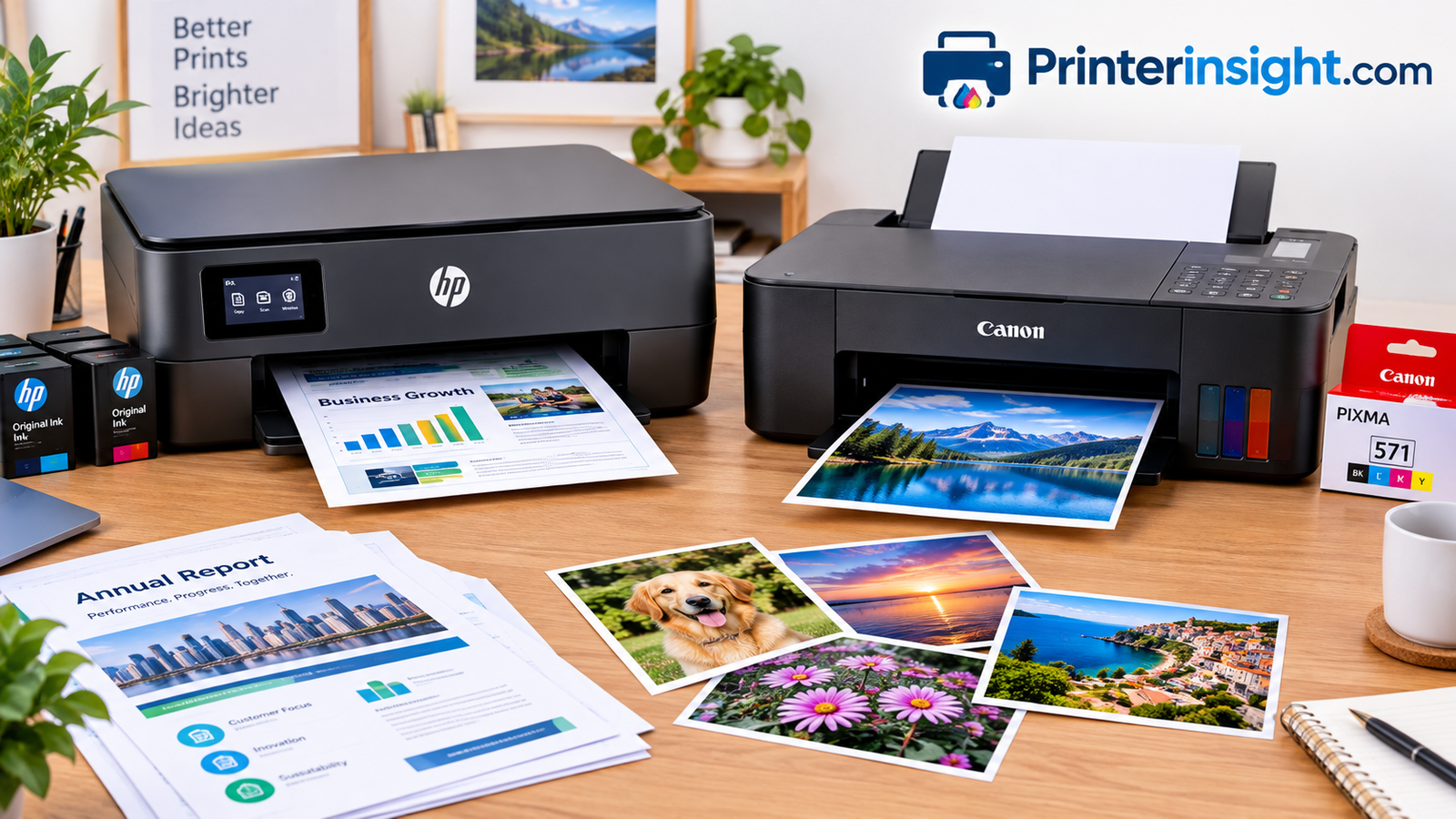
Few shopping questions come up as often as this one: should you buy an HP or a Canon? Walk into any electronics store or scroll through any online listing and these two names dominate the shelf. They both sell inkjets, lasers, all-in-ones and photo printers at nearly every price point. On paper, a mid-priced HP and a mid-priced Canon look almost identical, with similar speeds, similar Wi-Fi features and similar prices.
The differences show up after you unbox the printer. They live in the ink system, the way the printer behaves when you ignore it for three weeks, the quality of a 4×6 photo, and the app you will either love or tolerate. This guide walks through every one of those areas in plain language, so you finish with a clear answer rather than a pile of spec sheets. If you want broader context first, our roundup of the best home printers worth buying right now is a good companion read.
1. Quick Verdict: HP vs Canon at a Glance
If you only have a minute, here is the short version. HP tends to win on convenience, document speed, laser printing and the sheer breadth of its line-up. Canon tends to win on photo quality, color accuracy and the feel of its tank-style machines for people who print pictures as often as pages.
That is a generalization, and exceptions exist in both directions. A Canon can print crisp office documents, and an HP can print lovely photos. But when two otherwise similar machines are sitting side by side, these tendencies hold up well enough to guide a decision.
| Category | HP | Canon |
|---|---|---|
| Everyday document printing | Excellent, very fast first page | Excellent, slightly slower on some models |
| Photo quality | Very good | Outstanding on photo-focused models |
| Laser options | Huge range, from home to workgroup | Smaller, more office-oriented range |
| Ink tank models | Smart Tank series | MegaTank series |
| Ink subscription | Instant Ink and HP All-In plans | Pay-as-you-go cartridges, plus some subscription options by region |
| Mobile app | HP Smart, feature rich | Canon PRINT, simpler |
| Third-party ink flexibility | Often restricted by firmware and account rules | Generally more tolerant, with some restrictions |
| Best for | Busy homes, offices, students | Photo lovers, crafters, creative users |
Keep reading, because the details behind that table are where the real value lies. A printer that costs less on the shelf can easily cost twice as much over three years if its ink system does not match how you actually print.
How to read this guide
Every section below ends with a clear verdict, so you can skim to the categories you care about. If photos are your priority, jump straight to the photo section. If cost worries you, read the ink and running-cost sections twice. And if you just want a recommendation, the user-by-user table near the end matches common situations to a brand and a type of printer.
One more thing to keep in mind: model names change often, and manufacturers reshuffle their lineups regularly. That is why this guide focuses on printer families and technologies rather than a single model number. A family such as Smart Tank or MegaTank keeps its core strengths across generations, so the advice stays useful even as individual models are replaced. When you narrow your choice, always confirm the current ink prices, the included starter ink and the warranty terms on the exact model in front of you.
Shop HP and Canon printers on Amazon
Shop HP and Canon printers on Amazon2. Two Brands, Two Philosophies
HP built its printer business around the office. Its LaserJet line defined what a dependable workgroup printer looks like, and that heritage still shapes how HP designs consumer machines. Speed, software integration, security features and tight cloud connections are all high priorities. HP also pushed hard toward subscription-style ink plans, treating the printer as part of an ongoing service rather than a one-time purchase.
Canon comes from optics. The company makes cameras, lenses and professional imaging equipment, and that background shows in its inkjet engineering. Canon’s PIXMA and imagePROGRAF lines put a lot of effort into color fidelity, fine ink droplets and photo-lab style output. Canon also treats printing as a product rather than a service, which is why its ink purchases usually feel more traditional: you buy cartridges or bottles, and you print.
What that means for you
If you want a printer that quietly handles school forms, shipping labels, tax paperwork and the occasional photo with the least fuss, HP’s approach is hard to beat. If you scrapbook, sell prints, make greeting cards or just care that skin tones look right, Canon’s approach pays off. Neither philosophy is wrong. They simply serve different priorities.
How the business models shape the products
A printer company earns money in two places: when it sells the hardware and when it sells the ink. HP has leaned into recurring revenue through subscriptions, and that influences design decisions such as connected cartridges, account setup and automatic reordering. For many people this is a genuine benefit, because the printer simply keeps working and ink shows up before it runs out. For others it feels like renting a machine they thought they owned.
Canon, by contrast, makes much of its money from a broader imaging business that includes cameras and professional equipment. Its printers are an extension of that expertise, so the company has less pressure to turn every printer into a subscription. That does not make Canon ink cheap, and the cartridge prices on its entry-level models are as steep as anyone’s. It does mean the buying experience is usually simpler to understand.
Understanding this difference helps you read marketing claims with a clear head. When an advertisement promises “months of ink included,” ask what happens after the trial ends. When a brand promises “lab-quality photos,” ask which model, which paper and which settings.
Browse top-rated printers
Browse top-rated printers3. Text and Document Print Quality
For plain black text on white paper, both brands do an excellent job, and most people would struggle to tell the output apart in a blind test. Both use pigment black ink in their mainstream inkjets, which keeps letters sharp, resists smudging and holds up when a highlighter swipes across a line.
Where HP pulls ahead
HP’s office pedigree shows in its Officejet Pro and LaserJet machines. Text edges are crisp, small fonts remain legible at tiny sizes, and the first page out is usually quick. If you print contracts, invoices or long reports, HP’s more business-focused models are tuned for exactly that workload. Our HP OfficeJet Pro review goes deeper into how this plays out day to day.
Where Canon holds its own
Canon’s PIXMA TS series and MegaTank G series deliver clean, dark text with good consistency. On plain paper, Canon’s black can look a touch softer on some models, but the difference is small enough that you are unlikely to notice without a magnifier. For a closer look at the budget end, see our Canon PIXMA TS series review.
HP strengths for documents
- Very fast first-page-out time
- Strong duplex and ADF options
- Business-oriented drivers and security
HP weaknesses for documents
- Some models push subscriptions hard
- Cartridges can run out faster on low-yield starters
Canon strengths for documents
- Consistent, smudge-resistant pigment black
- Solid value on tank models
- Clean, simple driver experience
Canon weaknesses for documents
- Fewer high-speed office inkjets
- Smaller laser selection
Verdict for documents: a narrow HP win, mainly because of speed and a wider choice of business-ready models.
What about everyday readability?
Most documents you print are not contracts framed on a wall. They are recipes, homework, forms, boarding passes and shipping labels. For these jobs, print quality differences between the two brands shrink to almost nothing. What matters more is consistency: does the first page look the same as the fiftieth, do lines of text stay straight, and does the printer avoid streaks after sitting idle for a few days?
In that regard, regular use is your best friend. A printer that prints something weekly rarely develops clogged nozzles, whichever brand’s name is on the front. If you know your printer will sit unused for long stretches, a laser or a tank printer with a good maintenance routine will save you frustration. Fast draft modes on both brands are fine for internal documents, and the standard modes are perfectly good for anything you hand to another person.
Find an HP printer for documents
Find an HP printer for documents4. Photo Printing and Color
This is where the gap becomes visible. Canon’s imaging heritage gives its photo-oriented printers a real advantage, especially models that add extra ink colors. A printer with gray, photo black, photo blue or red inks can render skin tones, skies and shadow detail with a smoothness that standard four-color machines struggle to match.
Color accuracy and gradients
Canon’s dye-based color inks, paired with its fine-droplet printheads, produce rich gradients and natural skin tones on glossy photo paper. Prints from a PIXMA photo printer often look closer to what you saw on your monitor, and black-and-white conversions are noticeably more neutral on models with gray ink. If you print family pictures, art prints or product photos for an online shop, this matters.
HP’s photo output is very good for everyday snapshots. Colors lean slightly punchier and warmer, which many people like for casual prints. HP’s tri-color cartridges and standard pigment-plus-dye setups simply have less room for subtle gradation than Canon’s multi-ink systems, but for 4×6 snapshots and school projects the difference rarely matters.
Longevity of prints
Canon’s ChromaLife-style ink and paper combinations are designed for long display life, while HP offers fade-resistant ink on its photo-capable models. Both do well if you pair the printer with the manufacturer’s own photo paper. Using cheap paper is the most common reason people think a printer’s photos look flat. For more on the topic, see our guide to the best printer for photos at home and our picks for the best portable photo printers.
Verdict for photos: a clear Canon win, particularly on six-color PIXMA models and photo-leaning MegaTank machines.
Everyday snapshots versus serious prints
It helps to separate two kinds of photo printing. The first is casual: a 4×6 print for the fridge, a school picture, a quick image for a project. Any decent inkjet from either brand handles this nicely, and the cost matters more than the last five percent of quality. The second is serious: a framed print, a portfolio piece, a product photo where color must match the real item. For that, a Canon photo-oriented model with multiple ink colors makes a real difference.
Another factor is size. Many consumer machines from both brands support borderless prints up to letter size, while larger formats usually require specialized wide-format models. If you need big prints regularly, a lab service may be a more economical option than owning a large-format printer.
Finally, color management matters. Both brands include color profiles, and calibrating your monitor makes your prints match your screen far better. Even a basic calibration tool can prevent the common complaint that prints look darker than they did on the display. Turn your screen brightness down slightly when judging prints, and compare the print under daylight-style lighting, not a warm bulb.
Shop Canon photo printers
Shop Canon photo printers5. Ink Systems: Cartridges, Tanks and Subscriptions
The ink system is the most important buying factor, and it is the one most shoppers ignore until the first “low ink” warning arrives. Both brands sell three basic types of inkjet, and the differences in how they handle each one shape your long-term costs.
Standard cartridge printers
These are the classic machines: HP Envy and DeskJet, Canon PIXMA TS and TR. They are cheap to buy and expensive to feed. Replacement cartridges cost a lot per milliliter, and the starter cartridges that ship in the box are often partly filled. They suit people who print a few pages a month and do not want to spend much up front. If that describes you, see our comparison of Canon PIXMA vs HP Envy.
Refillable ink tank printers
HP calls its version Smart Tank, and Canon calls it MegaTank. Instead of tiny cartridges, you pour ink from bottles into built-in reservoirs. The printer costs more up front, but a single set of bottles prints thousands of pages. For anyone who prints weekly, this is almost always the smarter buy. Read are ink tank printers worth it? and our best ink tank printer for home guide for a full breakdown, and take a look at the HP Smart Tank review and Canon MegaTank review for model-level detail.
Subscription ink plans
HP’s Instant Ink and newer all-in plans are built around a monthly fee based on pages printed, with cartridges shipped automatically. For light and medium users this can lower the cost per page and remove the worry of running out mid-project. The trade-off is that the printer needs an internet connection and an active account, and canceling can leave you with cartridges that stop working. Canon has historically leaned on traditional ink purchases, which many people find more straightforward.
| Ink system | HP option | Canon option | Best for |
|---|---|---|---|
| Standard cartridges | DeskJet, Envy | PIXMA TS, TR | Occasional printing |
| Refillable tanks | Smart Tank | MegaTank (G series) | Frequent printing, families, students |
| Subscription | Instant Ink, All-In | Limited, region-dependent | Predictable monthly use |
| Laser toner | LaserJet, Neverstop | imageCLASS, i-SENSYS | Heavy text printing |
Why people choose HP ink plans
- Low cost for steady monthly use
- Automatic delivery
- Rollover pages on many plans
The catch
- Requires account and connectivity
- Cartridges may be tied to the plan
- Less value if you print rarely
Choosing without regret
The easiest way to regret a printer purchase is to buy a cheap cartridge model, discover that you print more than you thought, and then spend more on ink in a year than the printer cost. The opposite mistake is also common: buying a large tank printer for someone who prints twice a month, only to find that the ink dries out before it is used. Think honestly about volume and timing.
A useful trick is to look at how many pages the included ink is rated to produce. Starter ink in cartridge printers is often a fraction of a full cartridge, while tank printers typically ship with enough ink for a year or more of normal use. That difference alone can change the real price of the printer.
Also consider refill convenience. Bottled ink with keyed nozzles prevents you from pouring the wrong color into a tank, and both brands design their systems to avoid spills. Take a minute to watch a refill video for the model you are considering. A good design makes the process clean and quick, while a poor one makes you reach for paper towels.
Compare ink tank printers
Compare ink tank printers6. Real Running Costs Compared
Purchase price is only the beginning. The honest way to compare HP and Canon is to estimate three years of ownership: the printer, the ink, the paper and the occasional replacement part. Why does this matter so much? Because inkjet makers often sell hardware near cost and recover the money through consumables. Our explainer on why printer ink is so expensive covers the economics in detail, and our ink versus toner cost guide shows how the numbers shift between technologies.
Cartridge models
On entry-level machines, expect a relatively high cost per page from either brand. High-yield cartridges (XL on HP, XL or XXL on Canon) cut the cost meaningfully, so always price those rather than the standard size. A typical black page can cost several cents, and a color page far more. Photos printed on cartridge models can cost more than ordering prints online.
Tank models
On tank machines the cost per page falls dramatically, often to a fraction of a cent for black text. Both HP Smart Tank and Canon MegaTank are competitive here. Canon bottles tend to be very easy to refill thanks to keyed necks, and HP’s bottle-fill system is equally clean. If you want to see how the numbers look across the market, browse our list of home printers with the cheapest ink and the comparison of Epson EcoTank vs HP Smart Tank.
Hidden costs to watch
- Printhead replacement: On many cartridge-based machines, the printhead sits inside the cartridge, so you replace it every time. On some tank models it is a separate, long-lived part.
- Maintenance cycles: Printers use ink to clean themselves. A printer that sits idle uses more. Read how to prevent an inkjet printer from drying out.
- Subscription fees: A low monthly plan is only cheap if you actually use the pages.
- Paper: Photo paper often costs more than the ink used on it.
A simple three-year example
Imagine a household printing two hundred pages a month, mostly black text with a few color pages. On a cheap cartridge printer, ink might cost several times more over three years than the printer itself. On a tank printer, the same volume might require only a few bottles in total, so the entire three-year cost could come close to the price of the machine. A subscription plan lands somewhere in between, with a predictable monthly bill and no surprise trips to the store.
Now imagine a household printing twenty pages a month. Here the cheap cartridge printer looks better, because the up-front price dominates and the ink is replaced slowly. This is why there is no single best answer, and why anyone who tells you one brand is always cheaper is oversimplifying. Run your own numbers using real prices before deciding.
See printers with the lowest running costs
See printers with the lowest running costs7. Laser Printers: HP LaserJet vs Canon imageCLASS
If most of your printing is black text, a laser printer can beat any inkjet on speed, cost per page and shelf life. Toner does not dry out, so a laser sits unused for weeks and still prints perfectly, which is why many home offices and small businesses prefer them. Our inkjet vs laser printer for home guide helps you decide which category suits you.
HP’s laser strength
HP is the benchmark here. The LaserJet range covers compact monochrome machines, color all-in-ones and fast workgroup devices. Setup is straightforward, drivers are mature and replacement toner is easy to find. The Neverstop line adds a refillable toner design that further lowers running costs.
Canon’s laser strength
Canon’s imageCLASS and i-SENSYS lines are respected for office reliability, strong scanning features and compact designs. Canon’s selection is smaller than HP’s, but the machines are well built and well suited to small teams. Several models use a cartridge that combines the drum and toner, which simplifies maintenance.
| Factor | HP LaserJet | Canon imageCLASS |
|---|---|---|
| Model range | Very wide | Focused |
| Home use options | Many compact models | A few good choices |
| Toner availability | Excellent | Good |
| Security features | Extensive on business models | Solid |
| Typical buyer | Home office to enterprise | Small office |
If you are weighing a laser purchase, check our best laser printer for home list, and for a cross-brand view of another popular maker, see Brother vs HP printers for home.
Verdict for lasers: HP wins on selection and availability; Canon is a solid alternative for small offices.
When a laser makes more sense than any inkjet
Choose a laser if you print mostly black text, print in bursts, or share the printer with several people. Laser toner is dry powder fused onto the page, so smudging is rare and pages come out ready to handle. Color lasers exist from both brands, but they are bulkier and more expensive than inkjets, and their photo quality does not match a good inkjet. If you only need an occasional color page, a monochrome laser plus a cheap inkjet or an online print service can be the smartest combination.
Shop laser printers
Shop laser printers8. Speed, Paper Handling and Scanning
Speed ratings on a box can be misleading, since manufacturers test using draft mode and simple pages. In real use, what matters is first-page-out time, duplex speed and how well the printer feeds paper without jams.
Print speed
HP typically leads with quick first pages and snappy duplex printing on its Officejet Pro and LaserJet models. Canon’s inkjets are a bit more measured, trading a little speed for finer output, particularly when photos are involved. For a family printing homework and the occasional boarding pass, either is fast enough.
Paper handling
Most mid-range machines from both brands offer automatic duplexing, a rear or front paper tray and a small automatic document feeder. HP offers more higher-capacity trays and larger ADFs on business models. Canon’s rear feed on some PIXMA machines is handy for thick media like cardstock and photo paper, which crafters appreciate. If paper jams are a concern, our guide on how to fix a printer jam will help you stay calm when it happens.
Scanning and copying
Both brands produce capable flatbed scanners, and the quality is more than enough for documents and photos. HP’s app includes handy features like multi-page PDF scanning and cloud saving, while Canon’s scanner software leans on traditional controls. Our walkthrough on how to scan from a printer to a computer shows both approaches.
| Feature | HP | Canon |
|---|---|---|
| First page out | Fast | Moderate |
| Automatic duplex | Common on most mid-range models | Common on mid-range models |
| ADF | Widely available | On selected models |
| Thick media and cardstock | Good | Very good via rear tray |
| Borderless photos | Yes, on many models | Yes, on most PIXMA models |
Noise, size and everyday feel
Specifications rarely mention how a printer feels to live with. Tank printers tend to be larger because of their reservoirs, and lasers are heavier. Inkjets can be louder during startup and cleaning cycles, while lasers hum as they warm up. If your printer sits in a bedroom or shared study area, noise might matter more than you expect. Check owner reviews for comments about sound, and measure your shelf before you order.
Another daily-life factor is the control panel. Small touchscreens are convenient for copying and scanning without a computer, while button-only panels are cheaper and simpler. Both brands offer both styles, so choose according to how often you will use the printer without a phone or laptop nearby.
Shop all-in-one printers
Shop all-in-one printers9. Apps, Wi-Fi and Software
Modern printers live on your network, so the app and Wi-Fi experience matters almost as much as the print engine. A printer that drops offline every other day will frustrate you far more than a slightly slower one.
HP Smart
HP Smart is one of the most capable printer apps available. It handles setup, scanning, remote printing, supply monitoring and troubleshooting in one place, and it supports iPhone, Android, Windows and Mac. The cost of that convenience is an HP account requirement on many models, which some people dislike. Learn how to connect your HP printer to Wi-Fi and how to print from an iPhone or print from Android.
Canon PRINT and Canon software
Canon’s app is simpler. It covers wireless setup, printing, scanning and basic maintenance, and it works well for photo workflows, particularly when paired with Canon’s creative software. Setup typically involves joining the printer to your router with a wizard or WPS. Our general guide to connecting a printer to Wi-Fi applies to either brand.
Computers and operating systems
Both brands support Windows and Mac well. Mac users who rely on AirPrint will find setup painless on nearly every current model; see our best home printer for Mac and how to add a printer to a Mac pages. Chromebook owners should check our Chromebook printer list, since driverless printing support varies.
Fixing common connection problems
- If the printer shows offline, follow why does my printer keep going offline.
- If a computer does not respond, read printer not responding.
- If you cannot find the printer on your network, use how to find your printer’s IP address.
- If the wrong device prints your jobs, see how to change the default printer.
Verdict for connectivity: HP has the richer app; Canon has the simpler one. If you want everything in one dashboard, choose HP. If you want fewer prompts, choose Canon.
Privacy and security basics
Any printer on your network is a small computer, so basic security matters. Set a strong admin password, keep firmware updated, and turn off remote services you do not use. HP’s business-oriented models include more advanced security controls, and Canon’s models cover the basics well. For a home user, the simplest protection is keeping your Wi-Fi network secure and updating the printer when updates are offered.
Shop wireless printers
Shop wireless printers10. Reliability, Support and Lock-In
Every printer brand has its horror stories, and both HP and Canon have loyal fans and loud critics. The truth is that reliability depends heavily on the specific model, how often you print and how well you maintain it. Still, a few patterns are worth knowing.
Hardware reliability
Canon printers with built-in ink tanks or separate printheads tend to have a good reputation for longevity, and many owners report years of use without trouble. HP’s higher-end Officejet Pro and LaserJet models are also built for heavy duty cycles. Cheaper models from both brands are designed with lower duty cycles in mind and should not be pushed beyond their recommended monthly volume.
Ink and firmware restrictions
This is the biggest philosophical difference. HP has used firmware updates and cartridge chips to restrict third-party and refilled cartridges on some models, and its subscription and HP+ programs require accounts and connectivity. Canon has also used chip-based cartridges, but owners generally report fewer account-related restrictions. If you plan to use compatible ink to save money, research the specific model first, and consider a tank printer, where bottled ink is the intended design.
Support and maintenance
Both brands offer online help, community forums and phone support. HP’s support tools are integrated into its app, which can diagnose many problems automatically. Canon’s support pages are straightforward and often more direct. Whichever you choose, basic care makes a huge difference: print something at least once a week, store spare cartridges properly (see how to store printer cartridges), and run cleaning only when you see streaks (see how to clean printer heads). Our home printer maintenance tips cover the rest.
HP advantages
- Large service network
- Excellent app diagnostics
- Strong business security features
HP drawbacks
- Account and subscription requirements
- Firmware limits on third-party ink
Canon advantages
- Straightforward ownership
- Good long-term durability on tank models
- Fewer account requirements
Canon drawbacks
- Smaller app feature set
- Fewer business-grade models
Warranty and long-term ownership
Standard warranties are typically one year on consumer printers from both brands, with extended options on higher-end models. Register your printer promptly, keep your receipt, and note the serial number. If you buy a tank printer, make sure you understand what is covered, as some tank models include extended warranties tied to registration. Finally, remember that cheap printers are rarely worth repairing, so a longer warranty is most valuable on higher-priced machines.
Check current printer deals
Check current printer deals11. Which Brand Fits Which User
After comparing the technology, the best question is simple: who are you, and what do you print? Here is how the choice usually plays out for common buyers.
Families and busy households
A wireless all-in-one with duplex, an ADF and a tank or subscription ink system is ideal. HP’s Smart Tank and Canon’s MegaTank both fit. Pick HP if you value app convenience and speed; pick Canon if the kids also print photos and art projects. See our best all-in-one printer for home picks.
Students
Students need low upfront cost and low per-page cost. A compact tank printer from either brand works well. If dorm space is tight, check our printers for students and best compact home printers.
Home office and small business
HP usually takes this category thanks to its speed, security and range of lasers. Review best printer for home office and best printer for small business. For specialty tasks, see envelopes and labels.
Photographers, crafters and creators
Canon is the natural fit. Its photo inks, rear paper path and color depth suit scrapbooking, greeting cards and art prints. See best printer for crafting and best printer for sublimation (note that sublimation typically favors Epson, but Canon is worth knowing about for general crafts).
Travelers and renters
Small footprints and battery-friendly designs matter. Look at best portable printer for travel. Both brands make compact models, and HP in particular offers lightweight mobile printers.
| You are… | Choose | Why |
|---|---|---|
| A busy family | HP Smart Tank or Canon MegaTank | Low cost per page and wireless convenience |
| A student | Compact tank or budget inkjet | Low price and easy setup |
| A remote worker | HP Officejet Pro or LaserJet | Speed, duplex and ADF |
| A photographer | Canon PIXMA photo model | Superior color and gradients |
| A crafter | Canon PIXMA or MegaTank | Thick-media handling and color |
| A light user | HP with subscription or entry Canon | Minimal cost when printing rarely |
A note on mixed households
Many homes include a student, a remote worker and a hobbyist all sharing one machine. If you can only buy one printer, choose a tank all-in-one with duplex printing and a decent app. It will cover homework, spreadsheets and the occasional photo at a low cost. If one person prints photos seriously, consider pairing a basic tank or laser for documents with a dedicated Canon photo printer, rather than expecting one machine to excel at everything.
Find the right printer for you
Find the right printer for you12. Final Buying Checklist
Use this checklist before you click “buy.” It takes about five minutes and can save you years of frustration.
- Estimate monthly pages. Under about a hundred pages a month leans toward cartridges or subscriptions. Above that, lean toward tanks or lasers.
- Decide how much color and photo work you do. Heavy photo use points to Canon; mostly text points to HP.
- Check the ink system and real ink prices. Look up the cost of a replacement set, not just the starter.
- Look for must-have features. Duplex, ADF, Ethernet, rear tray, borderless printing.
- Read the account and ink policies. Know what you are agreeing to during setup.
- Confirm compatibility. Mac, Windows, Chromebook, iPhone and Android all matter. Drivers may be needed; see how to install printer drivers.
- Measure your space. Tank printers and lasers are larger than they look in photos.
- Budget for paper. Quality paper improves results more than most upgrades.
- Know what you will pay. For a sense of typical price ranges, see how much is a printer, and keep our paper size guide handy.
- Troubleshoot early. If you ever get blank output, check why a printer prints blank pages.
If you are still undecided between two brands, our other head-to-head guides can help: Brother vs Canon, Epson vs Canon and HP vs Epson. You can also read model-level reviews such as the Epson EcoTank review, Epson WorkForce review and Brother HL-L2460DW review, along with best Brother printer for home, best HP printer for home use, best wireless printer for home and best thermal label printers.
Shop printers on Amazon
Shop printers on AmazonFrequently Asked Questions
Is HP or Canon better overall?
Neither is better in every situation. HP is generally the stronger choice for office-style work, speed, laser printing and app features, while Canon is usually the better choice for photos, color accuracy and creative projects. The right answer depends on what you print most and how you plan to buy ink. A family that prints mostly school pages might prefer HP, while a household that frames its pictures might prefer Canon.
Which brand has cheaper ink?
On cartridge printers, both brands charge a lot, and costs are similar once you compare high-yield cartridges. On tank printers, both HP Smart Tank and Canon MegaTank drop the cost per page dramatically. HP subscription plans can be very cheap for steady users, but they depend on an active account. For the lowest long-term cost without strings attached, a tank model from either brand is usually the best bet.
Do HP printers block third-party ink?
Some HP models use firmware and cartridge chips that can reject non-HP or refilled cartridges, and some programs require an account connection. Policies differ by model and region, so check the specific printer before you buy if compatible ink matters to you. Tank printers are designed for bottled ink and avoid most of these issues.
Which brand prints better photos?
Canon generally produces better photos, particularly on models with extra ink colors such as gray or photo black. Skin tones, skies and black-and-white images look smoother and more neutral. HP photos are good for everyday snapshots, but fine gradients are less refined. Always use quality photo paper and set the correct paper type for best results.
Is an ink tank printer worth it compared with a cartridge printer?
For anyone who prints more than occasionally, yes. Tank printers cost more up front but save a lot over time because bottled ink is cheaper and lasts for thousands of pages. If you print only a few pages a month, a cheap cartridge printer or a subscription plan may make more sense, since ink in any printer can dry out when unused.
Which brand is more reliable?
Reliability varies by model more than by brand. Canon tank printers have a strong reputation for longevity, and HP’s business-grade Officejet Pro and LaserJet printers are built for heavy use. Budget models from both brands are made for light duty. Regular use, proper cartridge storage and occasional maintenance help any printer last longer.
Which is better for a home office, HP or Canon?
HP is usually the better pick for a home office thanks to faster first pages, wide ADF and duplex options, good security features and a large lineup of lasers. Canon can work well for small offices, especially if photo or marketing prints are part of the job.
Do I need an account to use an HP or Canon printer?
HP often asks you to create an HP account during setup, and some features and subscription programs require it. Canon generally lets you print and scan without as many account requirements, though some cloud and app features do use a Canon ID. Read the setup prompts so you know what you are agreeing to.
Can I print from my phone with both brands?
Yes. Both support AirPrint on iPhone, Mopria and manufacturer apps on Android, and wireless printing over your home network. HP Smart and Canon PRINT also add scanning and supply tracking. Our guides on printing from iPhone and from Android walk through the steps.
What if my printer keeps going offline?
Restart the printer and router, make sure both are on the same network, assign the printer a fixed IP address if needed, and update the firmware or driver. If it still drops, remove and re-add the printer on your computer. Weak Wi-Fi signal is a common culprit, so moving the printer closer to the router often helps.
Which brand is better for crafting and cardstock?
Canon is usually friendlier to crafters thanks to its color quality and rear feed paths that handle thicker media. HP can print on cardstock too, but the paper path on many consumer models is less forgiving. Check the maximum paper weight in the specifications before you buy.
Should I buy a laser or an inkjet?
Choose a laser if you mostly print black text, want fast output and print infrequently, since toner does not dry out. Choose an inkjet if you need color, photos or borderless prints. If you want both, a tank inkjet gives you low-cost color and decent text in a single machine.
Conclusion: HP or Canon?
After looking at quality, cost, speed, software and reliability, the answer comes down to what you actually print. Choose HP if you want a fast, feature-rich printer with excellent apps, a wide range of lasers and subscription options that can cut costs for steady users. Choose Canon if photos, color accuracy and creative projects matter most, or if you prefer a more traditional ownership experience with fewer account requirements.
Whichever way you lean, consider a refillable tank model if you print regularly. It is the single biggest way to lower your cost per page, and both brands do it well. Compare actual ink prices, read the setup terms, and match the printer to your real habits rather than the spec sheet. Do that and you will end up happy with either brand.
Ready to choose? See current prices and availability on both brands.
Compare HP and Canon on Amazon