Printer Buying Guides
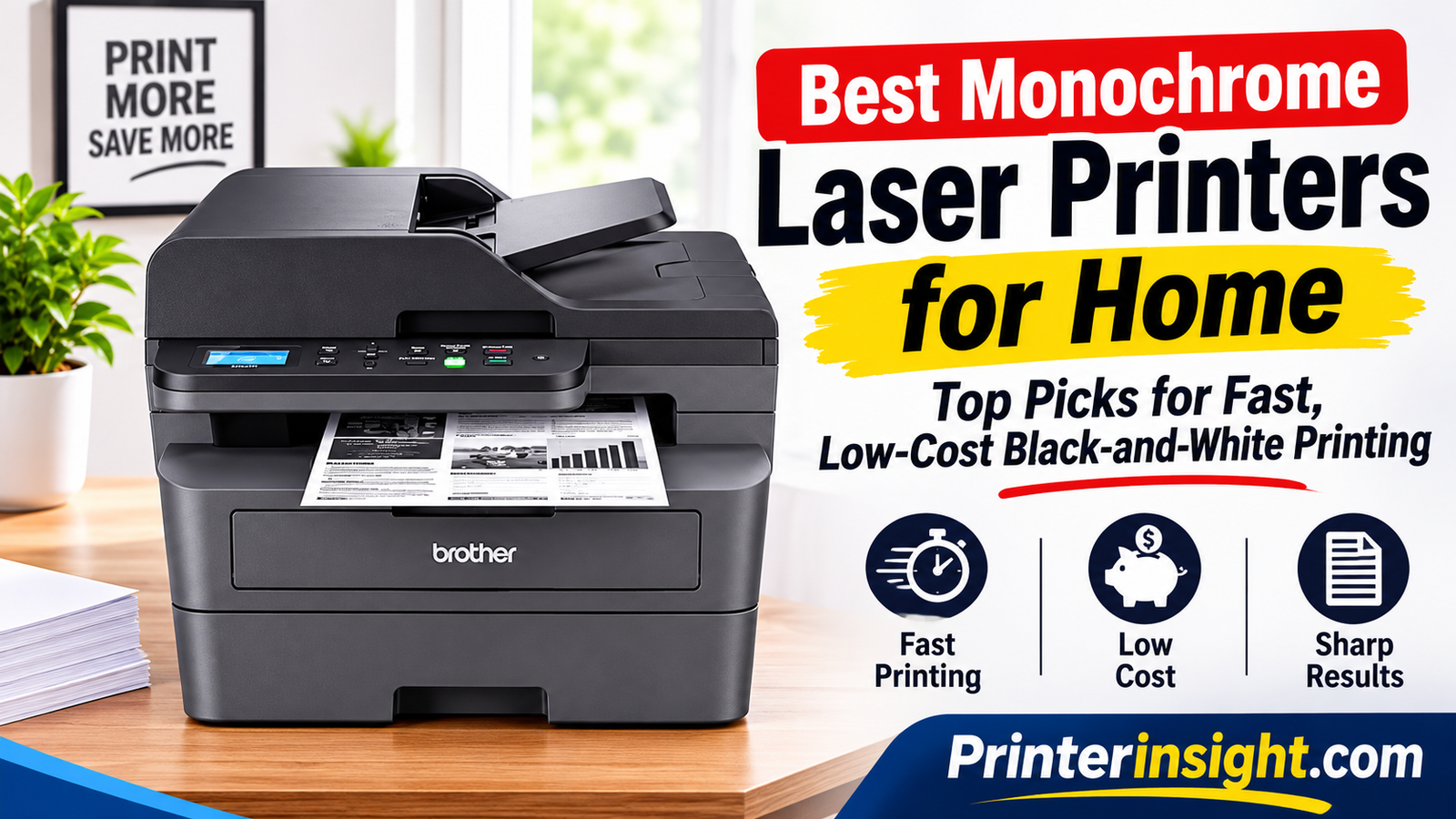
Best Monochrome Laser Printers for Home: Top Picks for Fast, Low-Cost Black-and-White Printing
Ten black-and-white laser printers assessed on the things that matter at home — duplex printing, toner cost, wireless reliability, and how quietly they sit in a living room.
If most of your printing is text — documents, homework, forms, notes, articles — then a monochrome laser printer is probably a better fit than any colour inkjet on the market.
That is not a fashionable opinion, but it is usually the practical one. Inkjet printers are brilliant at photographs and design work, and they are also the source of most home printing frustration: dried-out print heads, expensive cartridges, slow document speeds, and pages that smear if you touch them too soon. A black-and-white laser sidesteps nearly all of that.
Four advantages do most of the work here. Sharp, crisp text — laser output is exceptionally clean at small type sizes, which matters for essays, invoices, and study notes. Speed — documents come out far faster than a typical home inkjet manages. Toner that never dries out — a laser printer can sit unused for weeks and still print perfectly the moment you need it, because toner is a powder rather than a liquid. And low cost per page — a toner cartridge lasts a long time, so the running cost of a home monochrome laser is genuinely reassuring.
Who should consider one? Students printing essays and reading packs. Remote workers churning through reports and paperwork. Families handling homework, letters, forms, and admin. Small home offices where colour is a rarity rather than a requirement. In all of these cases, a mono laser is faster, cheaper to run, and far less temperamental than the alternatives.
Where a monochrome laser falls short is obvious: it prints in black and white only, and it is not built for photographs. If you need vibrant colour graphics or photographic prints, a colour machine is what you want — our guide to the best laser printers for home covers both options, and the best printers for students looks at budget-friendly machines across every category.
To build this list of ten, we focused on what actually matters in a home: reliability over months of real use, how smoothly wireless and mobile printing work, toner economy, noise and footprint in a shared living space, and whether the machine handles two-sided printing without complaint. The result covers everything from genuinely cheap single-function models to full all-in-ones with scanners and document feeders.
Best Monochrome Laser Printers for Home at a Glance
Ten printers, one table, one clear winner for each kind of household.
Quick picks by use case
Most buyers fall into one of five categories. Find yours below and you are most of the way to a decision.
Everyday family and home office
You print regularly, want scanning too, and value a machine that handles everything without fuss.
Check Price on AmazonTight budget, documents only
You just need fast, crisp text at the lowest possible cost and have no interest in scanning.
Check Price on AmazonStudents and dorm rooms
Compact, affordable, and dependable for essays and coursework — without demanding desk space.
Check Price on AmazonBusy remote workers
Fast, wireless, duplex-friendly printing with the kind of reliability that survives daily use.
Check Price on AmazonIf your household also prints a fair amount of colour — school posters, family photos, creative work — pairing a mono laser with a cheap colour machine often costs less than buying one premium do-everything printer. Our best home printers worth buying right now covers that kind of pairing, and our best printers for a home office guide looks at productivity-first setups.
Comparison table of all 10 printers
Quick Comparison: Our Top Picks
| # | Image | Product | Key Specs | Verdict | Check Price |
|---|---|---|---|---|---|
| 1 |  |
Top PickBrother DCP-L2640DWBest Overall |
|
Does everything a busy home actually needs. | Check Price on Amazon |
| 2 |  |
Brother HL-L2405WBest Budget |
|
Cheapest way into dependable laser printing. | Check Price on Amazon |
| 3 |  |
HP LaserJet M209dwBest for Home Office |
|
Quick, sharp, and built for daily paperwork. | Check Price on Amazon |
| 4 |  |
Canon imageCLASS MF275dwBest All-in-One with Fax |
|
Full office capability in a home-sized machine. | Check Price on Amazon |
| 5 |  |
Brother HL-L2350DWBest for Students |
|
Dorm-friendly size, seriously capable output. | Check Price on Amazon |
| 6 |  |
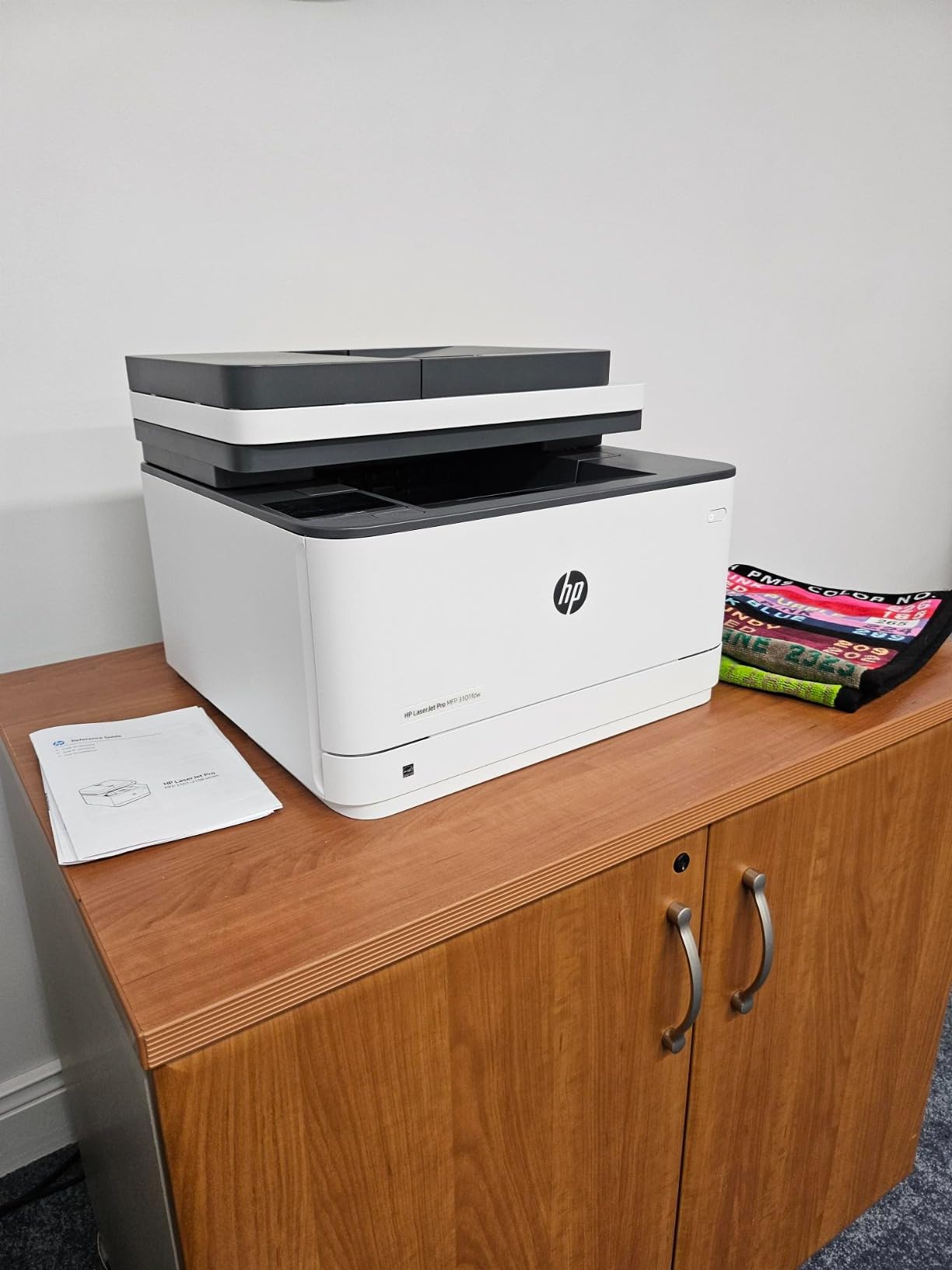
HP LaserJet Pro MFP 3101fdwBest for Busy Households |
|
Handles a household’s entire paperwork load. | Check Price on Amazon |
| 7 |  |
Canon imageCLASS LBP122dwBest for Small Spaces |
|
Small footprint, seriously tidy output. | Check Price on Amazon |
| 8 |  |
Brother MFC-L2820DWBest for Scanning Workflows |
|
Great when scanning matters as much as printing. | Check Price on Amazon |
| 9 |  |
Brother HL-L2325DWBest Value Entry Point |
|
No-frills machine that simply keeps working. | Check Price on Amazon |
| 10 |  |
Lexmark B3442dwBest for High-Volume Homes |
|
Built for people who print stacks of paper. | Check Price on Amazon |
As you scan that table, notice how much the list splits into two clear groups. Four machines are all-in-ones with scanning, copying, and in some cases faxing. The other six are single-function printers — and for a lot of households, those are the better buy, because they cost less, take up less room, and concentrate all their design into printing well.
A quick way to narrow it down: if you have ever needed to scan or copy something in the last six months, buy an all-in-one. If you cannot remember the last time you scanned anything, buy a single-function model and spend the savings on a high-yield toner cartridge.
See our top pick in detail
Check current availability on the all-in-one that suits most homes.
Check Price on AmazonWhat to Look For in a Monochrome Laser Printer
Six specifications decide whether a laser printer feels like a pleasure or an irritation.
Monochrome laser printers look similar from the outside, and their spec sheets are full of numbers that tell you very little about daily life with them. Here is how to read the ones that actually matter.
Print speed and first-page time
Speed ratings are useful as a rough comparison but rarely reflect how a printer feels in a home. What matters more is how quickly the first page appears when you send a job. A printer that wakes instantly and delivers a single page within seconds feels fast, even if its rated speed is modest. A printer that takes ages to warm up and start feels slow no matter what the numbers say.
In practice, every printer in this guide is comfortably fast enough for homework, essays, forms, and household documents. Speed becomes the deciding factor only if you regularly print long reports or multi-page document packs — and if you do, favour the workhorse-class machines over the compact ones.
Automatic duplex (double-sided) printing
This is the single most useful feature on any home laser printer. Automatic duplexing prints both sides without you flipping the sheet by hand, which halves your paper use, keeps documents tidy, and makes essays and reports look far more professional.
It also saves storage space — double-sided printouts take up half the room in a folder or drawer. Most printers on this list include it, and the few that do not will still print two sides if you manually re-feed the paper. Our walkthrough on how to print double-sided covers both automatic and manual methods.
Toner yield and cost per page
Laser printers win on running costs, but not all of them win equally. Toner cartridge yield varies significantly between models and between standard and high-yield versions of the same cartridge. The practical advice is simple: check the cost of the high-yield cartridge and divide by its stated page yield to get a cost per page, then compare that across your shortlist.
Also check whether the printer ships with a starter cartridge or a full one. Starter cartridges are common and reasonable, but they run out sooner than you might expect, so budget for a replacement early. Section nine below works through all of this in detail.
Wireless setup and mobile printing
Almost every modern home laser is wireless, and the quality of that wireless experience varies more than the spec sheet suggests. Look for easy Wi-Fi setup, a companion app that lets you print from a phone without much fiddling, and support for the devices your household actually uses. A printer that drops off the network every few weeks will frustrate you far more than a slightly slower print speed ever would.
For a broader look at dependable wireless machines, see our guide to the best wireless printers for home.
Size, noise, and paper capacity
Home printers live in living rooms, bedrooms, and hallways as much as in offices, so size and noise genuinely matter. Compact single-function lasers are designed to sit on a shelf or small desk without dominating the space. All-in-ones are larger but replace a scanner and copier too, which is often a better use of that footprint.
Paper capacity matters if you print in bursts. A tray that holds a decent stack means fewer interruptions during a big print run, while a small tray is fine if you print a page here and there. Also consider how accessible the paper path is — easy access makes clearing an occasional jam far less painful.
Compare monochrome laser printers
Browse wireless models with duplex printing and low running costs.
Check Price on AmazonMonochrome Laser vs. Color Laser vs. Inkjet for Home
Three technologies, and the right answer depends almost entirely on what you print.
Choosing between a black-and-white laser, a colour laser, and an inkjet is less about which technology is “best” and more about which one matches your actual output. Let’s work through it honestly.
When black-and-white laser is enough
If you can estimate that roughly nine out of ten things you print are text or greyscale, a monochrome laser is the sensible choice and there is little reason to overspend. Essays, assignments, invoices, tax forms, shipping labels, notes, reference documents, work reports — all of these look excellent in black and white, print quickly, and cost very little per page.
The test is simple: think back over the last month. If you did not miss colour, you will not miss it. And because mono lasers are single-purpose by design, they tend to be smaller, cheaper, and more reliable than colour machines that are trying to do everything.
Of course, if colour graphics, school projects, or family photos are part of the mix, that changes the calculation. Our guide to the best printers for photos at home covers image quality, and the best printers for crafting looks at colour machines built for creative work.
Laser vs. inkjet for everyday documents
For pure document printing, laser has the edge in almost every category. Text is sharper, especially at small sizes. Pages come out faster. Output is instantly dry and water-resistant, so you can annotate a page or file it immediately. And there is no print head to clog during quiet periods.
Inkjets fight back in specific situations: they handle photographs properly, they reproduce colour graphics far better, and the cheapest inkjet printers cost less to buy. But for households whose printing is mostly text, the running cost and convenience gap is significant. Our inkjet vs. laser for home guide covers the full trade-off in detail.
Toner vs. ink costs
Toner cartridges cost more upfront and last considerably longer. Ink cartridges cost less individually and run out sooner — which is exactly why inkjet printing feels expensive at volume. The economics of toner are what make a laser printer feel cheap to run year after year.
There is one exception worth knowing about. Refillable tank inkjets have closed much of the running-cost gap, offering very low cost per page for both black and colour. If you print a lot of colour, a tank machine deserves a look — our comparisons on whether an ink tank is better than a laser and whether ink tank printers are worth it cover this properly, as does our ink vs. toner cost breakdown and our guide to the best ink tank printers for home.
Type comparison table
| Printer Type | Text Quality | Colour Ability | Running Cost | Best For |
|---|---|---|---|---|
| Monochrome laser | Excellent, sharp and crisp | None | Low per page | Documents, essays, admin, homework |
| Colour laser | Excellent | Good for graphics | Moderate to high | Colour documents and marketing material |
| Cartridge inkjet | Very good | Very good | High per page | Occasional mixed printing |
| Tank inkjet | Very good | Excellent | Very low per page | Frequent colour printing |
| Photo inkjet | Good | Photographic quality | Moderate | Photos and creative projects |
If you want to weigh up specific models within each technology, our comparisons of Brother vs. HP printers and HP vs. Epson are useful starting points.
Ready to switch to laser?
Compare black-and-white laser printers built for home document printing.
Check Price on AmazonBest Compact and Budget Monochrome Laser Printers
Three small machines that prove you do not need to spend much to print properly.
Not everyone needs scanning, faxing, or a paper tray the size of a filing cabinet. These three are compact, affordable single-function lasers that focus on doing one job extremely well: putting sharp black text on paper, quickly and cheaply. Our guide to the best compact home printers covers more space-saving options.
| Product | Type | Best For | Check Price |
|---|---|---|---|
| Brother HL-L2325DWBest Value Entry | Compact single-function laser | Light home and student use | Check Price on Amazon |
| Brother HL-L2405WBest Budget | Compact single-function laser | Households printing documents regularly | Check Price on Amazon |
| Brother HL-L2350DWBest for Students | Compact single-function laser | Essays, coursework, and dorm rooms | Check Price on Amazon |
Brother HL-L2325DW
The HL-L2325DW is the definition of a no-nonsense home laser. It prints, it does so reliably, and it asks very little of you in return. There is no scanner, no fancy touchscreen, no colour — just fast, sharp black text from a compact machine that fits comfortably on a shelf.
For households whose printing consists of homework, letters, forms, and the occasional long document, this kind of simplicity is a genuine advantage. There is less to set up, less to go wrong, and the money you save on the purchase can go toward a high-yield toner cartridge that lasts a very long time.
Key features
- Compact single-function monochrome laser design
- Automatic two-sided printing for less paper waste
- Wireless connectivity for printing from home devices
- Sharp, crisp text output for documents
- Straightforward operation with minimal maintenance
Pros
- Very affordable way into laser printing
- Small footprint for shelves and small desks
- Toner lasts far longer than inkjet cartridges
Cons
- No scanning or copying built in
- Basic paper handling for very heavy print loads
Brother HL-L2405W
The HL-L2405W is aimed squarely at people who want a modern wireless laser without spending much. It is compact, it connects to Wi-Fi for printing from laptops and phones, and it handles everyday home documents with the sharp, clean output laser printers are known for.
What makes it a strong budget pick is that it does not feel compromised where it counts. Text looks professional, pages come out quickly, and the machine is quiet and unobtrusive enough to live in a living space rather than a dedicated office. For anyone buying their first laser printer, it is a very easy recommendation.
Key features
- Compact single-function monochrome laser
- Wireless printing from computers and mobile devices
- Sharp text output for documents and homework
- Simple setup designed for everyday home users
- Low ongoing cost compared with cartridge inkjets
Pros
- Excellent price-to-performance ratio
- Wireless convenience without complexity
- Quiet and compact for shared spaces
Cons
- Print-only — no scan or copy
- Check current listing for two-sided specification
Brother HL-L2350DW
Student printing is high-volume, deadline-driven, and almost entirely text — which is exactly what this machine is built for. The HL-L2350DW is compact enough to share a small desk, wireless so it works from a laptop or phone, and fast enough that printing a thirty-page reading pack does not derail your evening.
Automatic two-sided printing is the feature that matters most here. Essays and reports look more polished double-sided, they weigh less in a bag, and you use half the paper. Combined with low toner costs, that makes this one of the most economical machines on the entire list.
Key features
- Compact single-function monochrome laser
- Automatic two-sided printing
- Wireless printing for laptops and phones
- Fast output for essays and document packs
- Low cost per page for frequent printing
Pros
- Excellent duplex printing for essays
- Very economical to run at volume
- Compact enough for dorm rooms
Cons
- No scanner for digitising notes
- Monochrome only
Brother dominates this category for good reason, and our best Brother printers for home guide looks at the wider range. If you are weighing a slightly different model in the same family, our Brother HL-L2460DW review is worth reading.
Find your compact laser
Compare budget monochrome models and check current pricing.
Check Price on AmazonBest Single-Function Monochrome Laser Printers for Busy Homes
Print-only machines built for people who print constantly and never scan.
There is a certain kind of household where the printer runs every single day: remote workers with paperwork, freelancers with invoices, students mid-deadline. For these users, a fast single-function laser beats an all-in-one on every metric that matters daily — speed, reliability, footprint, and running cost.
| Product | Type | Best For | Check Price |
|---|---|---|---|
| Canon imageCLASS LBP122dwBest for Small Spaces | Compact single-function laser | Small home offices and tight desks | Check Price on Amazon |
| HP LaserJet M209dwBest for Home Office | Single-function laser | Daily reports and work documents | Check Price on Amazon |
| Lexmark B3442dwBest for High Volume | Workhorse single-function laser | Heavy printing loads at home | Check Price on Amazon |
Canon imageCLASS LBP122dw
Canon’s imageCLASS line has long been a favourite of small offices, and the LBP122dw brings that same reliability to a compact home machine. It is a print-only laser designed to sit unobtrusively on a shelf or small desk while producing consistently clean, sharp documents.
Automatic two-sided printing and wireless connectivity cover the essentials, and Canon’s driver and app experience is among the more straightforward to live with. If you want a machine that looks tidy, works without complaint, and produces professional-looking documents, this is an easy one to live with.
Key features
- Compact single-function monochrome laser
- Automatic two-sided printing
- Wireless connectivity for household devices
- Crisp, professional document output
- Designed for quiet operation in living spaces
Pros
- Small footprint without sacrificing quality
- Clean, professional-looking text output
- Straightforward wireless setup
Cons
- Print-only design
- Not aimed at very heavy office volume
HP LaserJet M209dw
The HP LaserJet name carries real weight in document printing, and the M209dw is the compact home-office expression of it. This is a fast, sharp, wireless single-function laser built for people whose day revolves around paperwork — reports, contracts, invoices, forms, and the endless flow of paper that remote work produces.
Automatic two-sided printing keeps stacks manageable, wireless and mobile printing mean you can send a job from anywhere in the house, and HP’s software experience is polished enough that setup is rarely an ordeal. It is the kind of machine you install once and then stop thinking about.
Key features
- Fast single-function monochrome laser printing
- Automatic two-sided printing
- Wireless and mobile printing support
- Sharp text output for professional documents
- Designed for regular daily workloads
Pros
- Excellent text quality for professional work
- Dependable wireless and mobile printing
- Strong performance for daily paperwork
Cons
- No scanner or copier built in
- Monochrome output only
Lexmark B3442dw
Some homes print more than a small business does: multi-page reports, long documents, teaching materials, legal paperwork. For that kind of volume, the Lexmark B3442dw is a purpose-built choice — a workhorse single-function laser designed to keep going through heavy, repeated print runs.
It handles two-sided printing, connects wirelessly, and produces the dense, sharp text that Lexmark has long been known for. If you have ever felt that a compact home printer was straining under your workload, this is the class of machine that solves that problem.
Key features
- Workhorse single-function monochrome laser
- Automatic two-sided printing
- Wireless and network connectivity
- Designed for heavy, repeated print runs
- Consistently sharp text output
Pros
- Built for genuine high-volume printing
- Excellent text density and clarity
- Network-ready for multiple users
Cons
- Print-only, no scanning
- More machine than light users need
Upgrade your document printing
Compare single-function lasers built for busy home workloads.
Check Price on AmazonBest Monochrome Laser All-in-One Printers (Print, Scan, Copy)
When scanning and copying matter as much as printing, these four cover it all.
All-in-one monochrome lasers are the most practical choice for many homes, because scanning and copying come up far more often than people expect — digitising documents, copying IDs and forms, emailing paperwork, archiving children’s schoolwork. Our guide to the best all-in-one printers for home covers colour models too.
| Product | Functions | Best For | Check Price |
|---|---|---|---|
| Brother DCP-L2640DWBest Overall | Print, scan, copy | Most homes and home offices | Check Price on Amazon |
| Brother MFC-L2820DWBest for Scanning Workflows | Print, scan, copy, fax | Digitising and sharing documents | Check Price on Amazon |
| Canon imageCLASS MF275dwBest with Fax | Print, scan, copy, fax | Full home-office paperwork | Check Price on Amazon |
| HP LaserJet Pro MFP 3101fdwBest for Busy Households | Print, scan, copy, fax | Families with heavy paperwork | Check Price on Amazon |
Brother DCP-L2640DW
If you want one machine that does everything a typical home actually needs, the DCP-L2640DW is it. It prints sharp documents fast, scans and copies with a properly usable flatbed, prints both sides automatically, and connects wirelessly to every device in the house. That combination is the reason it tops this list.
What makes it feel right at home rather than in an office is its restraint. It is not oversized, it is not noisy, and it does not demand constant attention. It simply works — which, for a household printer shared between several people, is the highest compliment you can pay it.
Key features
- All-in-one monochrome laser: print, scan, and copy
- Automatic two-sided printing
- Wireless and mobile printing support
- Sharp, professional document output
- Designed for regular household and office use
Pros
- Genuinely does everything most homes need
- Excellent text quality and reliable duplexing
- Low running costs with toner
Cons
- Monochrome output only
- Not intended for photographic printing
Brother MFC-L2820DW
The MFC-L2820DW is the machine to choose when scanning and copying are central to how you work. It adds fax capability on top of print, scan, and copy, and it is built for households that turn paper into digital files regularly — archiving documents, digitising paperwork, emailing forms, keeping records tidy.
Printing quality is exactly what you would expect from Brother’s mono laser line: fast, sharp, and reliable, with automatic two-sided output to keep document stacks manageable. Our guide to scanning from a printer to a computer covers the workflow in more detail.
Key features
- Print, scan, copy, and fax in one machine
- Automatic two-sided printing
- Wireless and mobile printing support
- Strong scanning and copying functionality
- Consistently sharp document output
Pros
- Excellent for digitising paperwork
- Full function set including fax
- Reliable wireless connectivity
Cons
- Larger footprint than a print-only model
- Monochrome output only
Canon imageCLASS MF275dw
Canon’s imageCLASS MF275dw is the closest thing here to a proper office machine in a home-friendly size. Print, scan, copy, and fax are all covered, and the document feeder makes multi-page jobs genuinely practical — scan a stack of paperwork in one go rather than feeding sheets one at a time.
That feeder is the feature that changes daily life for anyone handling forms, records, or contracts at home. Combined with automatic two-sided printing, wireless connectivity, and Canon’s crisp text output, this is a machine that handles a real administrative workload without complaint.
Key features
- Print, scan, copy, and fax capability
- Automatic two-sided printing
- Document feeder for multi-page scanning and copying
- Wireless and mobile printing support
- Crisp, professional monochrome output
Pros
- Full office function set including fax
- Document feeder saves serious time
- Excellent text clarity
Cons
- Bigger than a compact print-only model
- Monochrome output only
HP LaserJet Pro MFP 3101fdw
When several people share one printer — parents working from home, teenagers doing homework, admin piling up on the kitchen table — you need a machine that copes with all of it. The HP LaserJet Pro MFP 3101fdw is built for exactly that: print, scan, copy, and fax, with a document feeder and automatic two-sided printing to keep things moving.
It is fast enough that nobody queues for long, sharp enough that work documents look professional, and wireless enough that everyone can print from their own device. If you want to stop thinking about the household printer entirely, this is the class of machine that gets you there. Our HP OfficeJet Pro review covers HP’s inkjet alternative if colour is a priority.
Key features
- Print, scan, copy, and fax in one machine
- Automatic two-sided printing
- Document feeder for multi-page jobs
- Wireless and mobile printing for multiple users
- Fast, professional monochrome output
Pros
- Handles a full household’s printing load
- Fast output keeps queues short
- Complete function set with fax and feeder
Cons
- Larger footprint than compact models
- More machine than single users need
Get an all-in-one that does it all
Check current prices on monochrome laser all-in-ones.
Check Price on AmazonBest Monochrome Laser Printer by Use Case
Skip the analysis — start from your situation and take the matching pick.
Six common home situations, six clear answers. Each links straight to the printer that fits it best.
Best overall
For most homes, the Brother DCP-L2640DW is the one to buy. It prints, scans, and copies, handles two-sided output automatically, connects wirelessly, and produces sharp documents at a low running cost. It covers everything a household actually does without being oversized or complicated.
Check Price on AmazonBest budget option
The Brother HL-L2405W is the cheapest sensible route into wireless laser printing. It handles everyday documents cleanly and costs very little to run. If you want to compare more affordable machines, see how much a printer costs across categories.
Check Price on AmazonBest for students and dorm rooms
The Brother HL-L2350DW combines a compact footprint, duplex printing, and low running costs — ideal for essays and coursework in a small room. Our guides to the best printers for teachers and best dorm room printers cover more education-focused picks.
Check Price on AmazonBest for home office
The HP LaserJet M209dw is built for daily professional paperwork — fast, sharp, wireless, and duplex-friendly. It is the machine to choose when work documents are your main output.
Check Price on AmazonBest all-in-one with fax and scanner feeder
The Canon imageCLASS MF275dw covers print, scan, copy, and fax, with a document feeder that makes multi-page jobs painless. For anyone handling forms and records at home, that feeder is worth the step up.
Check Price on AmazonBest for small spaces
The Canon imageCLASS LBP122dw is a compact print-only laser that produces clean, professional documents from a very small footprint. It is the pick for tight desks and shared shelving.
Check Price on AmazonMatch your home to the right printer
Compare the picks for students, offices, and busy households.
Check Price on AmazonPrint Speed, Duplex, and Paper Handling Compared
The specifications that decide how a printer actually feels day to day.
Speed numbers on a spec sheet are a rough guide. What matters at home is how the machine behaves when you send a job, how it handles two-sided printing, and how much paper you can load before it needs attention.
Pages per minute in real use
Rated speed is measured under ideal conditions that rarely match a home. In real use, output speed depends on the document itself — dense text and graphics take longer than plain pages — and on how quickly the machine wakes and starts.
For typical home printing, every printer in this list is fast enough that you will never sit waiting. Speed becomes a differentiator only for genuinely heavy workloads: long reports, revision packs, teaching materials, or documents printed for several people at once. For those, favour the workhorse-class models over the compacts.
Duplex printing and paper tray capacity
Automatic duplexing is transformative for household document printing. It halves paper consumption, keeps files and folders tidy, and makes essays and reports look considered rather than thrown together. Most of the models here include it.
Paper capacity matters more than people expect. A tray that holds a solid stack means you can print a long job without refilling halfway. For paper sizes and how they relate to trays and duplexing, see what is the size of printer paper. And for two-sided printing technique, how to print double-sided is a useful read.
Beyond standard paper, monochrome lasers handle everyday media well — envelopes, labels, and heavier stocks are common household needs. See our guides to the best printers for envelopes and best printers for labels if those are regular jobs. If you need to print on heavy cardstock, our best printers for cardstock covers media handling in depth.
Scanner and ADF features on all-in-ones
Not all scanning setups are equal. A flatbed scanner is ideal for single pages, books, and awkward items. An automatic document feeder makes multi-page scanning and copying practical — digitising a stack of paperwork becomes a single task rather than a repetitive one.
If you are comparing all-in-ones, look at whether the machine scans double-sided pages automatically, how the feeder handles different paper sizes, and how easily scans route to your computer or cloud storage. Those details determine whether scanning becomes part of your routine or something you avoid.
Feature comparison table
| Product | Type | Duplex | Scan / Copy | Connectivity |
|---|---|---|---|---|
| Brother DCP-L2640DW | All-in-one | Automatic two-sided | Yes | Wireless, mobile |
| Brother MFC-L2820DW | All-in-one with fax | Automatic two-sided | Yes | Wireless, mobile |
| Canon imageCLASS MF275dw | All-in-one with fax | Automatic two-sided | Yes, with feeder | Wireless, mobile |
| HP LaserJet Pro MFP 3101fdw | All-in-one with fax | Automatic two-sided | Yes, with feeder | Wireless, mobile |
| HP LaserJet M209dw | Single-function | Automatic two-sided | No | Wireless, mobile |
| Canon imageCLASS LBP122dw | Single-function | Automatic two-sided | No | Wireless |
| Lexmark B3442dw | Single-function | Automatic two-sided | No | Wireless, network |
| Brother HL-L2350DW | Single-function | Automatic two-sided | No | Wireless |
| Brother HL-L2325DW | Single-function | Automatic two-sided | No | Wireless |
| Brother HL-L2405W | Single-function | Check listing | No | Wireless |
Compare handling features side by side
Find the laser printer with the duplex and scanning setup you need.
Check Price on AmazonToner, Drum, and Cost Per Page
Where the real money goes — and how to spend less of it.
Laser printers are cheap to run, but only if you understand the consumables. There are two of them: the toner cartridge and the drum unit, and they have very different lifespans.
Starter vs. standard vs. high-yield toner
Most new laser printers ship with a starter cartridge. It is a genuine, working cartridge, but with a lower yield than the standard replacement you will buy later. That is normal and not a trick — just be aware that the first replacement may come sooner than you expect.
When you do replace, high-yield cartridges are almost always the better value. They cost more upfront but print far more pages, bringing the cost per page down noticeably. For anyone printing regularly, high-yield is the default recommendation.
Drum life and replacement
The drum unit transfers toner to paper, and it wears out much more slowly than a toner cartridge. In some printers the drum is separate and replaced occasionally; in others it is built into the cartridge. Either way, it is not a frequent expense, but it is worth knowing it exists so a future replacement is not a surprise.
Keeping the drum clean and avoiding unnecessary exposure to light helps it last. If you notice repeating marks or streaks on output, the drum is a common culprit — our guide to why your printer is printing lines covers diagnosis.
Original vs. compatible toner
Original manufacturer toner is the safe choice: guaranteed compatibility, consistent quality, and no risk to your warranty. Compatible and remanufactured toner is cheaper and quality varies enormously between suppliers.
The honest advice is this: if you print work documents where appearance matters, stay with original toner. If you are printing drafts and internal documents and want to cut costs, a well-reviewed compatible cartridge can be worth trying. Avoid the very cheapest listings — poor toner can cause streaks, leaks, and premature drum wear.
Cost-per-page comparison table
| Consumable | Lifespan | Relative Cost | Cost Per Page | Best For |
|---|---|---|---|---|
| Starter toner | Short, included with printer | Included | Varies | Getting started |
| Standard toner | Moderate | Moderate | Low | Light to moderate printing |
| High-yield toner | Long | Higher upfront | Lowest | Regular and heavy printing |
| Drum unit | Very long | Moderate | Negligible | Replacement only when worn |
| Compatible toner | Varies by supplier | Lowest | Lowest | Drafts and everyday printing |
If running costs are your main concern, our guides to home printers with the cheapest ink and why printer ink is so expensive explain the wider picture, and ink vs. toner costs compares the two technologies head to head.
Stock up on toner for less
Compare standard and high-yield toner cartridges for laser printers.
Check Price on AmazonSetup, Wireless, and Mobile Printing
Getting your printer connected once, properly, so it works every time after that.
Modern laser printers are far easier to set up than they used to be, but wireless is still where most household printer frustration lives. A little care during setup pays for itself many times over.
Connecting to Wi-Fi
Most printers offer a guided setup through a companion app or an onboard control panel. The general advice is to place the printer within reasonable range of your router during setup, use a 2.4GHz network if the printer does not support the newer standard, and complete the setup from the manufacturer’s app rather than guessing through generic settings.
For step-by-step help, see how to connect a printer to Wi-Fi, and if you own an HP machine, how to connect your HP printer to Wi-Fi covers that specifically.
Printing from iPhone, Android, Mac, and Chromebook
Mobile and cross-platform printing is standard now, and it works well once the printer is on the network. From an iPhone or iPad, printing is built into the share sheet. Android devices handle printing natively too. Mac users can add the printer through system settings in a couple of clicks, and Chromebooks support most modern printers without drivers.
- How to print from an iPhone — the full walkthrough.
- How to print from Android — settings, apps, and troubleshooting.
- Best home printers for Mac and how to add a printer to a Mac.
- Best printers for Chromebook if that is your main device.
Apps and software for each brand
Each manufacturer offers its own companion app, and they vary in polish. The best ones let you print from your phone, check toner levels, scan directly to a device, and reorder supplies without hunting for model numbers. Install the manufacturer’s app during initial setup rather than later — it makes diagnostics and support far easier.
If you ever need to troubleshoot a connection, our guides to installing printer drivers, finding your printer’s IP address, and changing your default printer will resolve most issues quickly.
Shop wireless-ready laser printers
Compare models with easy setup and reliable mobile printing.
Check Price on AmazonMaintenance and Troubleshooting Tips
Laser printers need very little upkeep — but the little they need really matters.
The great advantage of laser printing is how little attention it demands. Toner does not dry out, print heads do not clog, and a laser printer can sit unused for weeks and still work perfectly. Still, a few simple habits keep it running well for years.
Preventing jams and streaks
Jams are usually caused by paper rather than the printer. Keep paper stored flat and dry, do not overload the tray, fan the stack before loading to separate sheets, and adjust the guides so they hold the paper without bending it. Humidity causes curling, which is the most common trigger for jams.
Streaks and repeating marks usually point to a dirty drum, low toner, or something on the rollers. Our troubleshooting guide to fixing printer jams covers safe removal, and why your printer is printing lines covers quality issues.
Cleaning and aligning
Laser printers need little cleaning, but a soft, lint-free cloth on the exterior and a periodic clean of the paper path keeps things tidy. Avoid touching the drum surface and never use liquid cleaners inside the machine.
If you replace a toner cartridge and print quality shifts, run the printer’s built-in calibration or alignment routine from the control panel or app. It is quick and usually resolves the problem. The same applies after clearing a jam — a quick alignment check confirms everything is back in place.
Fixing offline and not-responding errors
The most common household printer complaint is not a hardware fault at all — it is the printer appearing offline or not responding. Start with the basics: confirm the printer is on and connected to the same network as your device, restart both the printer and your router, and check that the printer has not been set to offline mode in your operating system.
If that does not resolve it, our guides cover the full diagnosis: why does my printer keep going offline, printer not responding — how to fix it, why is my printer printing blank pages, and how to reset a printer to factory settings. Our broader home printer maintenance tips round out the picture.
Storing toner correctly
Toner is remarkably robust compared with inkjet cartridges, but a few rules still apply. Keep spare cartridges in their sealed packaging, at room temperature, away from direct sunlight and heat sources. Do not open a cartridge until you are ready to install it, and if you remove one temporarily, store it in a protective bag or container.
Compared with liquid ink, toner storage is almost worry-free — one of the quiet advantages of laser printing. If you are weighing the two technologies, our guide to preventing an inkjet printer from drying out shows what inkjet owners have to deal with, and how to store printer cartridges covers consumable care generally.
Keep your printer running smoothly
Browse genuine toner and accessories for laser printers.
Check Price on AmazonHow to Choose the Right Monochrome Laser Printer: A Simple Decision Guide
Three questions turn ten options into one confident decision.
Questions to ask before buying
- How many pages do I print in a typical month? Light printing suits a compact, affordable model. Heavy printing rewards a workhorse machine with high-yield toner.
- Do I need to scan or copy? This single question eliminates half the list. If the answer is yes, buy an all-in-one. If you are unsure, think about the last time you needed to copy a document.
- Where will it live? Measure the space. All-in-ones need more room than print-only models, and a machine that gets moved constantly will frustrate you.
- Who will use it? Multiple users need reliable wireless and mobile printing. A single user with one laptop can get away with something simpler.
Once you have those answers, budget matters too. Our guide to how much a printer costs covers purchase prices across categories so you know what to expect.
Single-function vs. all-in-one
Choose single-function if you print documents and nothing else. These machines are cheaper, smaller, quieter, and more focused. Every pound of their design goes into printing well.
Choose an all-in-one if you ever need to scan, copy, or fax. For most households this happens more often than expected — copying IDs, scanning forms, digitising paperwork, emailing documents. The cost premium over a single-function model is usually modest and the convenience is substantial.
A useful tiebreaker: if you are uncertain, buy the all-in-one. It is much easier to ignore a scanner you rarely use than to buy a second machine six months later.
Decision table
| Your Situation | Printer Type | Recommended Model | Check Price |
|---|---|---|---|
| Most homes and home offices | All-in-one laser | Brother DCP-L2640DW | Check Price |
| Tight budget, documents only | Compact single-function | Brother HL-L2405W | Check Price |
| Students and dorm rooms | Compact with duplex | Brother HL-L2350DW | Check Price |
| Remote work and daily reports | Fast single-function | HP LaserJet M209dw | Check Price |
| Heavy paperwork and faxing | All-in-one with feeder | Canon imageCLASS MF275dw | Check Price |
| Small desk or shared space | Compact single-function | Canon imageCLASS LBP122dw | Check Price |
| Busy shared household | All-in-one with fax | HP LaserJet Pro MFP 3101fdw | Check Price |
| High-volume printing at home | Workhorse single-function | Lexmark B3442dw | Check Price |
| Scanning and archiving documents | All-in-one with fax | Brother MFC-L2820DW | Check Price |
| Lowest entry cost | Compact single-function | Brother HL-L2325DW | Check Price |
Make your decision with confidence
Compare monochrome laser printers that match your household’s needs.
Check Price on AmazonFrequently Asked Questions
Direct answers to the questions buyers ask most often.
What is the best monochrome laser printer for home use?
For most homes, an all-in-one that prints, scans, and copies is the best all-round choice, with automatic two-sided printing and reliable wireless. It covers document printing plus the scanning and copying that comes up more often than people expect. If you genuinely never scan anything, a compact single-function model is the better value.
Is a black-and-white laser printer worth it for home?
Yes, if most of what you print is text. Laser output is sharp and crisp, pages come out quickly, toner lasts far longer than ink cartridges, and nothing dries out during quiet periods. It is worth it for students, remote workers, and families printing documents, homework, and paperwork.
Is monochrome laser cheaper than inkjet?
Over time, generally yes for document printing. Toner cartridges cost more upfront but print far more pages, which brings the cost per page down significantly. Inkjet printers are cheaper to buy but cost more per page to run. The one exception is refillable tank inkjets, which have closed much of the running-cost gap for colour printing.
Which is better for home: Brother, HP, or Canon laser?
All three make excellent home laser printers, and the right answer depends on your priorities. Brother tends to offer strong value and low running costs, HP brings polished software and fast document output, and Canon’s imageCLASS line is particularly strong for all-in-ones and scanning workflows. Compare the specific models rather than the brand alone. Our comparisons of Brother vs. HP, Brother vs. Canon, and HP vs. Canon go deeper.
Do laser printers dry out like inkjets?
No. Toner is a dry powder rather than a liquid, so there is nothing to evaporate or clog. A laser printer can sit unused for weeks and still print perfectly when you need it. This is one of the biggest practical advantages over inkjet printing, especially for households that print intermittently.
How long does toner last in a home laser printer?
It depends on how much you print and which cartridge you use. High-yield cartridges last considerably longer than standard ones and are the better value for regular printing. Most new printers come with a starter cartridge that runs out sooner than a standard replacement. For occasional home use, a toner cartridge can last a very long time.
What is the cheapest monochrome laser printer to run?
The cheapest to run is whichever machine takes high-yield toner at a low cost per page. Calculate the cost of a high-yield cartridge divided by its stated page yield, and compare that figure across your shortlist. Buying high-yield cartridges rather than standard ones makes the biggest difference of any single decision.
Can a monochrome laser printer print photos?
Not in any meaningful sense. Monochrome lasers print in black and white and are designed for documents. They can reproduce greyscale images well enough for charts, diagrams, and reference pictures, but they are not suitable for photographic prints or colour graphics. For photos, choose a dedicated photo or colour inkjet instead.
Do I need a monochrome laser all-in-one or a printer only?
Ask yourself when you last needed to scan or copy something. If the answer is “recently” or “I’m not sure,” buy an all-in-one — the cost premium is usually small and the convenience is real. If you are certain you only ever print documents, a single-function model is cheaper, smaller, and just as capable at printing.
Can I print from my phone to a laser printer?
Yes. Every printer in this guide supports wireless and mobile printing. Once the printer is on your home network, you can send documents from an iPhone, Android device, tablet, or laptop without cables. Most manufacturers also offer a companion app that adds scanning, supply monitoring, and troubleshooting.
Is duplex printing worth having on a home laser printer?
Absolutely. Automatic two-sided printing halves paper consumption, keeps documents tidy, and makes essays and reports look more professional. It is the single most useful feature on a home laser printer, and most models on this list include it as standard.
How long do home laser printers last?
Home laser printers are mechanically simple and typically last for many years of regular use. Keeping paper dry and flat, avoiding overfilled trays, replacing consumables promptly, and keeping the machine clean are the habits that extend its life. Replacing a worn drum unit when needed also keeps output quality consistent.
Still weighing up your options?
Browse monochrome laser printers and compare features side by side.
Check Price on AmazonConclusion: Finding Your Monochrome Laser Printer
Ten printers, three clear categories. For the lowest cost of entry, compact single-function models like the Brother HL-L2405W, Brother HL-L2350DW, and Brother HL-L2325DW deliver sharp text and low running costs in a small footprint. For busy households and home offices, faster single-function machines like the HP LaserJet M209dw, Canon imageCLASS LBP122dw, and Lexmark B3442dw handle heavier workloads with ease. And for homes that need scanning, copying, and faxing too, all-in-ones like the Brother DCP-L2640DW, Brother MFC-L2820DW, Canon imageCLASS MF275dw, and HP LaserJet Pro MFP 3101fdw cover everything in one machine.
The key idea is simple: choose by duplex capability, by toner cost per page, and by whether you need scanning. Those three factors determine your day-to-day experience far more than any headline specification.
Before you buy, do this one thing: work out roughly how many pages you print each month, and decide honestly whether you need a scanner. Answer those two questions and the ten options collapse into one obvious answer.
Start with our top monochrome laser picks
Check current prices and find the printer that fits your household.
Check Price on AmazonYou May Also Like
More printer guides, comparisons, and reviews from our library.